@raspberrypi:\~ $ systemctl is-enabled io.netplan.Netplan.service
Failed to get unit file state for io.netplan.Netplan.service: No such file or directory
There are several packages available for most distros to setup networking details and dhcpcd is just one of them.
It seems its not even installed on your setup.
What do the others output?
It would be wise to get some basic understanding about what you are using and doing with it so for example have a look at https://www.raspberrypi.com/documentation/ and read everything about installing and configuring a Raspberry Pi
Thank you for the link, I'll have a look as soon as I'm not burning through mobile data on tiny screens. But this is one of those things I didn't know I needed to know since everything worked for a year and a bit, so I didn't go looking for it?
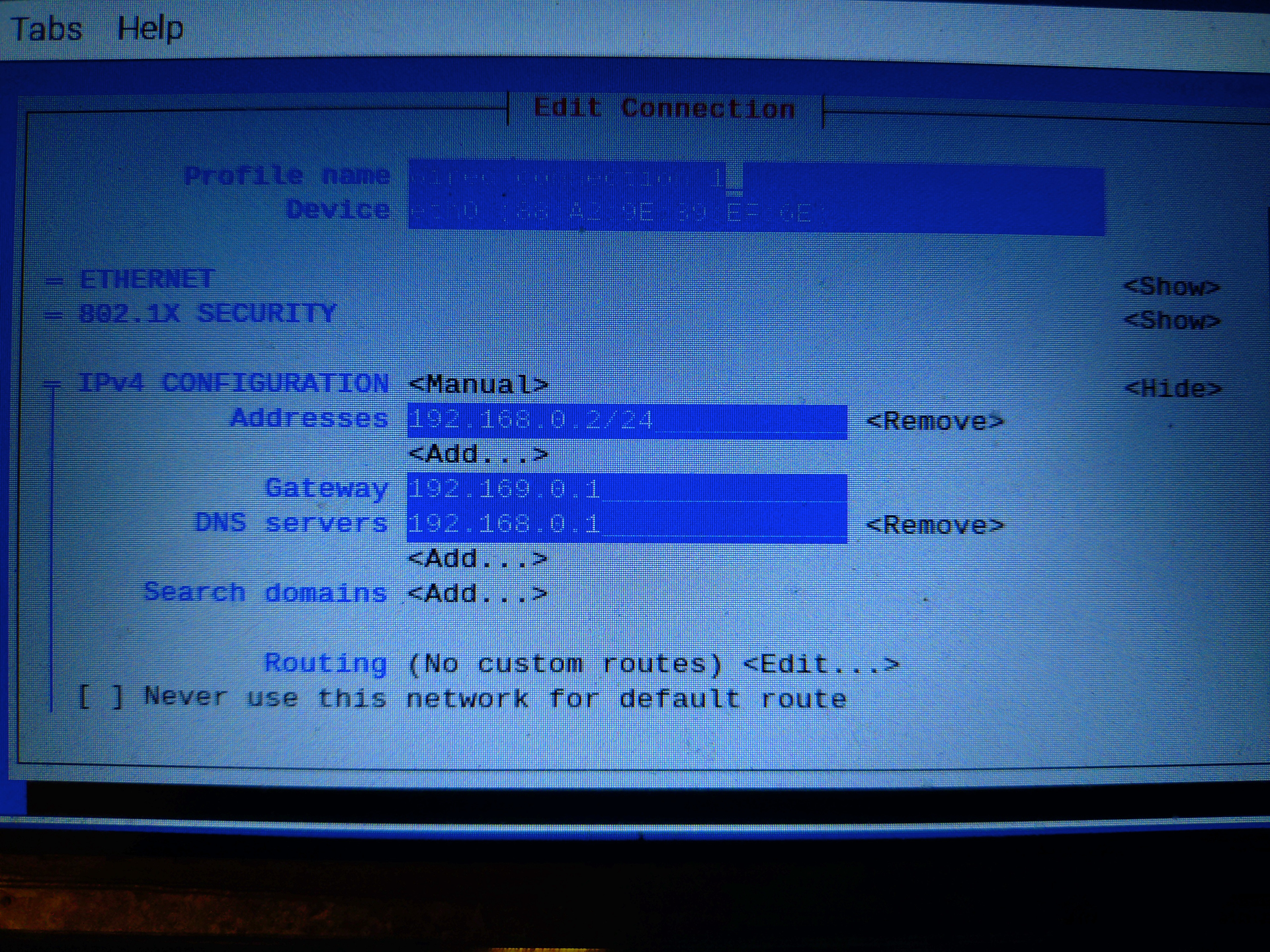
You may (probably) want to set your R-Pi DNS to a public DNS server (Pihole will still work). Your network clients will look at DHCP to know they should use the Pihole for DNS, but the Raspberry Pi device will have its DNS independent of Pihole to provide some resiliency in case Pihole ever goes down; your Raspberry Pi will still be able to get updates, etc.
What you have in the screen shot will work, this is just a suggested improvement.
In the screenshot, the router IP is configured for local DNS.
Thats perfectly fine if the router doesnt have its WAN/Internet DNS settings pointing to the Pi-hole IP.
Remember, Pi-hole is going to take over DHCP services from the router!
EDIT: I have the same config.
And my routers upstream (WAN/Internet) DNS are those from my ISP (the OOTB default setting).
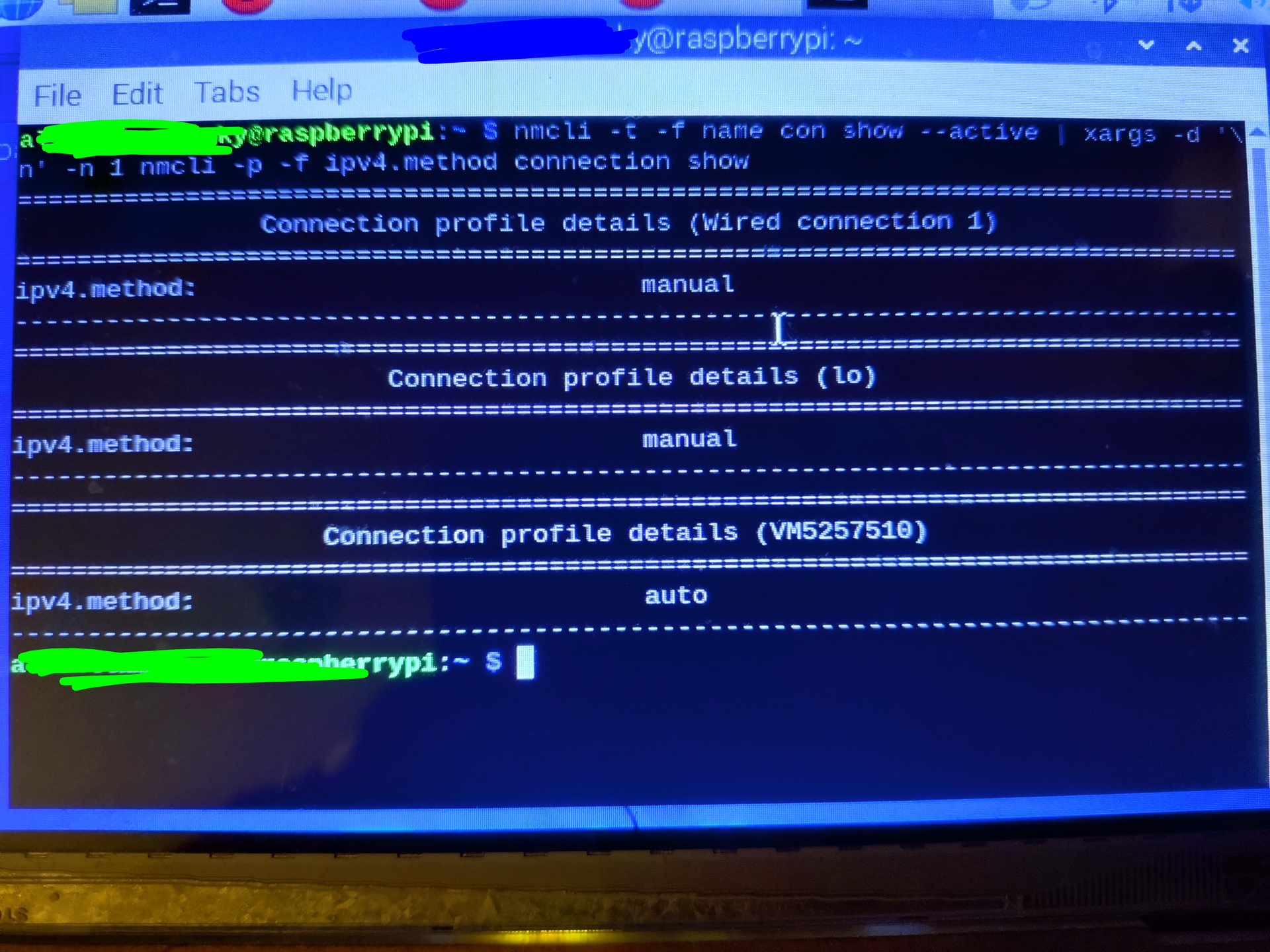
It's the same name as my wifi, so I assumed it was that?
And my router doesn't have DNS settings available, apparently Virgin Media hubs force traffic through their default servers. So do I need to change it or can I leave it?
Disable that one via nmtui.
Dont need it when connected via Ethernet and can confuse the routing table.
Plus maybe Pi-hole starts complaining if that Wifi interface is trying to get an IP from Pi-hole's own DHCP service.
Leave it.
Your assumption is right ... I think
Most ISP routers have the ISP DNS servers configured for WAN/Internet DNS OOTB.
I recommend you first enable Pi-hole's own DHCP service before switching off the one on the router.
You can check whats advertised via DHCP with below one:
sudo pihole-FTL dhcp-discover
Also make sure no firewalls in your network are blocking DHCP (UDP port 67):
Including the firewall running on the Pi-hole host (nftables):
Dont keep them running both at the same time!
Only when switching you can keep them both active for a short time.
The dhcp-discover looks good.
If your clients cant connect or get an IP via DHCP, its something network/router related that I cant help you with without knowing allot more about the router (network topology etc).
It could be that wired and wifi are two different network segments on the router creating a barrier for DHCP:
Oh on another note, I believe suspect your ISP router doesnt do DNS caching bc the clients are directed to use the public ISP DNS servers instead of the router IP:
If not, you'd have to configure above ISP "Dns-server" addresses for DNS with nmtui.
Or one of the many public DNS providers which was previously suggested by @nprampage (Cloudflare, Google, Quad9 etc).