Ok I understand that domain(s) to block can be manage by crontab.
I should like to block client requests and I really think that managing from pi-hole UI can be better and simpler.
Why this request?
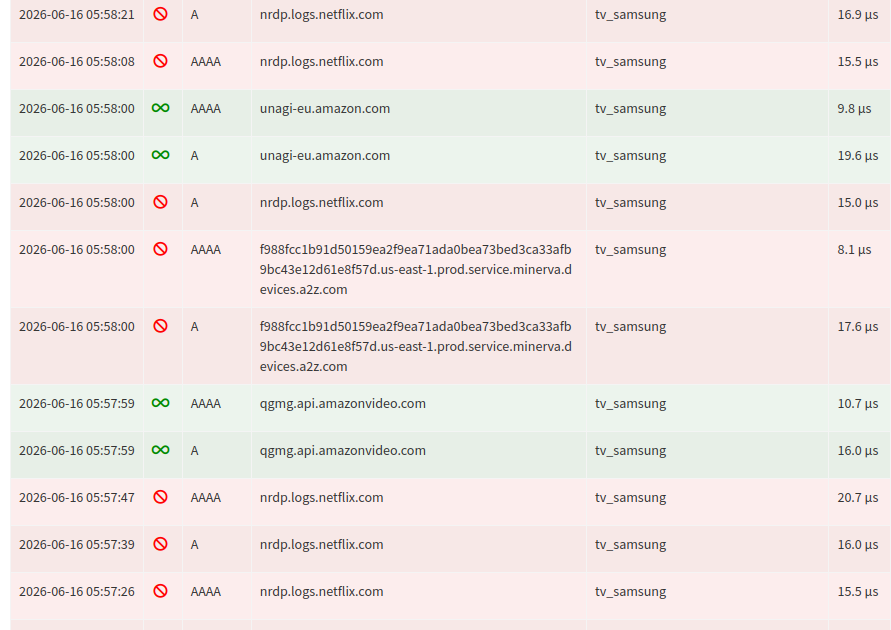
The TV even in standby mode connect to servers during night and for example to netflix servers and so on, even I don't have an account
What I would like it for example: block all requests from tv_samsung from 11:00PM to 08:00AM
see screenshot
Put the TV (and any related components such as speakers, players, etc.) on a smart switch or just a manual power switch, and turn it off when not in use. This saves electricity and solves the background internet activity as a byproduct.
I have a Tapo smart switch on my TV and sound system - saves 12W when it turns off at 2300 every night. It doesn't turn on again until I turn it on to watch TV. If I don't watch TV, it stays off.
20 hours/day, 365 days per year and 12W is a power savings of 87.6 KWh annually.
Just a hint:
My Philips Android TV consumes 0,3W in Stand-by. No Wifi in Stand-by, no home calling.
20 hours/day, 365 days per year and 0,3W is a power savings of 2,1 kWh annually - so nothing.
Ok, It was a solution I had considered.
You confirmed.
So I will add a plug (zigbee) to the homeassistant configuration
Thanks again for your answsers and time
Regards / Phil