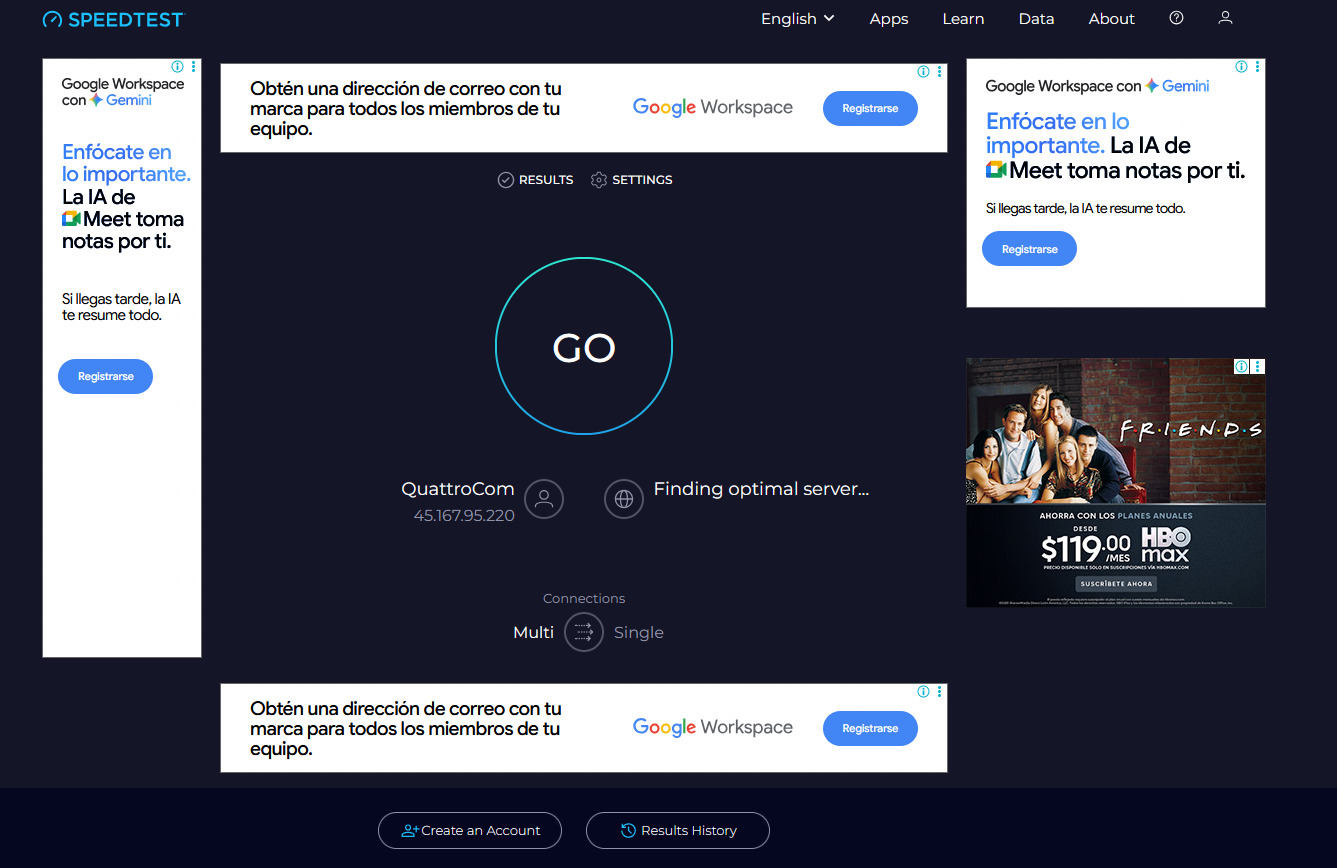
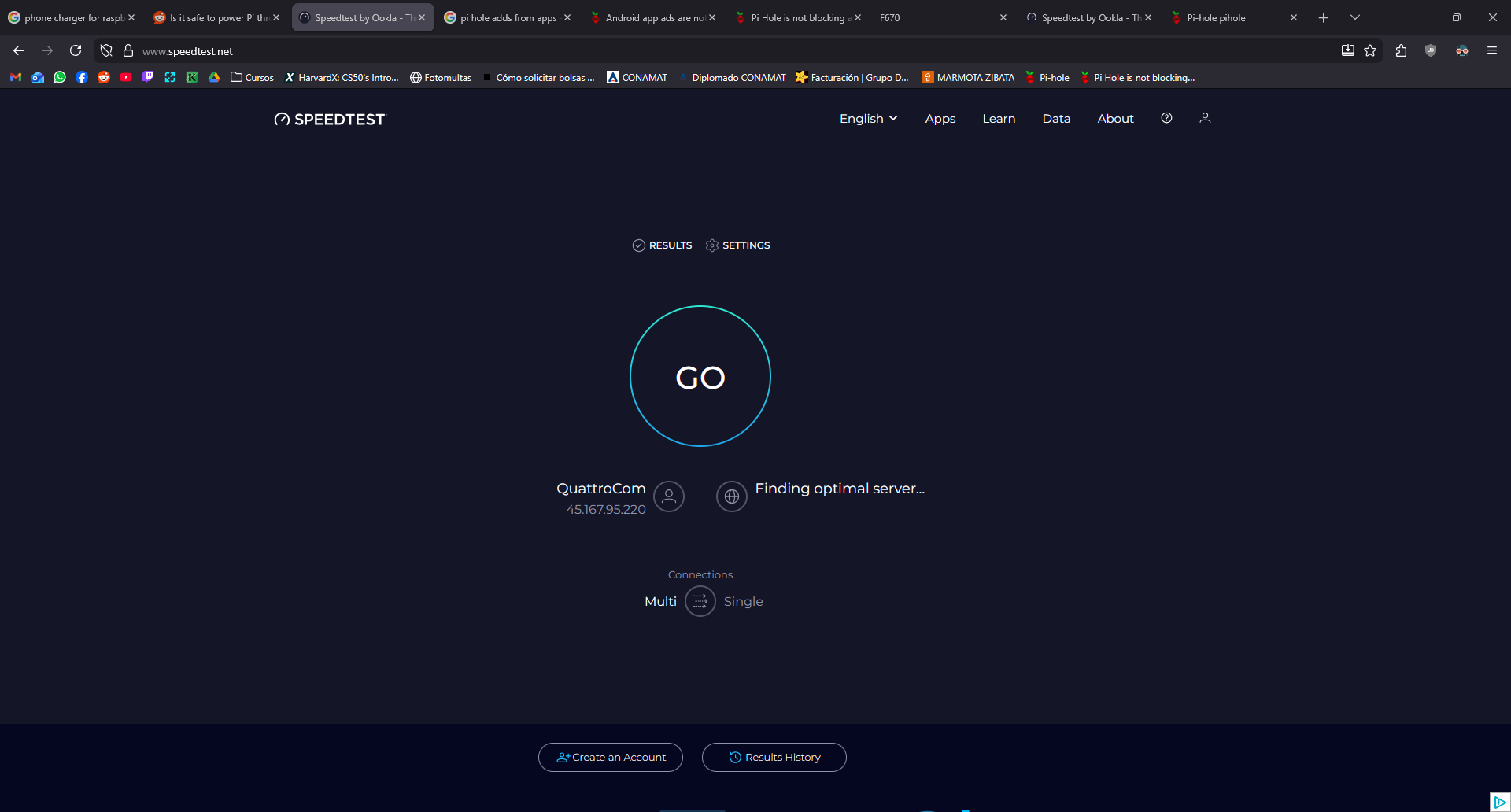
PiHole should block ads from sites like https://www.speedtest.net/
I installed pi hole in a raspberry pi zero 2w
PiHole is not blocking ads from https://www.speedtest.net/ even if i block the specific domain of those ads
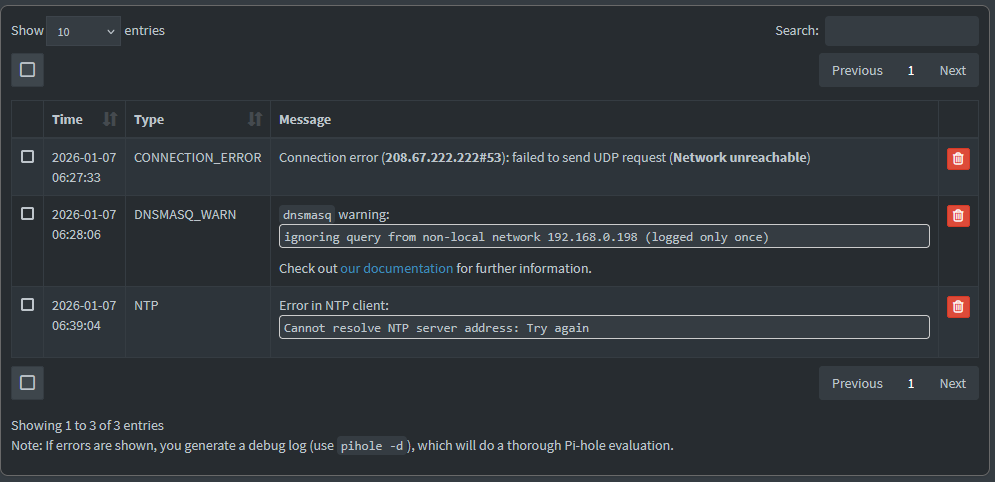
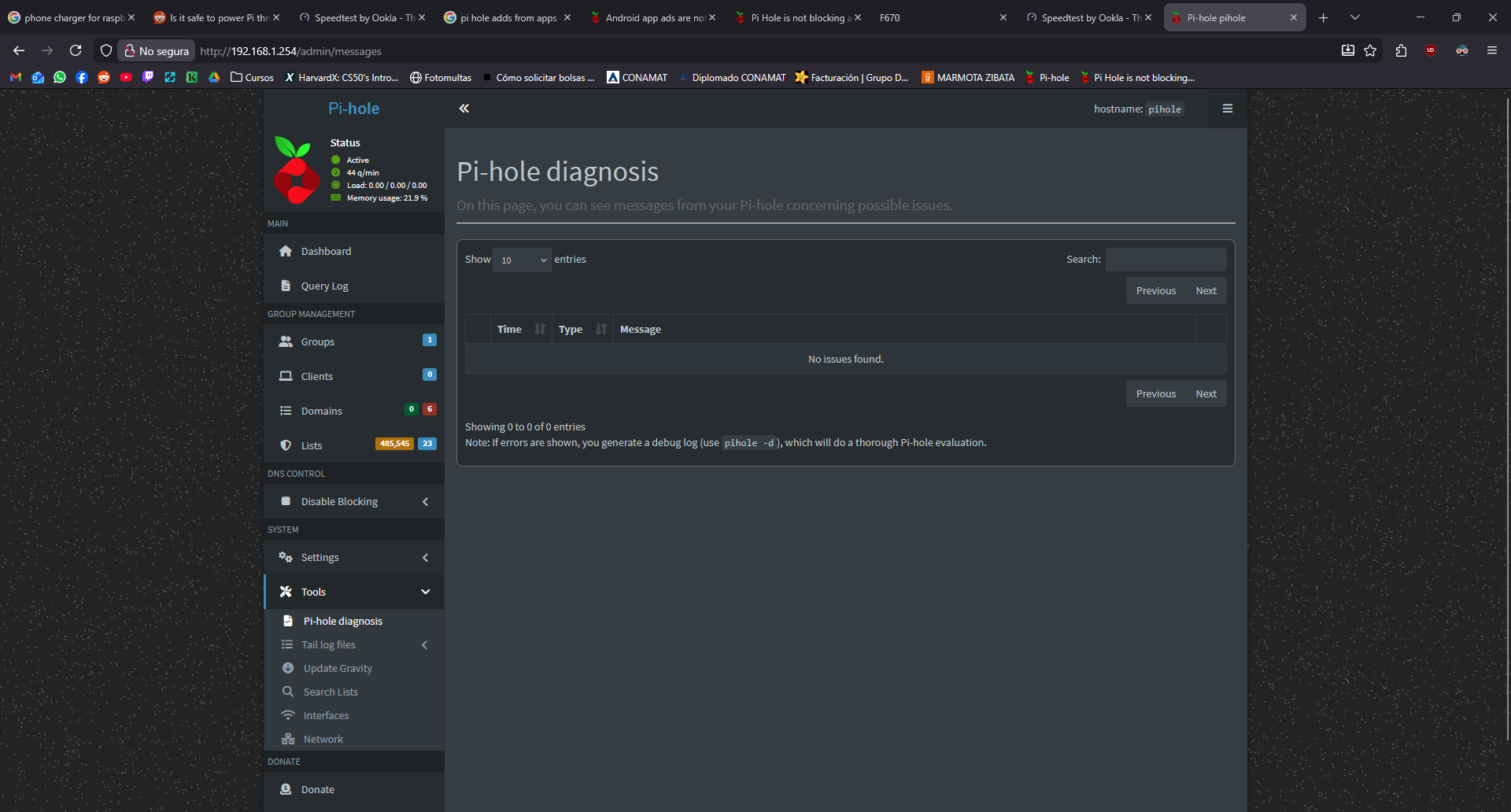
Also is giving 3 errors
https://tricorder.pi-hole.net/1sTw7xhQ/
There are other services using the required ports on your system:
*** [ DIAGNOSING ]: Ports in use
[✗] udp:0.0.0.0:53 is in use by  (https://docs.pi-hole.net/main/prerequisites/#ports)
    (...)
[✗] udp:*:53 is in use by  (https://docs.pi-hole.net/main/prerequisites/#ports)
    (...)
[✗] tcp:0.0.0.0:53 is in use by  (https://docs.pi-hole.net/main/prerequisites/#ports)
    (...)
[✗] tcp:0.0.0.0:80 is in use by  (https://docs.pi-hole.net/main/prerequisites/#ports)
[✗] tcp:0.0.0.0:443 is in use by  (https://docs.pi-hole.net/main/prerequisites/#ports)
[✗] tcp:[::]:53 is in use by  (https://docs.pi-hole.net/main/prerequisites/#ports)
    (...)
[✗] tcp:[::]:80 is in use by  (https://docs.pi-hole.net/main/prerequisites/#ports)
[✗] tcp:[::]:443 is in use by  (https://docs.pi-hole.net/main/prerequisites/#ports)
You need port 53 for Pi-hole.
The other ports (80 and 443) can be changed, but port 53 should be free.
Note:
This is strange...80 and 443 are in use by Pi-hole web server (the web interface is working!) , but the debug log can't identify them correctly:
   2026-01-07 06:16:52.879 CST [1038M] INFO: Web server ports:
   2026-01-07 06:16:52.879 CST [1038M] INFO:   - 0.0.0.0:80 (HTTP, IPv4, optional, OK)
   2026-01-07 06:16:52.879 CST [1038M] INFO:   - 0.0.0.0:443 (HTTPS, IPv4, optional, OK)
   2026-01-07 06:16:52.879 CST [1038M] INFO:   - [::]:80 (HTTP, IPv6, optional, OK)
   2026-01-07 06:16:52.879 CST [1038M] INFO:   - [::]:443 (HTTPS, IPv6, optional, OK)
Also, the log lines from 5:57 shows Pi-hole is using port 53:
   2026-01-07 05:57:19.599 CST [7569M] INFO: listening on 0.0.0.0 port 53
   2026-01-07 05:57:19.599 CST [7569M] INFO: listening on :: port 53
Can you please post the output of this command?
sudo ss -tupln '( sport = 53 or sport = 443 or sport = 80 )'
Netid   State    Recv-Q   Send-Q     Local Address:Port     Peer Address:Port   Process
udp     UNCONN   0        0                0.0.0.0:53            0.0.0.0:*       users:(("pihole-FTL",pid=1038,fd=20))
udp     UNCONN   0        0                      *:53                   :*       users:(("pihole-FTL",pid=1038,fd=22))
tcp     LISTEN   0        32               0.0.0.0:53            0.0.0.0:        users:(("pihole-FTL",pid=1038,fd=21))
tcp     LISTEN   0        200              0.0.0.0:80            0.0.0.0:*       users:(("pihole-FTL",pid=1038,fd=35))
tcp     LISTEN   0        200              0.0.0.0:443           0.0.0.0:*       users:(("pihole-FTL",pid=1038,fd=36))
tcp     LISTEN   0        32                  [::]:53               [::]:*       users:(("pihole-FTL",pid=1038,fd=23))
tcp     LISTEN   0        200                 [::]:80               [::]:*       users:(("pihole-FTL",pid=1038,fd=37))
tcp     LISTEN   0        200                 [::]:443              [::]:*       users:(("pihole-FTL",pid=1038,fd=38))
OK... the command output above shows Pi-hole is correctly using the expected ports.
Not sure why the debug log failed to retrieve the correct processes using the ports.
I can see one other unexpected message:
*** [ DIAGNOSING ]: Discovering active DHCP servers (takes 6 seconds)
   Error: Insufficient permissions or capabilities (needs CAP_NET_BIND_SERVICE). Try running as root (sudo)
but apparently this is not directly relevant to your issue.
We need to be sure the machine (where your browser is installed) is using Pi-hole as DNS server.
Please post the output of these commands, running from the client (not from Pi-hole server):
nslookup google.com
nslookup flurry.com
nslookup flurry.com 192.168.1.254
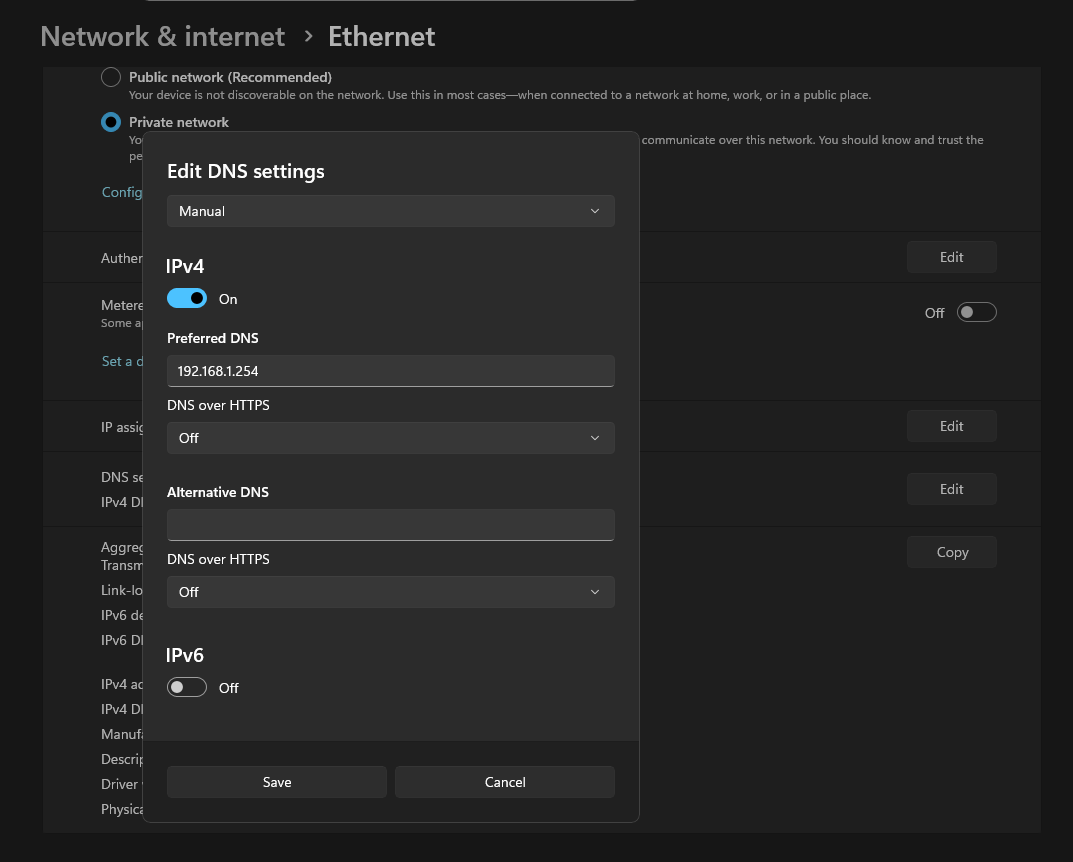
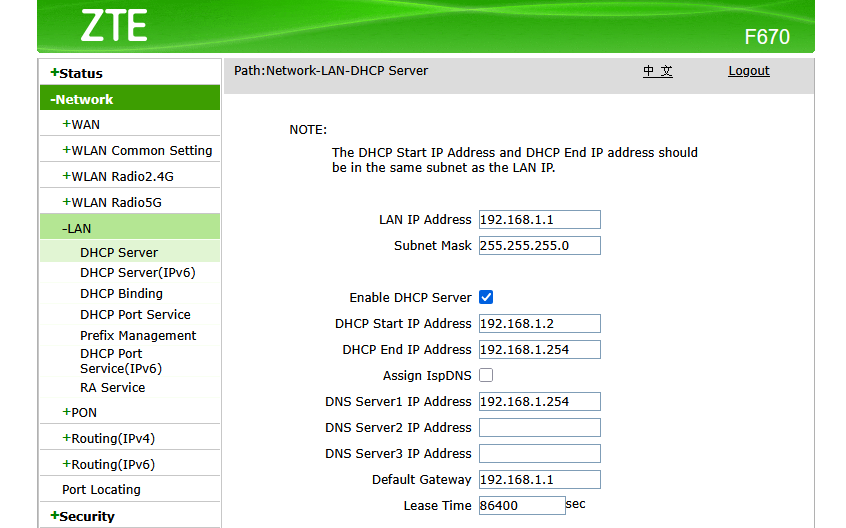
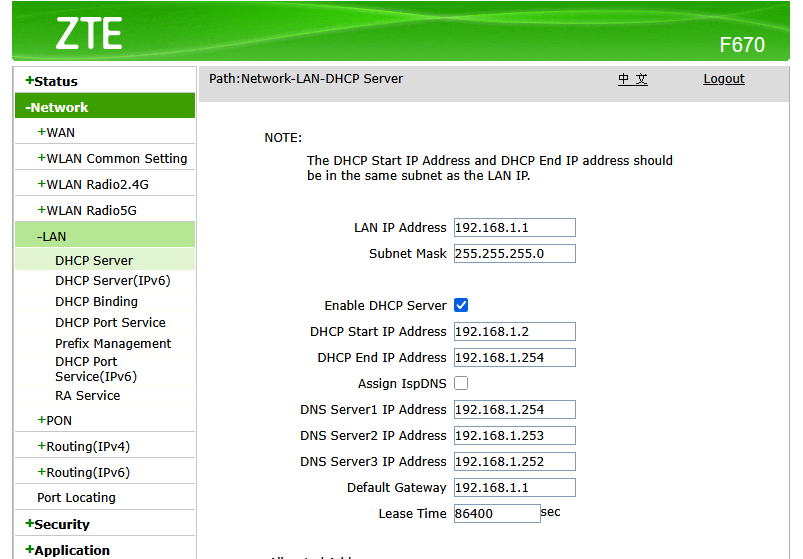
I have set the dns in windows manually and in the router
rdwebdesign:
Please post the output of these commands, running from the client (not from Pi-hole server):
nslookup google.com
nslookup flurry.com
nslookup flurry.com 192.168.1.254
PS C:\Users\USER> nslookup google.com
Server:  csp1.zte.com.cn
Address:  fe80::1

Non-authoritative answer:
Name:    google.com
Addresses:  2607:f8b0:4012:821::200e
          142.250.177.14

PS C:\Users\USER> nslookup flurry.com
Server:  csp3.zte.com.cn
Address:  fe80::1

Non-authoritative answer:
DNS request timed out.
    timeout was 2 seconds.
Name:    flurry.com
Addresses:  76.223.84.192
          13.248.158.7

PS C:\Users\USER> nslookup flurry.com 192.168.1.254
Server:  pi.hole
Address:  192.168.1.254

Name:    flurry.com
Addresses:  ::
          0.0.0.0

PS C:\Users\USER>
Btw thank you for taking your time helping me
This command shows your Windows machine is using a different DNS server (csp3.zte.com.cn (fe80::1) this is your router) and the domain is resolved.
When we force the use of Pi-hole (the last command), Pi-hole blocks the domain and answers with 0.0.0.0.
What is the output of ipconfig /all on your windows machine (we need the DNS servers)?
PS C:\Users\USER> ipconfig /all

Windows IP Configuration

   Host Name . . . . . . . . . . . . : PC
   Primary Dns Suffix  . . . . . . . :
   Node Type . . . . . . . . . . . . : Hybrid
   IP Routing Enabled. . . . . . . . : No
   WINS Proxy Enabled. . . . . . . . : No

Ethernet adapter Ethernet:

   Connection-specific DNS Suffix  . :
   Description . . . . . . . . . . . : Intel(R) Ethernet Connection (17) I219-V
   Physical Address. . . . . . . . . : A8-A1-59-AC-4F-F3
   DHCP Enabled. . . . . . . . . . . : Yes
   Autoconfiguration Enabled . . . . : Yes
   Link-local IPv6 Address . . . . . : fe80::19a2:49e4:904c:e2d7%5(Preferred)
   IPv4 Address. . . . . . . . . . . : 192.168.1.5(Preferred)
   Subnet Mask . . . . . . . . . . . : 255.255.255.0
   Lease Obtained. . . . . . . . . . : Wednesday, 7 January 2026 04:15:05 PM
   Lease Expires . . . . . . . . . . : Thursday, 8 January 2026 04:15:05 PM
   Default Gateway . . . . . . . . . : fe80::1%5
                                       192.168.1.1
   DHCP Server . . . . . . . . . . . : 192.168.1.1
   DHCPv6 IAID . . . . . . . . . . . : 78160217
   DHCPv6 Client DUID. . . . . . . . : 00-01-00-01-2E-B3-A7-D2-A8-A1-59-AC-4F-F3
   DNS Servers . . . . . . . . . . . : fe80::1%5
                                       192.168.1.254
                                       fe80::1%5
   NetBIOS over Tcpip. . . . . . . . : Enabled

Wireless LAN adapter Conexión de área local* 9:

   Media State . . . . . . . . . . . : Media disconnected
   Connection-specific DNS Suffix  . :
   Description . . . . . . . . . . . : Microsoft Wi-Fi Direct Virtual Adapter
   Physical Address. . . . . . . . . : 22-23-51-20-5E-74
   DHCP Enabled. . . . . . . . . . . : Yes
   Autoconfiguration Enabled . . . . : Yes

Wireless LAN adapter Conexión de área local* 10:

   Media State . . . . . . . . . . . : Media disconnected
   Connection-specific DNS Suffix  . :
   Description . . . . . . . . . . . : Microsoft Wi-Fi Direct Virtual Adapter #2
   Physical Address. . . . . . . . . : 20-23-51-20-5E-74
   DHCP Enabled. . . . . . . . . . . : Yes
   Autoconfiguration Enabled . . . . : Yes

Wireless LAN adapter Wi-Fi:

   Connection-specific DNS Suffix  . :
   Description . . . . . . . . . . . : TP-Link Wireless Nano USB Adapter
   Physical Address. . . . . . . . . : 20-23-51-20-5E-74
   DHCP Enabled. . . . . . . . . . . : Yes
   Autoconfiguration Enabled . . . . : Yes
   Link-local IPv6 Address . . . . . : fe80::ca96:afec:203:4f83%20(Preferred)
   IPv4 Address. . . . . . . . . . . : 192.168.1.10(Preferred)
   Subnet Mask . . . . . . . . . . . : 255.255.255.0
   Lease Obtained. . . . . . . . . . : Wednesday, 7 January 2026 04:17:40 PM
   Lease Expires . . . . . . . . . . : Thursday, 8 January 2026 04:17:40 PM
   Default Gateway . . . . . . . . . : fe80::1%20
                                       192.168.1.1
   DHCP Server . . . . . . . . . . . : 192.168.1.1
   DHCPv6 IAID . . . . . . . . . . . : 304096081
   DHCPv6 Client DUID. . . . . . . . : 00-01-00-01-2E-B3-A7-D2-A8-A1-59-AC-4F-F3
   DNS Servers . . . . . . . . . . . : fe80::1%20
                                       198.168.1.254
                                       fe80::1%20
   NetBIOS over Tcpip. . . . . . . . : Enabled

Ethernet adapter Conexión de red Bluetooth 2:

   Media State . . . . . . . . . . . : Media disconnected
   Connection-specific DNS Suffix  . :
   Description . . . . . . . . . . . : Bluetooth Device (Personal Area Network) #2
   Physical Address. . . . . . . . . : 00-A7-46-24-0B-7B
   DHCP Enabled. . . . . . . . . . . : Yes
   Autoconfiguration Enabled . . . . : Yes
As you can see, the router is advertising itself as DNS server.
You could try to fill the 3 DNS fields with Pi-hole IP. If the router doesn't allow using the same IP for all fields, try 0.0.0.0 or a unused IP.
Using 0.0.0.0 and repeating the pi hole ip returns an error in the router. I have to put two unused ip but the nothing changes with the ads
I also restarted the router and flush dns cache but that didnt help
Btw my pc and raspberry are conected through a second router configured as an acces point
Windows is using the IPv6 (fe80::1) as DNS server.
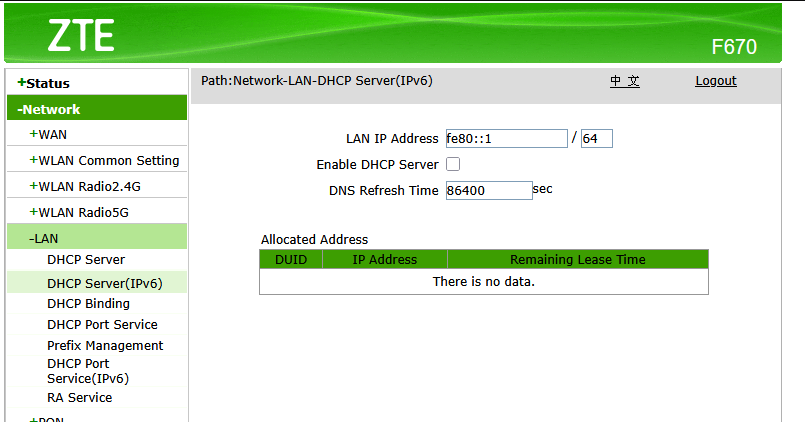
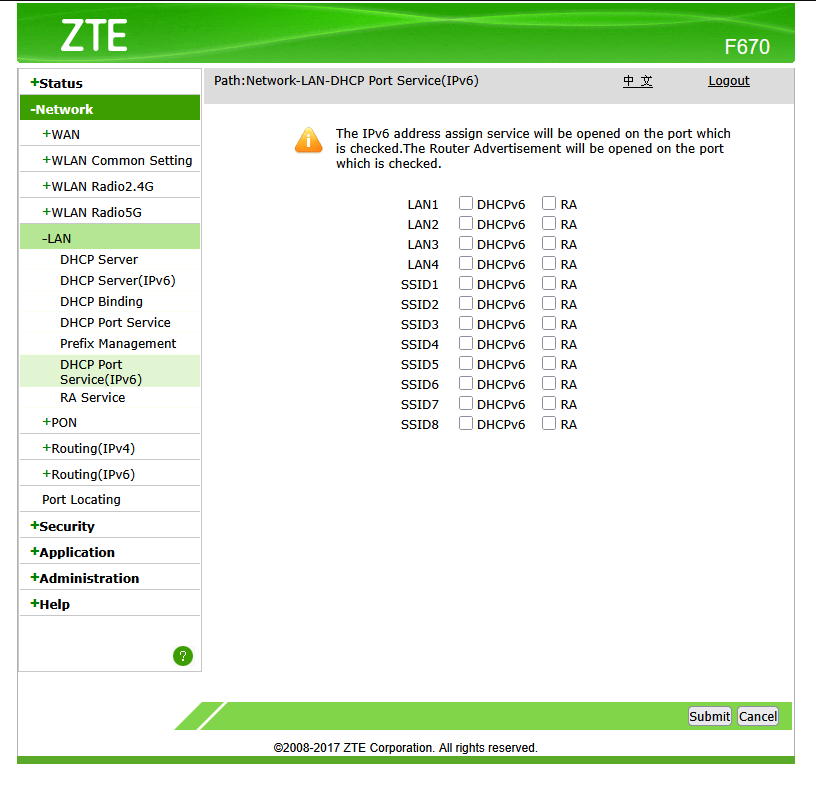
The router shows a "DHCP server (IPv6)" page. Maybe you can change (or disable) the IPv6 DNS server on that page.
Nothing changes
I also disabled ipv6 there
rdwebdesign , doesnt that fe80::1 IP show up in the debug log dhcp-discover output as an RDNSS?
Some hints for another ZTE model below (the bottom paragraph):
I am not aware of any such requirement.
If that would be the case, any Windows running on a network with IPv4 only connectivity would never be able to receive updates.
When considering to disable IPv6, it would be crucial whether your ISP is providing you with a native dual stack, native IPv4 or native IPv6 connection.
Obviously, disabling IPv6 is not an option in the latter case.
Configuring a DHCPv6 DNS Server may not help.
Most OSs won't use DHCPv6, but SLAAC, learning network details …
The debug log is incomplete and there is no DHCP info.
As I said earlier:
rdwebdesign:
Maybe the system is running as "unpriviledged".
I can see one other unexpected message:
*** [ DIAGNOSING ]: Discovering active DHCP servers (takes 6 seconds)
   Error: Insufficient permissions or capabilities (needs CAP_NET_BIND_SERVICE). Tr
deHakkelaar:
rdwebdesign , doesnt that fe80::1 IP show up in the debug log dhcp-discover output as an RDNSS?
Some hints for another ZTE model below (the bottom paragraph):
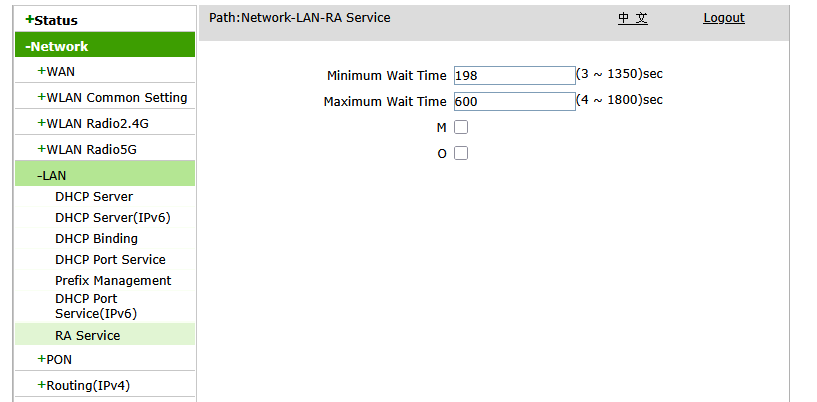
I tried disabling the M and O from RA
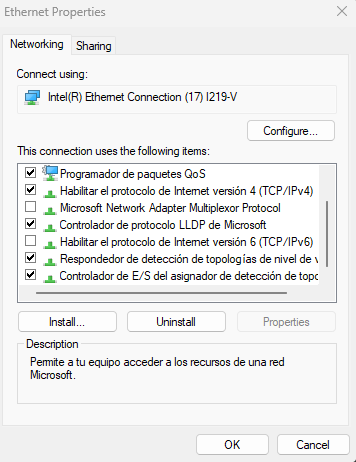
And unchecked every box in this too
After restarting the router the ads dissapeared in my pc and phone
Also the warnings and errors from the diagnosis are gone
Thanks, i was getting a little frustrated haha
Oops sorry missed that bit
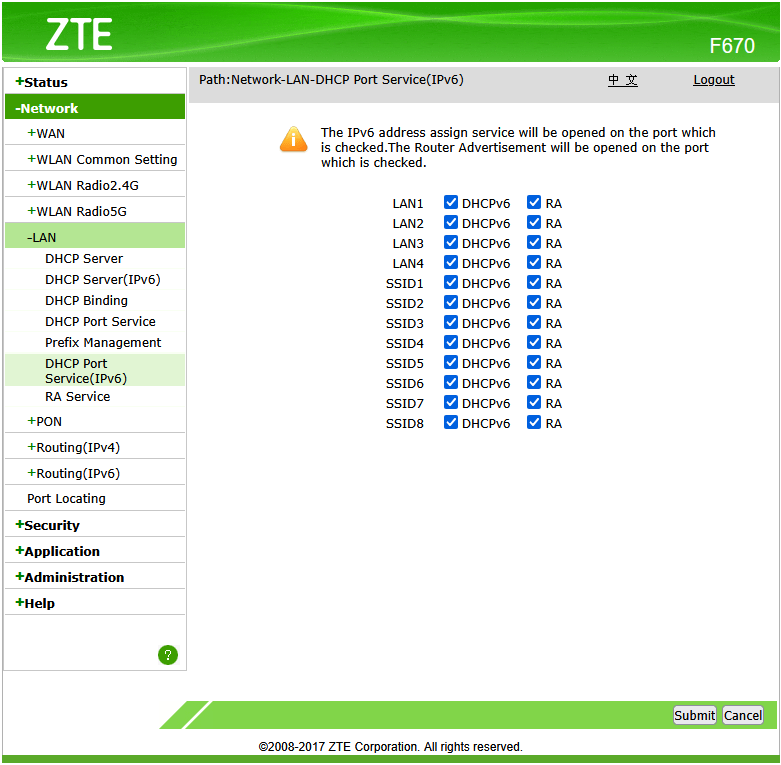
Can you restore above boxes and run below one for rdwebdesign to check for any RDNSS (Recursive DNS Server)?
sudo pihole-FTL dhcp-discover | pihole tricorder
Post the resulting token URL pls?
EDIT: Oh you can check too by running only below:
sudo pihole-FTL dhcp-discover
Dont post full output for above one here for privacy!
Eg:
pihole@pihole:~ $ sudo pihole-FTL dhcp-discover
Scanning all your interfaces for DHCP servers and IPv6 routers
Timeout: 6 seconds

Error while sending Router Solicitation on wlan0: Network unreachable
* Received 548 bytes from 192.168.1.1 @ wlan0
  Offered IP address: 192.168.1.254
  Server IP address: N/A
  Relay-agent IP address: N/A
  BOOTP server: (empty)
  BOOTP file: (empty)
  DHCP options:
   Message type: DHCPOFFER (2)
   netmask: 255.255.255.0
   router: 192.168.1.1
   dns-server: 192.168.1.254
   dns-server: 192.168.1.253
   dns-server: 192.168.1.252
   server-identifier: 192.168.1.1
   lease-time: Infinite
      --- end of options ---

Received 1 DHCP (IPv4) and 0 RA (IPv6) answers on wlan0
pihole@pihole:~ $
I dont see any lines like the ones you say
I think you killed IPv6 entirely a GUA + maybe a ULA prefix ) via SLAAC .
Ps, whats weird is below DHCP lease time being Infinite :
Alberto_Hdez:
lease-time: Infinite
While on below screenshot is says 86400 seconds:
Alberto_Hdez:
Or you disabled or broke IPv6 somehow on the Pi?
Do the ads appear again with those boxes restored?
EDIT: Oh and what does below output now when run on the Windows box?
netsh interface ipv6 show dnsservers