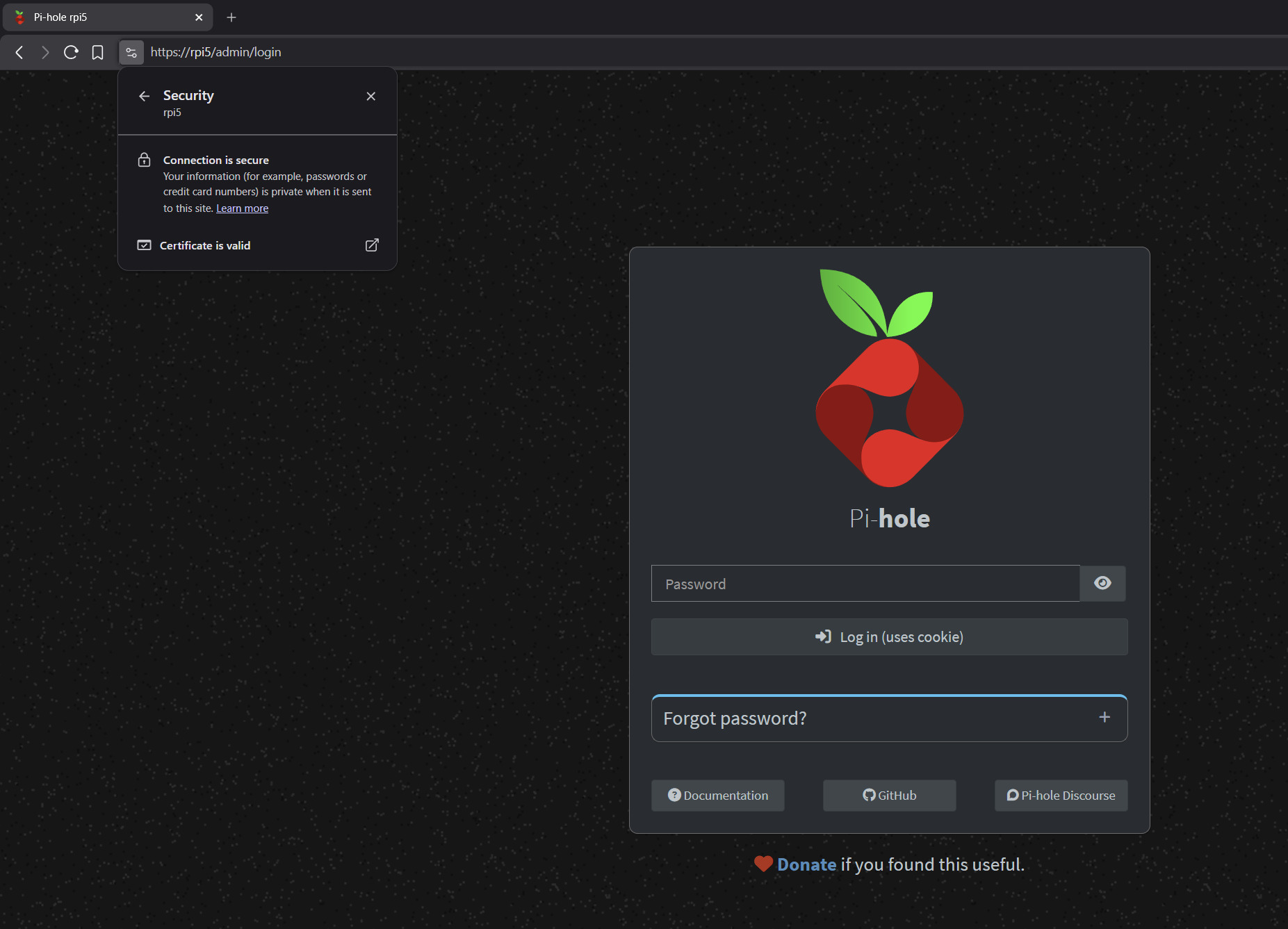
How to enable HTTPS on Pi-hole using a local Root CA (local-https)

Local HTTPS for Pi-hole (previously "pihole-https") :locked_with_key:

Hello everyone,

Some time ago I shared a small script called pihole-https to enable HTTPS on the Pi-hole web interface with minimal manual TLS setup.

Based on community feedback and further development, the project has evolved and is now called local-https.

Despite the new name, Pi-hole remains a primary and fully supported use case.

The rename reflects an internal redesign and a more robust certificate management model, not a change in focus.

Source code: GitHub - luizbizzio/local-https: 🔒 Local Root CA and auto-renewed HTTPS certificates for private networks and services.


What local-https does for Pi-hole

local-https automates HTTPS for the Pi-hole web interface by:

  • Creating (or reusing) a local Root Certificate Authority

  • Issuing short-lived HTTPS certificates

  • Automatically renewing certificates before expiration

  • Automatically deploying renewed certificates to Pi-hole

  • Reloading the correct Pi-hole web service (FTL or Lighttpd)

Once the local Root CA is trusted on your devices, the Pi-hole web UI can be accessed over HTTPS without browser warnings.

Supported on Debian-based distributions (Debian, Ubuntu, Raspberry Pi OS, Armbian).

Other distributions may work but are not officially supported.


About certificate lifetime (40 days)

Thanks to @nero355 for previously pointing out the industry shift toward shorter TLS certificate lifetimes.

Modern browser and CA policies are moving away from long-lived certificates in favor of ~40–45 day validity periods, improving security and reducing the impact of key compromise.

local-https follows this model and relies on automatic renewal, so the shorter lifetime does not add operational overhead.

Reference:


Repository

The project is open source and available here:

The README covers:

  • Installation and uninstall instructions

  • Automatic renewal details

  • Pi-hole-specific integration notes

  • Device trust instructions for Windows, macOS, Linux, Android, and iOS


Installation

The project provides a simple one-step installer:

curl -fsSL https://raw.githubusercontent.com/luizbizzio/local-https/main/install.sh | sudo bash

This installs the local-https command and guides you through the setup, including optional automatic renewal via systemd.


Notes

  • It uses OpenSSL, not Let's Encrypt

  • This uses a local Root CA and is intended for private networks

  • It is not designed for public HTTPS or for use inside Docker containers

  • Feedback and suggestions are welcome

Thanks to the Pi-hole community for the discussions and feedback that helped shape this update.

2 Likes

You are welcome! :slight_smile:

But I still don’t get it…

Is this to avoid browsers displaying the usual “This is not from a well known SSL Certificate Company so make sure you know what you are doing!” error or is this just to generate a new certificate that will show the same thing ?!

Because the same thing, but generated by your own system is very easy to do in Pi-Hole v6.x.x by just deleting the SSL Certificate files that are installed by default :grimacing:

1 Like

No, this is not just about generating a new certificate.

When you delete Pi-hole’s SSL files, Pi-hole simply creates another self-signed certificate.
That certificate will always trigger browser warnings, because it is not trusted.

Self-signed ≠ Trusted

local-https changes the trust model:

  • It creates a local Root CA once
  • You install this CA on your devices one time
  • All HTTPS certificates are signed by this CA
  • Browsers trust them, even after renewals

Deleting Pi-hole certificates solves renewal.
local-https solves trust and renewal.

I might be missing something here, at least in the scope of Pi-hole. Yes, standards are moving to more frequent ‘leaf’ certificate validity, but in a well-controlled, home network…is all this complexity necessary? Sure you can ‘do it’, but it seems a bit much when, presumably, the machines on your network are trusted and your local domain isn’t likely to change hands to someone else, etc.

NOFI but then there is not much advantage for me :

I just add the self–signed certificate from Pi-Hole as Trusted Certificate to Pale Moon and I am done too! :grimacing:

It’s kind of more fun and cool to have and a bit useful too since all the well known browsers started bitching and moaning about http vs. https advantages some years ago and from that point on started being annoying, because as soon as you type in any address they assume it’s https and almost do not allow you to use http :roll_eyes:

Anything to protect the dumb mass of users I guess… LOL! :rofl:

I think this is getting mixed with just “Pi-hole UI in the browser”. For very simple setups, a self-signed cert is fine. But Pi-hole can also be used as a DoH server, and in that case clients don’t have a “click to accept risk”. Browsers, OS resolvers and apps expect trusted HTTPS, otherwise DoH fails or falls back.

Browsers are also shortening certificate lifetimes, so manual renew gets annoying fast. So this is not about adding security to a trusted home LAN, it’s about avoiding warnings, keeping DoH working across devices, and having auto-renew without babysitting it. This matters even more if ports are exposed or when using something like Tailscale, because clients still behave like normal internet clients and expect trusted HTTPS.

FWIW, folks should do what works for them. I was probing this as a way to ask, ‘am I missing something critical?’ I also have DoH and DoT set up…but since i install the root CA on all devices that might use those, the ‘leaf’ certs can also change as often as I feel like regenerating them, which isn’t very often…given my use cases.