Dashboard does not update, shows static vertical bar

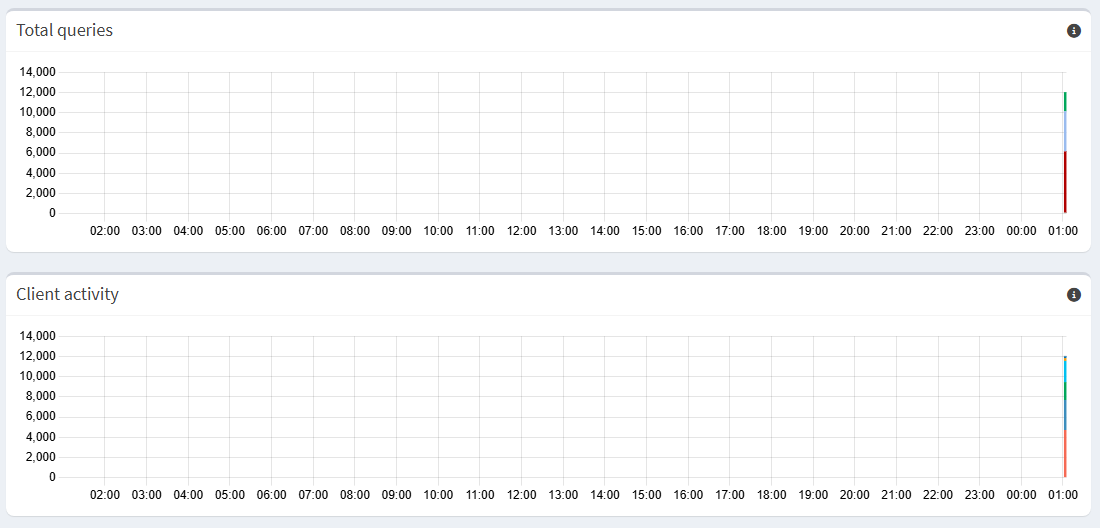
After an upgrade to Core v6.4FTL v6.5Web interface v6.4.1 last week the dashboard for “Total queries” and “Client activity” do no longer update, just vertical bar on the right-hand side of the graph and it stays as it is as time passes.

Have done a reboot the day before. Though symptoms persist.

Here the screen capture taken:

Debug token available with https://tricorder.pi-hole.net/cowrYtv3/

1 Like

Do you see the same on other browsers, or accessing from different machines?

Could you please run from the terminal

(sudo) pihole api history and post the output?

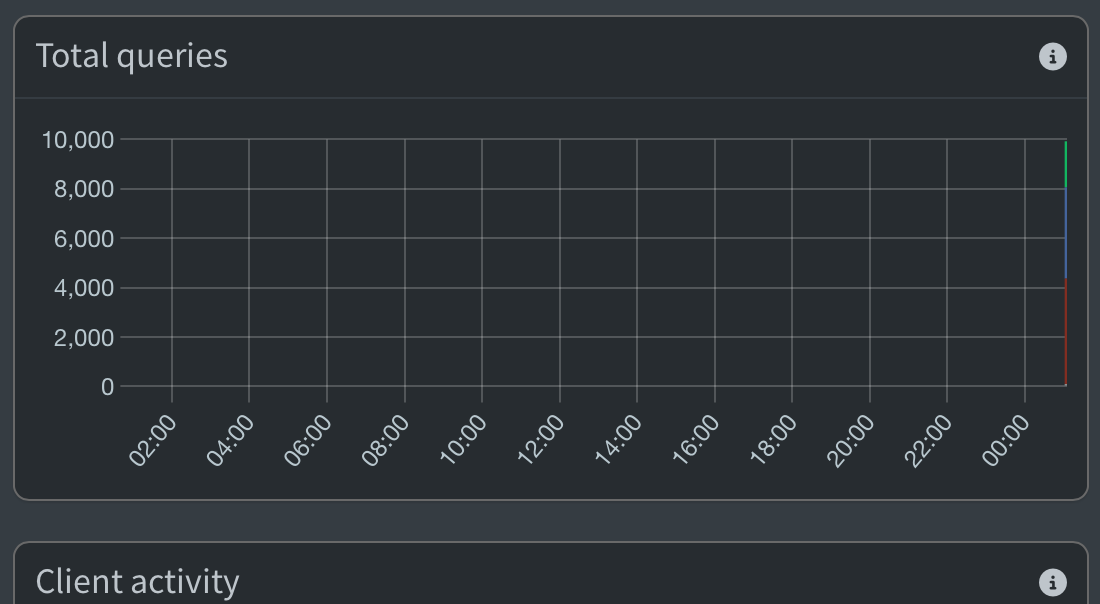
Yes, the same is being displayed for any kind of browser. Here another screen capture from a browser running on a smartphone:

1 Like

Attached the output of the API history generated with the command "sudo pihole api history > api_history.txt" on the terminal window.

api_history.txt (17.2 KB)

Thanks. This seems to be a real bug in our FTL component rather then some display issue with the web interface because only the last timestamp from the API contains values

    {
      "timestamp": 946683900,
      "total": 0,
      "cached": 0,
      "blocked": 0,
      "forwarded": 0
    },
    {
      "timestamp": 946684500,
      "total": 0,
      "cached": 0,
      "blocked": 0,
      "forwarded": 0
    },
    {
      "timestamp": 946685100,
      "total": 9622,
      "cached": 3447,
      "blocked": 4263,
      "forwarded": 1818
    }
1 Like

I have been examining the API history myself and see the following last entries:

}
[...]
{
"timestamp": 946684500,
"total": 0,
"cached": 0,
"blocked": 0,
"forwarded": 0
},
{
"timestamp": 946685100,
"total": 9622,
"cached": 3447,
"blocked": 4263,
"forwarded": 1818
}
],
"took": 0.0026111602783203125
}

If I understand correctly from the output, something is wrong here.

1 Like

i have exactly the same issue after i updated my raspberry 4b and raspberry 5 - i have the same output history with a lot of zeros and only the last timestamp with informations

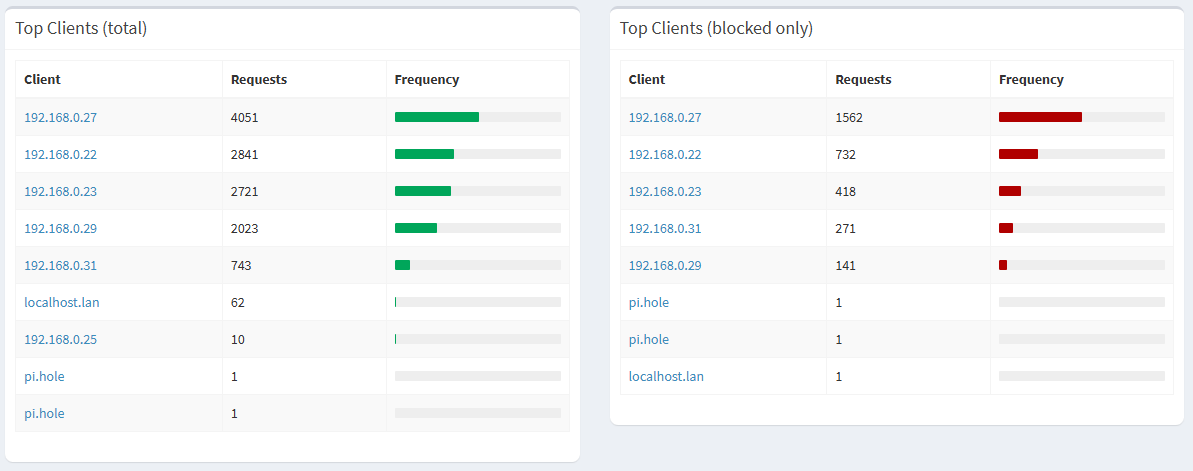
I am observing further issues as depicted with the following screen capture:

Now, the hosts "localhost.lan" and "pi.hole" do get listed as top clients. This was however never the case in the past.

1 Like

@yubiuser

Note:

Maybe this is unrelated, but this timestamp is from 26 years ago:
GMT: Friday, 31 December 1999 23:55:00

2 Likes

Unless that result would only reflect what's actually in the database.

carriba, let's check the database directly.
Please share the output of:

sudo pihole-FTL sqlite3 /etc/pihole/pihole-FTL.db "SELECT min(timestamp),max(timestamp), count(*) FROM queries;"

EDIT:
Also, perhaps the UI requests values for a timeslot in 1999:

What's the time on the system that runs the browser?

Good catch!

That's true, but would also be caused by FTL :wink:

I agree.
FTL sends all timestamps, even when they are empty.

Yesterday I was testing Pi-hole and I deleted all records before 21:30. Now my graphic looks like this:

And pihole api history starts with many timeslots containing only zeros.

Output of the command "sudo pihole-FTL sqlite3 /etc/pihole/pihole-FTL.db "SELECT min(timestamp),max(timestamp), count(*) FROM queries;"" as follows:

1764054729.33804|1771950867.31391|744799

The date & time on all my devices are the same. I only know when I restart the device running PiHole it will go out to the Internet (once connection is established) to sync its date & time with a defined NTP server.

So the database has 744,799 entries spanning from Nov 25th 2025 to Feb 24th 2026 (today).

This indicates it would indeed be related to pihole-FTL's API producing wrong data.

1 Like

Would it help to dump the contents of the DB and start from scratch? (No need to keep historical data.)

Is the encountered defect injected during the latest FTL upgrade/update?

We don't know yet what is causing the issue. We suspect this is a FTL bug, but we couldn't replicate the issue and this is currently just a guess.

I don't know.

It is up to you.
Since no one else could reproduce the issue reliably until now, it would be great to have your data to helps us find out what is broken.

On the other hand, if you want to fix your graphic, there is a good chance that deleting the database will fix it. Go ahead and try it.
OK, I wait a little bit on your findings and am available to help you further (if anything there).

Though, there's a post from another user claiming having encountered the same issues.