pihole is filtering, but everything is listed as DecoMesh5.localdomain. I want to see the clients listed. I have tried really hard to solve. Please be patient. Thanks
On Uni, LAN’s DNS server is Pi, which has fixed IP.
on Uni, WAN DNS server is 1.1.1.1
On pihole, DNS server was Cloudfare, but I tried making it the Gateway 192.168.1.1
I tried making pihole the DHCP server and locked things up. That’s probably because I turned off DHCP on the gateway, but I didn’t turn it off on the Deco. (I should probably leave DHCP on on the gateway, turn it on on pihole and turn it off on Deco.)
The root issue is that the Deco M5 is running in router mode behind the Unifi Gateway. It does its own NAT, so every device connected through the Deco appears to Pi-hole as a single source (the Deco's IP). That's why you only ever see DecoMesh5.localdomain instead of individual clients.
The cleanest fix is to switch the Deco M5 to Access Point mode.
In AP mode the Unifi Gateway handles all DHCP, each device gets its own IP directly, and Pi-hole sees the individual clients.
Steps:
In the Deco app go to More > Advanced > Operating Mode > Access Point Mode
Connect the main Deco unit to a LAN port on the Unifi Gateway via ethernet
Keep DHCP on the Unifi Gateway (do NOT enable it on Pi-hole - that's what locked things up before)
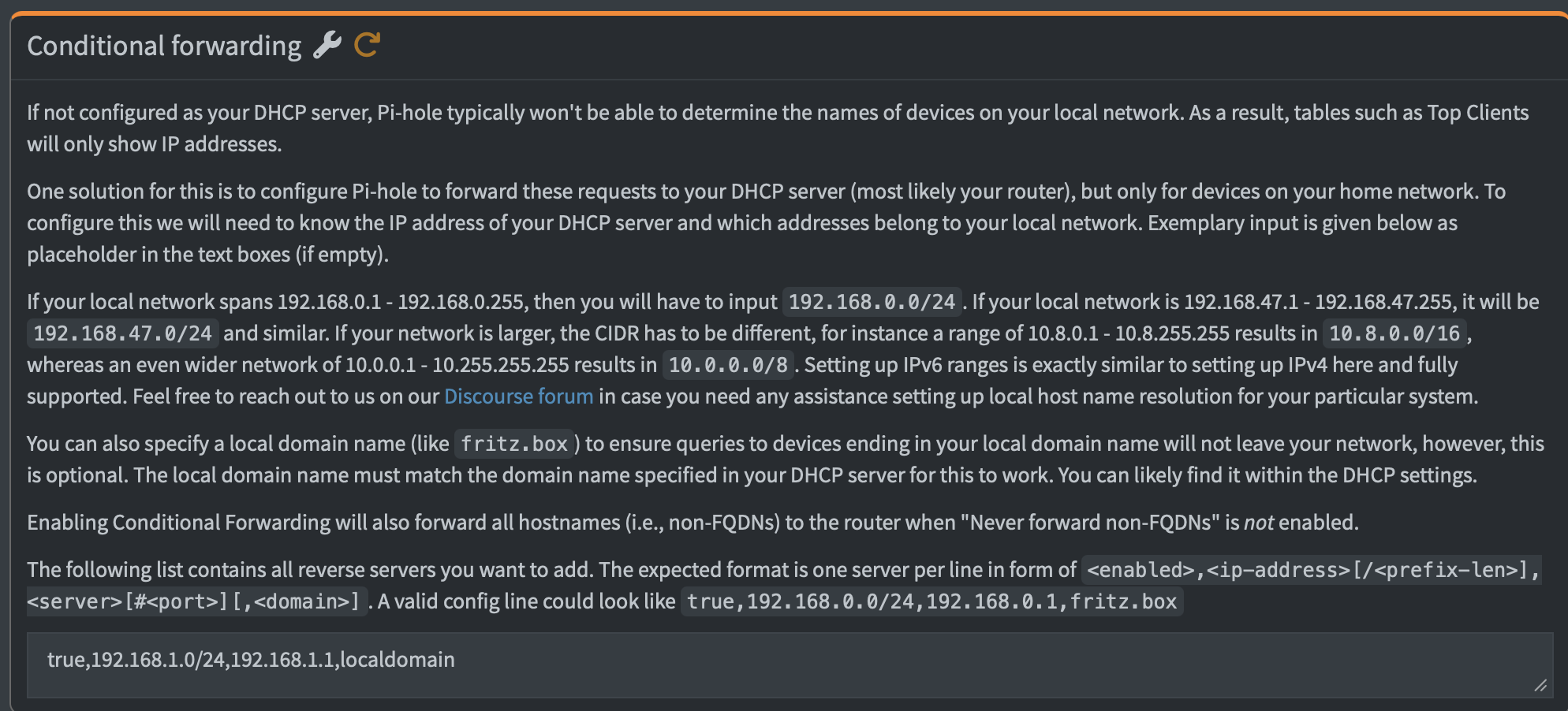
In Pi-hole go to Settings > DNS > scroll down to Advanced DNS settings and enable Conditional Forwarding. Set your local domain name and the router IP (192.168.1.1). This lets Pi-hole look up hostnames from the Unifi DHCP leases and you get proper client names.
The conditional forwarding step is what most people miss - without it Pi-hole can see the individual IPs but can't resolve the hostnames.
Note: switching to AP mode will reset the Deco mesh config so you'll need to re-add any satellite units through the app afterward.
If it’s the USG 3P or any other model from the USG line then please consider upgrading it : They are no longer supported since their EOL date more than 1 year ago !!
In that case making the TP-Link Deco M5 your Main and only Router might make a lot more sense
[I think that’s what I have configured, but I will attach screenshots.]
[true,192.168.1.0/24,192.168.1.1,localdomain]
Thanks for the help. I did solve the issue.
The "Dual DNS" Issue: My clients saw the Gateway and the Pi-hole because Multicast DNS (mDNS) was on. I turned that off in UniFi to stop the Gateway from "advertising" itself.
Every request looked like it came from the Gateway because Pi-hole was using the Gateway as its boss (Upstream DNS). We switched Pi-hole to use Cloudflare (1.1.1.1) so it could see devices directly. [ I had had this set up correctly and then switched it in an attempt to fix it. Doh!]
No, definitely not.
MulticastDNS is not related to DNS - it's a different protocol, using different ports, and most specifically, it is lacking the concept of a DNS server. Rather, an mDNS Clients declares a name for itself when asked for it, and asks it same-link neighbours for theirs via multicasts.
The one thing to look out for with regards to mDNS is to not use .local with DNS, as that TLD is reserved for mDNS usage, and should not be used with DNS names.
No, configuring an Upstream DNS server in Pi-hole defines where Pi-hole forwards requests to, as already received by clients.
It does not does tell clients to use Pi-hole for DNS.
That's the job of your DHCP server.
But if you had configured Pi-hole to use router as its only upstream, while your router would have used Pi-hole as its sole upstream at the same time, you would have configured a perfect DNS loop, where Pi-hole would forwarded any received, allowed request to your router, which would have swiftly returned it to Pi-hole, which would send it to your router, and so forth, until time outs or rate limiting would have kicked in.
In such a configuration, there would be no public DNS resolution at all.
To avoid a full DNS loop, do NOT point your router to use Pi-hole for DNS when configuring your router as Pi-hole's upstream.
Similar is true for Conditional Forwarding, as that would still close a partial DNS loop.