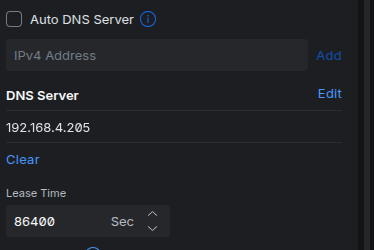
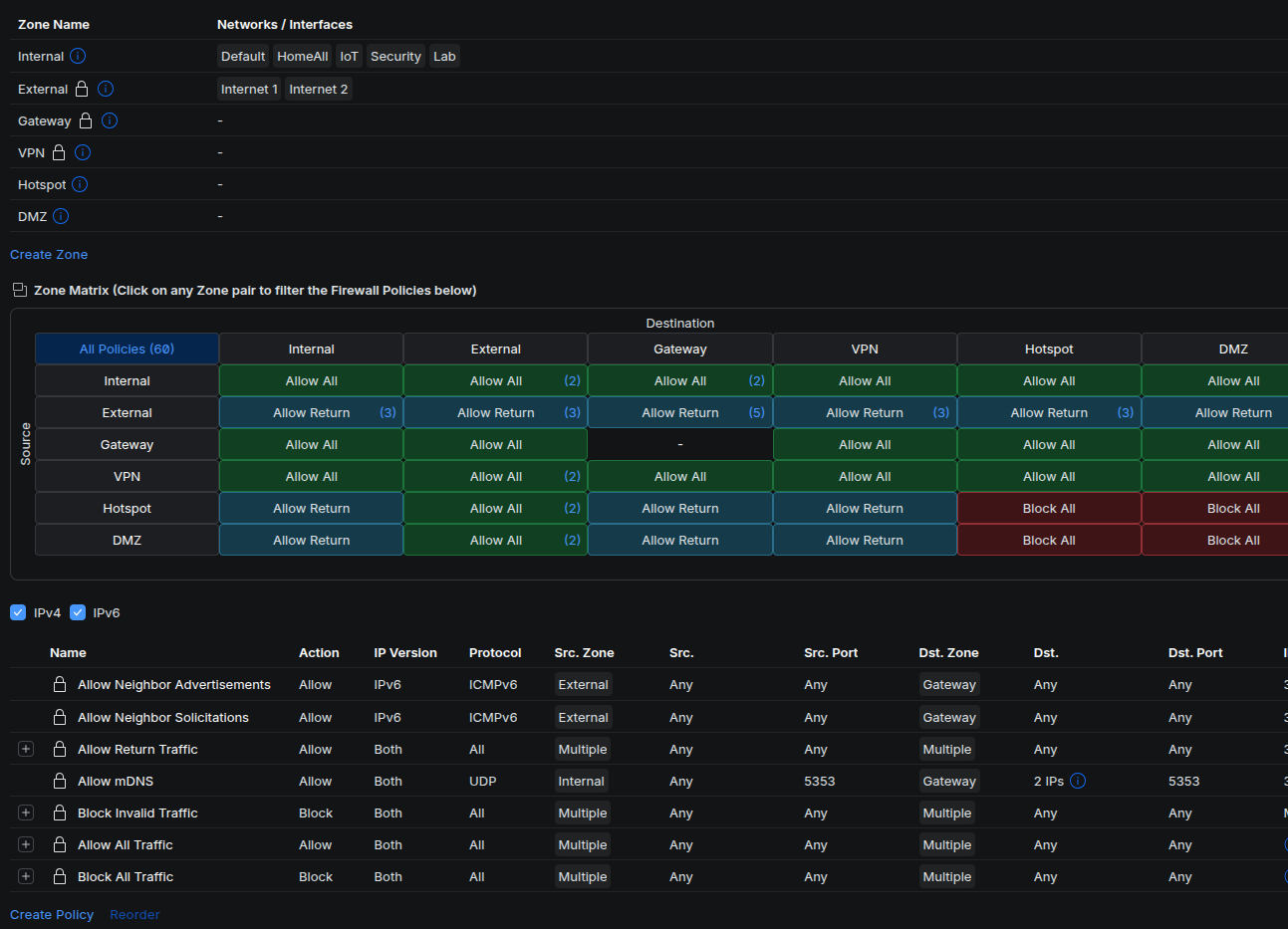
That’s your problem : It blocks all your non-Local VLAN IP subnets
And to be honest I am not a big fan of your setup : Use multiple VLAN Interfaces on your Pi-Hole and use those as the DNS IP address in each VLAN.
Less firewalling nonsense and no issues when you simply select “Guest VLAN” in your UniFi setup
Only thing you have to keep in mind is that all the software running on the same Raspberry Pi as Pi-Hole needs to be bound to the right IP address or Interface in order to not be exposed in for example a Guest VLAN <= !!!
I don’t have a UDR 7, but cannot imagine it is too much different in the firewall configuration. Personally, I find the advantage of a UniFi Network firewall rule handling this is I can force any DNS traffic hitting my router to route into my Pi-hole. Perhaps a bit more configuration effort, but once in place works like a charm.
Note: the biggest headache for me with the UniFi Network is they have changed the way the firewall a couple of times, and not done a very good job, at least for my configuration of carrying those rules forward. Could be an issue with how I set them. Doesn’t matter, once I cleaned up the garbage, and added a couple of rules, devices on VLANs go through Pi-hole.
One clarification, the purpose behind the use of the DNS redirect via my router is not for advertisements. In addition to block lists I used, I have custom blocks for certain sites, particularly from parts of Asia. While this may not work hard coded IP addresses, it works well for IoT devices that phone home, or even generate false traffic to a online retail site. I caught one such device hitting a retail site that claimed to be the most popular. No surprise there if you have a lot of devices that hit your site often.
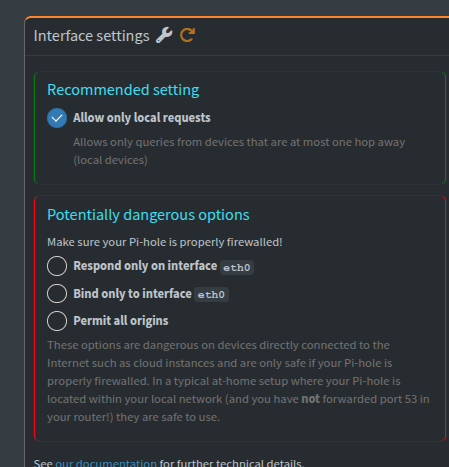
Put simply, set Pihole to Respond only on Interface eth0.
If you have any rules in your Internal to Internal ruleset that block DNS traffic, make sure in your Firewall config for Internal/Internal you have an ALLOW rule at the top to permit any Source to Destination Internal/Pihole IP Address/DNS Port(s) on Unifi.
If you want to block calls to any “unauthorized” DNS servers, make sure that Block rule is near the bottom of the list after your Allow.
UniFi Routers a.k.a. their Controller webGUI for them was a mess in the 5.x.x series and only got worse from 6.x.x to 9.x.x onwards even tho they made some huge changes in the later versions of 9.x.x finally, but for me it was all ‘Too little, too late’ since I switched to OPNsense as my main Router/Firewall solution after their USG 3P went EOL and pretty much never looked back
OPNsense & Pi-Hole + Unbound on your network is simply PERFECT!!!