According to the list of supported OS's on: https://docs.pi-hole.net/main/prerequisites/
I should be able to complete the installation without issues.
Hardware is a Raspberry Pi
Here is my info from running cat /etc/os-release
I get the following error: "Unsupported OS Detected"
I tried the following to no avail:curl -sSL https://install.pi-hole.net | sudo bashcurl -sSL https://install.pi-hole.net | PIHOLE_SKIP_OS_CHECK=true sudo bashcurl -sSL https://install.pi-hole.net | export PIHOLE_SKIP_OS_CHECK=true sudo bash
All result in unsupported OS error.
Please help
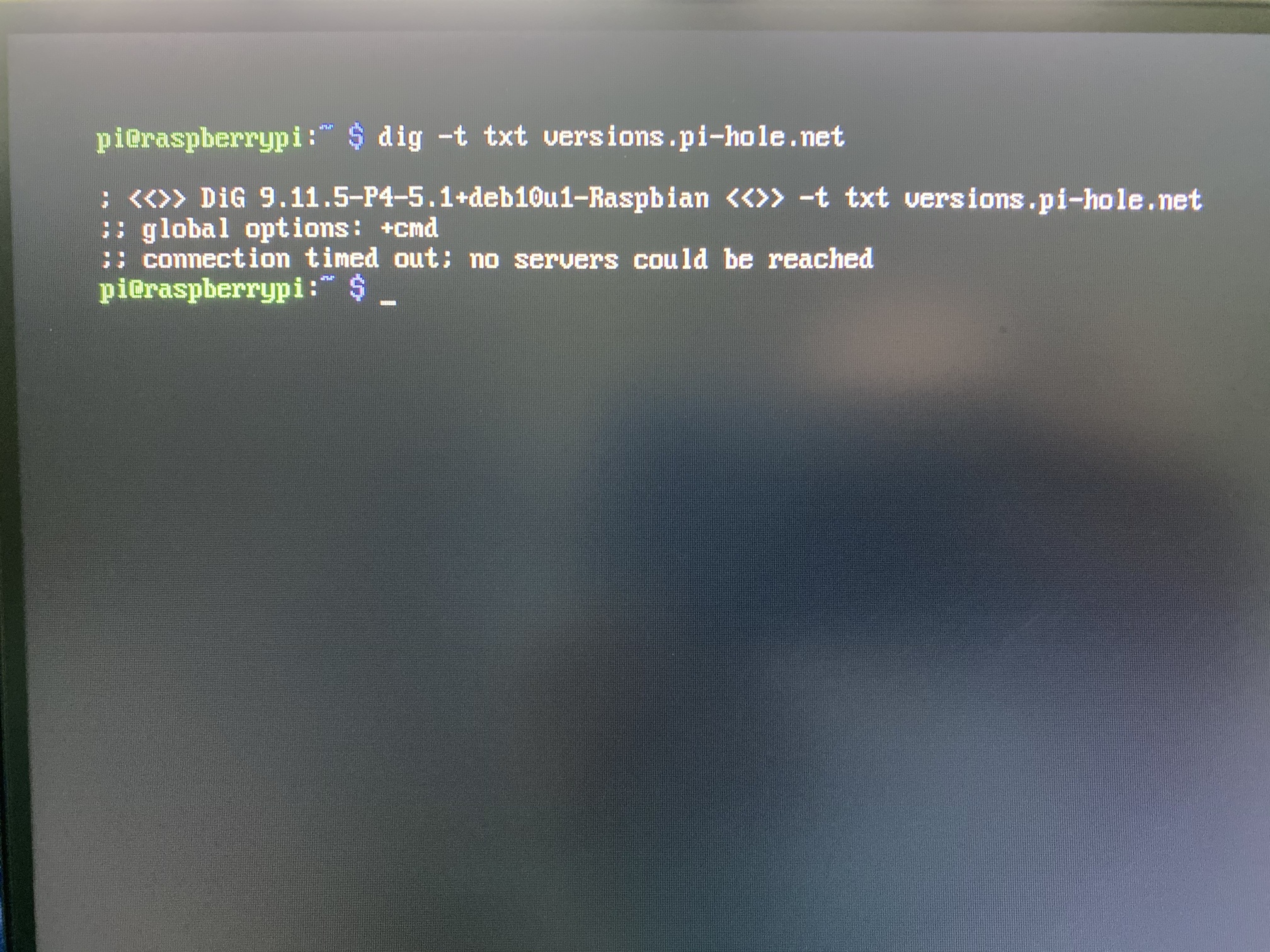
What does dig -t txt versions.pi-hole.net show?
And you can try curl -sSL https://install.pi-hole.net | PIHOLE_SKIP_OS_CHECK=true sudo bash -e as well.
This results in the same unsupported OS error.
dig -t txt versions.pi-hole.net
You didn't use the right domain name that I asked for.
You have no DNS servers available?
How are you even getting the installation script? dig install.pi-hole.net and dig google.com please.
Both of these commands returned the same result as the versions one. "No servers could be reached"
I am connected to WiFi and a ping to google.com does work.
I'm not really sure how that's possible?
H.L
July 26, 2020, 6:07pm
11
Hi DanSchaper
The command you mentioned - doesn't work for me (neither adding PIHOLE_SKIP_OS_CHECK=true by export/set/just prompt before execution and few other ways that should have worked).
Do you maybe have another idea I can try?
BTW, this is my dig output (you will see redhat, but this is my manipulation only, I tried it without it and it didn't worked as well):
; <<>> DiG 9.11.4-P2-RedHat-9.11.4-9.P2.amzn2.0.3 <<>> -t txt versions.pi-hole.net
;; OPT PSEUDOSECTION:
;; ANSWER SECTION:
;; Query time: 3 msec
Thanks, and please tell me in case you prefer I will open a new post.
Amazon Linux is unsupported but you may be able to get around the check with:
curl -sSL https://install.pi-hole.net | PIHOLE_SKIP_OS_CHECK=true sudo -E bash
2 Likes
H.L
July 27, 2020, 1:41pm
13
You are right, it did worked
Thanks Dan, really appreciate the quick response
I've legit spent the last 2 hours trying to find the right way to install this on my rpi 3B+ with raspbian stretch and this was the only one that worked thank you so much dan!
1 Like
This worked, guess i missed the capital -E the first time.
Thanks Dan!
system
August 30, 2020, 3:42pm
17
This topic was automatically closed 21 days after the last reply. New replies are no longer allowed.