Please follow the below template, it will help us to help you!
If you are Experiencing issues with a Pi-hole install that has non-standard elements (e.g you are using nginx, apache2 or another reverse proxy, or there is some other aspect of your install that is customised) - please use the Community Help category.
Expected Behaviour:
Setup:
OCI Micro Instance running Ubuntu 24.04
1 GB of RAM
Unbound 1.19.2
Wireguard (Split Tunnel)
Updated to the latest Pihole today by running sudo pihole -up
Expected Pihole to continue working normally
This Pihole instance is my secondary instance, with my primary instance running on a Raspberry Pi 4B locally, only on my LAN. This local instance is synced with the OCI using nebula-sync. I did modify the settings of the local instance to enable the “Advertise DNS server multiple times” option in DHCP. But that should not affect the OCI instance as DHCP is disabled on OCI instance AND DHCP config sync is “off” in nebula-sync. I’ve rechecked and the DHCP settings are not enabled on the OCI instance.
Actual Behaviour:
Since the update, twice the DNS server has gone down. The login page
displayed an error message stating that DNS server has failed
(Unfortunately, I did not take a screenshot or save the message.
I saw a similar error twice as the screenshot in the first post of this thread - Pi-hole v6 "DNS server failure" . This error hasn’t yet reappeared but the pihole behaviour was the same before this error appeared the previous two times - No DNS resolution.
Each time, the error went away when I restarted Pihole.
A similar ticket filed (But not the same as what’s happening with me):
On my local windows laptop, with Wireguard connection active (to use the OCI instance as the DNS server), I ran nslookup on a random domain and that failed as well:
PS C:\Users\AJ> nslookup croma.com
DNS request timed out.
timeout was 2 seconds.
Server: UnKnown
Address: 10.10.0.1
DNS request timed out.
timeout was 2 seconds.
DNS request timed out.
timeout was 2 seconds.
DNS request timed out.
timeout was 2 seconds.
DNS request timed out.
timeout was 2 seconds.
*** Request to UnKnown timed-out
PS C:\Users\AJ>
Uploading a teleporter backup will restart the DNS server:
2025-11-28 00:30:00.747 UTC [2026/T277404] INFO: Restarting FTL: Teleporter (ZIP) import
   2025-11-28 00:30:00.747 UTC [2026M] INFO: Asked to terminate by "/usr/bin/pihole-FTL -f" (PID 2026, user pihole UID 999)
   2025-11-28 00:30:00.789 UTC [2026/T277024] INFO: Terminating timer thread
   2025-11-28 00:30:00.818 UTC [2026/T277021] INFO: Terminating database thread
   2025-11-28 00:30:00.866 UTC [2026/T277059] INFO: No config changes detected
   2025-11-28 00:30:01.062 UTC [2026/T277022] INFO: Terminating GC thread
   2025-11-28 00:30:01.118 UTC [2026M] INFO: Finished final database update
   2025-11-28 00:30:01.119 UTC [2026M] INFO: Waiting for threads to join
   2025-11-28 00:30:01.119 UTC [2026M] INFO: Thread dns-client (2) is idle, terminating it.
   2025-11-28 00:30:01.119 UTC [2026M] INFO: Thread ntp-client (4) is idle, terminating it.
   2025-11-28 00:30:01.119 UTC [2026M] INFO: Thread webserver (7) is idle, terminating it.
   2025-11-28 00:30:01.119 UTC [2026M] INFO: All threads joined
   2025-11-28 00:30:01.119 UTC [2026M] INFO: PID file emptied
   2025-11-28 00:30:01.120 UTC [2026M] INFO: Stored 0 API sessions in the database
   2025-11-28 00:30:01.958 UTC [2026M] INFO: ########## FTL terminated after 59m 59s  (internal restart)! ##########
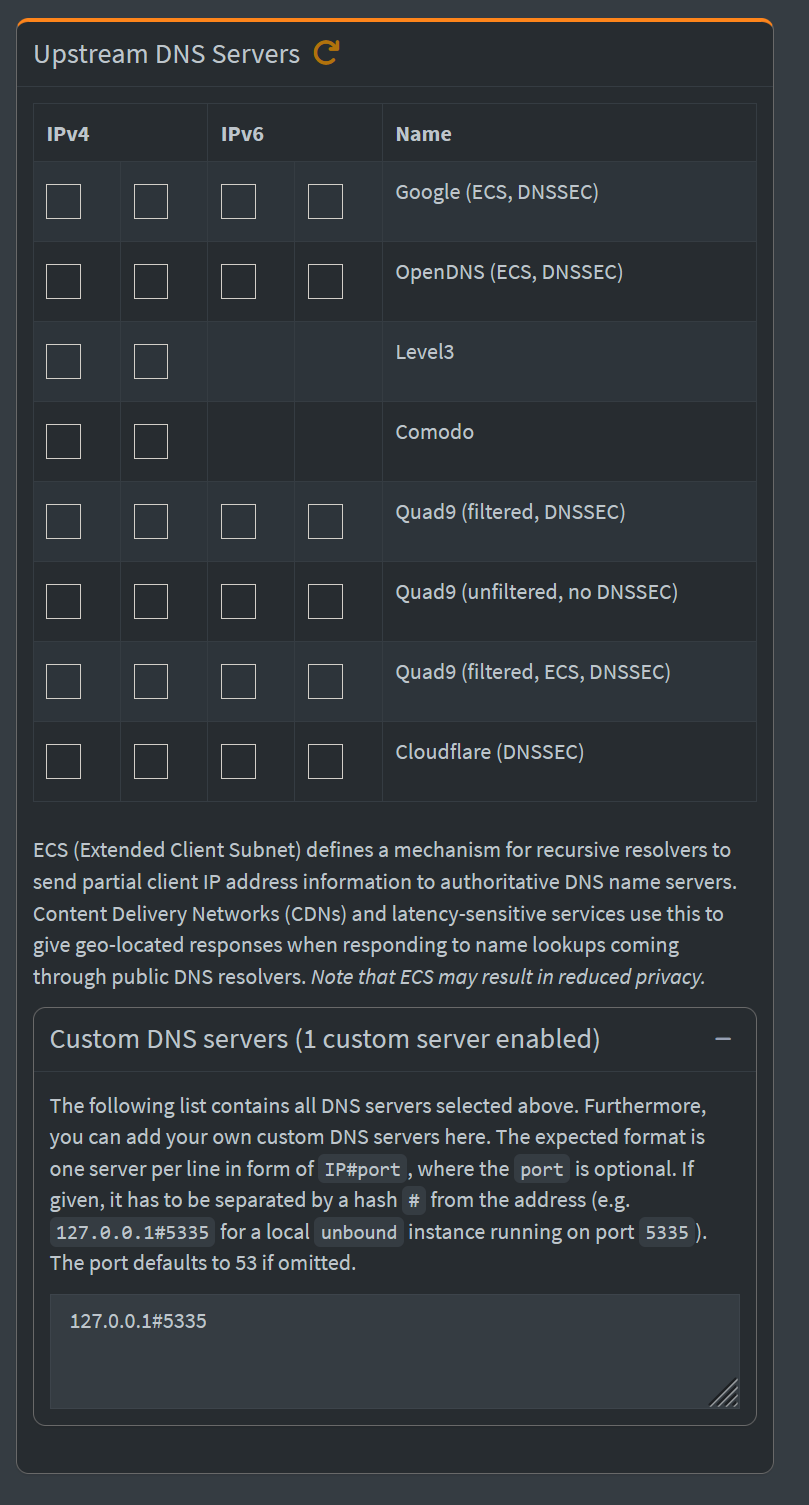
It appears that Pi-hole has been configured to use itself as the upstream, that would cause a loop that would eventually crash the DNS.
2025-11-28 08:33:45.909 UTC [288035/T289667] INFO: NTP server listening on 0.0.0.0:123 (IPv4)
   2025-11-28 08:33:45.909 UTC [288035/T289668] INFO: NTP server listening on :::123 (IPv6)
   2025-11-28 08:33:46.561 UTC [289646/T289657] INFO: Received 8/8 valid NTP replies from in.pool.ntp.org
   2025-11-28 08:33:46.561 UTC [289646/T289657] INFO: Time offset: -1.826027e+01 ms (excluded 1 outliers)
   2025-11-28 08:33:46.561 UTC [289646/T289657] INFO: Round-trip delay: 1.182692e+01 ms (excluded 1 outliers)
   2025-11-28 08:33:46.561 UTC [289646/T289670] ERROR: Error NTP server: Cannot bind to IPv6 address :::123 (Address in use), IPv6 NTP server not available
   2025-11-28 08:33:46.561 UTC [289646/T289669] ERROR: Error NTP server: Cannot bind to IPv4 address 0.0.0.0:123 (Address in use), IPv4 NTP server not available
   2025-11-28 08:33:47.549 UTC [288035/T289650] ERROR: Cannot receive UDP DNS reply: Timeout - no response from upstream DNS server
   2025-11-28 08:33:47.549 UTC [288035/T289650] INFO: Tried to resolve PTR "3.0.10.10.in-addr.arpa" on 127.0.0.1#53 (UDP)
   2025-11-28 08:33:49.597 UTC [288035/T289650] ERROR: Cannot receive UDP DNS reply: Timeout - no response from upstream DNS server
   2025-11-28 08:33:49.597 UTC [288035/T289650] INFO: Tried to resolve PTR "11.0.10.10.in-addr.arpa" on 127.0.0.1#53 (UDP)
   2025-11-28 08:33:51.645 UTC [288035/T289650] ERROR: Cannot receive UDP DNS reply: Timeout - no response from upstream DNS server
   2025-11-28 08:33:51.645 UTC [288035/T289650] INFO: Tried to resolve PTR "6.0.10.10.in-addr.arpa" on 127.0.0.1#53 (UDP)
   2025-11-28 08:33:53.693 UTC [288035/T289650] ERROR: Cannot receive UDP DNS reply: Timeout - no response from upstream DNS server
   2025-11-28 08:33:53.693 UTC [
Looks like a port conflict with the web interface as well, could there be two FTL binaries at the same time?
[2025-11-28 08:30:07.519 UTC 289599] cannot bind to 10.10.0.1:80: 98 (Address in use)
   [2025-11-28 08:30:07.519 UTC 289599] cannot bind to 443s: 98 (Address in use)
   [2025-11-28 08:30:07.519 UTC 289599] Failed to setup server ports
   [2025-11-28 08:33:41.490 UTC 288035] Initializing HTTP server on ports "10.10.0.1:80, 443s"
   [2025-11-28 08:33:42.409 UTC 289646] Initializing HTTP server on ports "10.10.0.1:80, 443s"
   [2025-11-28 08:33:42.410 UTC 289646] cannot bind to 10.10.0.1:80: 98 (Address in use)
   [2025-11-28 08:33:42.410 UTC 289646] cannot bind to 443s: 98 (Address in use)
   [2025-11-28 08:33:42.410 UTC 289646] Failed to setup server ports
   [2025-11-28 09:26:29.990 UTC 288035] Authentication required, redirecting to /admin/login
Looks like a port conflict with the web interface as well, could there be two FTL binaries at the same time?
I’m pretty sure there isn’t, as I only installed Pihole once. Is it possible for me to check somehow? Is it possible that the latest update resulted in two pihole binaries somehow?
You are loading in a new configuration, FTL needs to restart in order to use the new configuration.
Sorry, I did not understand. Where and how am I loading a new configuration? That’s why I’m confused about your statement of uploading a teleporter backup. Do you mean the sync using nebula-sync?
Restart the machine and check again. If you still have issues after the restart, generate a new debug log.
Noted. I’ll try this and observe for a day or two.