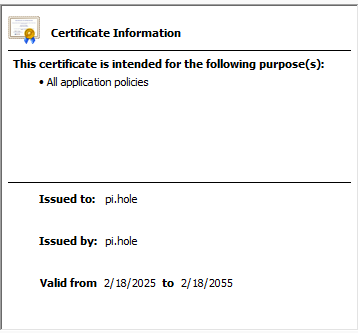
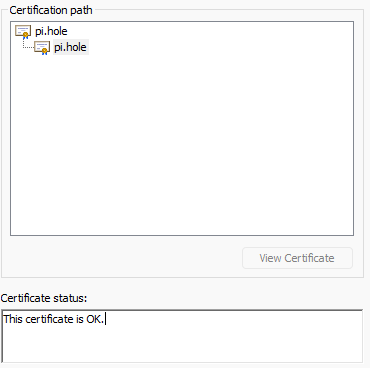
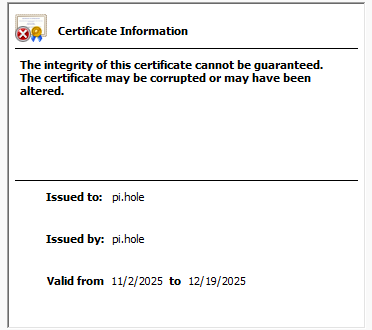
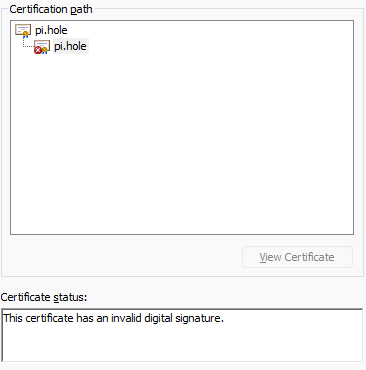
New install of trixie on a rpi4. Installed pihole and everything works fine except I can’t access the admin page via https. I get this error regardless of the browser I use.
Firefox blocked your visit to this site because the signature on the certificate provided for pi.hole isn’t valid.
Then I don’t understand how this helps. I can access http just fine with the default setting. I just can’t open https because the browsers have problem with the cert.
You can't use https without port 443. Every browser will complain if you access https using port 80. You need to add port 443 to your config to use https protocol.
If you installed a custom certificate and it is invalid, you need to reinstall it.
If you are using the auto-generated Pi-hole certificate, you can simply delete all certificate files (they start with tls) in /etc/pihole and restart Pi-hole. A new certificate will be generated.
yeah, I am using what pihole generated. Deleting the tls files and restarting pihole hasn’t made a difference. I still get the same error. Up until a few weeks ago I was running this on bookworm for a few years and didn’t have a problem. I’ve tried uninstalling pihole and reinstalling it but no luck. I might try starting from scratch again.
I tried reinstalling the os and pi hole from scratch and same issue. I compared the certificate from the copy running on bookworm to the cert issued by the copy running on trixie.
I had backed up the tls files before I deleted them on bookworm. Since the updated copies didn’t work I restored the files and those worked. I then copied the tls files from the bookworm image to the trixie image and now trixie is working.