Pi-hole HA — automatic DHCP failover, VIP, and config sync for a Pi-hole cluster
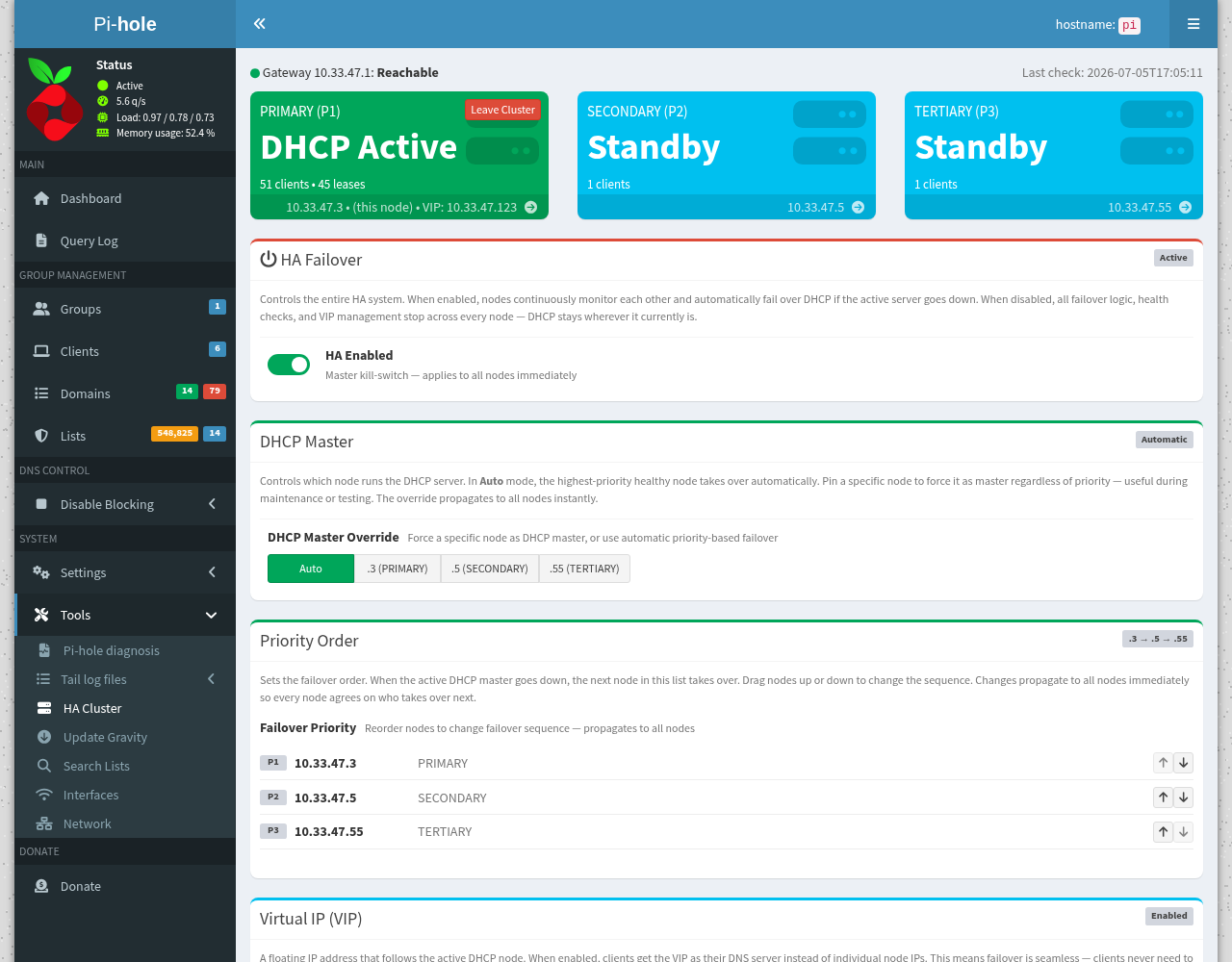
If you run more than one Pi-hole for redundancy, you've probably hit the two annoying gaps: only one of them can serve DHCP at a time, and keeping their blocklists / settings in sync is a manual chore. Pi-hole HA solves both.
It turns two or more Pi-holes into a small cluster that talks to itself over HTTP (no SSH keys, no external services): if the active node dies, a standby takes over DHCP automatically, and every node's config stays in sync.
Repo: GitHub - RamSet/pihole-ha-cluster: Pi-hole DHCP high-availability cluster: automatic failover, VIP, and config sync · GitHub · Apache-2.0 · bare-metal (systemd) or Docker sidecar
"But I use my router for DHCP" — read this first
Not everyone lets Pi-hole run DHCP, so the installer auto-detects your setup and installs to match. It will never turn on Pi-hole DHCP behind your back.
- DHCP-HA mode — Pi-hole is your DHCP server. Full failover: a standby takes over DHCP if the primary dies, with an optional floating VIP.
- DNS-only mode — your router or another box does DHCP. Pi-hole HA never touches DHCP; it just keeps your Pi-holes' config in sync and monitors peer health — redundant DNS without any DHCP failover.
At install it checks whether Pi-hole DHCP is active, probes the LAN for another DHCP server, inherits the mode from the cluster when joining one, and asks if it's ambiguous (defaulting to the safe DNS-only).
What it does
- DHCP failover — if the primary goes down, a secondary takes over DHCP in ~40–80 s and yields back when the primary returns. Clients never lose their lease.
- Virtual IP (VIP) — optional floating IP that follows the active DHCP node, so clients can use one stable DNS/DHCP address that survives failover.
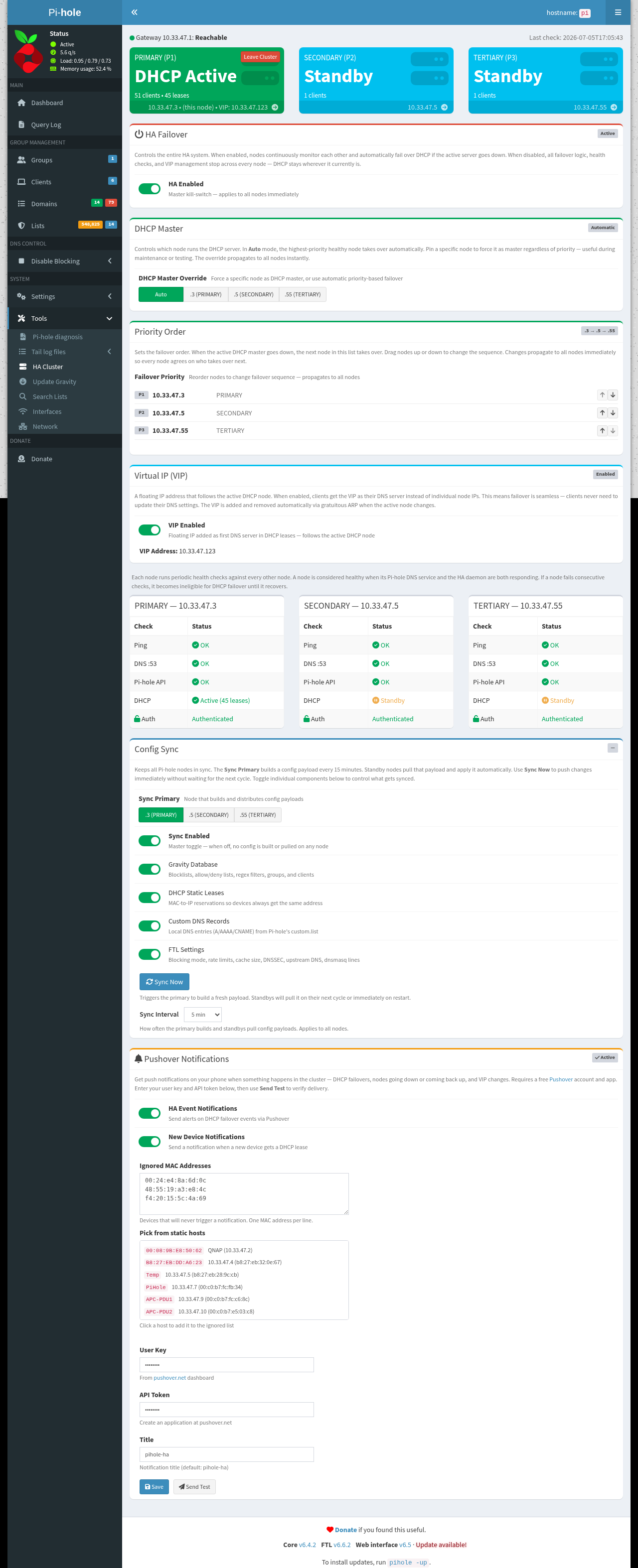
- Config sync — the primary bundles gravity DB (blocklists/adlists), DHCP static leases, custom DNS records, and FTL settings; standbys pull it over HTTP every 15 min.
- Manual master override — force any node to be the DHCP server with one click; the others yield.
- HA kill-switch — disable all failover/VIP management cluster-wide with one toggle.
- Web UI — a native panel inside the Pi-hole admin interface (Tools → HA Cluster), no separate app.
- Join/leave — nodes register themselves on install; a "Leave Cluster" button removes them from all peers.
- Optional Pushover alerts on failover events.
- Mixed clusters — nodes can run on different Pi-hole web ports (e.g. bare-metal on
:80next to Docker on:8081).
How it works (so you know exactly what it touches)
Each node runs a small bash daemon plus a tiny socat-based JSON API on port 8887. Nodes health-check each other (ping / DNS / API / DHCP) and elect a DHCP master by priority order.
To be transparent, it uses Pi-hole's own interfaces — nothing forked or patched:
pihole-FTL --config …to read/set DHCP state and DNS options- files under
/etc/dnsmasq.d/(09-pihole-ha.conffor DHCP options, an optional new-device hook) — only in DHCP-HA mode - a Lua page injected into
/var/www/html/adminfor the Tools → HA Cluster tab (auto-reinjected after Pi-hole updates)
Everything lives under /etc/pihole-ha/ and /usr/local/…, and there's a clean uninstaller.
Quick start
Run on each node (primary first):
git clone https://github.com/RamSet/pihole-ha-cluster.git pihole-ha
cd pihole-ha
sudo ./setup.sh
setup.sh auto-detects bare-metal vs Docker and runs the right installer. Update in place with sudo ./install.sh --update; remove cleanly with sudo ./install.sh --uninstall.
Requirements: Pi-hole v6+, and either systemd (bare metal) or Docker + Compose.
Screenshots
Notes
- The bare-metal (systemd) path is the primary, well-tested deployment. The Docker sidecar is newer and less battle-tested (image builds and logic verified; the full two-container runtime hasn't been exercised as broadly) — feedback welcome.
- It's a third-party tool, not affiliated with the Pi-hole project. It uses supported
pihole-FTL --configinterfaces rather than modifying Pi-hole itself, but as always: try it on a node you can afford to reinstall first. - Issues / PRs / ideas: please open them on GitHub.