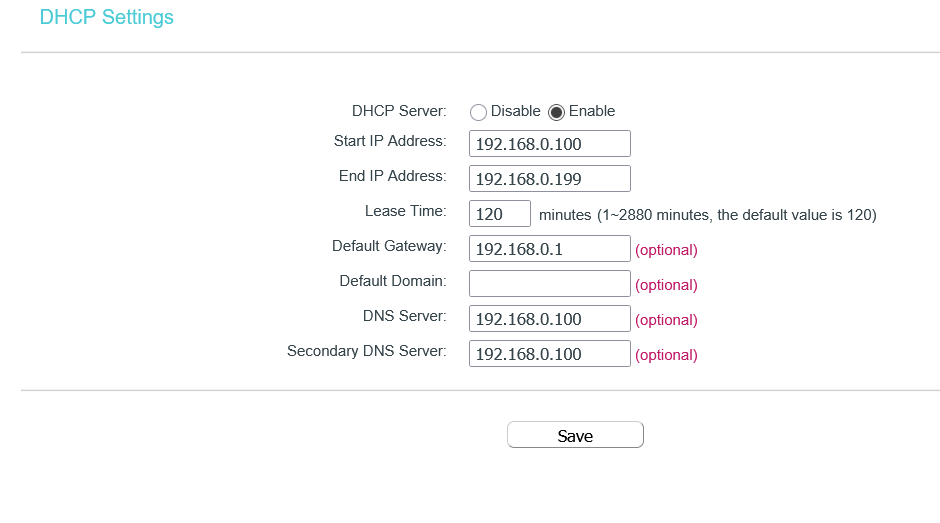
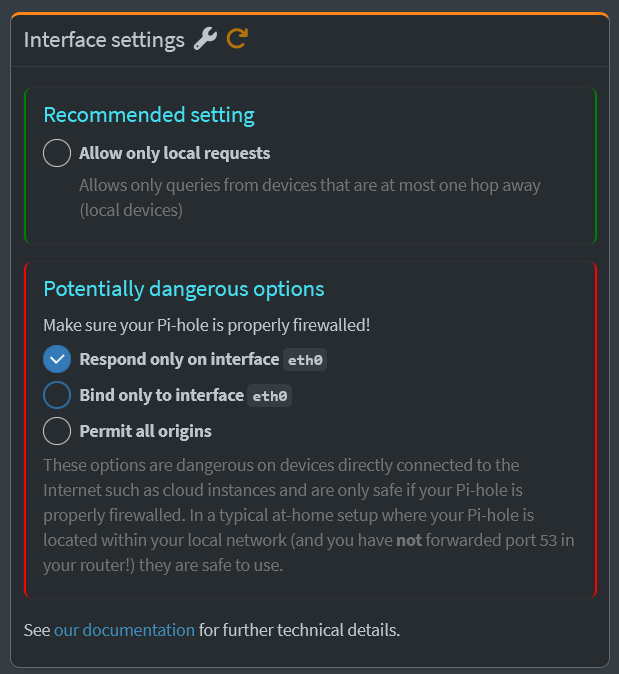
Hello All. So I have configured PiHole and Unbound with CasaOS, with the docker image that comes within the Appstore (BigBear CasaOS one I believe) and it works all fine, with my router IP having DHCP settings as such:
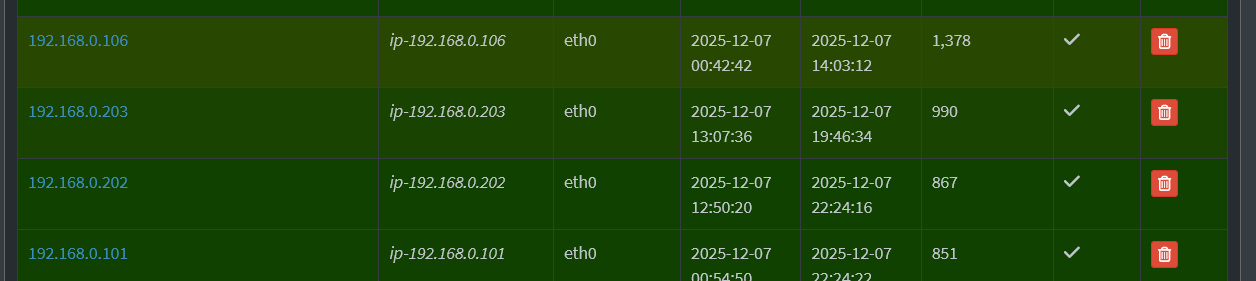
Since I haven’t exposed my network (and I probably don’t plan to anytime soon). My question here is since the ip addresses in my DHCP servers range form 192.168.0.100 to 192.168.0.199, all my clients should be within that range, yet in my Pi-Hole dashboard I have:
Is this behavior expected ? Am I missing something? I have been paranoid ever since I noticed this.
I am new to networking and docker in general. Please excuse me and thanks in advance.
Do you have any range extender on your network? Some range extenders distribute a different IP range to that from the main router.
Could these devices be using IP addresses that they got before you restricted the range to 100..199 ?
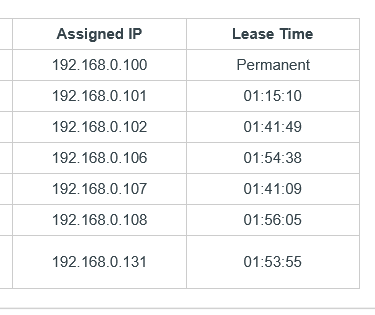
Is there somewhere on your router that you can view current clients? Your screenshot looks like it's possibly a TP-Link, on some of these there are options in the menu to view DHCP clients and also DHCP reservations, in case these devices are listed in there.
I think most tp link repeaters have their own at admin at http://tplinkrepeater.net, I would try that and also the IP you've set for the server. (If possible from a device connected to the extender rather than your router).
I believe some of the earlier models were only accessible in the setup mode when originally pairing them to a network.
Hey Rob, thank you for the continued support, really appreciate it, but I will be traveling out of my city for a day or two ( work stuff ) so I might not be able to update for the next two days. Truly sorry for that. Once am back, my first thing is to figure that out. Cheers till then mate.