Newbie to Pihole, please excuse what is perhaps a simple solution or silly mistake on my part.
Setup a fresh Pihole install on a Raspberry Pi 3 to be used for my default/main network in my Unifi setup.
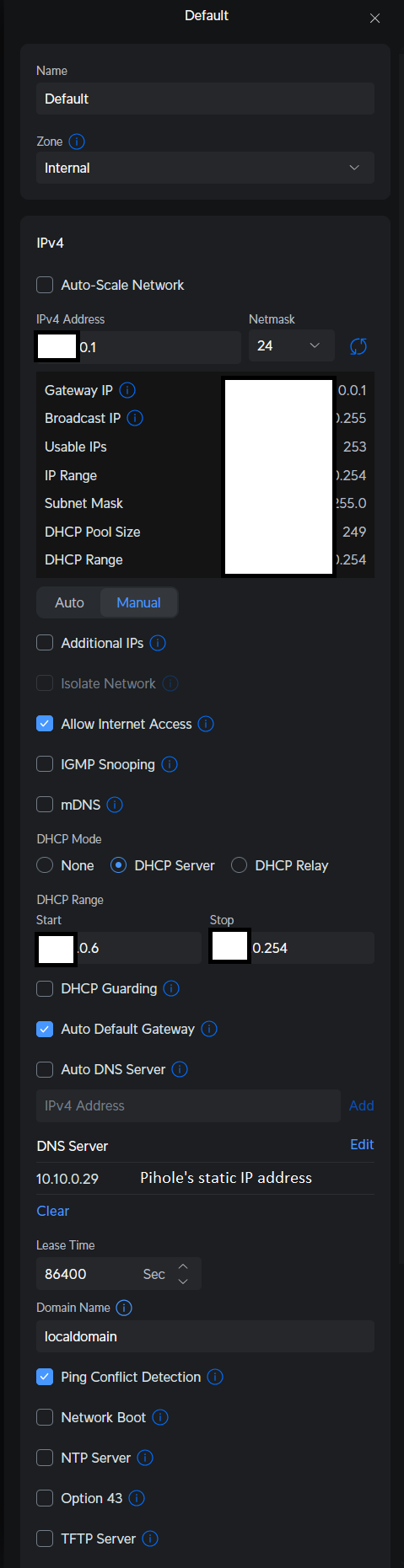
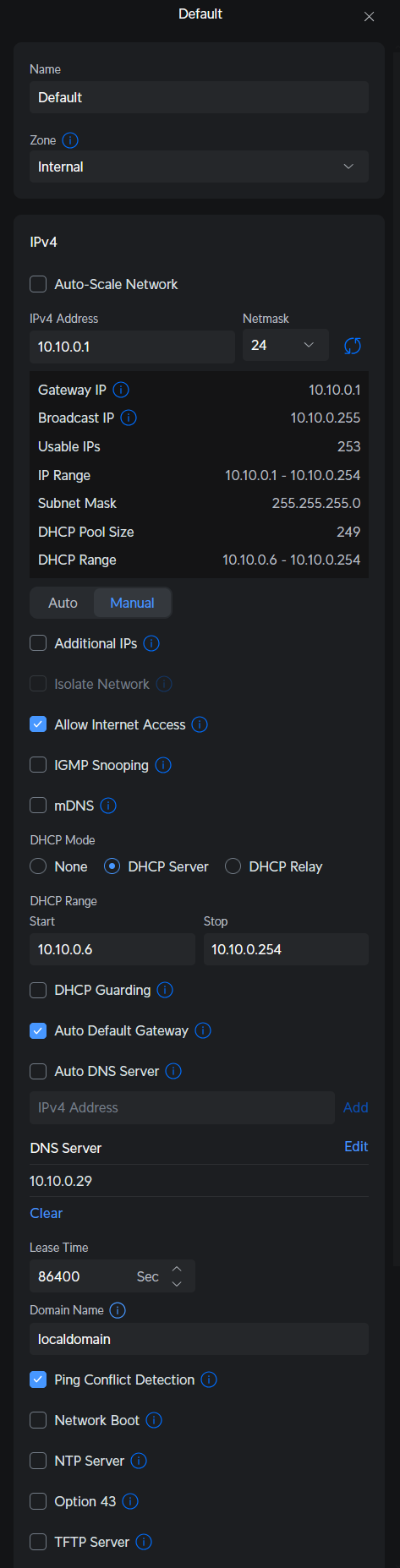
After install and setting static IP, I went into my Unifi dashboard > Networks > Default > turned off auto DNS and then set my Pihole’s IP as the DNS server.
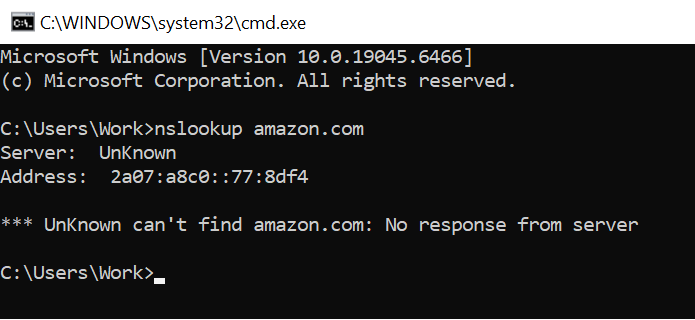
Went to test the setup via CMD line prompt - nslookup amazon.com and returns that it “can’t find amazon.com No response from server.”
Expected Behaviour:
When I execute the nslookup command, for it to resolve correctly/point to pihole as server.
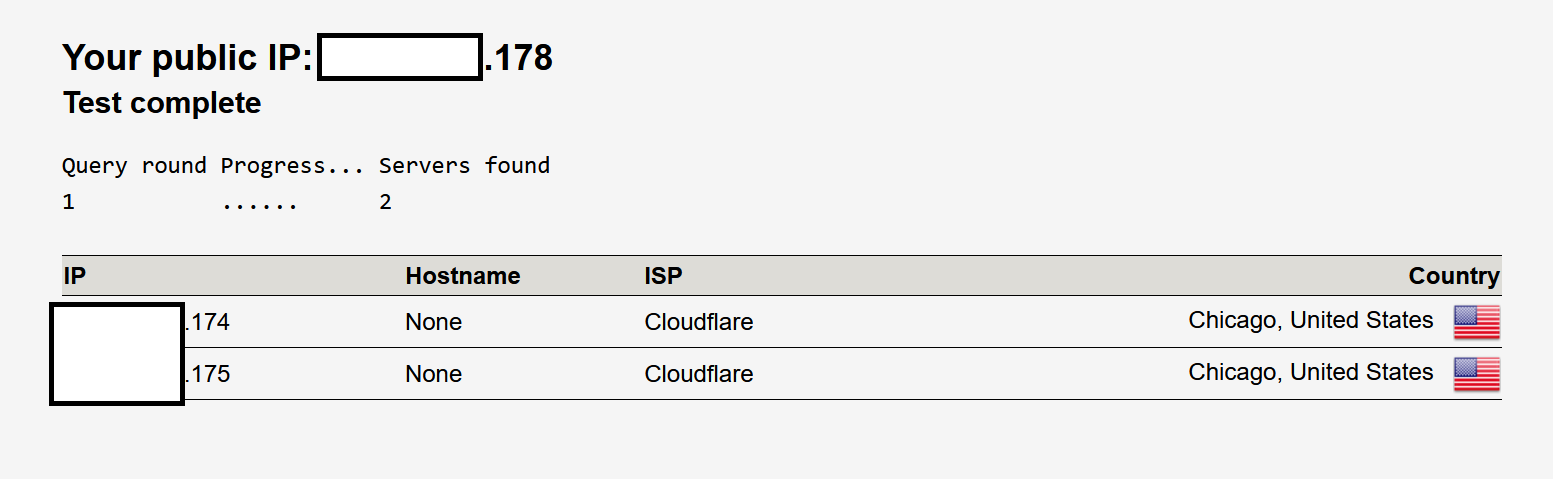
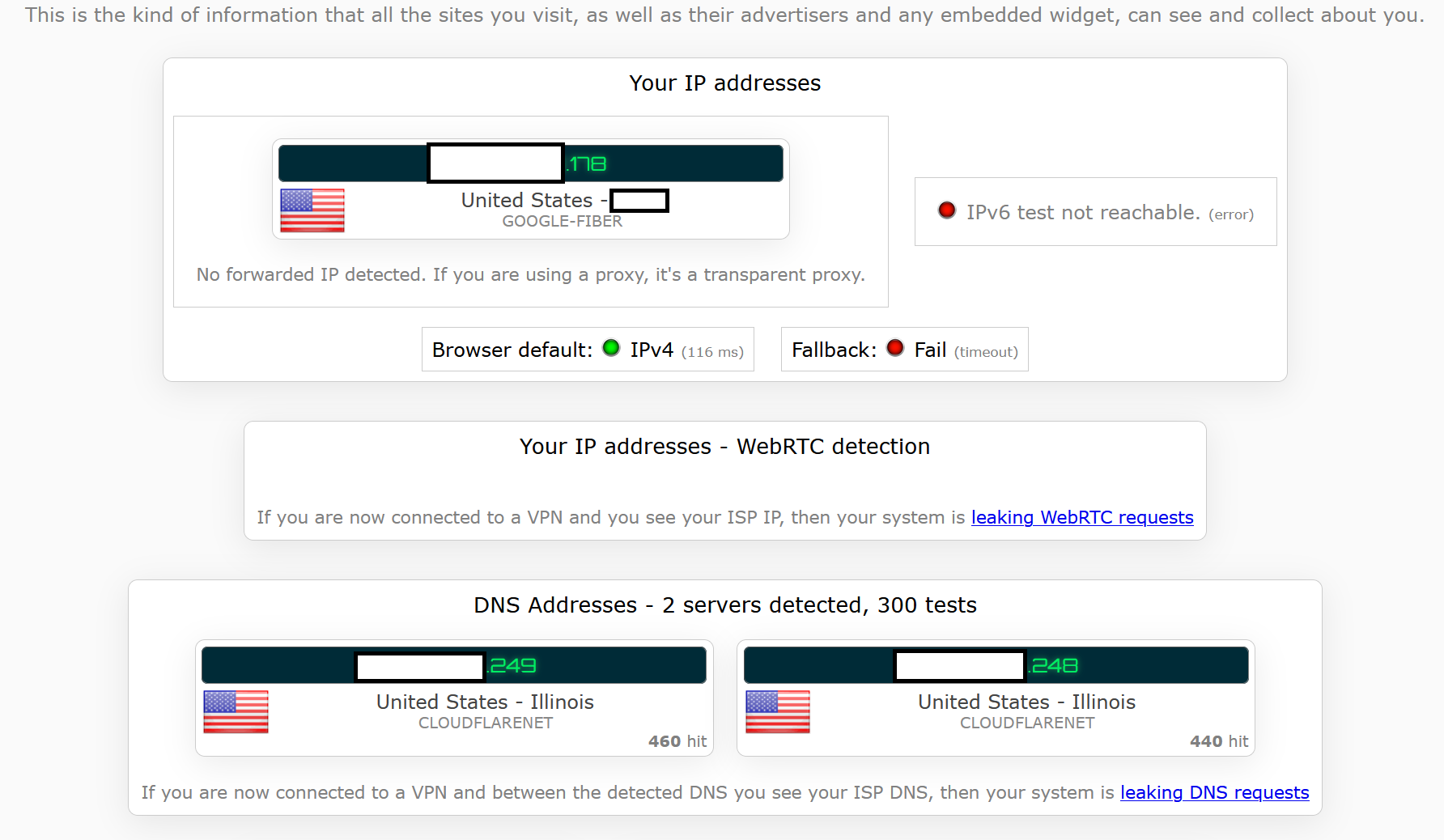
When I test my DNS connection via webpages like DNS leak test, or IP/DNS detect, for it to be pointing to my pihole, not cloudflare, right?
When using a site like adblock-tester.com without my Ublock Origin webplugin activated, for most ads to be blocked by Pihole.
Actual Behaviour:
nslookup command does not resolve and shows the message below
DNS leak test and IP/DNS detect showing cloudflare, rather than my Pihole which is set for Quad9
Adblock tester website shows almost all ads so pihole not working as intended.
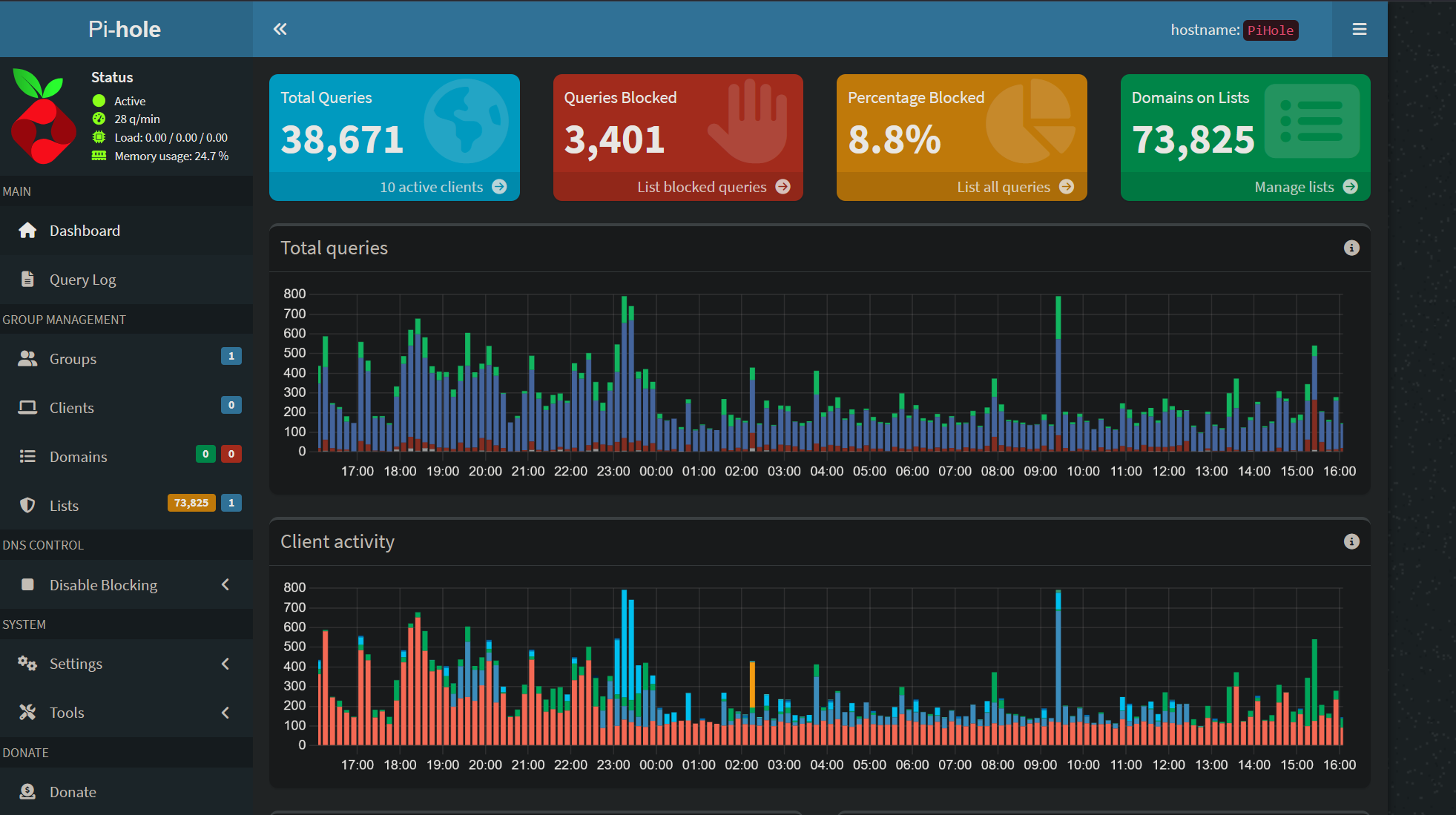
Pihole web UI does show pihole up and running, and many of my devices connecting to it/logging queries, but above issues still happening.
Oddly enough, if I connect my laptop to the wifi and run the nslookup, it executes correctly and shows the pihole as the server and correct static ip address.
Smartphone on wifi does not work as intended, but I think that is a separate issue.
No one cares about your LAN IP addressing : Please show it clearly for troubleshooting purposes!
You are using Windows and it’s networking stack is a friggin nightmare to be honest.
Best thing you can do is ipconfig /release and then reboot the damn thing in the hope that it will pick up your new LAN DHCP changes…
UniFi stuff tends to have bugs too so if fixing the Windows side of things fails then you might want to look into rebooting your UniFi Router or the Controller for example.
What I am asking myself right now : Is your Pi-Hole in the same IP range as your LAN ?
And if it’s in a seperate VLAN : Can other devices connect to it via ping or http ?
My thoughts were the same, that it isn’t a Pi-Hole issue and just something that either I messed up during setup to the router, or this specific windows PC is having an issue. As mentioned above, another laptop connected to the wifi doesn’t have these issues.
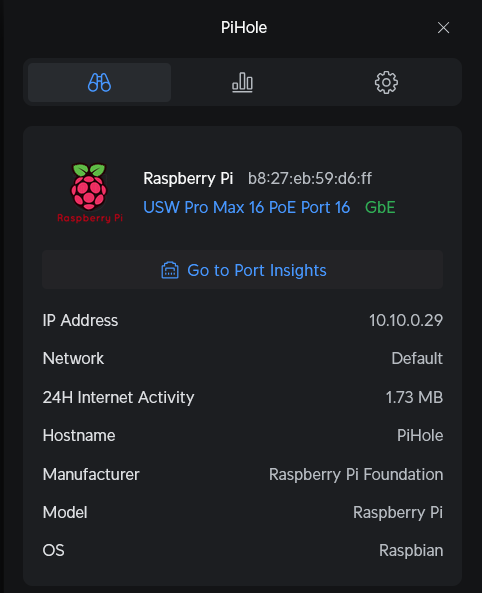
Let me know if these two pics help!
Pi Hole is on default network’s vlan, same as the windows PC, both via ethernet to the switch.
Do you have some sort of Anti-Virus/Malware software running that could have injected this IPv6 address as your default DNS Server ?!
Also another thing :
IIRC all the traffic via IPv6 has priority over IPv4 so that could be the reason your Pi-Hole is being ignored completely…
And one more VERY IMPORTANT thing :
If I understand you correctly it seems that you have changed the ‘Default LAN’ IP addressing range of your UniFi setup which is used in VLAN 1 a.k.a. Native VLAN ?!
The reason I am asking this :
It’s A VERY BAD IDEA in general to do that, because if something gets borked it will give you additional issues you don’t want to have to deal with at such a moment !!
You should have left it at the default 192.168.1.0/24 range and just created VLAN 10 for example and put your whole Home Network inside that VLAN
Native LAN 1 is always best left as your Management LAN for UniFi hardware and perhaps some Servers too in case you have any like Pi-Hole/Proxmox/TrueNAS/etc.
I would input here that the general conversation at the Unifi Community advises against change the default VLAN (and they do advise keeping it reserved for Unifi hardware), but there really isn’t any problem changing the IP range. I think OPs changing of the network range shouldn’t really create issues.
Good advice on checking for malware blocking, etc. Also check Unifi’s setup – if you have Cybersecure content filtering enabled, it will, by design, intercept DNS calls.
I know that for me, the absence of problems does not mean there will be no problems, but I’m suggesting this item should be checked later in the process instead of first for OP. And also changing one thing at a time, testing, then proceeding.
It’s true that Unifi devices revert to a default IP of 192.168.1.20 if they are configured to receive an address via DHCP and don’t get one, so I can see where having a client in a different subnet trying to access the Unifi hardware via SSH or some other manner might require a little planning or configuration. My experience with problems of these natures is just anecdotal, so I lean on the numerous opinions at the Unifi community for these.
Main computer’s network adapter had an IPv6 connection and seperate DNS servers allocated which seemed to be bypassing the PiHole since it’s setup via IPv4. I removed that IPv6 setting and nslookup resolved correctly, but browser was still showing Cloudflare as the DNS resolver. That was because my Firefox browser had DNS over HTTPS setup with Cloudflare. With that setting disabled, it looks like all traffic is now running through the PiHole.
Well… at least enabling it again without that stupid DNS Server being mentioned would be nice so that once you have IPv6 on your WAN side from your ISP you can actually use it without anything interfering
It looks like Google Fiber offers IPv6 and I can set it up via my Unifi router and enable it in PiHole, but this forum makes it seem like all that may be wasted effort as it may bypass the PiHole completely.