Please follow the below template, it will help us to help you!
If you are Experiencing issues with a Pi-hole install that has non-standard elements (e.g you are using nginx, apache2 or another reverse proxy, or there is some other aspect of your install that is customised) - please use the Community Help category.
Expected Behaviour:
My pihole has been up for about a week on my raspberry pi 4 and I think it's running? I used this link for the install and it went smoothly except when it asked for wlan0 I did eth0 since its connected via ethernet (https://www.raspberrypi.com/tutorials/running-pi-hole-on-a-raspberry-pi/). I have used test websites showing it is working such as fuzzthepiguy's website and no ads show. I expected with the queries or client list it would show the device IP or show the clients
Actual Behaviour:
From the website to access the pihole, it shows 18% of ads blocked and shows a query list but still no clients? Moreover, when I try to switch on the DHCP it says the start address is not valid. I am assuming that maybe I messed up on the configuration at some point? Or is this how it's supposed to work?
It looks like your DHCP server (router?) is handing out the IP address of 192.168.1.1 as the DNS server clients should use. If you haven't manually configured any clients to 192.168.1.16 then clients would not be using Pi-hole.
The startup messages show that there is/has been use by clients:
   2025-07-08 16:14:26.169 MDT [754M] INFO: Imported 32221 queries from the long-term database
   2025-07-08 16:14:26.169 MDT [754M] INFO:  -> Total DNS queries: 32221
   2025-07-08 16:14:26.169 MDT [754M] INFO:  -> Cached DNS queries: 17788
   2025-07-08 16:14:26.169 MDT [754M] INFO:  -> Forwarded DNS queries: 8389
   2025-07-08 16:14:26.169 MDT [754M] INFO:  -> Blocked DNS queries: 5892
   2025-07-08 16:14:26.169 MDT [754M] INFO:  -> Unknown DNS queries: 0
   2025-07-08 16:14:26.169 MDT [754M] INFO:  -> Unique domains: 2492
   2025-07-08 16:14:26.169 MDT [754M] INFO:  -> Unique clients: 7
   2025-07-08 16:14:26.169 MDT [754M] INFO:  -> DNS cache records: 396
   2025-07-08 16:14:26.169 MDT [754M] INFO:  -> Known forward destinations: 4
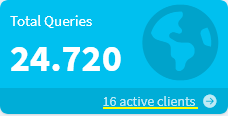
The query log appears to only show 192.168.1.1 as a client but the log snip we see is a very short window of time. You can do a live tail of the log via the web interface to see what is being queried and who is querying.
Possibly but only you will know for sure. If you tail the pihole.log file and then run a DNS query (dig, nslookup) and see 192.168.1.1 in the log and not the IP address of the client then it is very likely that you have the router as the sole client.
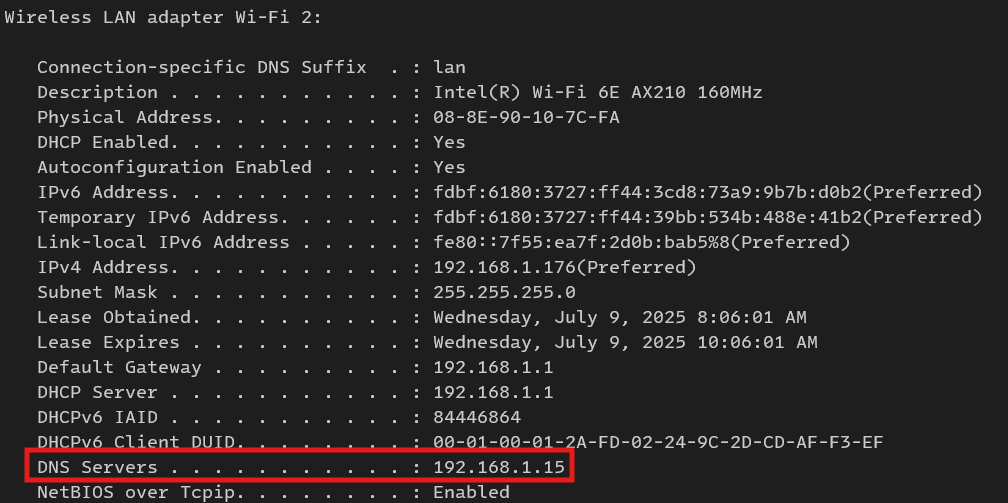
Another thing to check is the assigned DNS server address on the client. If the client is linux then check /etc/resolv.conf for the address. If it's Windows then you will see that information via ipconfig -all.
Linux:
root@pve-silver:~# cat /etc/resolv.conf
search lan
nameserver 192.168.1.1
I appreciate the comment but I am an utter new person who doesn't know what tailing a log means or a DNS query. Can you explain what checking them would do or what I should see?
Do you recommend I reset the pihole itself and redo the set up? Or I guess is it bad I have only one client through my router? I guess does this mean all my queries go to my router, than to my pihole, then back out the router? So then does this not result in the same functionality of blocking the ads? Or am I missing specific ad blocking by only using my router?
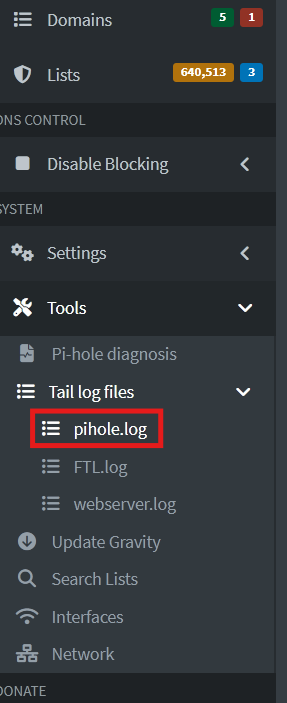
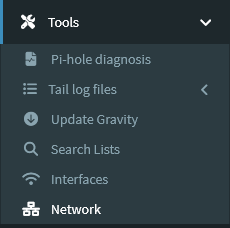
If you scroll up a bit, you'll see the image that shows the Pihole menu with the "Tail Log Files" section (specifically "pihole.log") emphasized. This is what he is referring to when he talks about "tailing a log." This will show the near-real-time activity of your Pihole and all the queries/responses it's processing. There is a "Pause" button in the upper right that will make it easier to see.
You probably want to look for lines that read something like: 2025-07-09 13:17:39.973 **query[A] aax.amazon-adsystem.com from 192.168.1.1**
Notice the 192.168.1.1 at the end; that's your router address, and if you see lines with that, it means your router is using Pihole for the DNS. If you see lots of lines like that, it means everything on your network is likely using the router for DNS, and the DNS is forwarding all those requests to Pihole.
This works fine for adblocking, but the drawback is that you can't really see which clients/computers on your network are making each individual DNS query.
You don't have to reinstall, since the change to fix this isn't in Pihole. You have to configure, on your router, the settings that the router passes on to your computers telling it how to get to the network and Internet. This is usually under a section called DHCP or LAN settings, or something similar. In this section, you should specify the IP address of your Pihole device for DNS lookups (this appears to be 192.168.1.16 from the infomation above).
It may not appear to be possible to make this change depending on which router you have; if that's the case, you should let us know the make/model of your router so maybe someone knows if there's any way to do this or you have to go another route -- there are other options that can also work.
But the main thing is, like I said, you are getting Pihole ad blocking either way, it's just how the information is being reported that's in question.
So I reassigned my static IP to my ethernet and plugged my pi in, as well as reassigned the DNS values to the static IP. Still no change in PiHole clientele. I also unplugged my router too just in case.
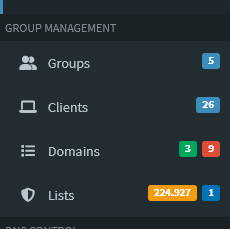
But you won't see clients in the Clients page.
This page is part of Pi-hole "Group Management" and only manually added clients will show up on the page.