Expected Behaviour:
It should be blocking ads like normaly it is running for 20 days.
Actual Behaviour:
No ads are getting blocked and I have no idea how to fix it I did some stuff like restart the os but it didnt work. This is like the 3 time it randomly stopped working and came back to work sometimes it comes back after like 30min sometimes after 1h.
Debug Token:
https://tricorder.pi-hole.net/deCV26lx/
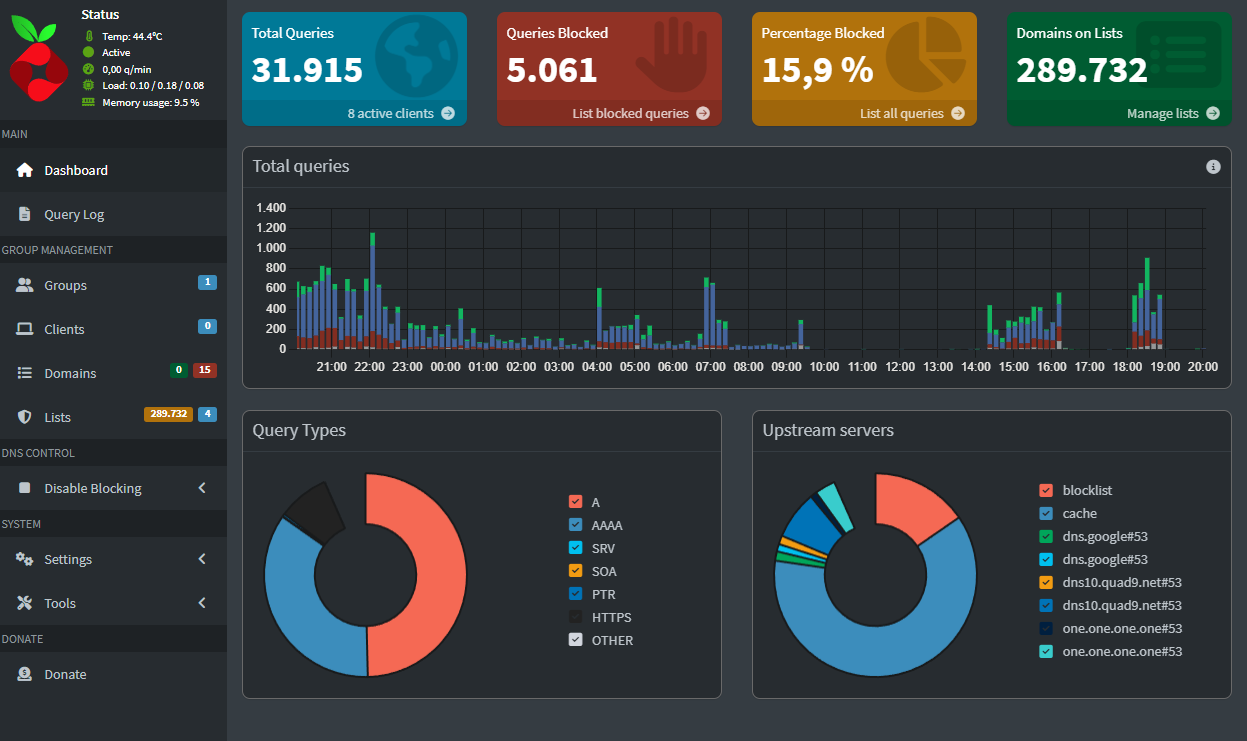
The image shows a lot of blocked queries:

The issue is your router is advertising itself as DNS server:
      router: 192.168.178.1
      dns-server: 192.168.178.1
How did you configure your network to use Pi-hole?
Oh sorry I said it wrong. It worked for some time but it just randomly stops blocking for no reason even tho stuff is running that has ads.
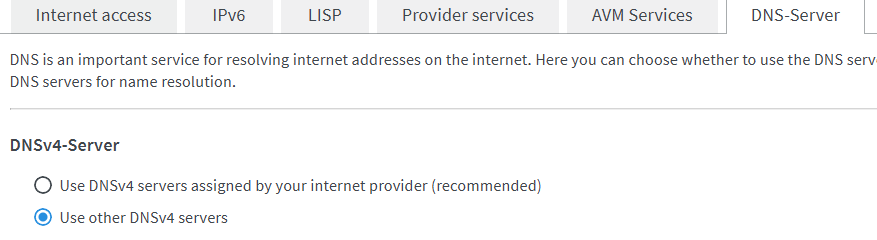
I am using the a Fritz!box and set it up using the DNS-Server tab
I don't have a Fritzbox, so looking at the images, I can't say if this is the correct place to set the DNS.
Please check our documentation:
I also noted your router is advertising its own IPv6 as Recursive DNS server:
     Recursive DNS server 1/2: fd0b:<REDACTED>
     Recursive DNS server 2/2: 2001:<REDACTED>
@Bucking_Horn
It looks like we need the help of some one with Fritzbox knowledge here.
I am using Pi-hole as the upstream DNS server of the Fritz!Box (WAN side) but I think something isnt right
Alright thx I will wait for someone that knowes better on fritz!box
Ignore this as I redid the changes
Pi-hole can only filter your network's DNS traffic if your Fritzbox sends all DNS requests to your Pi-hole.
The gaps in your screenshots indicate that Pi-hole didn't receive any DNS requests at times, e.g. between 09:30 and 14:00, i.e. your clients (in your case, just the Fritzbox) have ceased to send DNS requests to Pi-hole.
Since you've opted to use Pi-hole as your router's upstream DNS server, make sure that your Fritzbox is configured to use your Pi-hole machine's IPv4 and IPv6 addresses exclusively.
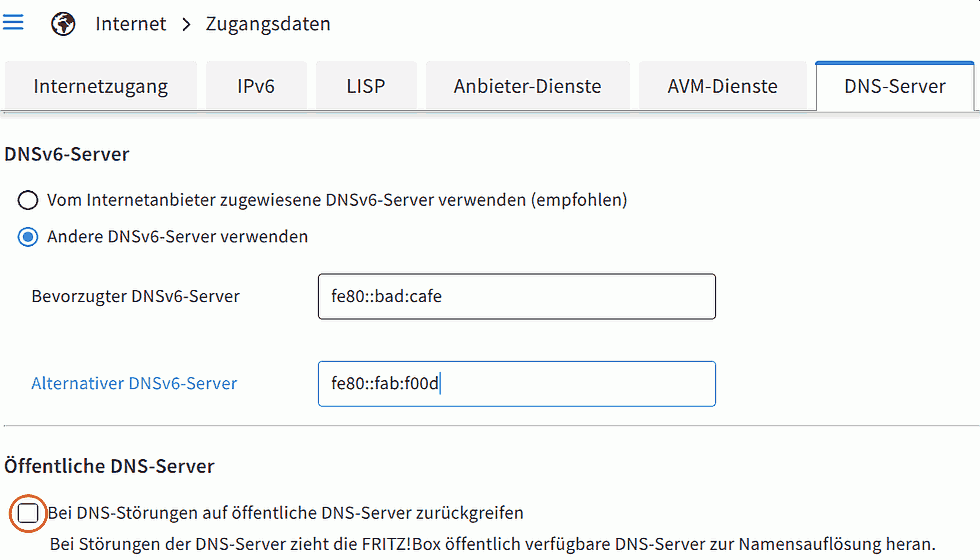
In particular, disallow your Fritzbox from falling back to public DNS servers when it deems your custom DNS server isn't operational, by unticking 'Fallback to public DNS servers when DNS disrupted'.
In a German Fritzbox model, that would look like:
Ok thank you for your help but I have a question is it ok to use both ipv4 and ipv6? and if yes then how do I find the ipv6 addresses as there are 3.
Also do I need to change anything here?
It's not just OK - it is a must if you configure Pi-hole as your Fritzbox upstream as you do, as current Fritzboxes don't allow to use no IPv6 DNS servers, i.e. if you don't provide one of your Pi-hole machine's fixed IPv6 addresses, your Fritzbox will by-pass Pi-hole via its configured DNSv6 servers at its own discretion.
If your Fritzbox can see it, choose your Pi-hole machine's link local IPv6 (range fe80::/10).
Alright, thanks for the help. I have added the IPv6.