Bitte beachte diese Vorlage, damit wir dir bestmöglich helfen können!
Beobachtetes und erwartetes Verhalten
[Bitte beschreibe, welches Verhalten du beobachtet hast und was du eigentlich erwarten würdest. Bitte sei so präzise wie möglich. Nenne wichtige Details, z.B. verwendete Hardware und Betriebssystem]
Mein Pihole-Instanz welche auf einem Ubuntu Server 26 lokal läuft funktioniert eigentlich jedoch wenn man versucht pihole -up oder pihole -r zu nutzen scheitert es zu github.com zu kommen. Der Host selber benutzt ebenso Pihole und auf der UI wird angezeigt das es eigentlich funktioniert.
Auf anderen PC die auch die gleiche Pihole-Instanz nutzen gibt es keinen fehler.
Query received on: 2026-08-17 09:38:52.107
Client: localhost (127.0.0.1)
Query Status: Forwarded, reply from 2620:119:35::35#53
Query was allowed, search lists
Reply: NODATA
Database ID: 68471
Ich habe bereits dig benutzt welcher Erfolgreich die DNS resolves jedoch jede art von Ping oder telnet scheitert.
Debug Token:
Ich habe pihole -d genutzt aber der curl ist hängen geblieben
[✓] ** FINISHED DEBUGGING! **
- The debug log can be uploaded to tricorder.pi-hole.net for sharing with developers only.
[?] Would you like to upload the log? [y/N] y
* Using curl for transmission.
* curl failed, contact Pi-hole support for assistance.
* Error message: curl: (28) Failed to connect to tricorder.pi-hole.net port 443 after 133565 ms: Could not connect to server
[✗] There was an error uploading your debug log.
- Please try again or contact the Pi-hole team for assistance.
- A local copy of the debug log can be found at: /var/log/pihole/pihole_debug.log
What do below ones output?
grep nameserver /etc/resolv.conf
curl -ILv https://github.com
nc -nzvw5 140.82.121.3 443
ip -4 route get 140.82.121.3
traceroute -n 140.82.121.3
traceroute -n 8.8.8.8
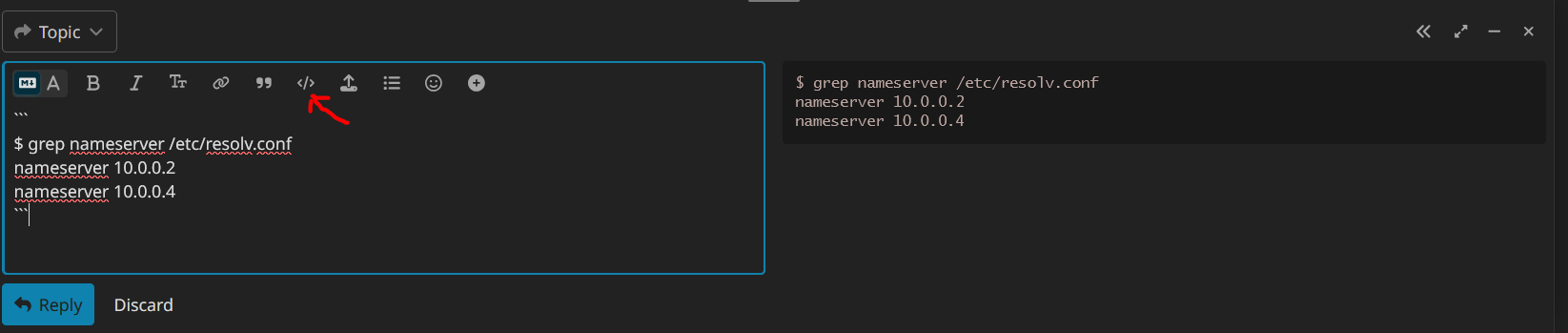
Use the </> format button on the code output before posting here pls?
Eg:
EDIT: Oh if any IPv6 addresses are displayed in the output, redact the latter part!
Eg: 2600:XXXX
Hi,
Thanks for your response
Here is the Output of the
grep nameserver /etc/resolv.conf

nameserver 127.0.0.1
curl -ILv https://github.com

Host github.com:443 was resolved.

IPv6: (none)
IPv4: 140.82.121.4

Trying 140.82.121.4:443...
nc -nzvw5 140.82.121.3 443
nc: connect to 140.82.121.3 port 443 (tcp) timed out: Operation now in progress
ip -4 route get 140.82.121.3
140.82.121.3 via 192.168.2.1 dev enp3s0f0 src 192.168.2.200 uid 0
    cache
traceroute -n 140.82.121.3
traceroute to 140.82.121.3 (140.82.121.3), 30 hops max, 60 byte packets
 1  * * *
 2  * * *
 3  * * *
 4  * * *
 5  * * *
 6  * * *
 7  * * *
 8  * * *
 9  * * *
10  * * *
11  * * *
12  * * *
13  * * *
14  * * *
15  * * *
16  * * *
17  * * *
18  * * *
19  * * *
20  * * *
21  * * *
22  * * *
23  * * *
24  * * *
25  * * *
26  * * *
27  * * *
28  * * *
29  * * *
30  * * *
traceroute -n 8.8.8.8
traceroute to 8.8.8.8 (8.8.8.8), 30 hops max, 60 byte packets
 1  * * *
 2  * * *
 3  * * *
 4  * * *
 5  * * *
 6  * * *
 7  * * *
 8  * * *
 9  * * *
10  * * *
11  * * *
12  * * *
13  * * *
14  * * *
15  * * *
16  * * *
17  * * *
18  * * *
19  * * *
20  * * *
21  * * *
22  * * *
23  * * *
24  * * *
25  * * *
26  * * *
27  * * *
28  * * *
29  * * *
30  * * *
Here is also additionally the output of resolvectl
Global
         Protocols: -LLMNR -mDNS -DNSOverTLS DNSSEC=no/unsupported
  resolv.conf mode: foreign
Current DNS Server: 127.0.0.1
       DNS Servers: 127.0.0.1 127.0.0.1

Link 2 (enp3s0f0)
    Current Scopes: DNS
         Protocols: +DefaultRoute -LLMNR -mDNS -DNSOverTLS DNSSEC=no/unsupported
       DNS Servers: 127.0.0.1
     Default Route: yes
Hi,
I also noticed now that using tellnet only works on ipv6 address so if the domain has ipv6, ipv4 fails to connect.
DNS (Pi-hole) seems not to be the issue as github.com gets resolved to the correct IP with curl.
Its the connecting to IPv4 addresses on the Internet which is broken.
Most likely if you replace github.com with pi-hole.net in the curl command, you'll get the same result bc they both only have IPv4 A DNS records and no AAAA for IPv6 connections:
$ dig +short github.com a
140.82.121.3
$ dig +short github.com aaaa
$
$ dig +short pi-hole.net a
162.244.93.14
$ dig +short pi-hole.net aaaa
$
EDIT: Most likely below one does work as it does have IPv6 AAAA records?
curl -ILv https://chess.com
$ dig +short chess.com aaaa
2606:4700::6812:8c43
2606:4700::6812:8b43
2606:4700::6812:8d43
2606:4700::6812:8a43
2606:4700::6812:8943
Hi,
I also believe that to be the case do you have any idea why this happens would love to hear back from you.
Hi,
After testing I now found out that It might have something to do with mac address after i used ip link set address to change the mac address it seemed to work so I is most likely the router but I still have no idea why considering that the router has no block list
Hello,
Thank you for your help
After looking into it deeper I found out that the router for some reason is unable to correctly work with the mac address of the host. So I fixed it by editing the mac address.
Thank you for your assistance!