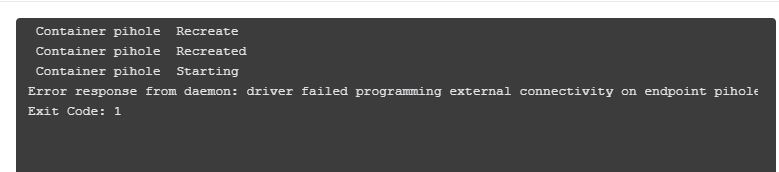
I recently installed TailScale on my Nas and set it as the Exit Node. Everything including access with phone apps is working. However, I saw several videos saying you need to set something in pihole and Tailscale for it to work over all tailnetted clients. I tried one by Digital Aloha that did not work as I couldn’t access plex or any Synology app.
Expected Behaviour:
Replace this text with what you think should be happening. Please include as much detail relevant to your system/install as possible including, but not limited to:
- Operating System (Family and Version) windows 10, Synology 7.3
- Hardware DS920
- Docker compose file or Docker run command
version: "3"

  # More info at https://github.com/pi-hole/docker-pi-hole/ and https://docs.pi-hole.net/

  services:
  pihole:
      container_name: pihole

      image: pihole/pihole:latest
      # For DHCP it is recommended to remove these ports and instead add: network_mode: "host"

      ports:
        - "53:53/tcp"
        - "53:53/udp"
        - "67:67/udp" # Only required if you are using Pi-hole as your DHCP server
        - "8088:80/tcp"

      environment:
        TZ: 'America/Chicago'
        WEBPASSWORD: ''

      # Volumes store your data between container upgrades
      volumes:
        - '/volume1/docker/pihole/etc-pihole:/etc/pihole'
        - '/volume1/docker/pihole/etc-dnsmasq.d:/etc/dnsmasq.d'

      #   https://github.com/pi-hole/docker-pi-hole#note-on-capabilities
      cap_add:
        - NET_ADMIN # Required if you are using Pi-hole as your DHCP server, else not needed

      restart: unless-stopped
Actual Behaviour:
You are using the wrong compose file, containing invalid environment variables.
Please check Pi-hole documentation:
I removed mine and tried the one from the link. Something is stopping it from compiling. Sorry, but it’s beyond my understanding.
This is a Docker message, so you'd need to consult Docker's documentation and support.
That said, there is no compiling involved when starting a container.
Docker is just configuring the container according to configuration options as supplied by you (in this case, via your docker compose file).
You've clipped the message, but I'd wager that Docker complains about port 53 already being used.
To address that, you want to make sure that no other process is listening on Pi-hole's required ports (53 and 8088, according to your compose file).
In particular, you should verify that Docker isn't still running your previous Pi-hole container.
Check with docker ps --format '{{.Names}} {{.Ports}}'. Once any any previous Pi-hole containers have been cleared (e.g. by docker stop <container-name> and docker remove <container-name>), start your new container.
I didn’t clip the message, that is the whole message window which can’t be expanded. My pihole container was stopped and remove.
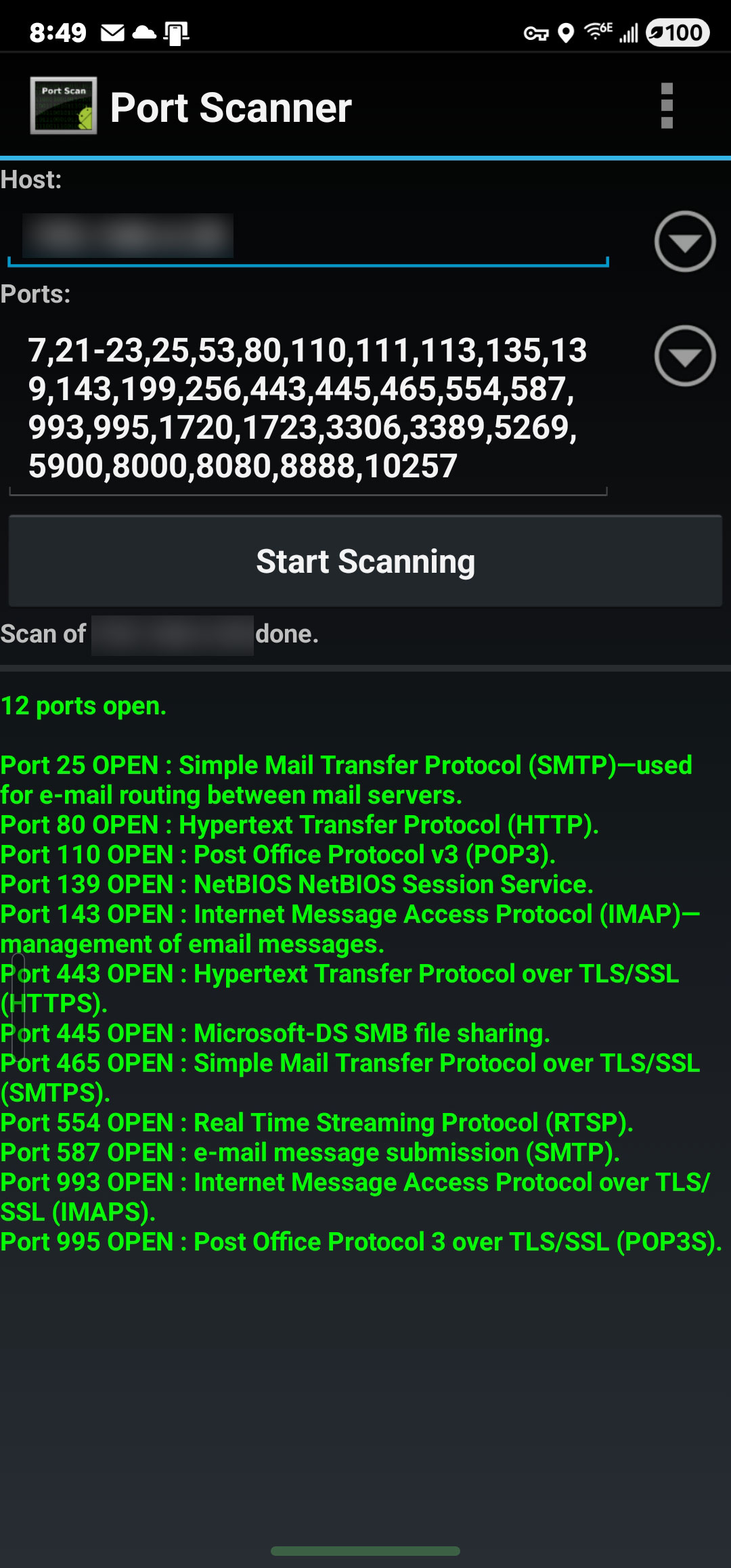
I scanned the open ports on my synology, port 53 is not shown as open. Also, if you look back at my initial container the exact same ports are used including 53 and 8088.
Then you need to ask for help on the Synology forums or on Docker forums. This message simply doesn't explain what is wrong.
You are mixing things.
No one said your ports were opened or blocked.
Bucking_Horn said that is possible that another service (on your server) is already using port 53.
Only one service can use a port at a time.
If there is another service using port 53, the container won't start because it needs this port.
Please run this command on the host (your Synology) and post the output:
sudo ss -tupln '( sport = 53 )'
OK, figured out my mistake and got it up and running. What’s my next step or is the new yaml also linking it to the Tailscale clients?
FYI, Synology DSM7 doesnt have the ss binary.
But it does have good old netstat.