Pi-hole not receiving DNS queries despite correct DHCP DNS, direct queries work (suspected router DNS interception)

Hi all,
I’m running into an issue where Pi-hole is fully functional but does not receive any DNS queries during normal browsing, even though clients are configured to use it via DHCP.

I’ve done quite a bit of debugging and would appreciate confirmation on whether this is router-side DNS interception or if I’m missing something.


Setup

  • Device: Raspberry Pi Zero 2 W

  • OS: Raspberry Pi OS (64-bit)

  • Pi-hole + Unbound (local recursive resolver)

  • Pi-hole IP: 192.168.1.17

  • Router LAN IP: 192.168.1.1

  • Router firmware: 0.8.3 (ISP-provided AP-AX3000CV2)

Router DHCP configuration:

  • DNS Server 1: 192.168.1.17

  • DNS Server 2: 192.168.1.17

  • IPv6 DNS disabled on WAN


What Works

  • Direct queries to Pi-hole work:
nslookup google.com 192.168.1.17

Returns valid results.

  • pihole status:
[✓] FTL is listening on port 53
[✓] UDP (IPv4)
[✓] TCP (IPv4)
[✓] UDP (IPv6)
[✓] TCP (IPv6)
  • ss -lunp | grep :53 shows Pi-hole listening on 0.0.0.0:53 and *:53.

  • Unbound is running on 127.0.0.1:5335.

So Pi-hole appears correctly bound and reachable.


The Problem

During normal web browsing:

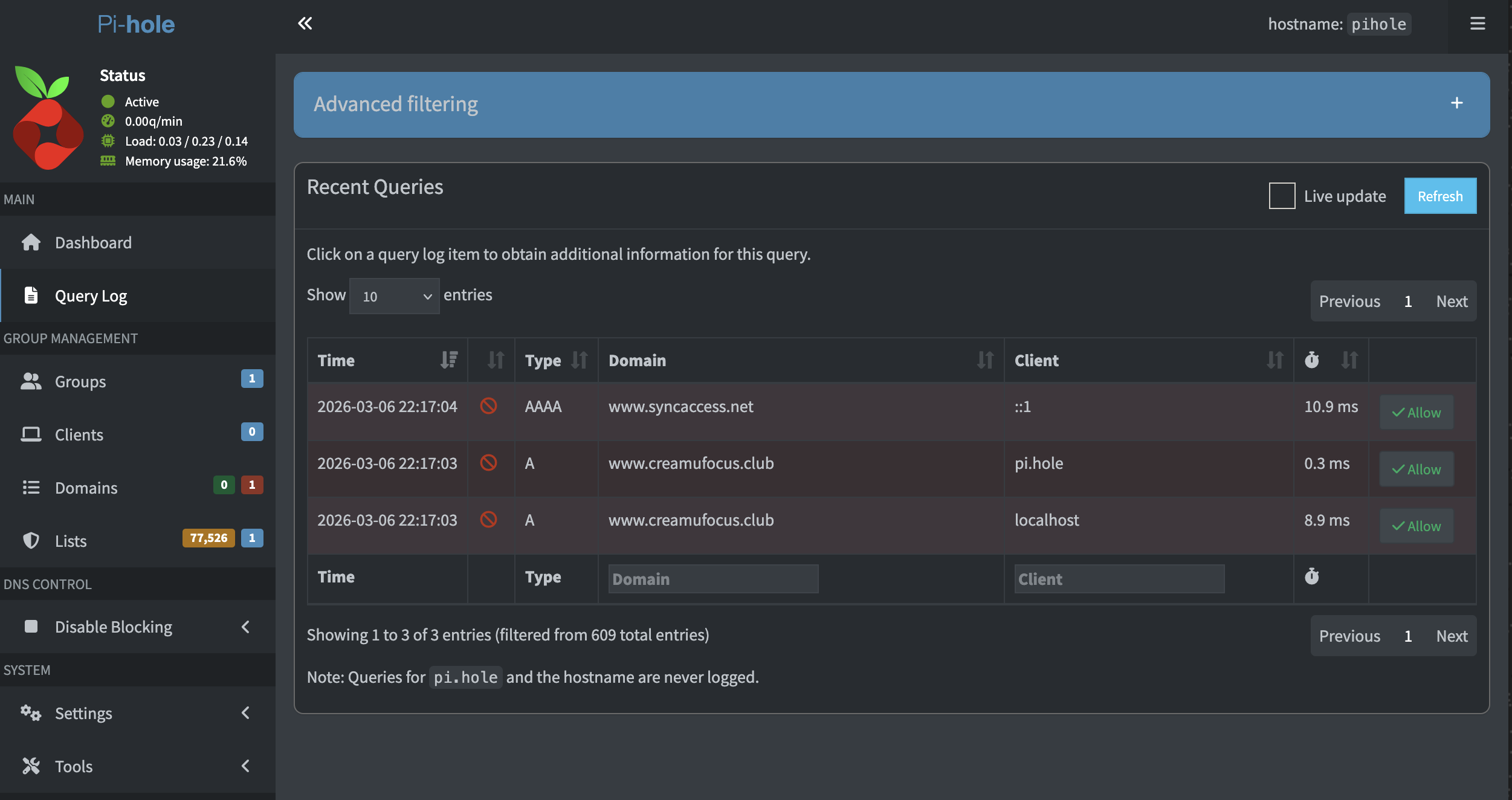
  • pihole -t shows no new queries

  • Query log shows only old timestamps

  • Ads are not blocked

Yet clients are configured correctly.


Client Verification

On macOS:

ipconfig getpacket en0

Shows:

domain_name_server (ip_mult): {192.168.1.17}

Running:

sudo tcpdump -n -i en0 port 53

Shows outgoing DNS traffic.

However, on the Pi-hole:

sudo tcpdump -n -i wlan0 port 53

Shows no incoming DNS packets from clients during browsing.

This suggests DNS traffic is not reaching the Pi-hole at all.


Firewall

  • ufw status → inactive

  • No iptables rules added

  • No firewall enabled on the Pi

So this does not appear to be a local firewall issue.


Suspected Cause

I suspect the router is intercepting or proxying DNS traffic on port 53 and ignoring the DHCP-provided DNS server.

There are no visible options in the router UI to disable:

  • DNS proxy

  • DNS relay

  • DNS interception

  • Secure DNS

DHCP cannot be fully disabled from the UI.


Question

Does this behavior align with known cases of ISP router DNS interception?

Is there any additional Pi-hole-side diagnostic I should run to definitively confirm interception vs. misconfiguration?

At this point, everything suggests the router is transparently redirecting DNS before it reaches the Pi-hole.

Thanks in advance.
Please upload a debug log and post just the token URL that is generated after the log is uploaded by running the following command from the Pi-hole host terminal:

sudo pihole -d

or if you run your Pi-hole as a Docker container:

docker exec -it <pihole-container-name-or-id> pihole -d

where you substitute <pihole-container-name-or-id> as required.

Debug log: https://tricorder.pi-hole.net/Jh7lwato/

Your debug log shows that your router is advertising its own IPv6 as DNS server:

*** [ DIAGNOSING ]: Discovering active DHCP servers (takes 6 seconds)
   Scanning all your interfaces for DHCP servers and IPv6 routers

   * Received 176 bytes from fe80::<redacted> @ wlan0
     Hop limit: 64
     Stateful address conf.: Yes
     Stateful other conf.: Yes
     Mobile home agent: No
     Router preference: Medium
     Neighbor discovery proxy: No
     Router lifetime: 900 s
     (…)
     MTU: 1492 bytes (valid)
     (…)
     - Prefix: fd00:db80::/64
       Valid lifetime: 18000 sec
       Preferred lifetime: 18000 sec
       On-link: Yes
       Autonomous address conf.: Yes
     (…)
     Recursive DNS server 1/1: fd00:db80::1
     DNS server lifetime:900 sec

This would allow your IPv6 clients to by-pass Pi-hole via your router's fd00:db80::1.

You'd have to find a way to configure your router to stop advertising its own IPv6 as DNS server, or to advertise your Pi-hole host machine's IPv6.

You'd have to consult your router's documentation sources on further details for its IPv6 configuration options.

If your router doesn't support configuring IPv6 DNS, you could consider disabling IPv6 altogether, provided you'd not depend on IPv6 for reasons.

If your router doesn't support that either, your IPv6-capable clients will always be able to bypass Pi-hole via IPv6.
You could then try to mitigate this, by setting Pi-hole as the only upstream of your router, provided your router supports it.
But note that you won't be able to attribute DNS requests to original individual IPv6 clients in such a configuration.

Hi. Thanks for the suggestions, I checked and was able to disabled IPv6 in my router’s settings, I believe. This is the new logs https://tricorder.pi-hole.net/PjhTBXhM/

Your debug log shows no more IPv6 RAs from your router, and your Pi-hole machine carries no IPv6 addresses anymore.

But note that disabling IPv6 was not was I recommended:
I suggested to have your router stop advertising its own IPv6 as DNS server.
Disabling IPv6 altogether may cut your Internet connectivity if your ISP would be strictly IPv6.

It's ok if it works for you now, but you should be aware that it may cease to do so if your ISP would change its connectivity for your plan in the future.

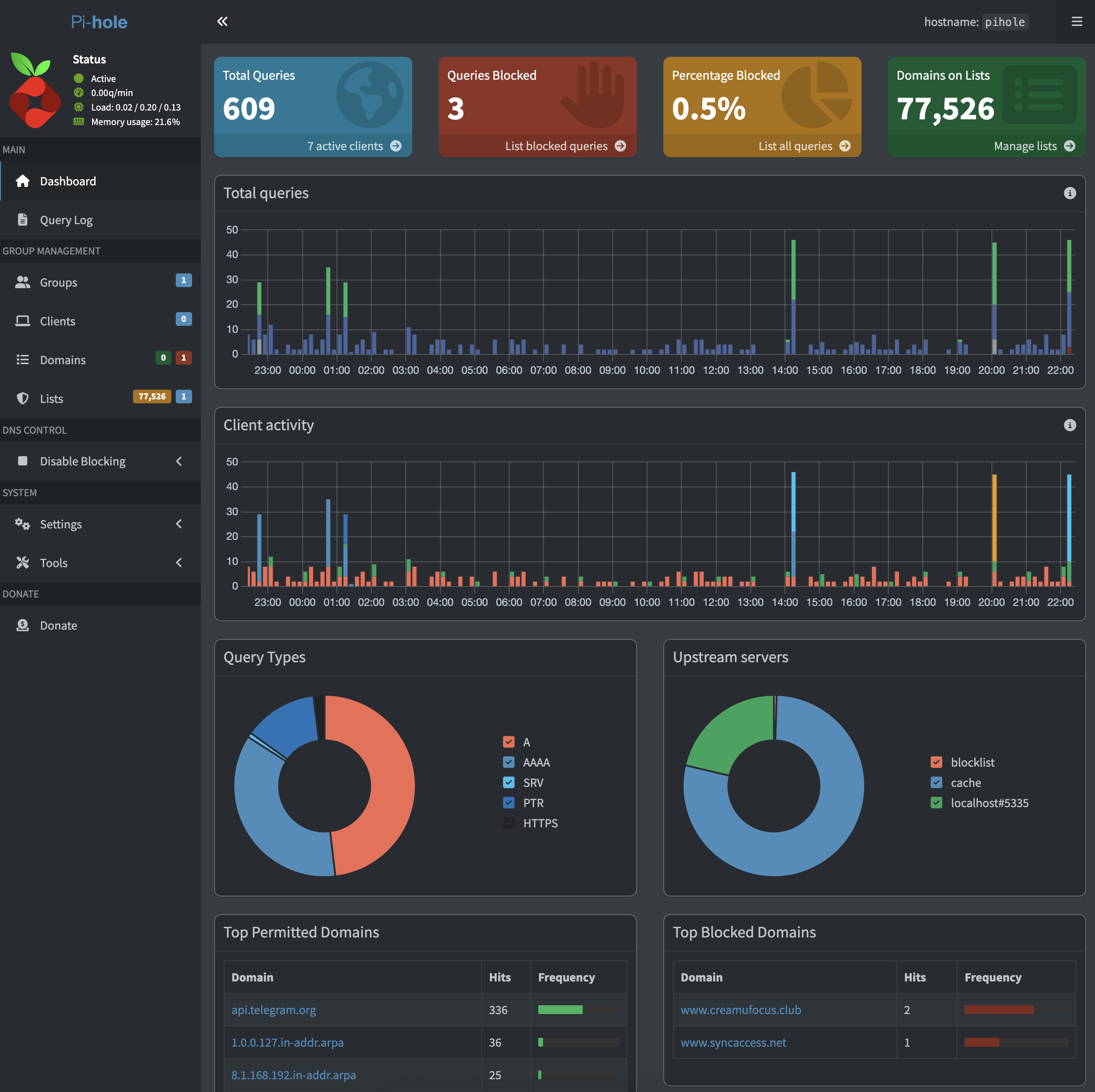
Hi, thank you for your patience and for looking into this. I went on and was busy with work for the past few days, when I came back today there was 0 blocked queries. I ran an ‘sudo apt update’ and ‘sudo pihole -r’ (is it normal that pihole required sudo?), now there’s 3 blocked queries, the diagnostics showed IPv6 wasn’t in use. Can you help me have a look please? Thank you in advance?
https://tricorder.pi-hole.net/fOL5MPAv/

Is is somehow now working altogether with tailscale connected on my devices