Pi-hole not blocking correctly

Sorry, here you have the docker-compose:

services:
  pihole:
    container_name: pihole
    image: pihole/pihole:latest
    ports:
      # DNS Ports
      - "53:53/tcp"
      - "53:53/udp"
      # Web Admin
      - "8180:80/tcp"
      - "444:443/tcp"
    environment:
      TZ: 'Europe/Madrid'
      FTLCONF_webserver_api_password: 'mypassword'
      FTLCONF_dns_listeningMode: 'all'
    volumes:
      - './etc-pihole:/etc/pihole'
    cap_add:
      - SYS_NICE
    restart: unless-stopped

Here you have a new log with the lists. Sorry https://tricorder.pi-hole.net/e6mTw7Eo/
Maybe when I added the lists starts the problem and no blocking, really I cannot understand

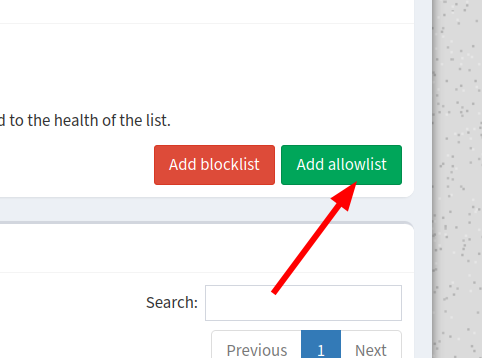
Sorry my error. I was clicking

Hmmm... That explains why gravity_count was showing only 106796 domains.

Yes, sorry for that.
Now I'm trying to solve the problem in my mobile. I need to configure manually each mobile? I remember I was using another version of pihole and all devices connected to my wifi were blocking ads and was not necessary change nothing in the DNS in the mobile :S

That depends only on your Phone OS.

You need to make sure the phone is using the DNS server defined on your router.

Some phones use "secure DNS" and this will bypass Pi-hole.

EDIT:

If you are using tailscale to use your Pi-hole as DNS server when you are not connected to the local wifi, you need to check your tailscale settings.

1 Like

Now my mobile it's working correctly. I have an option activated Private DNS and said something about adguard. I selected disabled and now my mobile doesn't have ads :slight_smile:
Thanks for your help and patience. I don't know what of all this posts is the best option to mark as solution.
Mark anything you think it's valid, just to show other users this is solved.

1 Like

This topic was automatically closed 21 days after the last reply. New replies are no longer allowed.