Despite OS-level tuning, the Pi-hole FTL service is hitting internal limits and dropping upstream connections. The Diagnosis dashboard frequently reports:
DNSMASQ_WARN: Maximum number of concurrent DNS queries reached (max: 150)
CONNECTION_ERROR: TCP connection failed... (Operation in progress)
CONNECTION_ERROR: Connection prematurely closed by remote server (8.8.8.8#53)
Details about my system:
I am deploying Pi-hole as a primary DNS resolver for a high-speed ISP business. I expect the system to handle thousands of concurrent DNS queries without dropping connections or hitting internal software ceilings.
That max warning message is saying that there is more than 150 queries in flight being resolved by the upstreams. Seeing that the upstream is closing the connection and there are connection issues leads me to believe that the issue lies between Pi-hole and the upstreams.
Since you have hardware with capabilities, I suggest you set up unbound as your recursive resolver and remove the external upstream providers.
At this stage, I prefer not to deploy Unbound as a recursive resolver in my environment. My setup is designed to rely on external upstream DNS providers, and I would like to keep that architecture unchanged.
What concerns me is that this issue did not occur in Pi-hole v5, where the system was stable under similar or even higher query loads. However, in the latest version, I am observing the “max queries in flight” warning along with upstream connection closures, which suggests a behavioral or performance change rather than a pure capacity limitation.
Given that the underlying hardware resources (CPU, RAM, network) are sufficient, I would like to understand:
Is there any known change in query handling or upstream communication in the latest version that could cause this?
Are there recommended tuning parameters (e.g., max concurrent queries, DNS timeout, connection reuse, etc.) to improve stability with external upstream resolvers?
Could this be related to connection limits or rate limiting on the upstream DNS servers?
My goal is to achieve the same level of stability as in version 5, without introducing a local recursive resolver, and without encountering connection drops or query saturation warnings.
Any guidance or best practices for stabilizing this setup would be highly appreciated.
Please note that Pi-hole v5 used older dnsmasq versions and that versions didn't warn about closed TCP connections, even when this happened.
Now, Pi-hole v6 uses a newer dnsmasq that always warns about this kind of connection errors.
If you never saw these warns when using Pi-hole v5, it doesn't mean the connections were not being prematurely closed by remote server. It only means that older versions weren't capable of generating these warnings.
As rdwebdesign has explained, Pi-hole 6 now logs upstream TCP connection errors that previous Pi-hole versions did not.
Pi-hole 6 comes with a cache optimiser that -instead of removing expired DNS records from the cache- would continue to serve such stale DNS records with a zero TTL while sending a DNS request upstream in the background to refresh the cached entry.
While that doesn't increase the number of upstream requests, the stale record's short TTL may prompt some clients to continuously re-issue DNS requests until the cached record has been refreshed.
More specifically, this would apply to clients that would query the same domain in a series of requests in short succession, and such client behaviour could contribute towards your observation of a max concurrency warning.
And as DanSchaper has explained, those TCP connection errors you are observing are also contributing to that warning.
Your debug log shows a few of those TCP errors:
 -----tail of FTL.log------
 2026-04-22 17:06:14.880 +0430 [156435/F131680] WARNING: Connection error (8.8.8.8#53): TCP connection failed while receiving payload length from upstream (Connection prematurely closed by remote server)
 2026-04-22 17:06:22.079 +0430 [156435/F131680] WARNING: Connection error (208.67.222.222#53): TCP connection failed while receiving payload length from upstream (Operation in progress)
 2026-04-22 17:06:32.319 +0430 [156435/F131680] WARNING: Connection error (1.1.1.1#53): TCP connection failed while receiving payload length from upstream (Operation in progress)
 2026-04-22 17:10:59.927 +0430 [156582/F131680] WARNING: Connection error (8.8.8.8#53): TCP connection failed while receiving payload length from upstream (Connection prematurely closed by remote server)
 2026-04-22 17:11:07.263 +0430 [156582/F131680] WARNING: Connection error (208.67.222.222#53): TCP connection failed while receiving payload length from upstream (Operation in progress)
 2026-04-22 17:11:17.507 +0430 [156582/F131680] WARNING: Connection error (1.1.1.1#53): TCP connection failed while receiving payload length from upstream (Operation in progress)
 2026-04-22 17:21:39.120 +0430 [131680M] WARNING: dnsmasq: Maximum number of concurrent DNS queries reached (max: 150)
 2026-04-22 17:27:34.429 +0430 [131680M] WARNING: dnsmasq: Maximum number of concurrent DNS queries reached (max: 150)
While connections typically only last a few 10s of ms, such long running connections may block a slot for several seconds.
Note that a slow responding upstream could indeed also block a slot for a long time without triggering an error, if it would reply just before timeout. Your debug log's frequency of max concurrency warnings may indicate that this is what's happening.
Perhaps. (Operation in progress) may indicate that Pi-hole was waiting for an upstream that did not reply in time, and (Connection prematurely closed by remote server) means an upstream has actively terminated a connection.
Both of those messages would indicate that upstream DNS servers are unresponsive, probably struggling to reply in time under heavy load.
The latter in particular may suggest that the upstream either exhausted its own TCP connection pool, or it rate limited your IP, e.g. Google imposes a limit of 1,500 queries per second.
In addition, an unreliable or high latency connection could favour those messages.
In case you are on a high latency and/or unreliable internet connection, consider switching to a more reliable provider.
Verify that you don't hit your upstream DNS servers rate limits.
If you do, change to upstreams with higher rate limits, or negotiate rate limit lifts for your IP address with respective DNS server maintainers.
To rule out Pi-hole's cache optimiser would contribute towards your observation, try disabling it, e.g. via
sudo pihole-FTL --config dns.cache.optimizer -1
If none of the above helps or can't be applied for reasons (e.g. switching internet connection isn't possible), you could try to increase dns-forward-max beyond the 150 default.
I'd only try that as an ultimate measure, as it may not be able to address your issue in case of a flaky internet connection, or occurrences of really unresponsive upstreams or rate limiting.
I always understood that DNSmasqd was never meant to be used in let’s say large Enterprise environments ?!
Do you have any guidelines for the maximum amount of users that Pi-Hole could process in a sort of “worst case extreme high load scenario” so to speak ?
Not sure where that information would have come from. It's perfectly capable. There are a few educational institutions that we know of that run FTL for their campus resolvers.
But in general, not really any guidelines as there are far too many variables in play.
Thank you for the detailed feedback regarding the changes in Pi-hole 6. Based on the suggestions provided, I have implemented several configuration changes to better suit our ISP workload and address the concurrency warnings.
Here is what I have applied so far:
Increased system-level limits to ensure the service can handle high socket demand:
[Service]
LimitNOFILE=65535 (via systemd override)
Optimized dnsmasq parameters for ISP scale in 99-isp-limits.conf:
dns-forward-max=10000
min-cache-ttl=300
edns-packet-max=1232
I wanted to confirm if these specific adjustments align with your recommendations.
Additionally, regarding the "Operation in progress" and "Connection prematurely closed" errors: I have noticed that despite these warnings appearing in the dashboard, there is no measurable impact on the performance for our customers or the DNS server's responsiveness. However, I would still like to eliminate these errors to ensure a clean log environment.
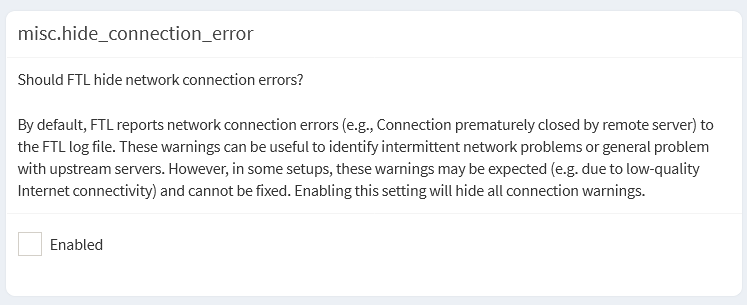
Given that these errors often point toward upstream rate limiting or TCP exhaustion, what would you suggest as the next step? Is it possible to completely disable these specific warnings in FTL if they are confirmed to be non-impactful, or would you recommend further tuning—such as disabling the cache optimizer—to fully resolve the underlying triggers?