Pi-Hole API Will Not Authenticate

Please follow the below template, it will help us to help you!

Expected Behaviour:

Pi-Hole2 API should authenticate requests from MMM-pihole-stats

  • Operating System: Pios Trixie
  • Hardware: Pi Zero2 with OTG Ethernet adapter
  • Docker compose file or Docker run command: No Docker
  • Docker engine version: No Docker

Actual Behaviour:

Pi-Hole2 rejects API authentication requests from MagicMirror system using MMM-pihole-stats module.

The Pi-Hole systems were old and new SDcards with updated Pios was needed. New SDcards were created with Pios Trixie and the Pi-Hole V6 software on a separate Pi system. The running Pi-Hole configurations were transferred to the new SDcards using Teleporter. The production Pi-Hole systems were restarted with the new SDcards and everything functioned correctly except for the MM monitor system on the backup Pi-Hole system.

The backup Pi-Hole system was rejecting authentication requests via the API. The configuration was reviewed and I could not find anything amiss.

Help!

Debug Token:

https://tricorder.pi-hole.net/Kwa5FOz2/

Below repo?

Are you sure that one supports the latest v6 API?
The API was redesigned from the ground up with the v6 release.

Before the rebuild both Pi systems used Pi-Hole V6. After the rebuild both systems run Pi-Hole V6 and the MM monitoring system works on one system but not the second.

If the mods/devs cant find any from the debug token, I'd suggest creating an "issue" at that repo.

You can query the API yourself for info.
Eg to list all endpoints:

$ sudo pihole api endpoints
{
  "endpoints": {
    "get": [
      {
        "uri": "/api/auth/sessions",
        "parameters": ""
      },
      {
        "uri": "/api/auth/app",
        "parameters": ""
      },
      {
        "uri": "/api/auth/totp",
        "parameters": ""
      },
[..]

Sessions:

$ sudo pihole api auth/sessions
{
  "sessions": [
    {
      "id": 0,
      "current_session": true,
      "valid": true,
      "tls": {
        "login": false,
        "mixed": false
      },
      "login_at": 1773957647,
      "last_active": 1773957647,
      "valid_until": 1773959447,
      "remote_addr": "127.0.0.1",
      "user_agent": "Pi-hole cli",
      "x_forwarded_for": null,
      "app": false,
      "cli": true
    }
  ],
  "took": 6.461143493652344e-05
}

EDIT: You could flip on API debugging with below:

sudo pihole-FTL --config debug.api true

And tail/follow the logs live to see what happens when MMM-pihole-stats interacts:

sudo tail -F /var/log/pihole/{FTL,webserver}.log

When finished diagnosing, turn it off with below:

sudo pihole-FTL --config debug.api false

Are you using the correct URL for the second Pi-hole?

What happens if you try to connect using IPs instead of hostnames?

The correct url is being used. The two Pi-holes are pihole1.lan - 192.168.1.3, pihole2.lan - 192.168.1.4, both addresses are in the Local DNS Records, and both names resolve correctly when queried with dig from another machine.

I will try with the IP address instead of by name.

These are the facts and steps of my journey - rather long to read:

  • Prior to the upgrade, the Pi's were running Bullseye and Pi-Hole V6 with all the latest upgrades.
  • Prior to the Pios upgrade, MM queried both the Pi-Hole servers and both Pi-Holes were responding without problem.
  • The information displayed for Pi-Hole2 was from Pi-Hole1 because the MM module did not support multiple instances of the MM module so the data from the first instance was displayed for the second instance.
  • Since the second Pi information not being displayed correctly, that instance of the MM module was commented out in the MM configuration file.
  • An issue was entered for the MM module then the upgrade and deployment of the new SDcards with Pios Trixie and the Pi-Hole software began.
  • The new SDcards were built on a separate Pi so not to interrupt production.
  • The Pi-Hole configurations were transferred with Teleporter.
  • Deployment was to shutdown a Pi, install the new SDcard, and power up the Pi. The Pi-Hole software was verified to be answering queries.
  • The second Pi was shutdown causing all DNS workload to shift to the first Pi-Hole. The first Pi-Hole was verified to be fully operational, then the SDcard in the second Pi was replaced and the Pi restarted.
  • A fix for the MM module became available, was installed, the second instance was restored in config file, and MM was restarted. The second Pi was not responding to API requests and errors were logged stating an authorization request failed.
  • Another fix for the MM module added the API URL information to the identify the error message source which was the second instance or Pi 2.
  • The configuration was updated so both instances accessed Pi 1. The data was displayed twice for Pi 1 as expected.
  • The configuration was updated so both instances accessed Pi 2. The data was not display for Pi 2 and errors were logged for Pi 2, both instances.
  • The configuration updates only required changing a 1 to a 2 in the URL so both instances are correctly configured and the URLs were correct.
  • The configuration was changed to have instance 1 with Pi 1 and instance 2 was commented out. Data was correctly displayed
  • The configuration was changed to have instance 2 with Pi 1 and instance 1 was commented out. Data was correctly displayed.
  • The configuration was changed to have instance 1 with Pi 2 and instance 2 was commented out. No data was displayed and errors were logged.
  • The configuration was changed to have instance 2 with Pi 2 and instance 1 was commented out. No data was displayed and errors were logged.
  • The configuration was changed to use IP addresses in the URL for both instances. Pi 1 had data displayed and Pi 2 did not.

My take-aways are:

  • Pi-Hole 1 always responds to the API in either MM instance.
  • Pi-Hole 2 never responds to the API in either MM instance.
  • There is something different about the Pi-Hole configurations.

@deHakkelaar requested log data. I turned on API debugging, tailed the logs, and restart MM multiple times. There was never anything sent to the log.

Just to be sure I did not miss something at the beginning, I left the tail active, stopped the API debugging, started the API debugging again, and restarted MM multiple time. Got nothing. Attached is a file of log information.

Also attached, is snippet from MM configuration file.

My apologies for such a long winded response

Butch
Config-Snipets.txt (1.5 KB)
Tails for API Problem.txt (6.3 KB)

This shows Pi-hole is not receiving any connections from the app.

This is probably a network/firewall issue or there is something with the app.

1 Like

There was nothing sent to the log for instance 1 which is receives and displays data from the Pihole or for instance 2 which is not working. There is no firewall as everything is on the internal network behind the Internet router.

Indeed.

If I run a sudo pihole api auth/sessions:

$ sudo tail -F /var/log/pihole/{FTL,webserver}.log
[..]
==> /var/log/pihole/FTL.log <==
2026-03-20 20:58:30.513 CET [465/T84102] DEBUG_API: Requested API URI: 127.0.0.1 -> GET /api/auth ? (null) (Content-Type (null))
[..]

You have the other working Pi to compare log output for how it should look when MMM interacts.

Did you try that? What happened?


Your debugging steps shows Pi-hole2 is not receiving the app connection.

Let's check some other things. Run these commands from the machine running MM (if possible) and post the output:

nslookup google.com 192.168.1.3

nslookup google.com 192.168.1.4

nslookup pihole2.lan

curl -I http://192.168.1.4/admin/

curl -I http://pihole2.lan/admin/

Plus another:

nc -zvw5 pihole2.lan 80

1 Like

@rdwebdesign
I ran the configurations using the IP numbers and the results were posted in the last step of the long list. IP addresses worked for instance 1 - Pi 1 and did not work for instance 2 - Pi 2.

Here are the commands requested:

nslookup google.com 192.168.1.3
Server:         192.168.1.3
Address:        192.168.1.3#53

Non-authoritative answer:
Name:   google.com
Address: 192.178.220.139
Name:   google.com
Address: 192.178.220.138
Name:   google.com
Address: 192.178.220.100
Name:   google.com
Address: 192.178.220.113
Name:   google.com
Address: 192.178.220.102
Name:   google.com
Address: 192.178.220.101
Name:   google.com
Address: 2607:f8b0:4023:1000::66
Name:   google.com
Address: 2607:f8b0:4023:1000::65
Name:   google.com
Address: 2607:f8b0:4023:1000::71
Name:   google.com
Address: 2607:f8b0:4023:1000::8b


 nslookup google.com 192.168.1.4
Server:         192.168.1.4
Address:        192.168.1.4#53

Non-authoritative answer:
Name:   google.com
Address: 142.251.116.138
Name:   google.com
Address: 142.251.116.113
Name:   google.com
Address: 142.251.116.139
Name:   google.com
Address: 142.251.116.102
Name:   google.com
Address: 142.251.116.100
Name:   google.com
Address: 142.251.116.101
Name:   google.com
Address: 2607:f8b0:4023:1009::8a
Name:   google.com
Address: 2607:f8b0:4023:1009::71
Name:   google.com
Address: 2607:f8b0:4023:1009::66
Name:   google.com
Address: 2607:f8b0:4023:1009::64


nslookup pihole2.lan
Server:         192.168.1.3
Address:        192.168.1.3#53

Name:   pihole2.lan
Address: 192.168.1.4

curl -I http://192.168.1.4/admin/
curl: (7) Failed to connect to 192.168.1.4 port 80 after 0 ms: Couldn't connect to server

curl -I http://pihole2.lan/admin/
curl: (7) Failed to connect to pihole2.lan port 80 after 7 ms: Couldn't connect to server

curl -I http://192.168.1.3/admin/
HTTP/1.1 302 Found
Location: /admin/login
Cache-Control: no-cache, no-store, must-revalidate, private, max-age=0
Expires: 0
Pragma: no-cache
X-DNS-Prefetch-Control: off
Content-Security-Policy: default-src 'self' 'unsafe-inline';
X-Frame-Options: DENY
X-XSS-Protection: 0
X-Content-Type-Options: nosniff
Referrer-Policy: strict-origin-when-cross-origin
Access-Control-Allow-Headers: *
Access-Control-Allow-Methods: *
Content-Length: 0
Date: Fri, 20 Mar 2026 22:21:10 GMT
Connection: keep-alive

 curl -I http://pihole1.lan/admin/
HTTP/1.1 302 Found
Location: /admin/login
Cache-Control: no-cache, no-store, must-revalidate, private, max-age=0
Expires: 0
Pragma: no-cache
X-DNS-Prefetch-Control: off
Content-Security-Policy: default-src 'self' 'unsafe-inline';
X-Frame-Options: DENY
X-XSS-Protection: 0
X-Content-Type-Options: nosniff
Referrer-Policy: strict-origin-when-cross-origin
Access-Control-Allow-Headers: *
Access-Control-Allow-Methods: *
Content-Length: 0
Date: Fri, 20 Mar 2026 22:23:07 GMT
Connection: keep-alive

@deHakkelaar

 nc -zvw5 pihole2.lan 80
nc: connect to pihole2.lan (192.168.1.4) port 80 (tcp) failed: Connection refused

 nc -zvw5 pihole1.lan 80
Connection to pihole1.lan (192.168.1.3) 80 port [tcp/http] succeeded!

This indicates the pihole2.lan is not listening port 80.

On Pihole1 - some task is listening on Port 80.

On Pihoie2 - some task is listening on Port 8080.

Using the command: sudo lsof -i :80, I found pihole-FT is listening to port 80 on pihole1 and
pihole-FT is listening to port 8080 on pihole2.

On Pihole1, the webserver.port is set to 80o,443os.
On Pihole2, the webserver.port is set to 8080o,443os.

I think this is the problem.

Butch

The problem is fixed.

I change the webserver.port on pihole2 to 80o,443os and now it works. How it got set to that value is unknown to me.

I looked in the debug log and the value there is set to 8080. I can not ever remember making that change so it must have been a fat finger error.

Thanks for all the help and leading me in the right direction with your questions.

Butch

2 Likes

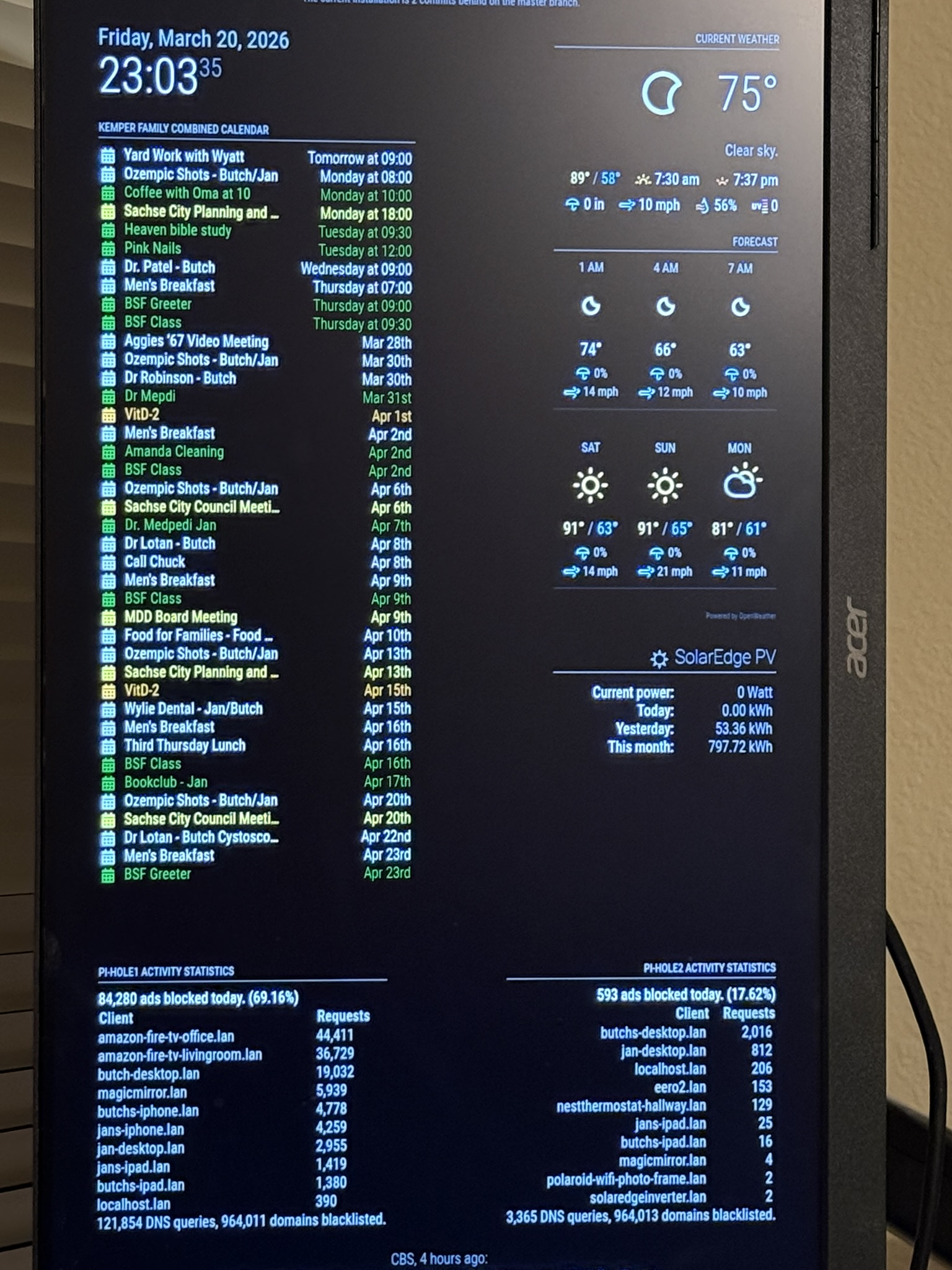
Now we demand a picture of your MM :wink:

EDIT:

sudo ss -nltup | grep 'Netid\|pihole'

lsof is not always installed but ss is.

As requested, a picture of the MagicMirror display and the displayed items are:

  • The Calendar display, a combination of four Apple calendars.
  • The Weather display.
  • The Solar Panel System display.
  • The Pi-Hole Statistics displays.
  • The CBS News Headlines.

Again thank you for your help and guidance to find the error.

Butch

3 Likes

Looks great.
But isnt there suppose to be a camera to project a mirror image?

Aha someone pointed out to me that the mirror effect can come from an acrylic "two-way mirror" sheet applied over the screen.
Seems its missing though ... and I'm a n00b when it concerns magic mirrors :wink:

The MM is built with a monitor disassembled and installed into a box along with a Pi. The Pios runs the MM software on top of a windowing system that drives an HDMI port. In my case, I have not disassembled the monitor but have it on a wall-mount.

It is entirely possible to replace the monitor with a projector.

It has been lots of fun learning about the MM. My next step is to learn how to write a MM module in Java Script. Now I am retired, I look for fun things to do with my collection of Pi's to keep the knoodle active. I work a lot slower now because I keep looking things up that I am supposed to remember :cowboy_hat_face:

Butch

I am far from retired and experience the same issue from time to time so don’t worry about it too much! :wink:

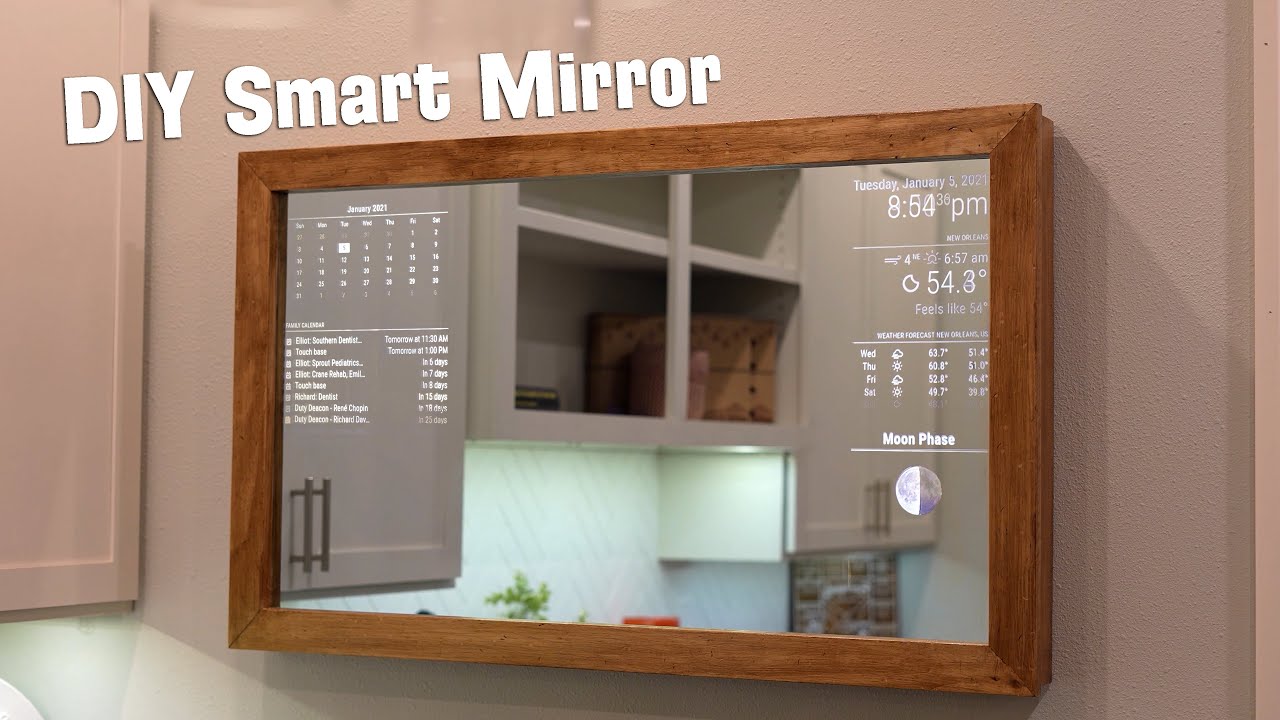
IMHO this is a regular/typical Magic Mirror from what I can remember :


And it’s the result of placing a see through reflective sheet over the LCD panel of the disassembled monitor :slight_smile:

2 Likes

Yeah early retirement here too with a pile of RPi's + other SBC's.
I learned allot from those Pi projects.
But me too cant remember everything so have to reference the man pages allot.
Plus Bash completion helps if available.

Though not confirmed to be actually from Albert Einstein but:

"Never memorize something that you can look up."

2 Likes