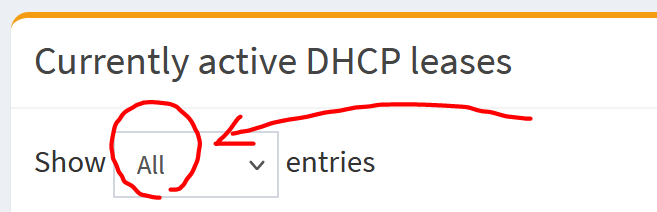
Not showing All Currently active DHCP leases

Expected Behaviour:

It should show all Currently active DHCP leases on the admin webpage but does not.

  • Raspbian GNU/Linux 12 (bookworm)
  • Raspberry Pi

Actual Behaviour:

I changes some host clients lease times from “infinite” to “1w” - now these clients and their respective leases do not show up on the admin web page. I restarted the pi-hole but it did not make a difference.

Debug Token:

https://tricorder.pi-hole.net/anlLKVzs/

24 hours is the default and not "infinite".
Why do you deviate from the default?
Did you try rebooting those clients that might still hold on to a lease with an infinite lease time?

EDIT: Oops my mistake, it seems the default has changed:

If no lease time is specified (empty), dnsmasq's default lease time is one hour for IPv4 and one day for IPv6.

But still, why do you want to change this?

I have a lot of my devices IP addresses set via DHCP on the Pi-Hole. They don’t change so they can keep their IP addresses. A lot are IOT devices that are only powered on for a short time and then powered off, I want to keep their lease to save on battery resources.
By the way:

This all worked well until I updated from version 6.1.3 to 6.2.2

Bananas.
But you forgot to answer one question?

I did reboot the clients but they still do not show up.

If you tail/follow the logs live with below, and reboot one of those clients, do you see an entry being logged with the client IP, MAC & hostname?

sudo tail -F /var/log/pihole/pihole.log | grep DHCPACK

And if you do, does it appear in below file?

sudo cat /etc/pihole/dhcp.leases

You can also run below to live tail/follow the DHCP log entries in general:

sudo tail -F /var/log/pihole/pihole.log | grep dnsmasq-dhcp

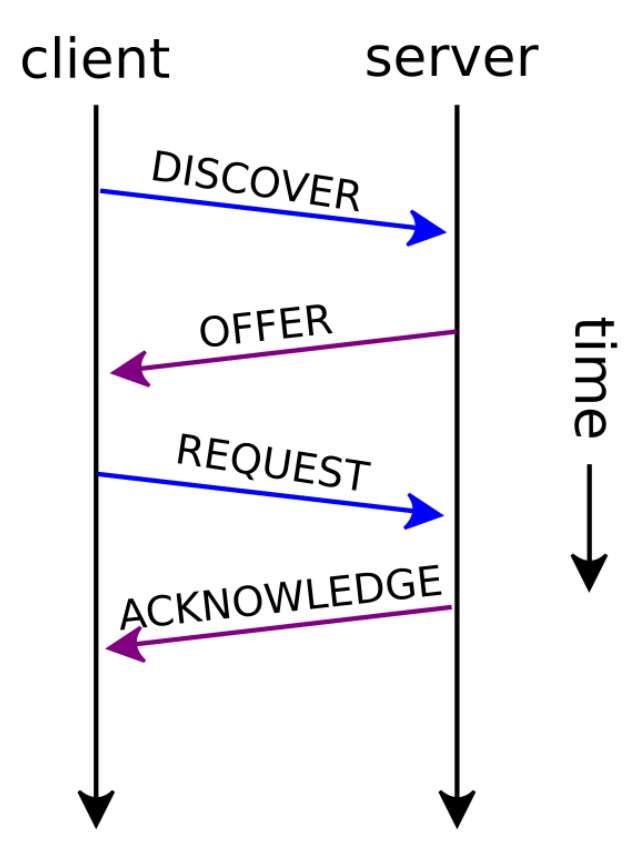
Usually you see below for a full DHCP exchange:

EDIT: Oh you did notice below one do you?

1 Like

This topic was automatically closed 21 days after the last reply. New replies are no longer allowed.