No connection to internet after changing router DNS, can't access Pi-Hole web interface. Help!

I’m really new to this, I’m sorry if it’s a common question or a simple solution.

Expected Behaviour:

Router is the DHCP server and allows access to internet, Pi Hole blocks ads and is the primary DNS of the router.

  • Ubuntu Server 24.04
  • Mac Pro 6,1

Actual Behaviour:

Pi-hole status is fine when I check using the terminal but when I change the DNS setting of my router to the Pi-Hole IP (192.168.0.60) I get no internet access. I also can’t navigate to the web interface to try and use Pi-Hole as a DHCP server. I’m sure it’s a setting somewhere I’ve got wrong but I’m really new to all of this so not sure where I’m going wrong. Thanks for help in advance :slight_smile:

Debug Token:

https://tricorder.pi-hole.net/JBxrFduk/

Post screenshots of the settings that you applied in the Router webGUI :slight_smile:

My guess is you did it on the WAN side or at the wrong setting…

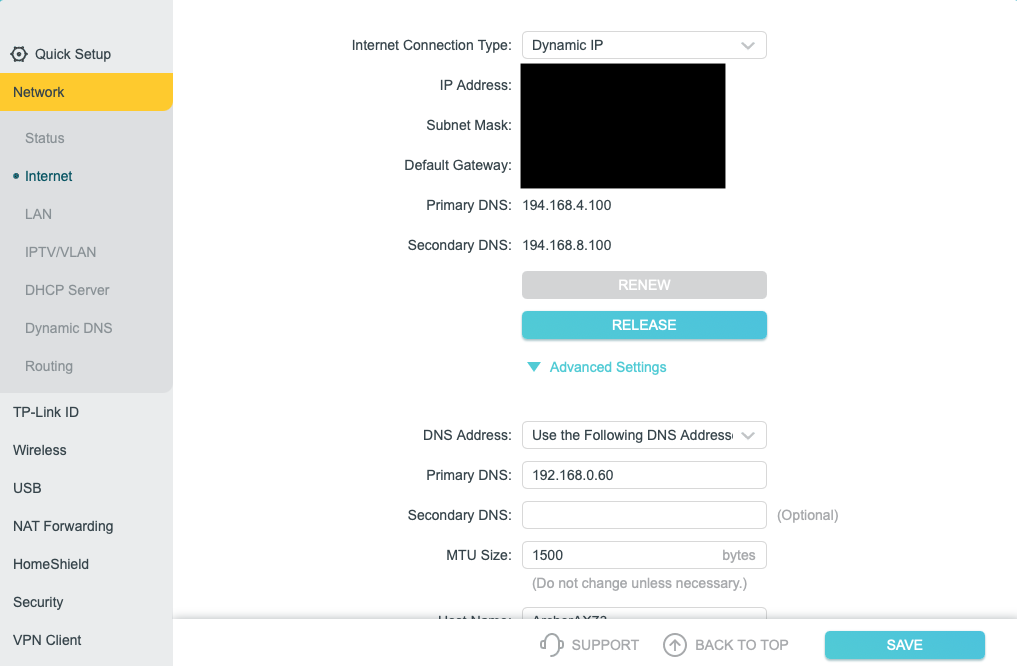
Here’s the settings. I don’t currently have the settings applied as otherwise as I say I get no internet access. Hope this helps, thanks for the reply.

That looks like your WAN settings and you should not change anything there !!

Click on LAN on the left and post what you got there ?
You need to change the DNS Server IP Address for your LAN :wink:

1 Like

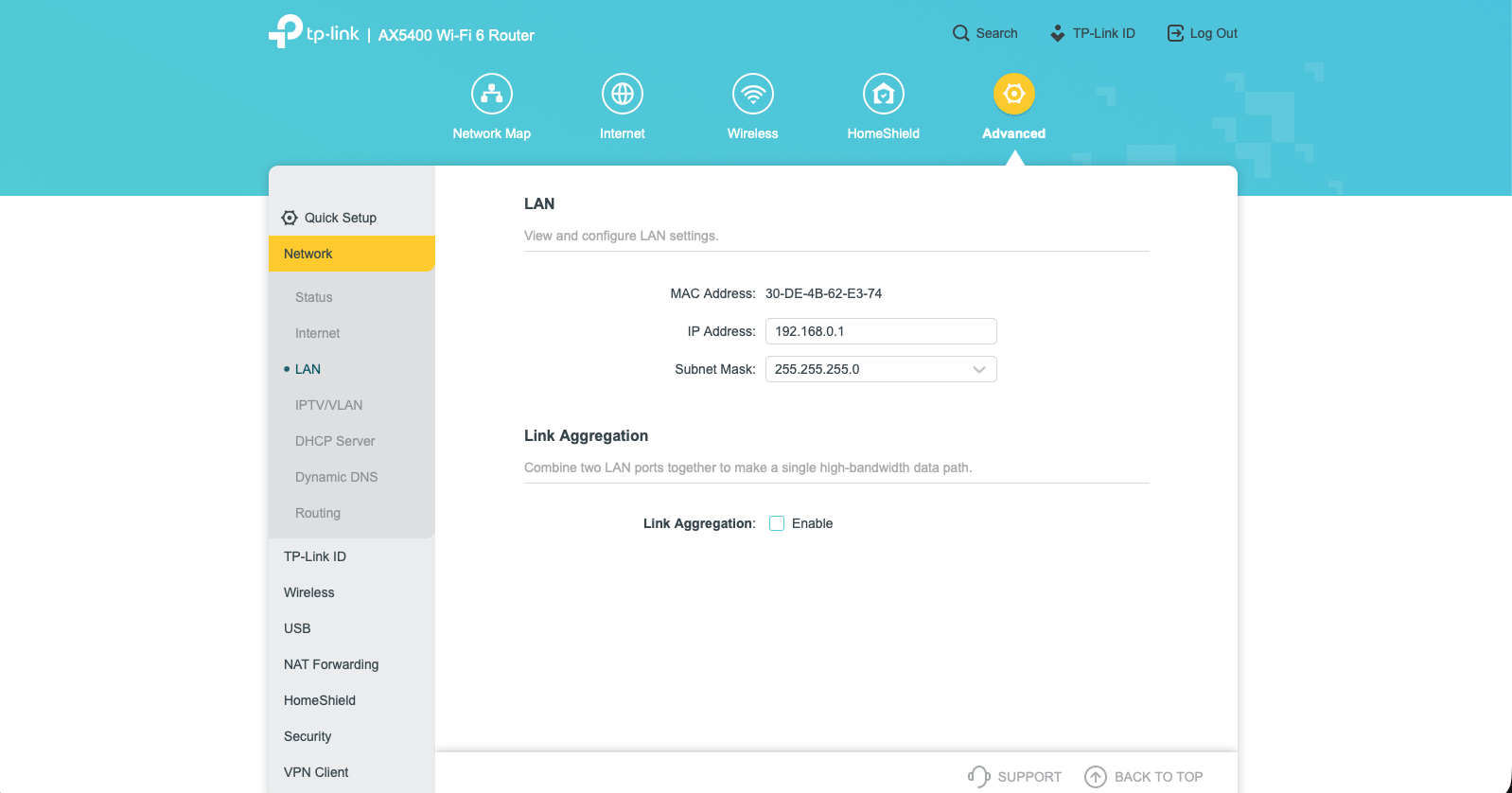
This is all I have in LAN. There’s an option to change the DNS in the DHCP server section which I (rightly or wrongly) assumed would be the WAN - which I had read not to change as you say. Not sure where to go from here!

The webGUI is a bit weird…

It highlights the main category with Yellow and then a dot appears at the sub-category you are viewing : Am I right ?

If so, then I think you need to change the DNS Server IP in the DHCP Server section :slight_smile:

Your previous attempt was editing it at the WAN side indeed.

1 Like

See below:

1 Like

NICE!!! :+1: :+1:

Could have told me earlier you know! LOL! :rofl:

1 Like

Nah I'll see how far you get first :slight_smile:
And it was only in the last screenshot reveled that its a TP-link :wink: