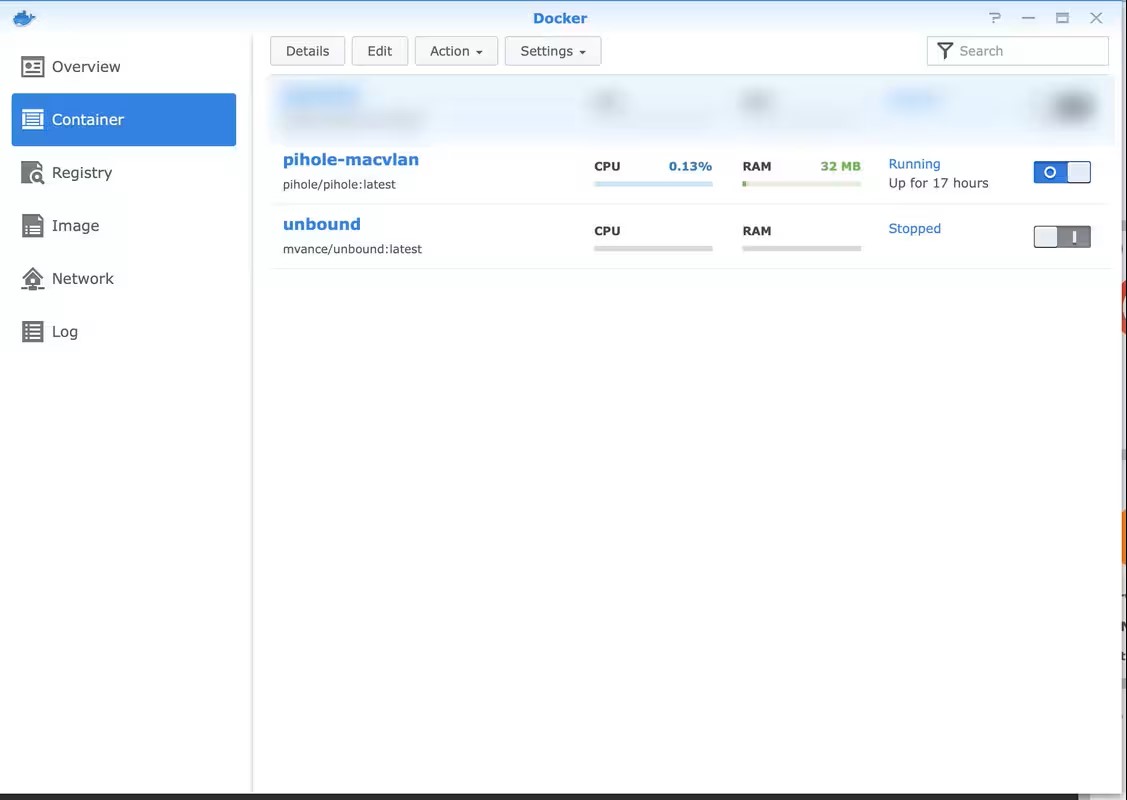
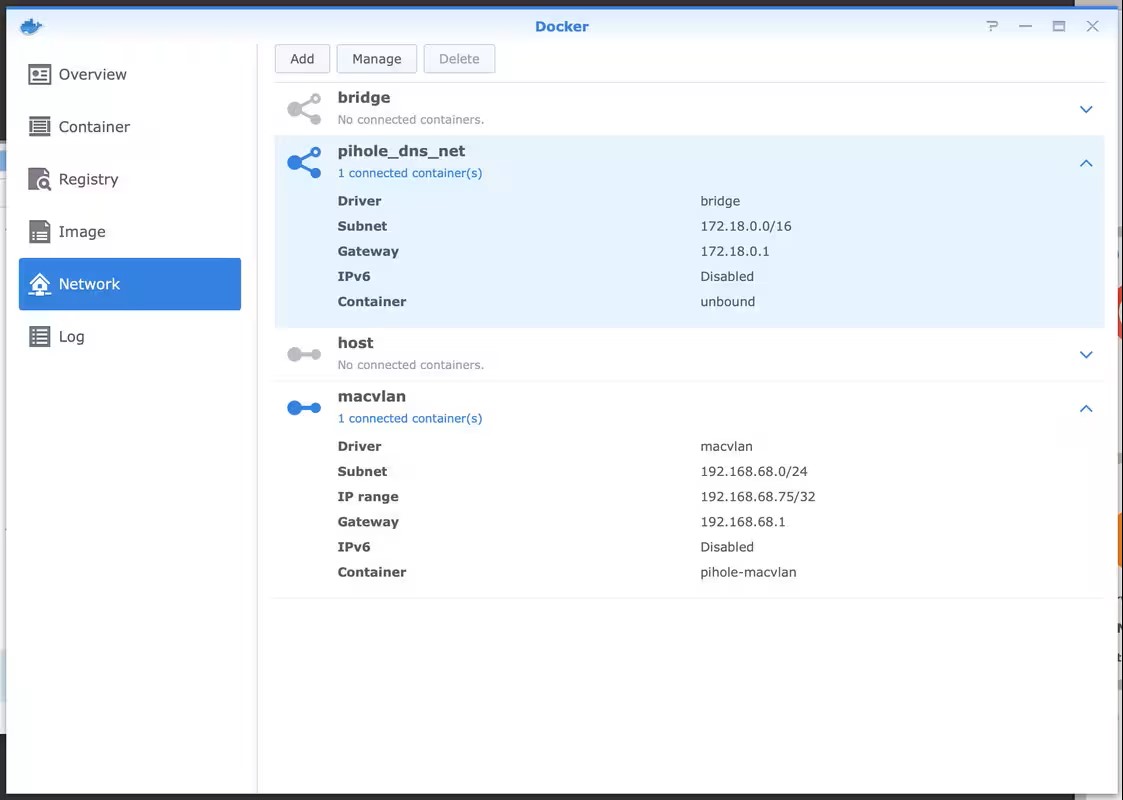
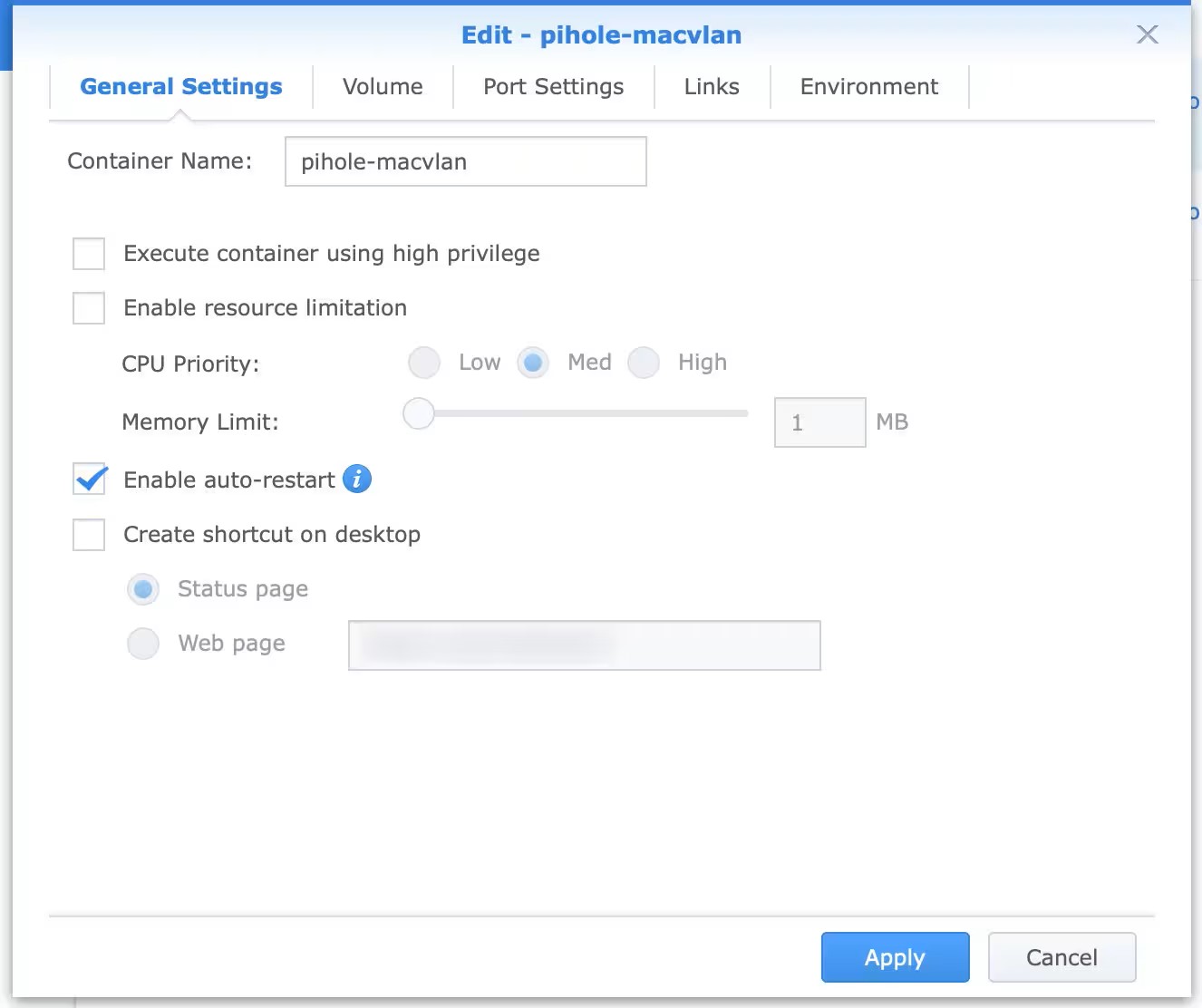
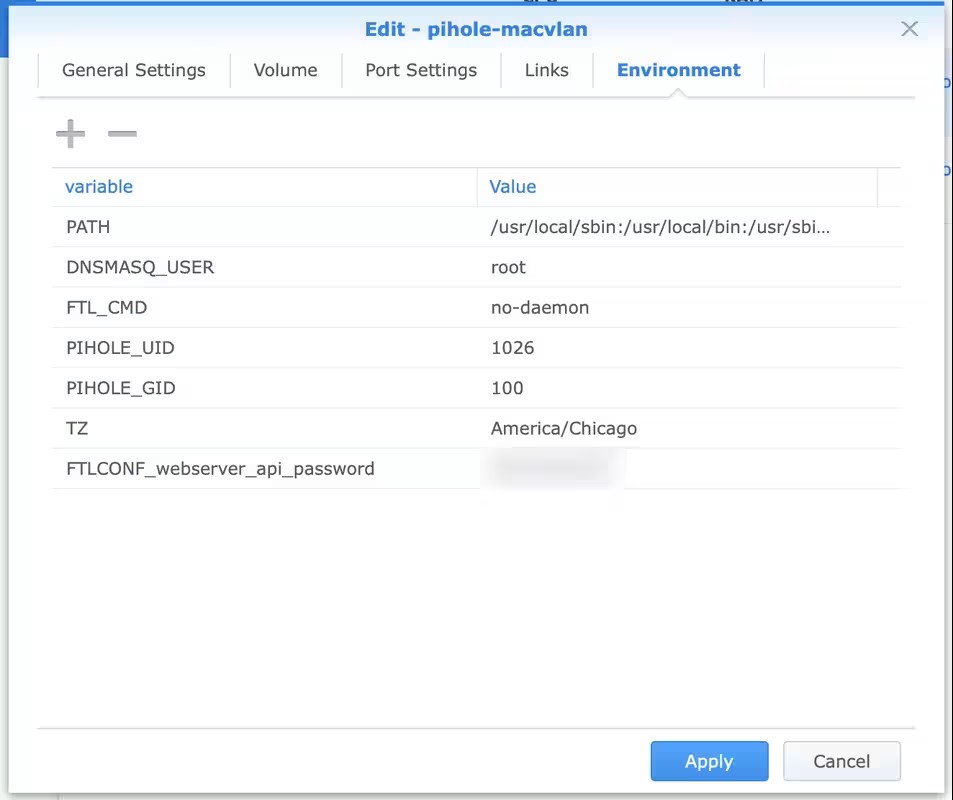
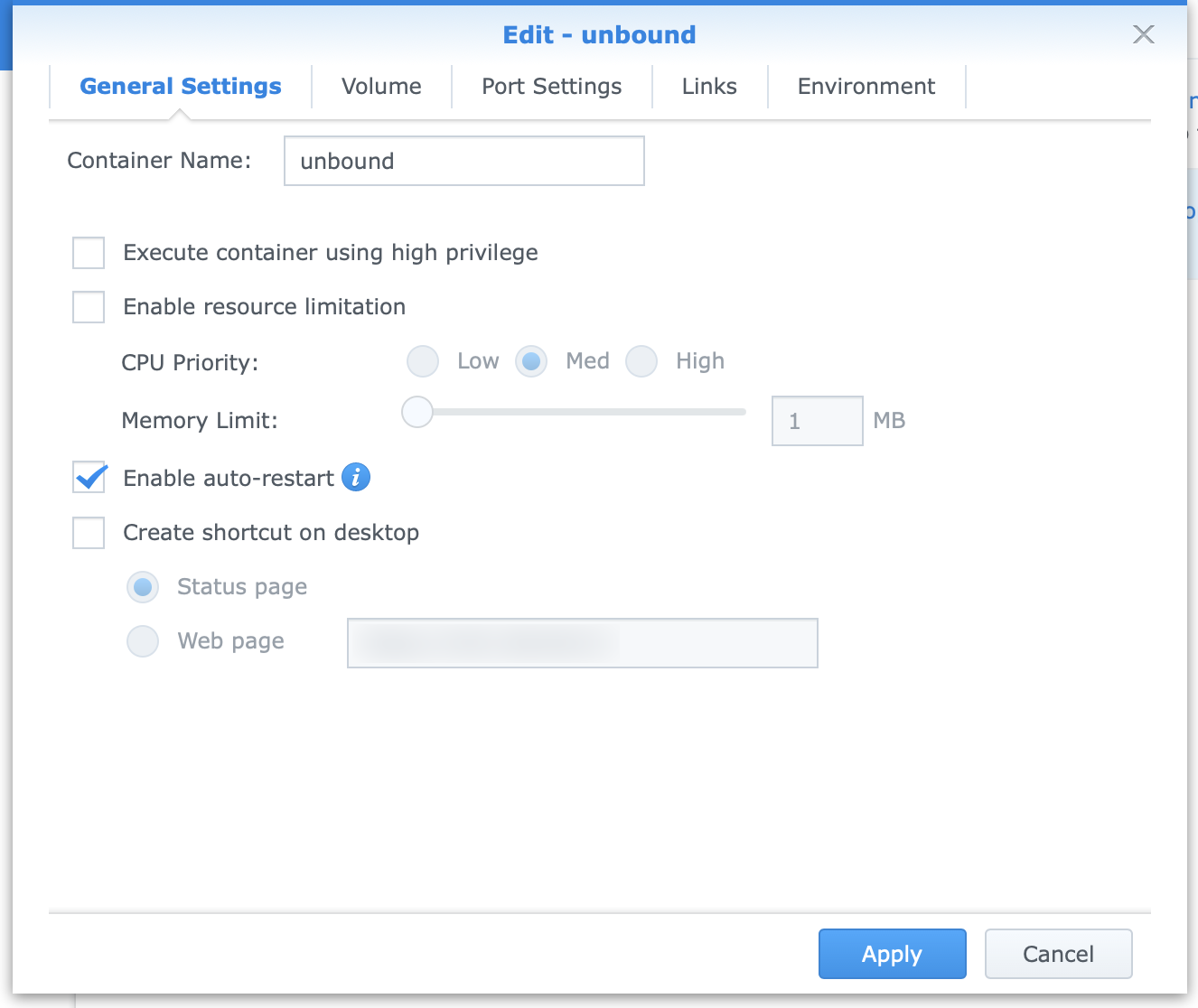
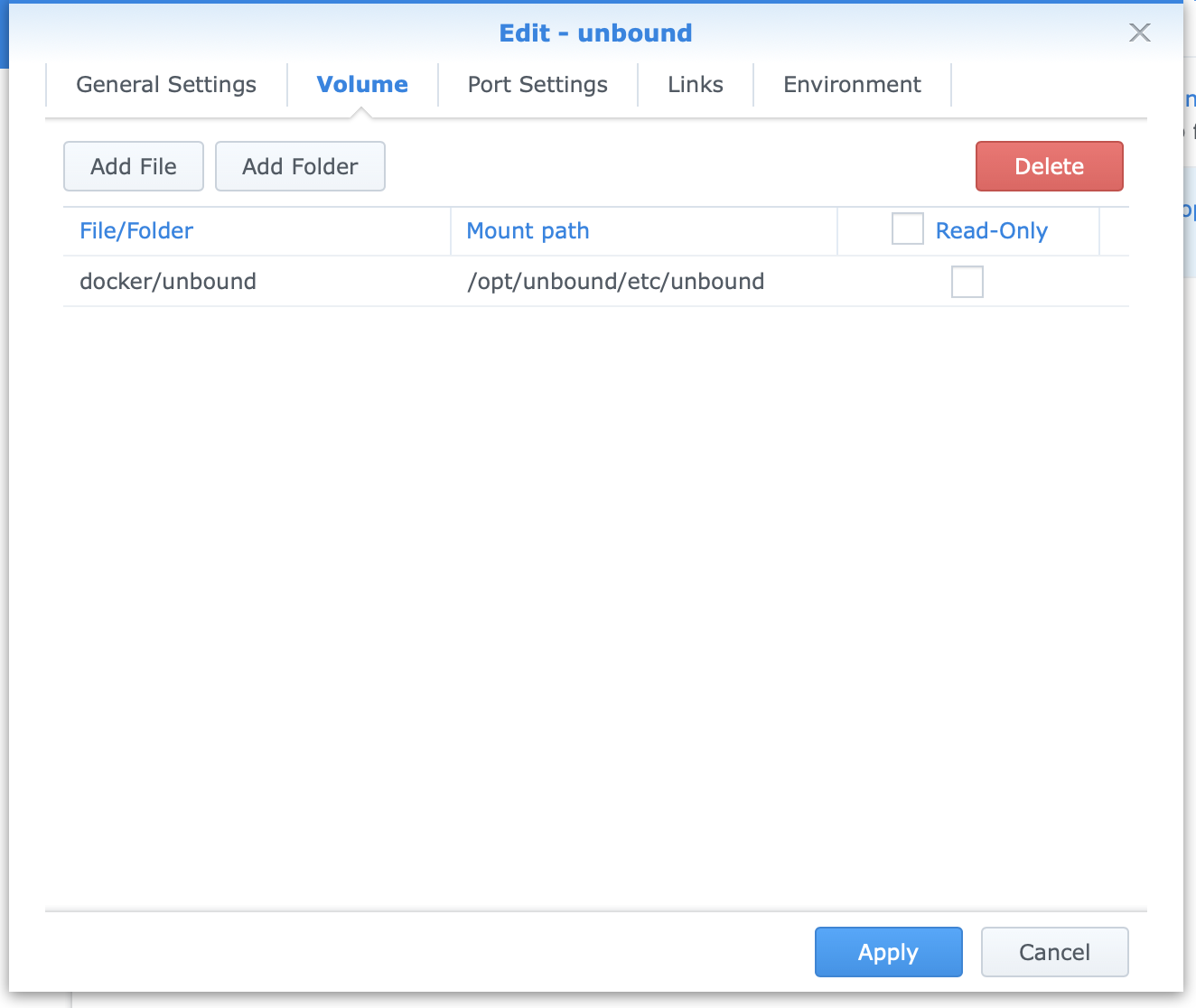
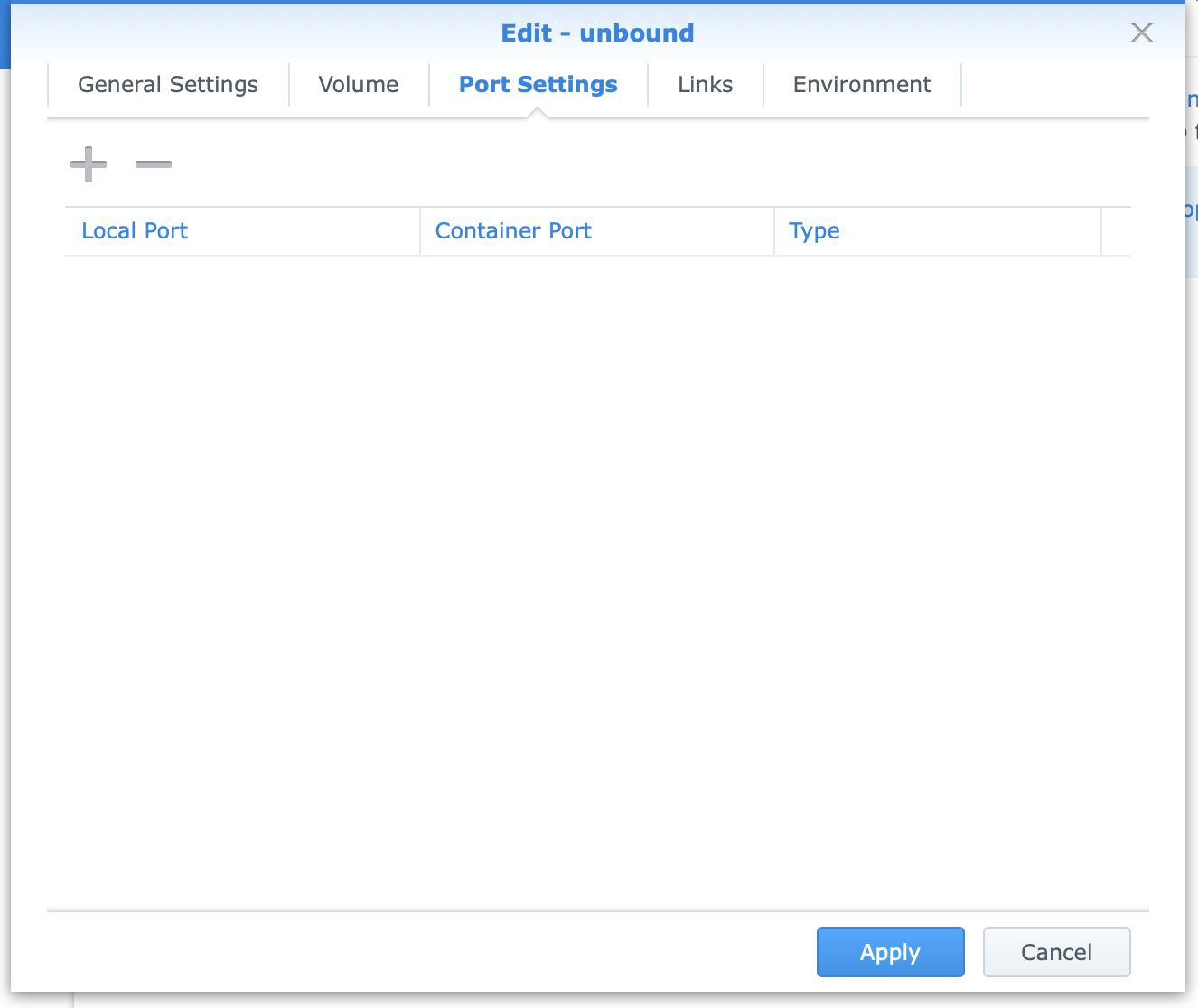
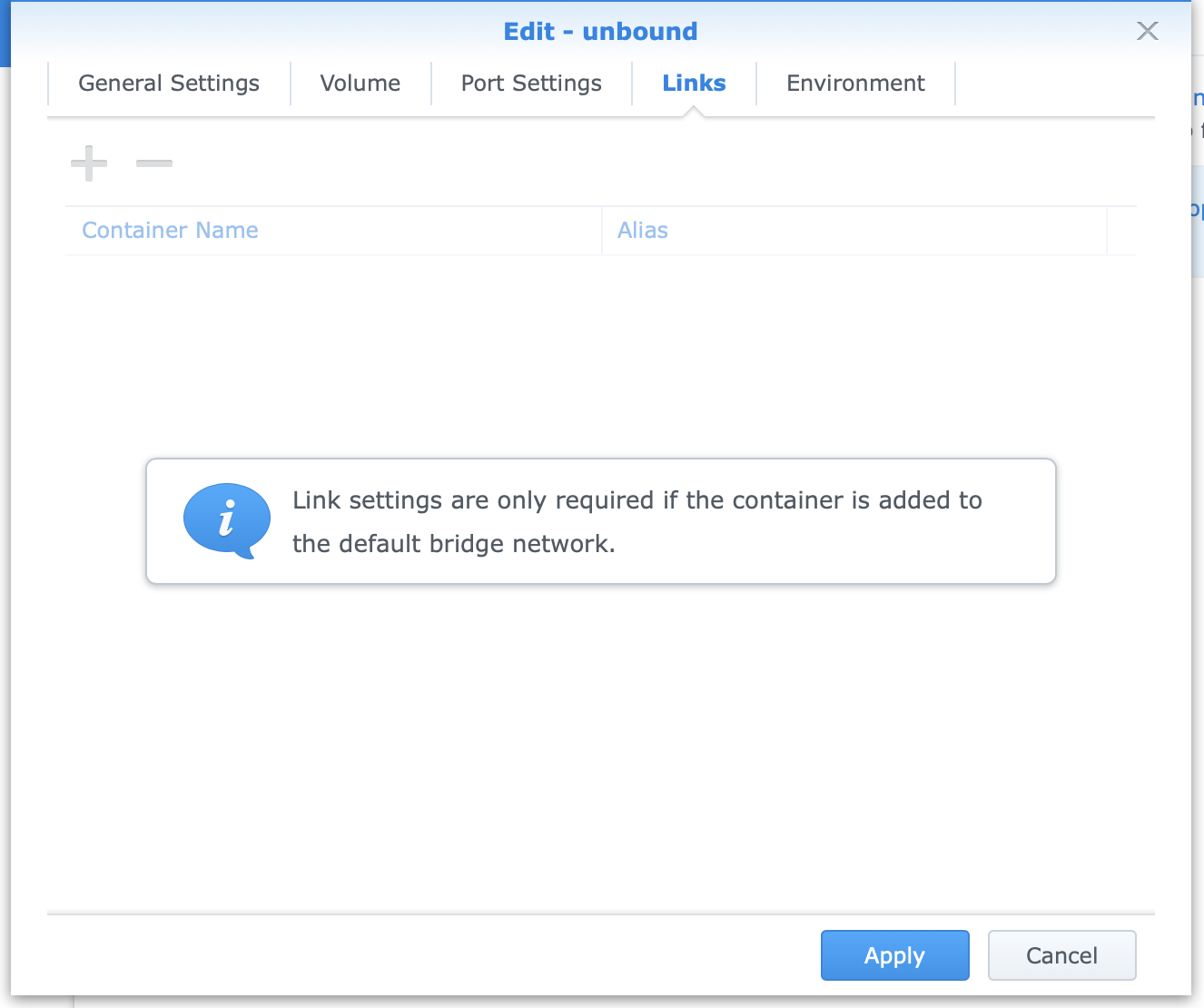
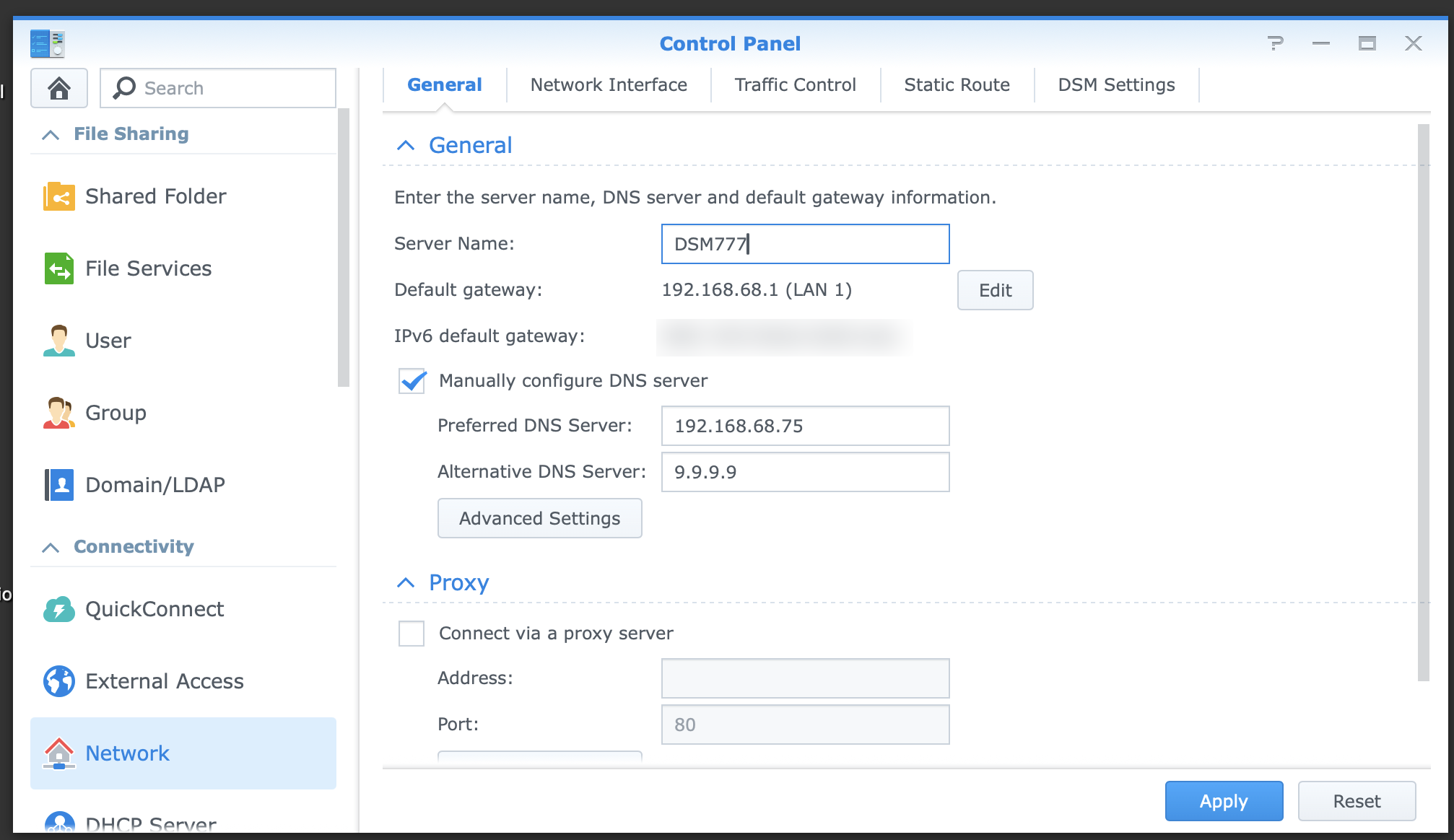
DSM > Network > General Settings
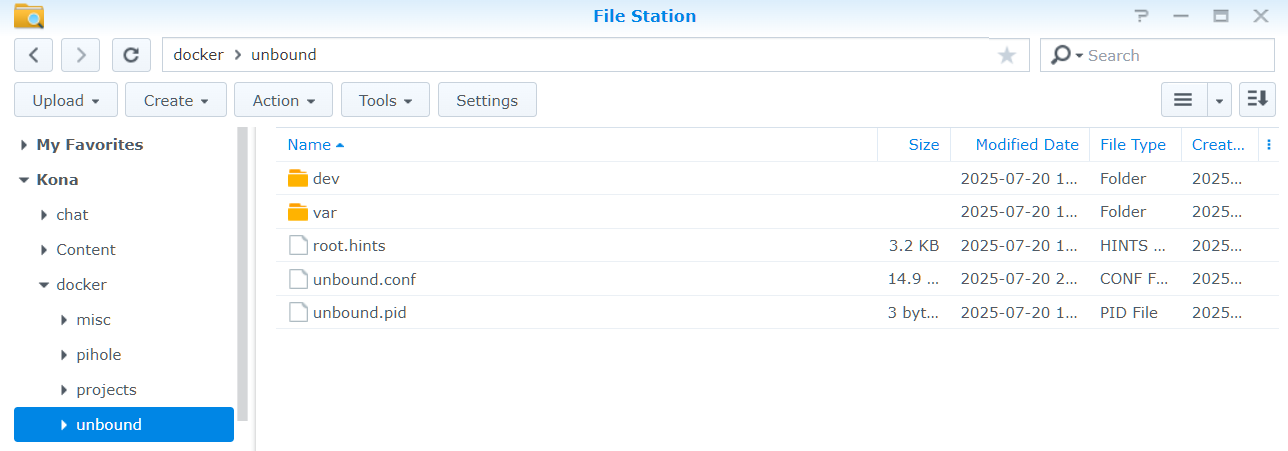
Unbound.conf
server:
    ###########################################################################
    # BASIC SETTINGS
    ###########################################################################
    # Time to live maximum for RRsets and messages in the cache. If the maximum
    # kicks in, responses to clients still get decrementing TTLs based on the
    # original (larger) values. When the internal TTL expires, the cache item
    # has expired. Can be set lower to force the resolver to query for data
    # often, and not trust (very large) TTL values.
    cache-max-ttl: 86400

    # Time to live minimum for RRsets and messages in the cache. If the minimum
    # kicks in, the data is cached for longer than the domain owner intended,
    # and thus less queries are made to look up the data. Zero makes sure the
    # data in the cache is as the domain owner intended, higher values,
    # especially more than an hour or so, can lead to trouble as the data in
    # the cache does not match up with the actual data any more.
    cache-min-ttl: 300

    # Set the working directory for the program.
    directory: "/opt/unbound/etc/unbound"

    # If enabled, Unbound will respond with Extended DNS Error codes (RFC 8914).
    # These EDEs attach informative error messages to a response for various
    # errors.
    # When the val-log-level: option is also set to 2, responses with Extended
    # DNS Errors concerning DNSSEC failures that are not served from cache, will
    # also contain a descriptive text message about the reason for the failure.
    ede: yes

    # If enabled, Unbound will attach an Extended DNS Error (RFC 8914)
    # Code 3 - Stale Answer as EDNS0 option to the expired response.
    # This will not attach the EDE code without setting ede: yes as well.
    ede-serve-expired: yes

    # RFC 6891. Number  of bytes size to advertise as the EDNS reassembly buffer
    # size. This is the value put into  datagrams over UDP towards peers.
    # The actual buffer size is determined by msg-buffer-size (both for TCP and
    # UDP). Do not set higher than that value.
    # Default  is  1232 which is the DNS Flag Day 2020 recommendation.
    # Setting to 512 bypasses even the most stringent path MTU problems, but
    # is seen as extreme, since the amount of TCP fallback generated is
    # excessive (probably also for this resolver, consider tuning the outgoing
    # tcp number).
    edns-buffer-size: 1232

    # Listen to for queries from clients and answer from this network interface
    # and port.
    interface: 0.0.0.0@53

    # Rotates RRSet order in response (the pseudo-random number is taken from
    # the query ID, for speed and thread safety).
    rrset-roundrobin: yes

    # Drop user  privileges after  binding the port.
    username: "_unbound"

    ###########################################################################
    # LOGGING
    ###########################################################################

    # Do not print log lines to inform about local zone actions
    log-local-actions: no

    # Do not print one line per query to the log
    log-queries: no

    # Do not print one line per reply to the log
    log-replies: no

    # Do not print log lines that say why queries return SERVFAIL to clients
    log-servfail: no

    # If you want to log to a file, use:
    # logfile: /opt/unbound/etc/unbound/unbound.log
    # Set log location (using /dev/null further limits logging)
    logfile: /dev/null

    # Set logging level
    # Level 0: No verbosity, only errors.
    # Level 1: Gives operational information.
    # Level 2: Gives detailed operational information including short information per query.
    # Level 3: Gives query level information, output per query.
    # Level 4:  Gives algorithm level information.
    # Level 5: Logs client identification for cache misses.
    verbosity: 0

    ###########################################################################
    # PRIVACY SETTINGS
    ###########################################################################

    # RFC 8198. Use the DNSSEC NSEC chain to synthesize NXDO-MAIN and other
    # denials, using information from previous NXDO-MAINs answers. In other
    # words, use cached NSEC records to generate negative answers within a
    # range and positive answers from wildcards. This increases performance,
    # decreases latency and resource utilization on both authoritative and
    # recursive servers, and increases privacy. Also, it may help increase
    # resilience to certain DoS attacks in some circumstances.
    aggressive-nsec: yes

    # Extra delay for timeouted UDP ports before they are closed, in msec.
    # This prevents very delayed answer packets from the upstream (recursive)
    # servers from bouncing against closed ports and setting off all sort of
    # close-port counters, with eg. 1500 msec. When timeouts happen you need
    # extra sockets, it checks the ID and remote IP of packets, and unwanted
    # packets are added to the unwanted packet counter.
    delay-close: 10000

    # Prevent the unbound server from forking into the background as a daemon
    do-daemonize: no

    # Add localhost to the do-not-query-address list.
    do-not-query-localhost: no

    # Number  of  bytes size of the aggressive negative cache.
    neg-cache-size: 4M

    # Send minimum amount of information to upstream servers to enhance
    # privacy (best privacy).
    qname-minimisation: yes

    ###########################################################################
    # SECURITY SETTINGS
    ###########################################################################
    # Only give access to recursion clients from LAN IPs
    access-control: 127.0.0.1/32 allow
    access-control: 192.168.0.0/16 allow
    access-control: 172.16.0.0/12 allow
    access-control: 10.0.0.0/8 allow
    # access-control: fc00::/7 allow
    # access-control: ::1/128 allow

    # File with trust anchor for  one  zone, which is tracked with RFC5011
    # probes.
    auto-trust-anchor-file: "var/root.key"

    # Enable chroot (i.e, change apparent root directory for the current
    # running process and its children)
    chroot: "/opt/unbound/etc/unbound"

    # Deny queries of type ANY with an empty response.
    deny-any: yes

    # Harden against algorithm downgrade when multiple algorithms are
    # advertised in the DS record.
    harden-algo-downgrade: yes

    # Harden against unknown records in the authority section and additional
    # section. If no, such records are copied from the upstream and presented
    # to the client together with the answer. If yes, it could hamper future
    # protocol developments that want to add records.
    harden-unknown-additional: yes

    # RFC 8020. returns nxdomain to queries for a name below another name that
    # is already known to be nxdomain.
    harden-below-nxdomain: yes

    # Require DNSSEC data for trust-anchored zones, if such data is absent, the
    # zone becomes bogus. If turned off you run the risk of a downgrade attack
    # that disables security for a zone.
    harden-dnssec-stripped: yes

    # Only trust glue if it is within the servers authority.
    harden-glue: yes

    # Ignore very large queries.
    harden-large-queries: yes

    # Perform additional queries for infrastructure data to harden the referral
    # path. Validates the replies if trust anchors are configured and the zones
    # are signed. This enforces DNSSEC validation on nameserver NS sets and the
    # nameserver addresses that are encountered on the referral path to the
    # answer. Experimental option.
    harden-referral-path: no

    # Ignore very small EDNS buffer sizes from queries.
    harden-short-bufsize: yes

    # If enabled the HTTP header User-Agent is not set. Use with caution
    # as some webserver configurations may reject HTTP requests lacking
    # this header. If needed, it is better to explicitly set the
    # the http-user-agent.
    hide-http-user-agent: no

    # Refuse id.server and hostname.bind queries
    hide-identity: yes

    # Refuse version.server and version.bind queries
    hide-version: yes

    # Set the HTTP User-Agent header for outgoing HTTP requests. If
    # set to "", the default, then the package name and version are
    # used.
    http-user-agent: "DNS"

    # Report this identity rather than the hostname of the server.
    identity: "DNS"

    # These private network addresses are not allowed to be returned for public
    # internet names. Any  occurrence of such addresses are removed from DNS
    # answers. Additionally, the DNSSEC validator may mark the  answers  bogus.
    # This  protects  against DNS  Rebinding
    private-address: 10.0.0.0/8
    private-address: 172.16.0.0/12
    private-address: 192.168.0.0/16
    private-address: 169.254.0.0/16
    # private-address: fd00::/8
    # private-address: fe80::/10
    # private-address: ::ffff:0:0/96

    # Enable ratelimiting of queries (per second) sent to nameserver for
    # performing recursion. More queries are turned away with an error
    # (servfail). This stops recursive floods (e.g., random query names), but
    # not spoofed reflection floods. Cached responses are not rate limited by
    # this setting. Experimental option.
    ratelimit: 1000

    # Use this certificate bundle for authenticating connections made to
    # outside peers (e.g., auth-zone urls, DNS over TLS connections).
    tls-cert-bundle: /etc/ssl/certs/ca-certificates.crt

    # Set the total number of unwanted replies to eep track of in every thread.
    # When it reaches the threshold, a defensive action of clearing the rrset
    # and message caches is taken, hopefully flushing away any poison.
    # Unbound suggests a value of 10 million.
    unwanted-reply-threshold: 10000

    # Use 0x20-encoded random bits in the query to foil spoof attempts. This
    # perturbs the lowercase and uppercase of query names sent to authority
    # servers and checks if the reply still has the correct casing.
    # This feature is an experimental implementation of draft dns-0x20.
    # Experimental option.
    use-caps-for-id: yes

    # Help protect users that rely on this validator for authentication from
    # potentially bad data in the additional section. Instruct the validator to
    # remove data from the additional section of secure messages that are not
    # signed properly. Messages that are insecure, bogus, indeterminate or
    # unchecked are not affected.
    val-clean-additional: yes

    ###########################################################################
    # PERFORMANCE SETTINGS
    ###########################################################################
    # https://nlnetlabs.nl/documentation/unbound/howto-optimise/
    # https://nlnetlabs.nl/news/2019/Feb/05/unbound-1.9.0-released/

    # Number of slabs in the infrastructure cache. Slabs reduce lock contention
    # by threads. Must be set to a power of 2.
    infra-cache-slabs: 4

    # Number of incoming TCP buffers to allocate per thread. Default
    # is 10. If set to 0, or if do-tcp is "no", no  TCP  queries  from
    # clients  are  accepted. For larger installations increasing this
    # value is a good idea.
    incoming-num-tcp: 10

    # Number of slabs in the key cache. Slabs reduce lock contention by
    # threads. Must be set to a power of 2. Setting (close) to the number
    # of cpus is a reasonable guess.
    key-cache-slabs: 4

    # Number  of  bytes  size  of  the  message  cache.
    # Unbound recommendation is to Use roughly twice as much rrset cache memory
    # as you use msg cache memory.
    msg-cache-size: 170671445

    # Number of slabs in the message cache. Slabs reduce lock contention by
    # threads. Must be set to a power of 2. Setting (close) to the number of
    # cpus is a reasonable guess.
    msg-cache-slabs: 4

    # The number of queries that every thread will service simultaneously. If
    # more queries arrive that need servicing, and no queries can be jostled
    # out (see jostle-timeout), then the queries are dropped.
    # This is best set at half the number of the outgoing-range.
    # This Unbound instance was compiled with libevent so it can efficiently
    # use more than 1024 file descriptors.
    num-queries-per-thread: 4096

    # The number of threads to create to serve clients.
    # This is set dynamically at run time to effectively use available CPUs
    # resources
    num-threads: 3

    # Number of ports to open. This number of file descriptors can be opened
    # per thread.
    # This Unbound instance was compiled with libevent so it can efficiently
    # use more than 1024 file descriptors.
    outgoing-range: 8192

    # Number of bytes size of the RRset cache.
    # Use roughly twice as much rrset cache memory as msg cache memory
    rrset-cache-size: 341342890

    # Number of slabs in the RRset cache. Slabs reduce lock contention by
    # threads. Must be set to a power of 2.
    rrset-cache-slabs: 4

    # Do no insert authority/additional sections into response messages when
    # those sections are not required. This reduces response size
    # significantly, and may avoid TCP fallback for some responses. This may
    # cause a slight speedup.
    minimal-responses: yes

    # # Fetch the DNSKEYs earlier in the validation process, when a DS record
    # is encountered. This lowers the latency of requests at the expense of
    # little more CPU usage.
    prefetch: yes

    # Fetch the DNSKEYs earlier in the validation process, when a DS record is
    # encountered. This lowers the latency of requests at the expense of little
    # more CPU usage.
    prefetch-key: yes

    # Have unbound attempt to serve old responses from cache with a TTL of 0 in
    # the response without waiting for the actual resolution to finish. The
    # actual resolution answer ends up in the cache later on.
    serve-expired: yes

    # UDP queries that have waited in the socket buffer for a long time can be
    # dropped. The time is set in seconds, 3 could be a good value to ignore old
    # queries that likely the client does not need a reply for any more. This
    # could happen if the host has not been able to service the queries for a
    # while, i.e. Unbound is not running, and then is enabled again. It uses
    # timestamp socket options.
    sock-queue-timeout: 3

    # Open dedicated listening sockets for incoming queries for each thread and
    # try to set the SO_REUSEPORT socket option on each socket. May distribute
    # incoming queries to threads more evenly.
    so-reuseport: yes

    ###########################################################################
    # LOCAL ZONE
    ###########################################################################

    # Include file for local-data and local-data-ptr
    #  include: /opt/unbound/etc/unbound/a-records.conf
    #  include: /opt/unbound/etc/unbound/srv-records.conf

    ###########################################################################
    # FORWARD ZONE
    ###########################################################################

    #  include: /opt/unbound/etc/unbound/forward-records.conf


remote-control:
    control-enable: no