The issue I am facing: In moving from a network controlled by the Unifi Cloud Key Gen 1 to the Unifi Cloud Gateway Ultra I cannot get my network to go through my Pihole.
Details about my system: I had setup Pihole on a raspberry pi connected via ethernet to my network switch. My network was controlled with a Gen 1 Unifi Cloud Key and was working smoothly. I decided to upgrade to the Unifi and had done some research to find out if there was anything specific I needed to do. I backed up my unifi system, got the CGU setup and working properly with my two unifi APs and was ready to enter the Pihole's IP address as the primary DNS server as i had done through my TP Link router previously. I updated the setting in the unifi web application and nothing happened.
What I have changed since installing Pi-hole: After some digging i found that my old network was running off IP addresses of 192.168.0.X and my new CGU was running using 192.168.1.X so i thought i had found the issue. I was able to go into my Pihole and update it's IP address from .0.X to 1.X and thought i'd solved everything. When i refreshed my phone's wifi to confirm and test it would connect to the AP but say "connected without internet". If i turned the auto DNS back on in the CGU and refreshed my phone it would work normally. I tried going through SSH to my Pihole to edit the /etc/dhcpcd.conf, how i updated the IP address from .0.X to .1.X, thinking maybe i needed to do something else but i may have made matters worse.
I'd like to think i'm smarter than the average person and can generally figure things out or research online in the right places to figure out where i'm going wrong or what i missed but i'm having a hard time here. Looking for some help and explanation as to what i've done to muck this up. My only other thought is to hook a monitor up to the raspberry pi and set the IP and network settings there since i do not want wif on and only want it to communicate through the ethernet cable plugged into my system (aka how i had it running previously)
**Note: I had tried using the built in ad blocker in the CGU to see if that worked better/same as the Pihole and turned it off within about 10 minutes as i had no control over what was blocked. Since i already had a curated Pihole with specific lists and whitelist/blacklist setup i would rather continue using that**
First of all :
AFAIK that type of configuration is no longer used since Debian 12 when they switched to NetworkManager and now Debian 13 uses Netplan from what I have heard !!
(This only goes for RaspBian a.k.a. Raspberry Pi OS ofcourse and not regular Debian)
Now about this :
Basically what you are saying is that you have moved from the old UniFi Controller to a much newer one because the new Router you got has an integrated Cloud Key Gen2+ so to speak.
In that case it might be smart to completely reset all your other UniFi devices and simply start configuring everything from scratch 
Once that's done and everything seems to be working fine in the default Native VLAN 1 you can then add Pi-Hole to that network and see if it works correctly.
And after that's done I would advise you to start thinking about creating a new VLAN (let's say VLAN 10 to keep things simple) which you will actually use as your Home Network.
The default VLAN 1 will then only remain active as your Management Network and will only be used for updates/upgrades and webGUI or SSH access to your crucial network services like Router/Switches/Accesspoints and Servers like Pi-Hole 

Also do yourself a favor and configure all of those crucial services with Static IP Addresses on the devices and use Static DHCP Mappings based on the MAC Address as a secondary backup option !!
Super Extra FREE BONUS TIP :
Use a nice and fancy IP addressing scheme which has room for future expansion!
What do I mean with that ?
Something like this :
192.168.1.1 = Your Router
You won't be getting another one so that can stay that way.
But there is Pi-Hole for example and you might get a second one in the future so keep everything up to 192.168.1.9 reserved for that kind of stuff.
192.168.1.2 = Pi-Hole then.
Now you might have a so called "Core Switch" to which everything else is connected.
Let's give it 192.168.1.10 and keep some room for future stuff free up to 192.168.1.19
Then there are "Edge Switches" that are spread through your house and have actual Clients connected to them.
These will use 192.168.1.20 as the first address and will go all up to 192.168.1.29 unless you plan to have even more of them ofcourse 
And last but not least your Accesspoints :
192.168.1.30 up to 192.168.1.39
This way you will always know who is who in case you need to SSH to any of them at any time!
And YES : This is how my network is setup too! 

Good luck!
That is all great advice, @nero355, but it's potentially confusing and complicated to accomplish what OP is trying.
@TooTall726: without making any changes to your Unifi setup just yet, it might be wise to get a baseline on what your Pihole is trying to do right now.
Can you ssh to your device running Pihole and perform a couple of nslookups or digs and post the output?
It's not clear to me what OS your Raspberry Pi is running, but if it's the current Raspberry Pi OS, you probably need to configure/check your network settings with either nmcli or nmtui. Verify your DNS setting there as well as your Raspberry Pi IP settings (address, as well as dynamic/static).
Also, if you changed your Pi's IP address, I think you have to run sudo pihole -r so that Pihole is set to reflect the IP change.
If none of these suggestions get you closer, feel free to respond with what you've found as I think we are running similar setups. I run a Unifi system using Pihole on a Raspberry Pi (Trixie OS from Raspberry Pi imager just a few days ago). I'll bet we can get this resolved.
I appreciate you both for the help.
I did a fresh resinstall of the pihole/reimage of the raspberry pi last night and i'll share the settings i have as well as some screenshots from my unifi dashboard. I'm still getting the "connected without internet" when toggle wifi on my phone after turning off auto DNS in unifi and adding in my ip address for the pihole. I had saved my config from my pihole before i made any changes so i'd keep my "devices" and "lists" because IMO my pihole was running so smoothly and doing exactly what i wanted and nothing that i didn't. I used the teleport to import those settings so if i need to reinstall pihole from scratch and then redo all my devices/lists i can do that, just obviously prefer not to if i don't have to.
I don't think i specified but on my original setup i had my cloudkey and raspberry pi plugged in via ethernet to my tplink switch instead of the tplink router i had. Once i removed both the cloudkey and router in favor of the unifi Cloud Gateway Ultra i kept the raspberry pi plugged into the switch but i did move it so it's plugged directly into the CGU. Not sure if any of that matters but thought i'd share in case it does.
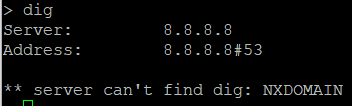
So first off, i did the nslookup and dig on my pihole and here is what i got:
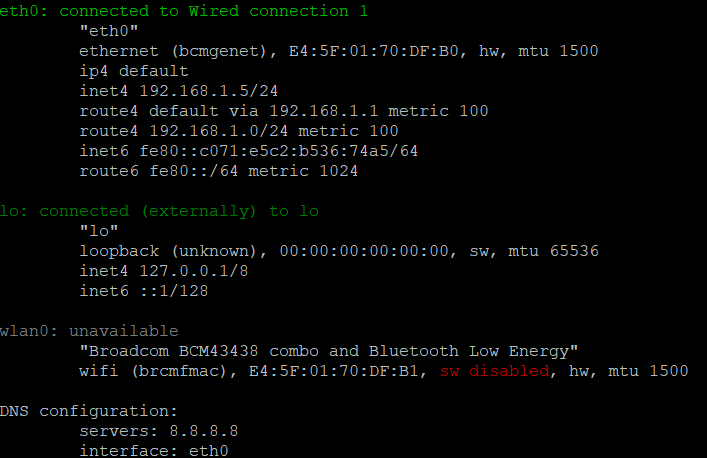
here is the output from nmcli:
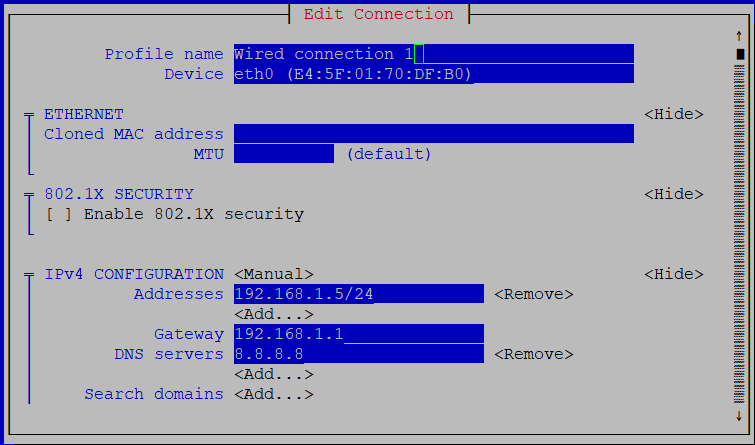
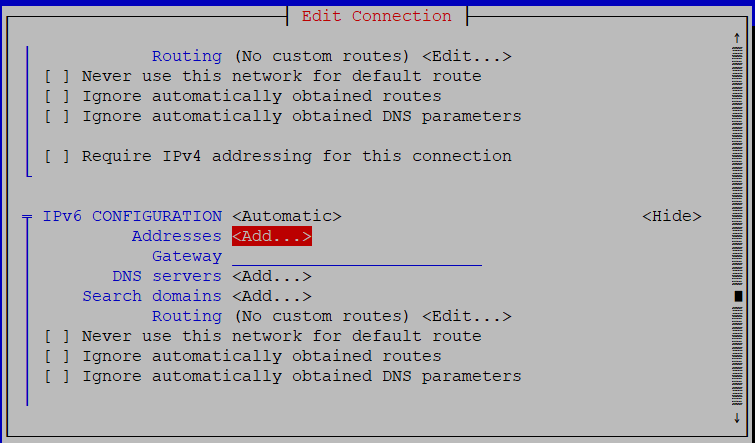
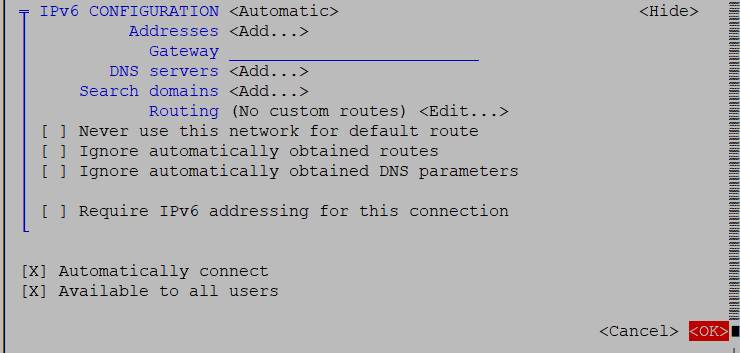
and here are screenshots from nmtui:
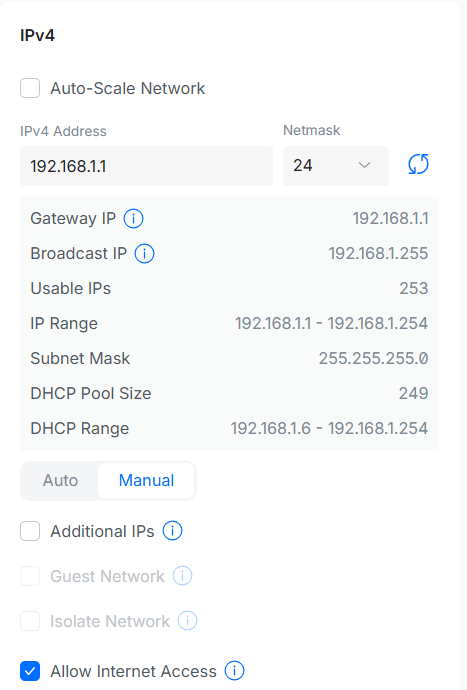
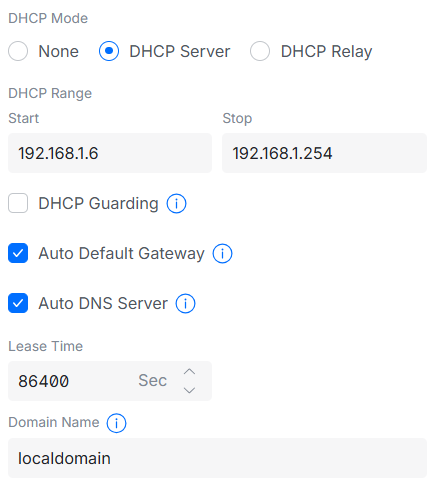
Here is what i have from my unifi cloud gateway:
This is when i do auto DNS:
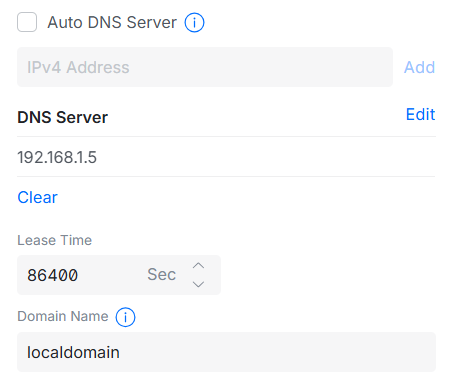
and this is when i try setting my pihole as the dns:
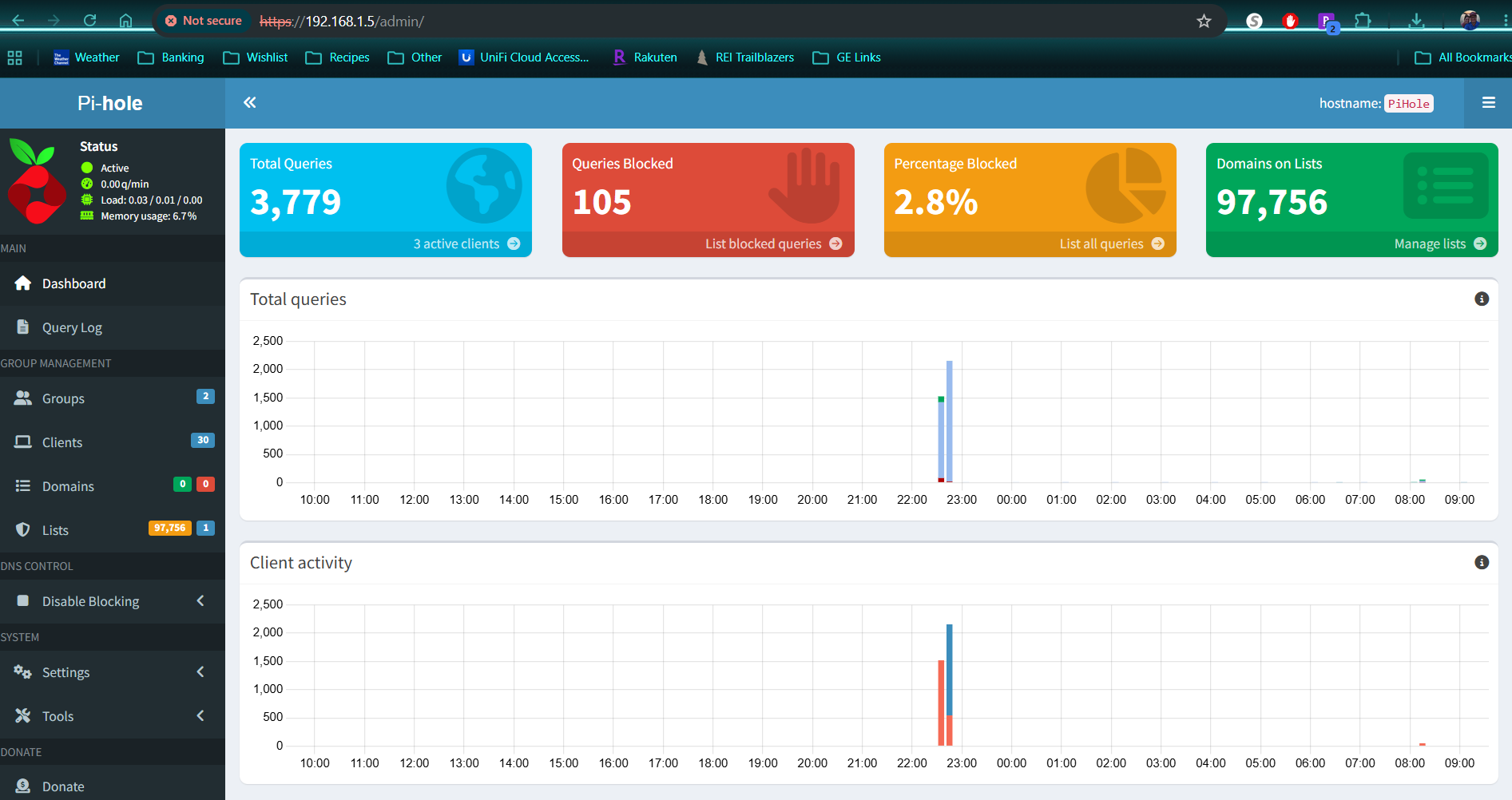
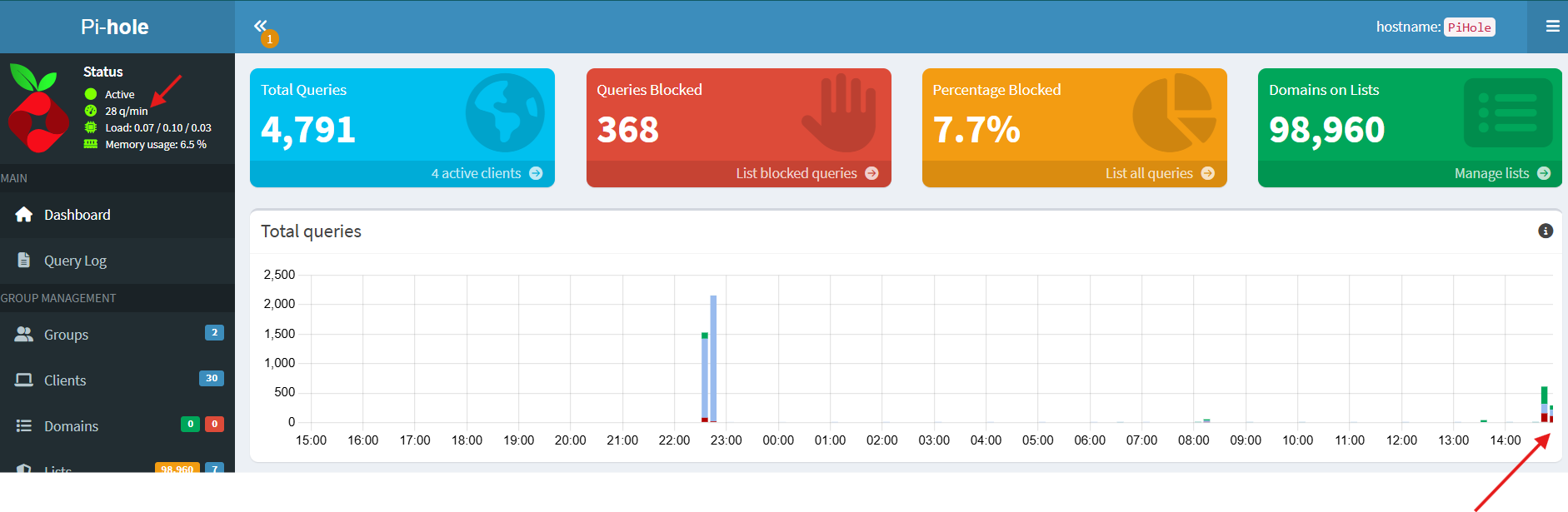
Finally, here is showing my pihole web interface to confirm i have the right ip address (those two blips were when i was trying to reset things but didn't have sustained success).
Hope that helps point something out or confirm some info, i welcome any feedback moving forward with this.
All very good info. Looks like how I (mostly) have mine setup.
The one thing I would try (and I don't know why it was working fine before but now doesn't): if you have the issue with Pihole as the DNS for your primary WAN connection (in Settings/Internet), change that back to Auto DNS. Put the Pihole DNS address in your Network (VLAN) settings under Settings/Network.
I've had issues with Pihole as the DNS for the Unifi Internet connection (mostly a lot of unwanted noise/traffic to the Pihole); maybe it's a factor in the problem you're seeing.
Also, can I assume your client device from your initial problem report is in the same 192.168.1.0 network? And you don't have anything enabled like "Isolate Network" or that this network is in a "Hotspot" policy zone.
The "Connected, No Internet" message you are seeing usually means either the DNS or sometimes the Gateway address is configured incorrectly in the Network Settings on your Unifi equipment, so try the above change.
If that doesn't help, go to a network client command prompt and run the dig/nslookup routine there and let us know the results.
you bring up a good question i now have. My screenshot of my unifi settings was updating the DNS under Settings/Network, because every video/post i had seen online showed to update it there. I never went into Settings/Internet to update it there. What was different in my old setup was that i wasn't updating through unifi to use the pihole as DNS, that was through my tplink router. Don't know if there is some box checked or setting i'm missing in the unifi "router" section of the dashboard that i'm overlooking. I have the screenshots from my old router i can share because i was paranoid and documented everything before i made changes.
So I just tried changing only the Settings/Internet DNS and had the same issue. i'm wondering if i need to change both Settings/Internet and Settings/Network DNS to be the 192.168.1.5 to go to my pihole. Do you think because i didn't update both of them that maybe one was overriding the other or something?
Yes my cell phone, and two laptops i was using, were all on the 192.168.1.X network. If i do have something odd like "Isolate Network" or some policy enabled i'm unaware. I had tried using the build in adblocker but i didn't like the control i have with pihole and thought this process would be a simple plug and play after updating the IP address of the pihole to flow with the new range.
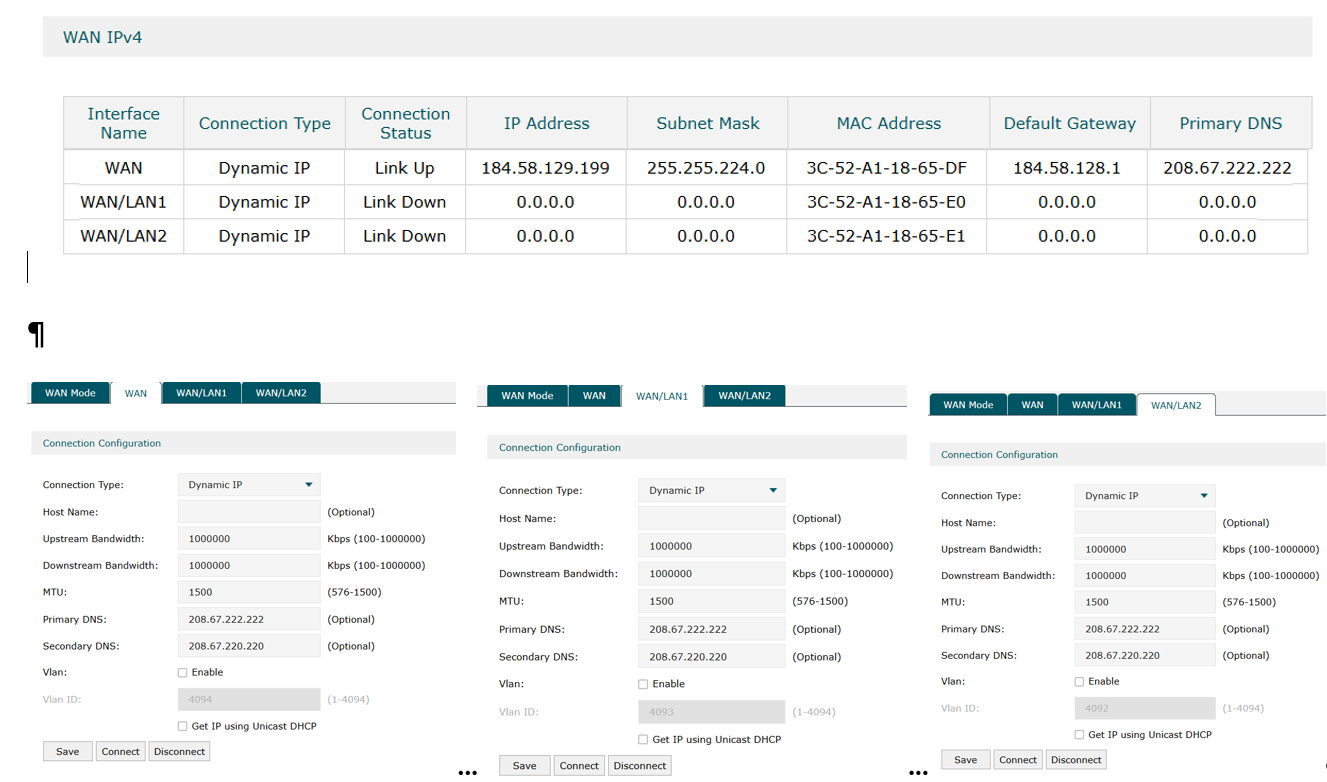
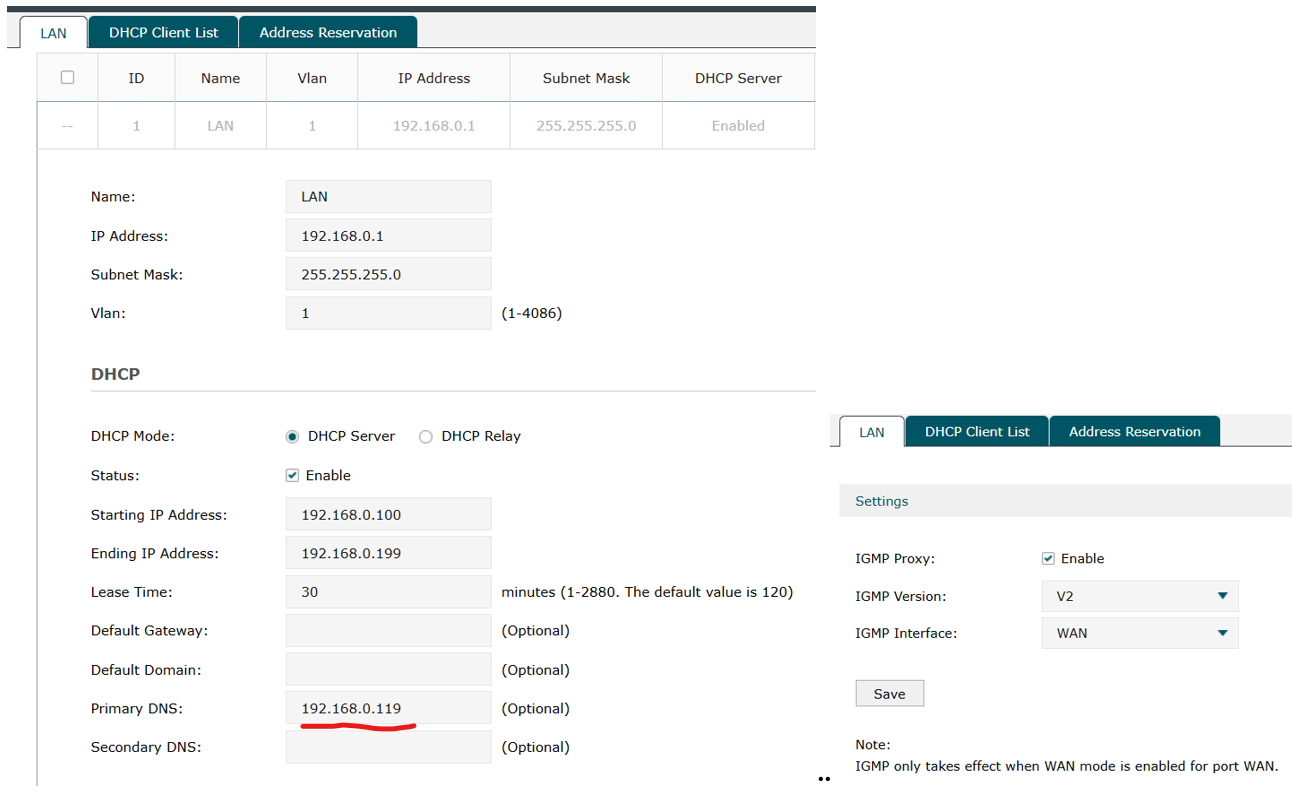
Here are the settings from my old router if this helps
The underlined IP was my pihole address, and one thing i'm reading is something that i didn't follow before. My IP address i used was within the starting/ending range listed but apparently it is supposed to be outside of the range. i now have it outside as you can see from my settings i already posted.
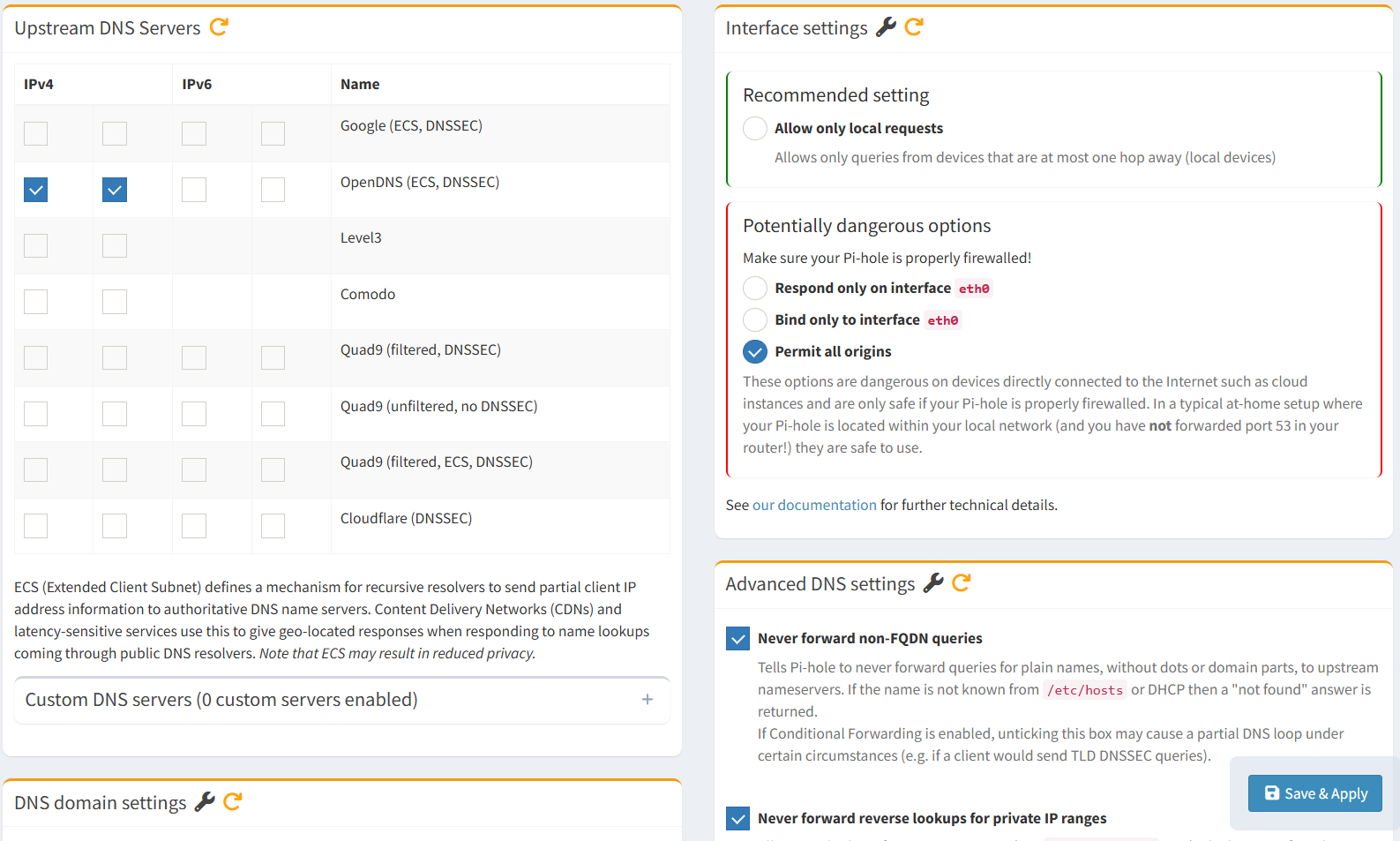
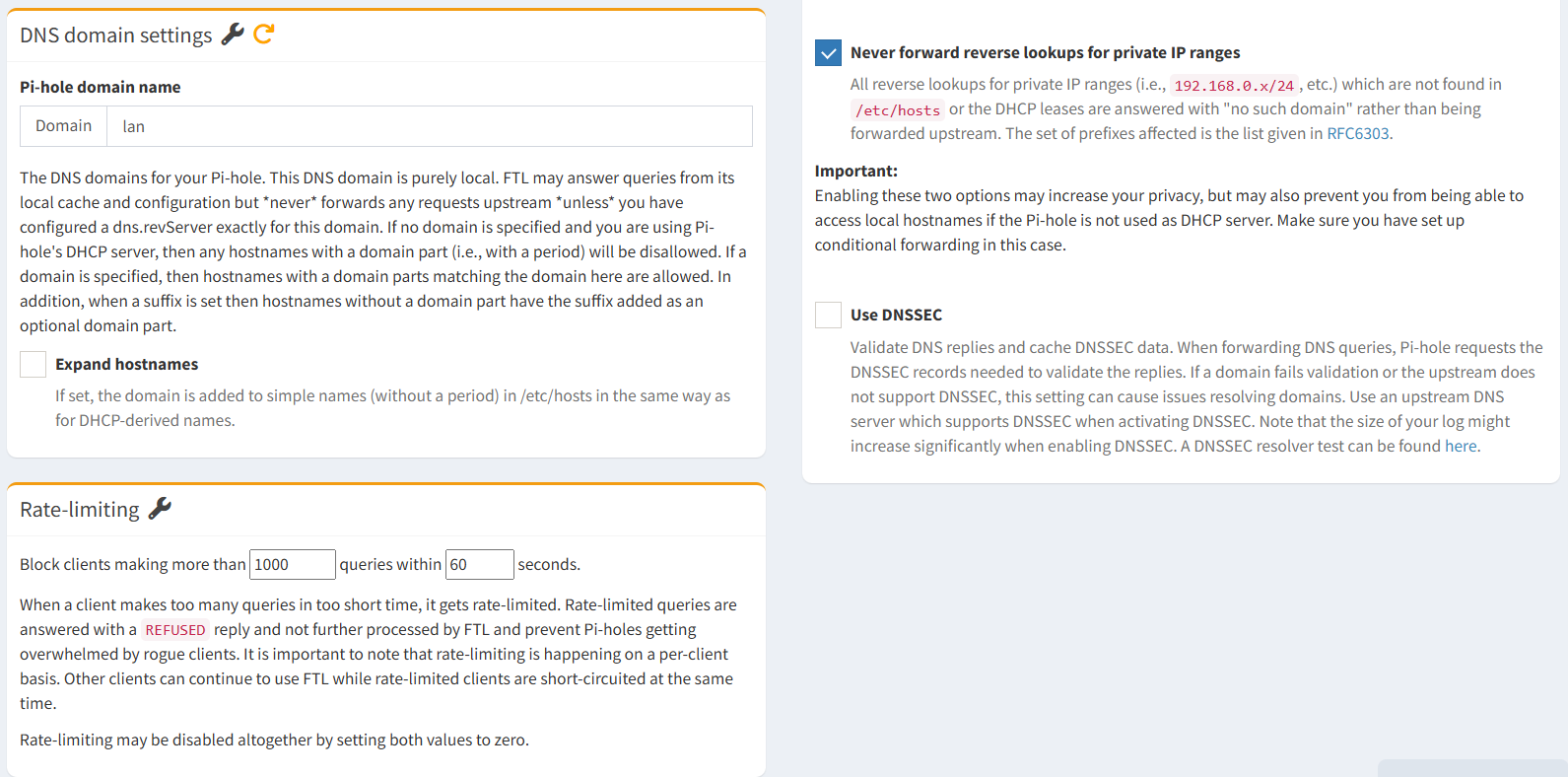
And in trying to be transparent here is what is in my pihole settings under DNS:
First off, I would not have Pihole as the DNS under Settings/Internet on your UCG Ultra; instead, point it to a public DNS of your preference or AutoDNS if you like. I only use Pihole for the network client devices (Settings/Networks), because letting the router use Pihole created a lot of extra traffic from Unifi I didn't care about. Anecdotally, I have heard reports of folks running into connectivity reporting issues when using Pihole for DNS on the Unifi equipment -- possibly a temporary bug.
I assume the UCG is acting as your DHCP server. We can confirm your UCG is handing out the desired DNS address if you run nslookup or dig on a client machine in the 192.168.1.0 network. It should show Pihole as your DNS server, but if it shows something else then we have a lead.
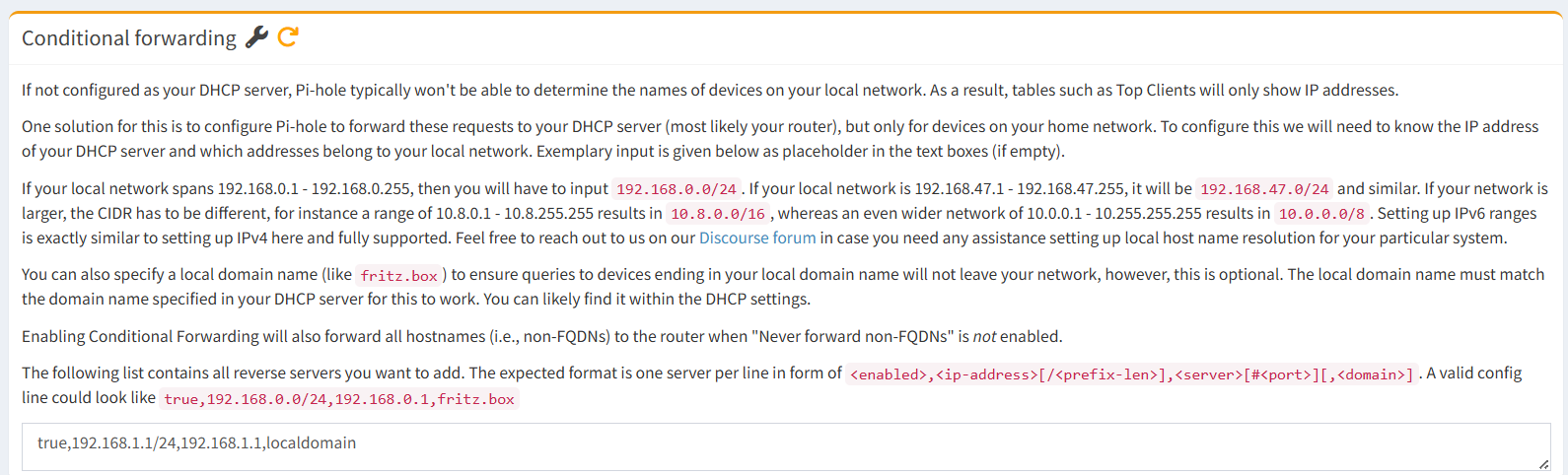
One minor change I would make, not that I think it's related to your issue. Under your Conditional Forwarding, you have it listed as true,192.168.1.1/24.... I think you want that to read true,192.168.1.0/24,192.168.1.1,localdomain.
Ok, please give yourself some credit here beacuse i think you were on to something!!!
I enabled the IP of my pihole for the DNS on the Network and did the nslookup and got this which i think would can say is a good thing:
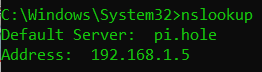
Now, i made your minor change in teh conditional forwarding and i'm not getting errors on
my cell phone and i'm seeing some movement on the pihole dashboard:
I am going to restart my network so all clients restart and see if things are still working and if i get more traffic on pihole.
I guess it's better to be lucky than good! If that change fixes your problem, anyway. I didn't really think that change would affect your issue.
Keep us posted!
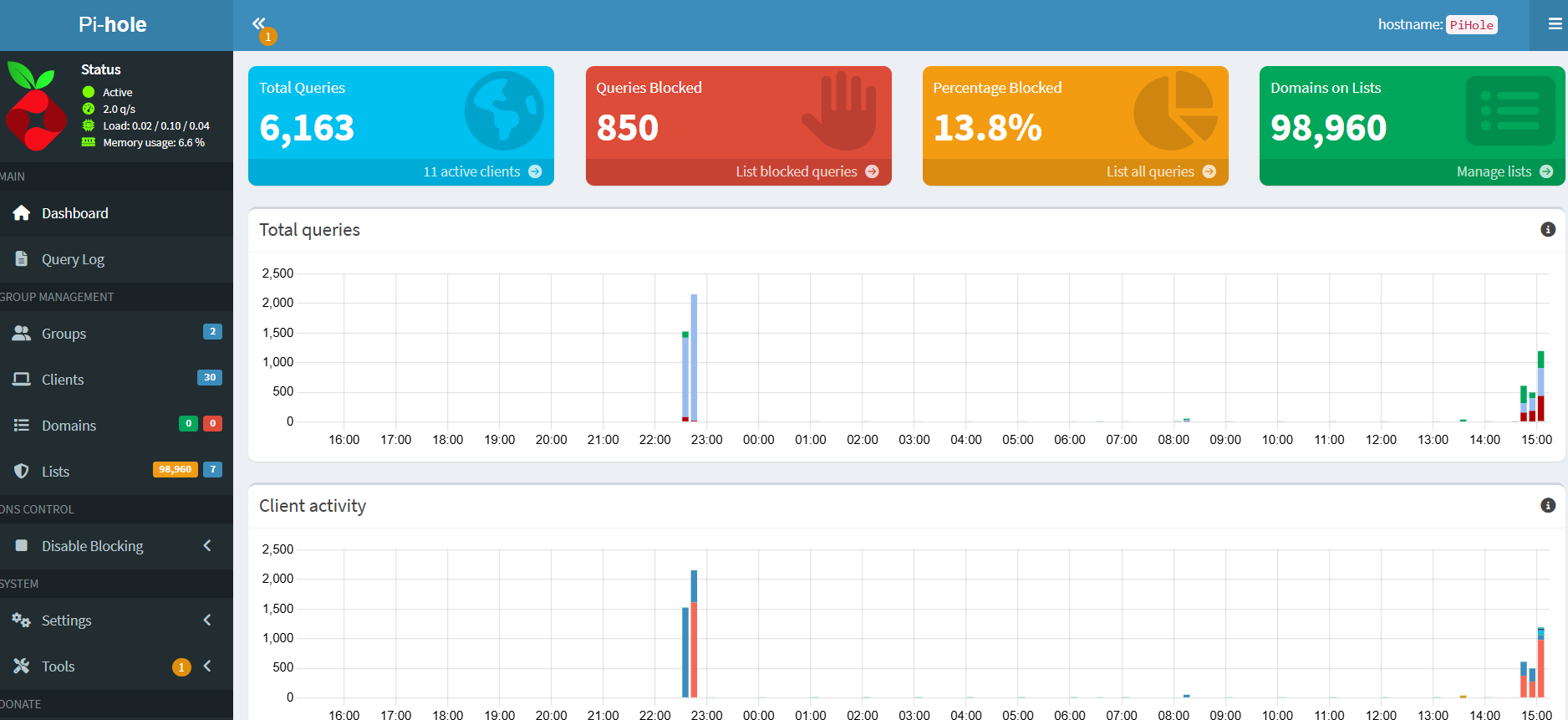
Rebooted network and more clients have joined and more queries are being blocked. Looks like things are working with more activity!
Thanks for the help and humoring me with all my information, i figured it was something small i was missing so i'm glad others on here were able to help me along and educate me a bit.
The one thing i'm seeing that i guess "isn't" working is that on my old setup when i'd go to google and search something it would give errors when i would click on any 'sponsored' product or link but i'm able to go directly to them. I'll have to do some more digging on that but for now i've marked your post with the conditional forwarding information as the solution as that seemed to fix things.