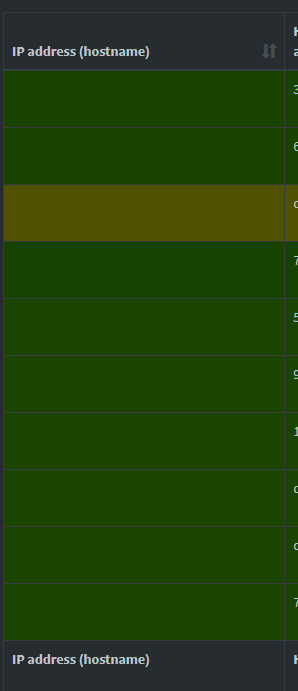
i'm having a lot of empty entries in the network table with no ip/hostname. Right now i'm having somtehing like 20 pages of emtpy ip/hostname entries. I also have my network devices that use pihole in the table.
Some of the empty lines have no queries, and some have some queries recorded.
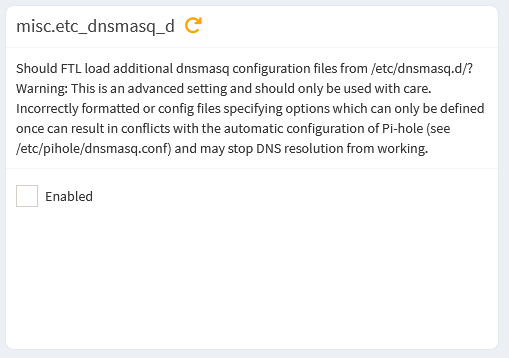
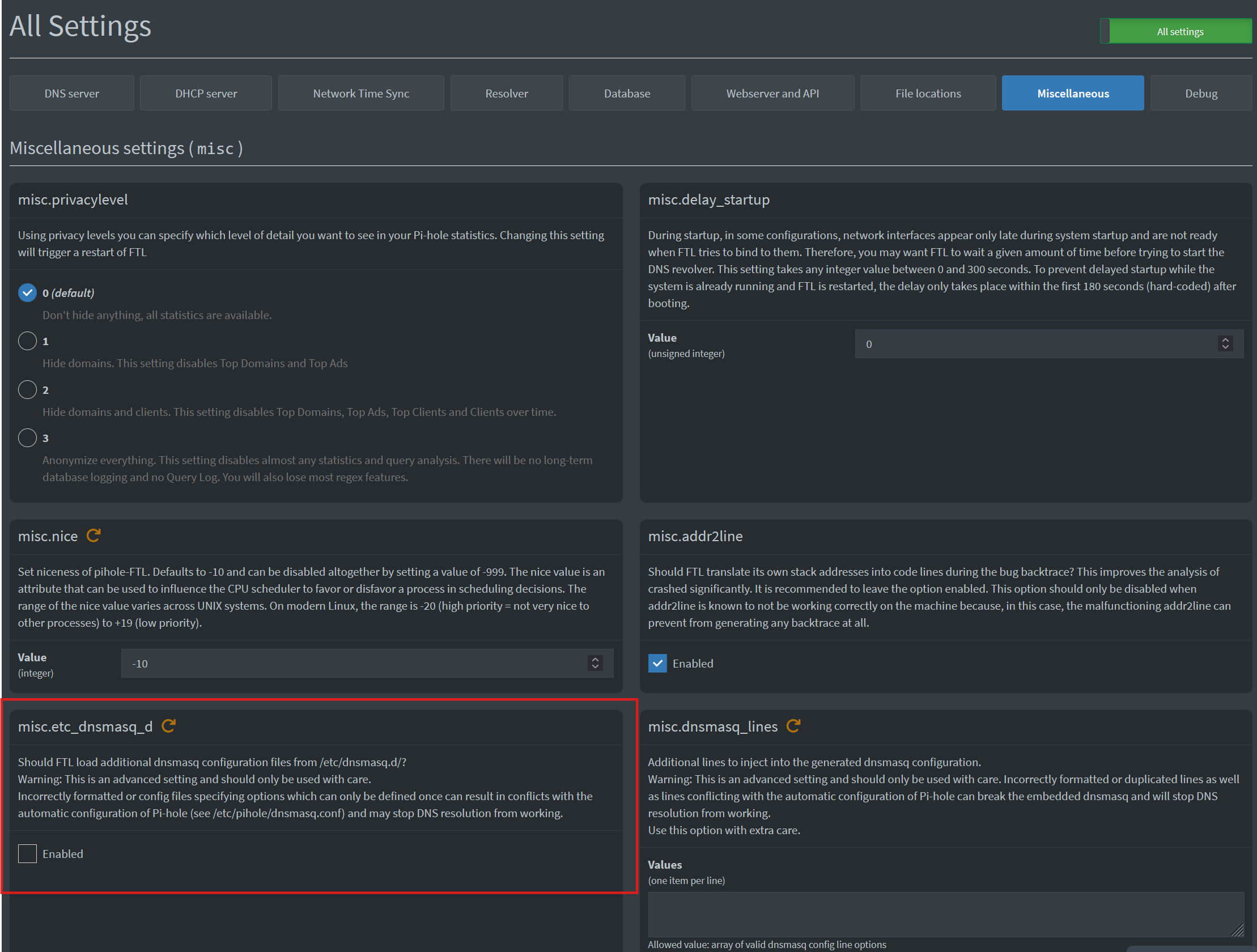
You have some config files in /etc/dnsmasq.d but they will not be read or used because the flag is set to false etc_dnsmasq_d = false. Also /etc/dnsmasq.d/custom.conf has a line for dhcp-name-filter which doesn't seem to exist as a flag that dnsmasq understands.
The DHCP flags here don't really need to be changed unless there is a specific reason:
There are a number of warnings about DHCP clients requesting leases on interfaces not handles by Pi-hole, this is probably from the Docker environment and running in host networking mode:
*** [ DIAGNOSING ]: Pi-hole diagnosis messages
   count   last timestamp       type                  message                                                       blob1                 blob2                 blob3                 blob4                 blob5
   ------  -------------------  --------------------  ------------------------------------------------------------  --------------------  --------------------  --------------------  --------------------  --------------------
   1       2025-06-18 14:36:16  DNSMASQ_WARN          no address range available for DHCP request via br-1595b3584
                                                      804

   1       2025-06-18 14:36:16  DNSMASQ_WARN          no address range available for DHCP request via br-2290e45c4
                                                      4f1

   1       2025-06-18 14:36:16  DNSMASQ_WARN          no address range available for DHCP request via br-3da41689a
                                                      343

   1       2025-06-18 14:36:16  DNSMASQ_WARN          no address range available for DHCP request via br-4c84befbe
                                                      05f

   1       2025-06-18 14:36:16  DNSMASQ_WARN          no address range available for DHCP request via br-53bf9eb97
                                                      404

   1       2025-06-18 14:36:16  DNSMASQ_WARN          no address range available for DHCP request via br-5e1065e75
                                                      635

   1       2025-06-18 14:36:16  DNSMASQ_WARN          no address range available for DHCP request via br-6158334d0
                                                      9be

   1       2025-06-18 14:36:16  DNSMASQ_WARN          no address range available for DHCP request via br-80f432df2
                                                      877

   1       2025-06-18 14:36:16  DNSMASQ_WARN          no address range available for DHCP request via br-8a5d17a70
                                                      385

   1       2025-06-18 14:36:16  DNSMASQ_WARN          no address range available for DHCP request via br-915765eb4
                                                      63e

   1       2025-06-18 14:36:16  DNSMASQ_WARN          no address range available for DHCP request via docker0
Yes i can see Hardware addresses of all the clients with empty ip and their interface too. Almost all of them starts with br- so it seems related to other docker container ?
Those files in /etc/dnsmasq.d will not be read by pihole-FTL until you tell pihole-FTL to use them. That's the etc_dnsmasq_d = false line that I am referring to. Either set it to true via Environment Variables in your docker compose
I've add the variable to my compose file. But then after restarting the container, i can't reach any website or any URL. i think it filter also the traefik container and then i can't use any of my services.
EDIT : FYI, all my containers have static subnet, IP, and all of them have their own bridge network with a specific name. If this can help.
Explain more about that. What errors are you seeing, how is it failing.
Set the DNS server for that stack to not use Pi-hole, no real need to filter that container is there?
The except-interface lines means that anything on those interfaces will be ignored, DHPC requests, DNS requests, anything.
Then you will need to see why those containers are sending DHCP requests to the host/Pi-hole. The warnings I quoted earlier show no address range available for DHCP request so those containers are still requesting DHCP leases.
Hmm. We’re having trouble finding that site.

We can’t connect to the server at github.com.

If the address was correct, you can:

Try again later

Check your network connection

Make sure that Firefox is permitted to access the Web (your connection might be working but protected by a firewall)
So i guess, pihole is filtered and i don't have any DNS if i enable FTLCONF_misc_etc_dnsmasq_d
Actually in etc/docker/daemon.json i've set the dns "dns": ["192.168.1.2"] which is my host lan IP.
So i guess that all of my containers are going through pi-hole. Is it recommended or not to do like that ? Should i set the DNS in each docker compose instead and avoid setting a DNS for pihole container ?
I have no idea why. If the IPs are static (set in docker compose), the containers should not send DHCP request right ?
And as of today, i don't see those warning anymore.
Okay, but that doesn't tell us if it's a problem with DNS or a problem with the network. Sometimes there will be a bit about why it's failing like DNS record not found. You could try running dig github.com when FF gives that error to see if DNS is working.
If you still have the lines for except-interface in the /etc/dnsmasq.d/<conffiles> then enabling that flag will tell Pi-hole to not listen for anything on those interfaces, DNS and DHCP included.
That's a choice that only you can make but there is rarely a reason for services to need to have filtered DNS.
You do not see the warnings while the FTLCONF_misc_etc_dnsmasq_d is set to true? Do you see the empty entries that started this trouble ticket?
here is the output of the dig command while FTLCONF_misc_etc_dnsmasq_d is set to true in the docker compose :
xxx@Home-server:/opt$ dig github.com
;; communications error to 127.0.0.1#53: connection refused
;; communications error to 127.0.0.1#53: connection refused
;; communications error to 127.0.0.1#53: connection refused

; <<>> DiG 9.18.33-1~deb12u2-Debian <<>> github.com
;; global options: +cmd
;; Got answer:
;; ->>HEADER<<- opcode: QUERY, status: NOERROR, id: 59041
;; flags: qr rd ra; QUERY: 1, ANSWER: 1, AUTHORITY: 0, ADDITIONAL: 1

;; OPT PSEUDOSECTION:
; EDNS: version: 0, flags:; udp: 512
;; QUESTION SECTION:
;github.com.                    IN      A

;; ANSWER SECTION:
github.com.             7       IN      A       140.82.121.3

;; Query time: 11 msec
;; SERVER: 9.9.9.9#53(9.9.9.9) (UDP)
;; WHEN: Fri Jun 20 09:38:40 CEST 2025
;; MSG SIZE  rcvd: 55
I didn't change or remove anything in the file, should i ?
But if my container are not going through pihole DNS, what DNS will they use ?
No i don't see the previous warning while the variable is set to true. But right now i've tried to set again that variable to true and i had another warning :
Error in NTP client:

Cannot resolve NTP server address: Try again
The thing is i can't let this variable to true because after that, i don't have access to any website so i can't wait a long period to see if the empty entries disapear or not.
I think first i need to understand why that variable (when set to true) is breaking things down.
That output shows that github.com was successfully resolved to a correct IP address via the external resolver at 9.9.9.9. There's a number of failed attempts to use 127.0.0.1 so I'd change the /etc/resolv.conf to use that external resolver instead of trying to use Pi-hole itself.
I don't know, that's up to you to decide based on your network configuration.
Any other one that works, your host seems to use 9.9.9.9 so that is an option. Or what ever DNS server you have set as the upstream for Pi-hole.
Then you need to decide if you want to have your containers utilize Pi-hole for DNS/DHCP and have a long list of the containers show on the network display or if you want to change your containers to use an external DNS and not attempt to secure an IP address via DHCP and thus not involve Pi-hole at all.
But if i remove, that 127.0.0.1 line, it means that all queries initiate from my server, will go through the 9.9.9.9 DNS ?
But what about all my clients in my network ? Will they use the pihole DNS or that 9.9.9.9.
I have no clue at all if i need to modify those file regarding my network configuration.
As i mentioned above, i've add 9.9.9.9 in my resolv.conf, just in case.
My containers are not in network : host mode so they won't use pihole DHCP, their ip is managed by docker engine i guess.
The only container i have in network host is Pihole (because of DHCP).
I don't know what is the good practice regarding the DNS that containers should use.
Yes, why do you need to filter DNS from your server?
And, honestly, I don't either. Not trying to be dismissive but I don't know your network and docker stack configuration nor do I have the time or ability to design your network even if I knew what you were running.
Which means that some of the time the server will try 127.0.0.1 and some of the time it will try 9.9.9.9. There is no order or weighting for /etc/resolv.conf so there is no primary/secondary or backup DNS server.
Yes, but your docker network connects the individual docker bridge networks on to that host network. So the Pi-hole container sees all the traffic from all of the containers.
That question is answered by considering if you can find any reason for the containers to need to have their DNS filtered or blocked by Pi-hole. That is very rarely the case.
because i wanted to know what queries my containers are sending and monitor them like i monitor the devices on my network. But maybe i'm wrong in this vision.
From what i understand, i think that i have a completely classic network configuration with ISP router (DHCP disabled), my home server with pihole (DHCP enabled and DNS too) and some containers in bridge mode.
Ok so i can remove, that 127.0.0.1 line from the resov file ? And all my containers and queries from my server will go through 9.9.9.9. And that should solve the issue ?
But the empty IPs entries keep coming back in the tools > network table. I've flushed the table and the stats and reboot the server. And in like 5 minutes of running, i already have like 5 pages of empty entries.
Maybe it is a normal behaviour ? And i shouldn't care about that. But for me it doesn't make the table usable as i need to navigate through tens of pages to find a specific device.