Hi,
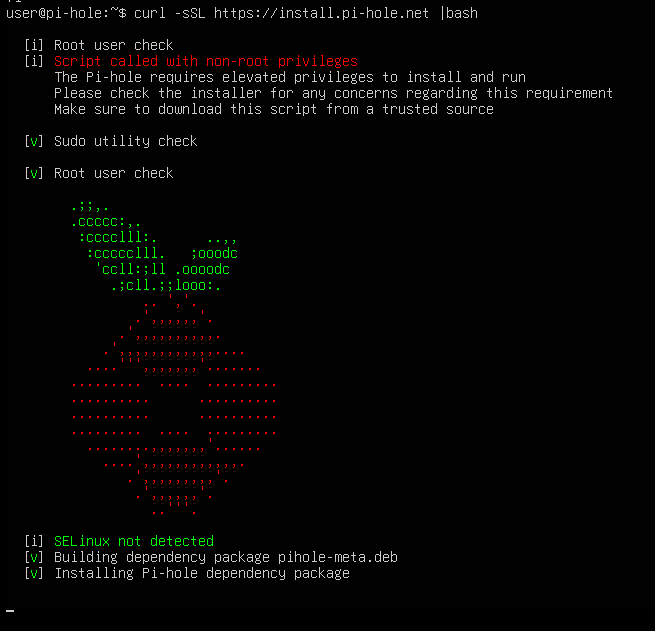
I got Ubuntu Server (without GUI) on VMWare workstation. I called the script and got stuck on this:
And it just stands there.
I restarted (force) Ubuntu and I see that the pihole is not installed so I run the command again but got the same problem.
Help, please.
Thank you.
I recently saw a similar issue and the user could install using the Method 2 described on the Pi-hole repository.
Instead of the single command, this is a 2 steps process: download the file and then execute it with sudo.
If this doesn't work, please report back.
how long are you waiting?
On a Pi Zero W, it seemed like it took a long time before it went to the next stage using an ethernet "hat" instead of WiFi.. I've never installed it on anything modern'ish to compare install times though
Learn the basics :
$ means you are a user.
# means you are root a.k.a. someone who maintains the system.
And only the last group/type of user can install software 
Almost 24h. My virtual machine has 6GB of ram and 2 cpu.
I used "sudo" to start instalation, I have only one user on the machine
Yes, that started the install, thank you!!
Your screenshot shows otherwise ?!
Yes it does, you are right. This is default instalation.