The issue I am facing:
Pihole is set up as my DNS. The Router has rules to any/all DNS requests MUST go to PiHole.
I have Vlans and a LOT of block lists used.
Alas one of my Vlans is for Windows and it needs access to sites which I have blocked in lists.
eg: self.events.data.microsoft.com
Details about my system:
My machine is a RasPi 2 model B Rev 1.1
Running Buster.
Whole long story behind this. WAY TOO Complicated for here.
Indulge me I want to keep it like this and not go to the newer version of the O/S.
It isn't just a simple one machine update.
What I have changed since installing Pi-hole:
Nothing.
It is "working" but here's where it gets complicated for me.
Digging around I believe I can do with with groups and the like.
The windows VLAN has a different se t of rules applied to it than the other VLANs.
But asking for help it just loops with things.
This is the versions I have now.
- Core v6.1.2 · Update available!
- FTL v6.2.3 · Update available!
- Web interface v6.2.1
I am sure this is "wrong" for groups.
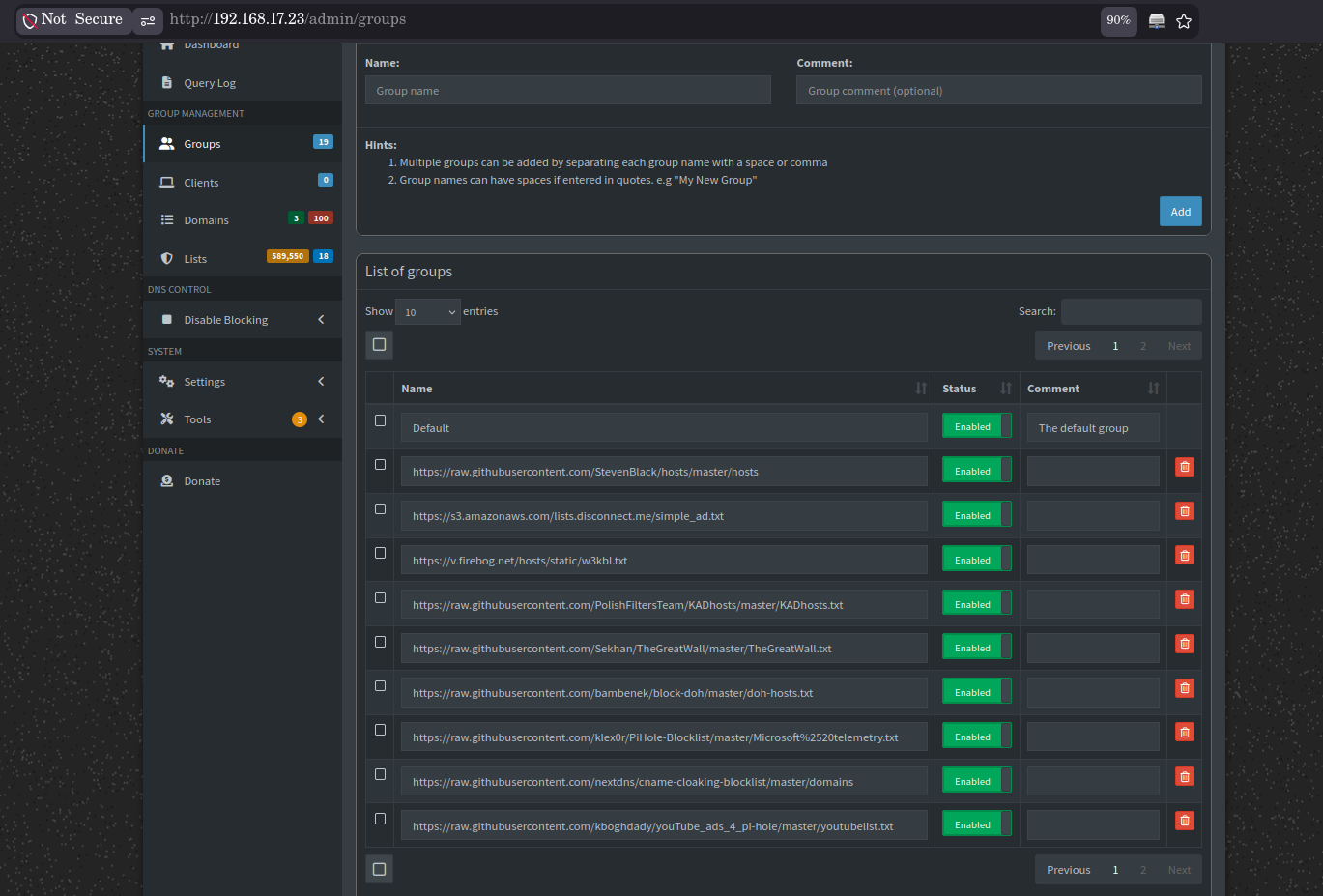
This screen shot does not include the newer "group" for the windows VLAN.
This is a debug log:
https://tricorder.pi-hole.net/OjG4duJR/
Yes, sorry, I am not fully getting it.
Help would be appreciated.
I think I have enteries where they shouldn't be.
(Not sure. It just looks..... wrong All the groups.)
Again, thanks.
Pi-hole doesn't provide support for Debian 10 Buster installations anymore (and apparently you know that).
Also, your Pi-hole is outdated. You should really update the OS and Pi-hole.
What do you mean? Can you explain this comment?
Well... this is obviously wrong. You used list URLs on the wrong place.
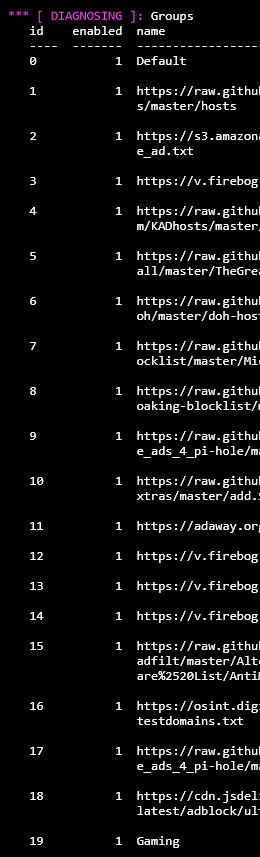
Only 2 groups are correct: Default and the last one Gaming.
These URLs should be added to the Lists page, not to the Groups page.
The good news: your debug log shows you already did.
Solution to fix this mess: Delete all other groups and keep only Default and Gaming.
The other settings seems to be correct.
As said, "simply updating the OS" is not that simple.
For reasons outside this thread.
Yes, I know Buster isn't supported any more.
PiHole seems to be working still.
ChatGPT is calling menus the wrong names nd it just keeps cycling on getting the names wrong.
I sat down for about an hour today and didn't get as far as I would like.
So I gave up.
Yes, I am wrong and used URLs in the wrong place.
For reasons beyond using the outdated O/S, I seem to not understand something and attempts to learn are not working.
Not your fault. Yes, it is mine.
So all those entries in groups can be deleted. Hurray.
Shall do that now.
You don't need AI to make things more complex.
Just to delete the URLs from the groups page. like I said.
It wasn't that where it was failing.
It was when I was trying to create a set of rules for one VLAN and another for the others.
(Kind of)
It was saying I can add a group of addresses like: 192.68.3.0/24 which when I put in the group name as soon as I went to the description field was wiped.
So I spent a lot of time there.
Finally I just used the one IP address. Though there are more machines on that network, getting it working on that one machine for now is enough.
But not ideal.
I'd past the discussion with ChatGPT, but I think that would be petty.
The issue is not the IP, but the group assignment.
Now that you cleaned the groups page, you only have 2 groups: Default (ID=0) and Gaming (ID=19).
All your lists are assigned to both groups:
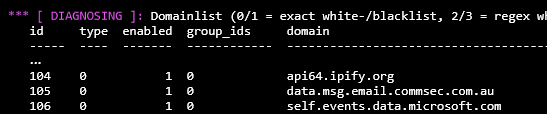
But your the whitelist entries you added to Domains page are only assigned to the Default group (ID=0):
Go to Domains page and change the assigned groups for these entries.
Well, all but the one line which I found to be problem.

As in that list on that page is where most of my problems were happening.
Thank you very much for the help.
I now have a better understanding of how things work.
I don't know how/why I was/got confused. But that's life.
I'm now wiser and hope I can learn from what has just happened.