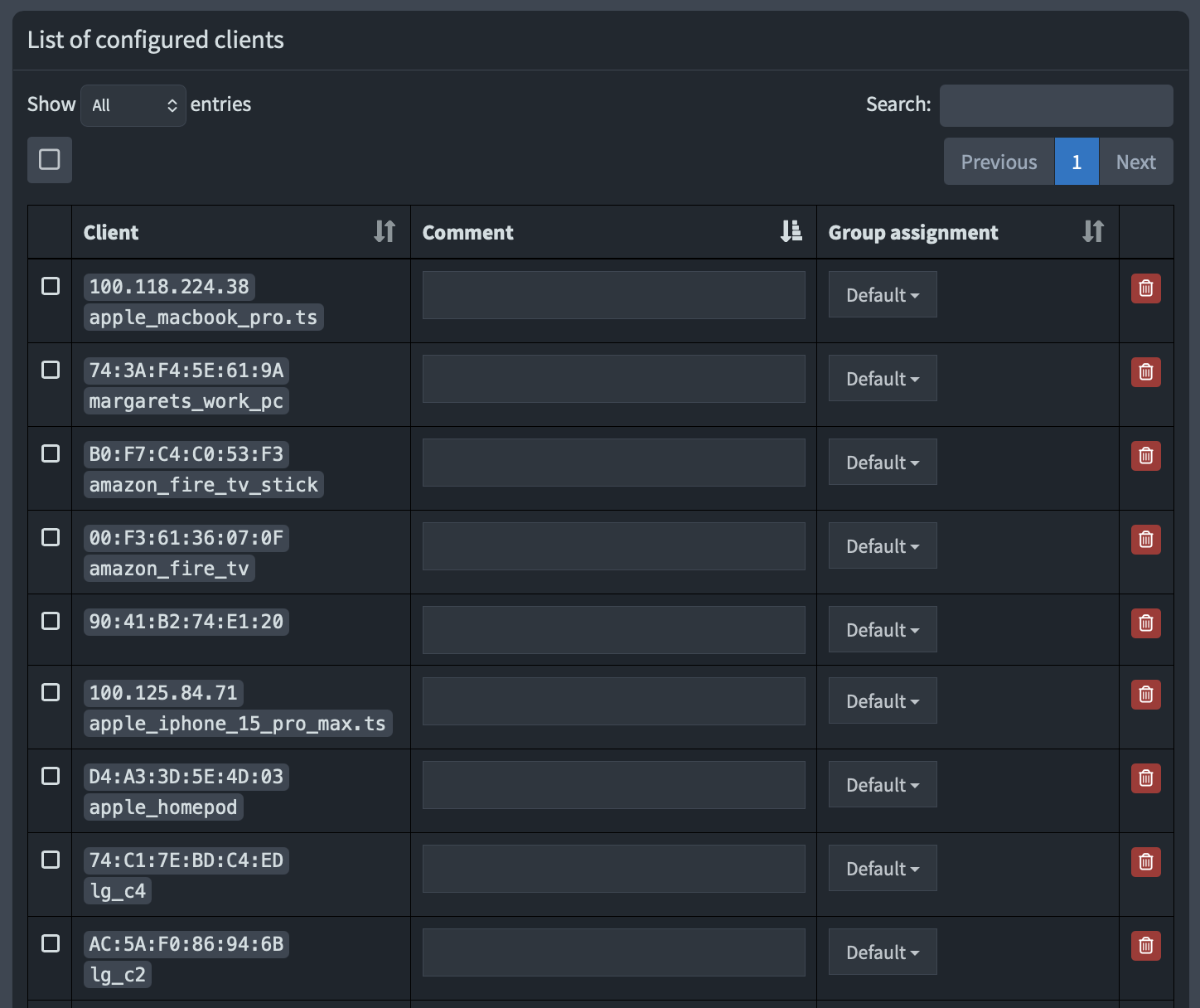
Friends, I can't figure out what file I've previously edited to have names display in Client Group Management within the dashboard and throughout all query logs. This method ended up being the best method for me at the time (and still is currently), but I've since not been able to find the pesky file to once again edit. I've exhausted everything from:
- /etc/hosts
- /etc/pihole/custom.list
- /etc/pihole/hosts/custom.list
- /etc/pihole/pihole.toml
- /etc/pihole/dnsmasq.conf
- /etc/cloud/templates/hosts.debian.tmpl
- /etc/cloud/cloud.cfg (manage_etc_hosts: false)
...and many many more...
To clarify, the client names listed in the screenshot above resulted from me editing a Pihole file, not generated from Pihole itself or configured on the client/router side. Any advice is welcome. TY!
**Note: If looking though the debug log, you'll see many devices listed with a '-' in the client naming scheme. This is not what I'm referring to as this relates to Pihole dashboard's DNS Cond. Forwarding and DHCP functionality. I'm trying to find a file whose client names contain '_'.
Specs:
- Core v6.5
- FTL v6.8
- Web interface v6.6.1
- DHCP handled by router
- RaspPi 5
- 2021 MacBook Pro
- macOS Golden Gate 27
Debug Token:
https://tricorder.pi-hole.net/FpIdsJvK/
It is not possible to assign different names on this page.
The Clients page uses the existing device names. The existing names are received from the client itself, or from the router.
You can also set names:
-
in Settings > Local DNS Records or
-
using dns.hosts:
sudo pihole-FTL --config dns.hosts '[ "192.168.0.1 router", "192.168.0.2 printer", ... ]'
Note:
The names edited using the 2 methods above will show up in /etc/pihole/hosts/custom.list, but editing this file won't work, as explained on the file itself:
...

# Custom DNS entries (HOSTS file)
#
##################################################################################
#                                                                                #
#                     FILE AUTOMATICALLY POPULATED BY PI-HOLE                    #
#    ANY CHANGES MADE TO THIS FILE WILL BE LOST WHEN THE CONFIGURATION CHANGES   #
#                                                                                #
#            IF YOU WISH TO CHANGE ANY OF THESE VALUES, CHANGE THEM IN           #
#                             /etc/pihole/pihole.toml                            #
#                             and restart pihole-FTL                             #

...
All Pi-hole settings (including dns.host entries) can be found and edited in /etc/pihole/pihole.toml or in Settings > All Settings page, but in your case, there are no entries generating these names.
Reading your log, we can see these names are not defined by Pi-hole.
These names are probably set on the clients themselves (or maybe on the router DHCP settings).
The names are sent to Pi-hole and Pi-hole is using them, but the names are defined elsewhere.
Thank you rd. Your response had me isolate my investigation scope and realize what you say is correct. Today, I added entries in the Local DNS Records UI. I was then able to see them populate in the /etc/pihole/pihole.toml file and in turn, now reflect throughout the UI.
Regarding your comment above:
I know for certain the custom naming wasn't defined by the clients nor the router DHCP settings (In fact, I attempted to use the client method first before concluding my router wouldn't let me override a client's hostname via alias name. Also, a lack of expertise...).
I know I edited a conf. file at some point, but I'm thinking that whatever file it was might've only saved temporarily and that afterwards the edits reverted back, but the naming in the UI persisted. Again, not certain as to how/why it occurred, but I'm certain I edited a file to define the names.
Anyhoo, all is functioning properly. Thank you again!