HELP: LAN IP is the same as IPv4

Hello - I have checked many threads but not found a solution.

It used to be when I would boot up my PiHole it would sometimes assign the LAN IP as the same as its WAN IP.

 ─────────────────────────────────────────────────────
 DietPi v9.16.3 : 13:09 - Fri 2025-09-05
 ─────────────────────────────────────────────────────
 - Device model : RPi 3 Model B+ (armv7l)
 - CPU temp : 53 °C / 127 °F : Running warm, but safe
 - LAN IP : 192.168.0.180 (eth0)
curl: (28) Resolving timed out after 3000 milliseconds
 ─────────────────────────────────────────────────────

Part of the problem I see can be found in settings where the IPv4 has two addresses:
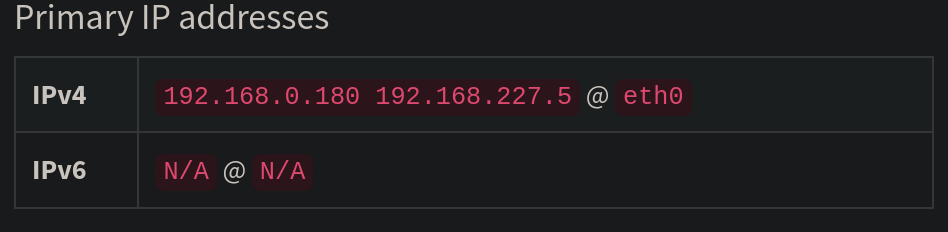
It used to be I would reboot 3-4 times and eventually it would assign 192.168.227.5 (rather than 192.168.0.180 - the LAN IP) and everything would work swimmingly.

Today, I updated DietPi and for some reason that reboot trick no longer works. I have tried to reconfigure the IPv4 by running pihole -r but this happens:

  [✓] Root user check

        .;;,.
        .ccccc:,.
         :cccclll:.      ..,,
          :ccccclll.   ;ooodc
           'ccll:;ll .oooodc
             .;cll.;;looo:.
                 .. ','.
                .',,,,,,'.
              .',,,,,,,,,,.
            .',,,,,,,,,,,,....
          ....''',,,,,,,'.......
        .........  ....  .........
        ..........      ..........
        ..........      ..........
        .........  ....  .........
          ........,,,,,,,'......
            ....',,,,,,,,,,,,.
               .',,,,,,,,,'.
                .',,,,,,'.
                  ..'''.

  [i] SELinux not detected
  [✓] Update local cache of available packages

  [✓] Checking apt-get for upgraded packages... up to date!

  [✓] Building dependency package pihole-meta.deb
  [✓] Installing Pi-hole dependency package

  [i] Resetting local repos
  [✓] Resetting repository within /etc/.pihole...
  [✓] Resetting repository within /var/www/html/admin...
  [✓] Checking for user 'pihole'

  [i] FTL Checks...

  [✓] Detected ARMv6 architecture
  [✗] Failed to retrieve latest FTL release metadata


How do I change the IPv4 so it's not the same as the LAN IP? Because when I point my router to the PiHole as DNS it pretty much breaks the internet. Thank you.
Can you explain your setup a bit more in detail, and what you mean with "WAN IP"?

  • 192.168.0.180 is the intended IPv4 address for this Pi-hole host?
  • What is 192.168.227.5? It is not a routeable public IP address, but as well one from the reserved LAN blocks. Is this assigned to a different network interface, i.e. is this Pi-hole host a local gateway, WiFi hotspot or similar?

I guess this output should also clarify things:

ip l
ip a
ip r

And I guess for Pi-hole support, a debug token wouldn't hurt either.

$ ip l
1: lo: <LOOPBACK,UP,LOWER_UP> mtu 65536 qdisc noqueue state UNKNOWN mode DEFAULT group default qlen 1000
    link/loopback 00:00:00:00:00:00 brd 00:00:00:00:00:00
2: wlp170s0: <BROADCAST,MULTICAST,UP,LOWER_UP> mtu 1500 qdisc noqueue state UP mode DORMANT group default qlen 1000
    link/ether dc:97:ba:b7:03:04 brd ff:ff:ff:ff:ff:ff
$ ip a
1: lo: <LOOPBACK,UP,LOWER_UP> mtu 65536 qdisc noqueue state UNKNOWN group default qlen 1000
    link/loopback 00:00:00:00:00:00 brd 00:00:00:00:00:00
    inet 127.0.0.1/8 scope host lo
       valid_lft forever preferred_lft forever
    inet6 ::1/128 scope host noprefixroute 
       valid_lft forever preferred_lft forever
2: wlp170s0: <BROADCAST,MULTICAST,UP,LOWER_UP> mtu 1500 qdisc noqueue state UP group default qlen 1000
    link/ether dc:97:ba:b7:03:04 brd ff:ff:ff:ff:ff:ff
    inet 192.168.0.124/24 brd 192.168.0.255 scope global dynamic noprefixroute wlp170s0
       valid_lft 5547sec preferred_lft 5547sec
    inet6 fe80::fd3:ad93:52ac:b638/64 scope link noprefixroute 
       valid_lft forever preferred_lft forever
$ ip r
default via 192.168.0.1 dev wlp170s0 proto dhcp src 192.168.0.124 metric 600 
192.168.0.0/24 dev wlp170s0 proto kernel scope link src 192.168.0.124 metric 600 
$ 

192.168.0.180 is the IP assigned by my router. But when it is also assigned as the LAN (not WAN, my mistake) it seems to break things so that the PiHole can’t access internet.

The output above seems from a different device, with WiFi interface. So I am referring to the Pi-hole debug output I got from you, which contains the same info from the Pi-hole host:

I see that 192.168.0.180 is assigned via DHCP from 192.168.0.1. If this is the intended IP used by other network members to connect to Pi-hole, then it probably makes sense to assign it as static IP not use the DHCP client at all. But if it is reserved at the DHCP server, that should be fine as well. The client (?) you pasted the output from above has 192.168.0.124, which suggest that this really is the intended network.

But where is 192.168.227.5 coming from? While the DHCP discovery at time of test did not get any answer with this IP, it actually seems to be obtained via DHCP as well, assigned to the same eth0 interface, and at time of test assigned the default route:

default via 192.168.227.1 dev eth0 src 192.168.227.5 metric 1002
192.168.0.0/24 dev eth0 proto kernel scope link src 192.168.0.180
192.168.227.0/24 dev eth0 proto dhcp scope link src 192.168.227.5 metric 1002

Is there another router/DHCP server in your network? Currently, the default gateway is 192.168.227.1, hence if your actual Internet facing router is 192.168.0.1, the system wouldn't have Internet access.

Assigning the IP 192.168.0.180 and gateway 192.168.0.1 statically at the Pi-hole host, instead of relying on DHCP, would solve this issue as well. But you should check for the rogue DHCP server (?) which tries to distribute the 192.168.227.0/24 network. If DHCP shall work at all, two networks must not be distributed throughout the same network adapters.

EDIT: The Pi-hole test also tried to ping the gateway 192.168.227.1 which did not respond. Whichever device this is, its DHCP server should be shut down.

Thank you for taking the time to look at this.

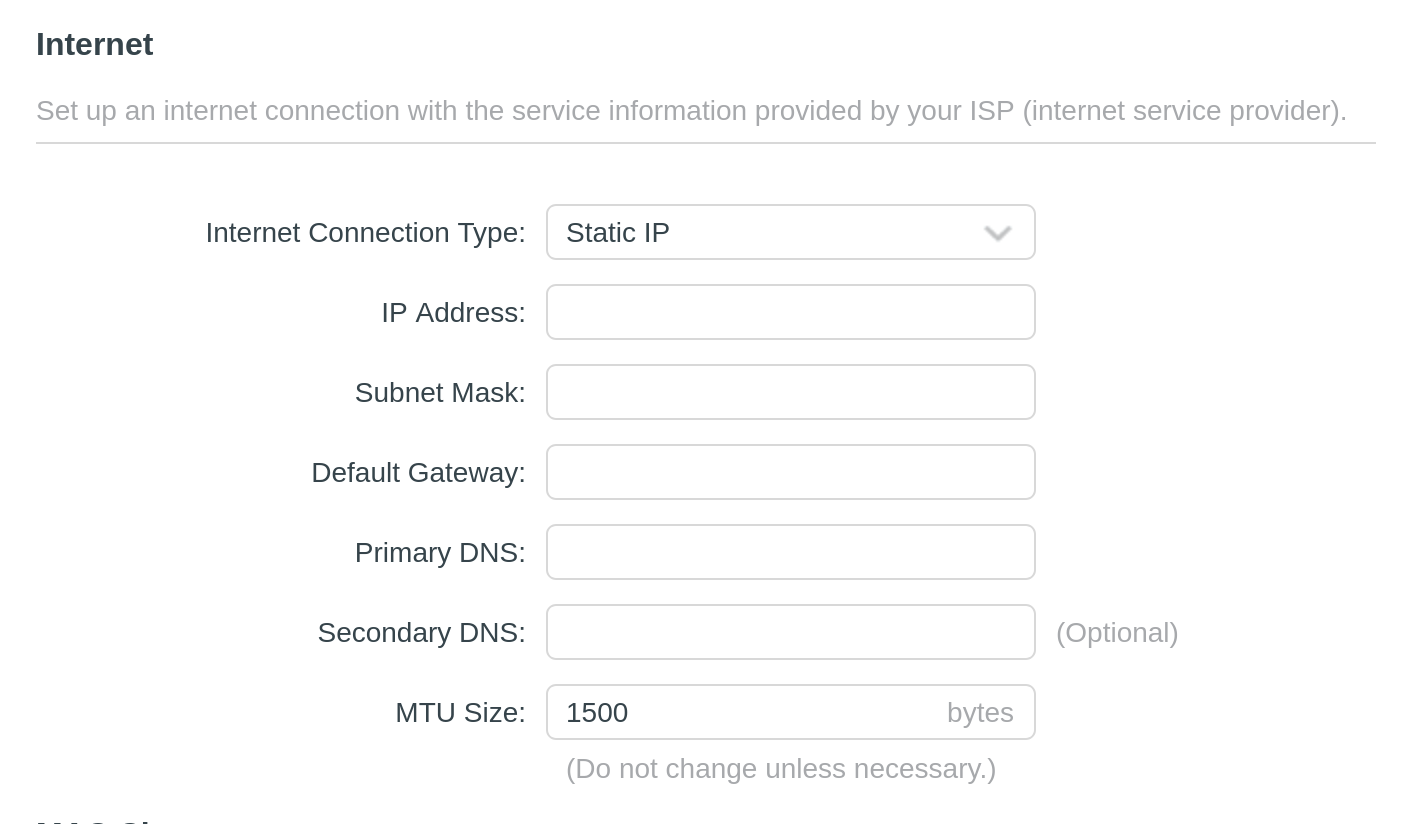
I am using a DHCP on my router due to that being the manufacturer’s recommendations: How to use Pi-Hole DNS Server on TP-Link routers

Are you suggesting that rather than using the DHCP server on the router to assign a Static IP and then putting the PiHole’s IP address as the primary DNS?

Please upload a debug log and post just the token URL that is generated after the log is uploaded by running the following command from the Pi-hole host terminal:

pihole -d

or if you run your Pi-hole as a Docker container:

docker exec -it <pihole-container-name-or-id> pihole -d

where you substitute <pihole-container-name-or-id> as required.

sent as a DM as a network issue won’t let me upload the log and generate a token

Using the router as DHCP server and letting it distribute Pi-hole as primary DNS is fine. But there must not be a second DHCP server with different subnet range.

So in your TP-Link, you use 192.168.0.100 - 192.168.0.254 as IP range or similar?

I was suggesting to configure the IP on the Pi-hole device static, e.g. with dietpi-config network settings. There you can switch to STATIC and then set 192.168.0.180 as IP and 192.168.0.1 as gateway. That should restore Internet access, so you can upload another debug report.

Searching for the device which is distributing the 192.168.227.0 network should be done as well. That could break Internet access for any other device in the network as well.

I have moved your DM'd log to tricorder and will remove the DM (debug logs uploaded from Pi-hole in the normal way don't hang around, they are auto-purged after 48 hours).

https://tricorder.pi-hole.net/E2B4eEF9/

switching to a static IP via DietPi-config seemed to do the trick!

it seems to be working now & I have been able to generate a debug token: https://tricorder.pi-hole.net/59vF6trI/

now how do I go about ferreting out that rogue 192.168.227.0 device? it doesn’t appear on my client list on my router.

THANK YOU!

The first debug log shows the router as the sole DHCP responder but the network port has two IPv4s, one set as noprefixroute

2: eth0: <BROADCAST,MULTICAST,UP,LOWER_UP> mtu 1500 qdisc pfifo_fast state UP group default qlen 1000
link/ether XXXXXX
inet 192.168.0.180/24 brd 192.168.0.255 scope global eth0
valid_lft forever preferred_lft forever
inet 192.168.227.5/24 brd 192.168.227.255 scope global noprefixroute eth0
valid_lft forever preferred_lft forever
inet6 fe80::XXXXXXX/64 scope link
valid_lft forever preferred_lft forever
* Received 300 bytes from 192.168.0.1 @ eth0
Offered IP address: 192.168.0.180
Server IP address: 192.168.0.1
...
Message type: DHCPOFFER (2)
server-identifier: 192.168.0.1
lease-time: Infinite
netmask: 255.255.255.0
broadcast: 192.168.0.255
dns-server: 192.168.0.1
router: 192.168.0.1
--- end of options ---

Some crossover in discovery

* Received 300 bytes from 192.168.0.1 @ eth0
DHCPOFFER XID (262836907) does not match our DHCPDISCOVER XID (2022765545) - ignoring packet (not for us)
* Received 300 bytes from 192.168.0.1 @ eth0
DHCPOFFER XID (2022765545) does not match our DHCPDISCOVER XID (262836907) - ignoring packet (not for us)
* Received 300 bytes from 192.168.0.1 @ eth0
Offered IP address: 192.168.0.180
...

The 227 one was looking for the default gateway and there was nothing responding

*** [ DIAGNOSING ]: Networking
[i] Default IPv4 gateway(s):
192.168.227.1%eth0
* Pinging first gateway 192.168.227.1...
[✗] Gateway did not respond. ( Why is a default gateway important for Pi-hole? )

In the second debug log there is now only the 180 address and response, and it can reach the router

192.168.0.180/24

*** [ DIAGNOSING ]: Networking
[i] Default IPv4 gateway(s):
     192.168.0.1%eth0
   * Pinging first gateway 192.168.0.1...
[✓] Gateway responded.

Assuming that was the issue and cleaning up has fixed it, I suspect it was assigned via some other DHCP server with its infinite lease time, and has been causing you this headache ever since.

Did you have another setting in the router at any point, or install anything with another router entirely at 192.168.227.1, etc? I believe some devices like router extenders can pull this kind of trick, acting as a separate network and "invisibly" gluing things together behind the scenes, but that doesn't take into account external DNS or OS configs or infinite DHCP leases hanging around from earlier.

Go through the suggestions from MichaIng to check for anything going on now, and ensure only one DHCP server, and ideally set a static IP directly on the Pi-hole OS rather than set a statically assigned DHCP IP from the DHCP side.