Failed pi-hole update. Admin page gone. Backup failed. How to recover?

Expected Behaviour:

Expected behaviour 1:

http://<pi-hole ip address>/admin should take me to the admin web page.

Expected behaviour 2:

pihole -a -t or pihole-FTL --teleporter should backup the entire pi-hole.

source: V6 cmd line backup?

------ system details --------

Operating System (Family and Version):

root@raspberrypi:~# cat /etc/os-release
PRETTY_NAME="Raspbian GNU/Linux 10 (buster)"
NAME="Raspbian GNU/Linux"
VERSION_ID="10"
VERSION="10 (buster)"
VERSION_CODENAME=buster
ID=raspbian
ID_LIKE=debian
HOME_URL="http://www.raspbian.org/"
SUPPORT_URL="http://www.raspbian.org/RaspbianForums"
BUG_REPORT_URL="http://www.raspbian.org/RaspbianBugs"

Hardware:

Raspberry Pi 3

No docker involved

Actual Behaviour:

Actual behaviour 1:

Web admin page stuck in forever loop. When I visit http://<pi-hole ip address>/admin, it displays this:
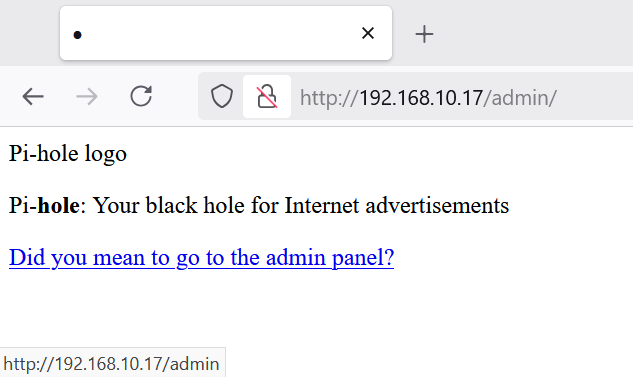
If I click the "Did you mean to go to the admin panel?", it just reloads the same page. Because that link actually direct to this exact url (see the bottom right, that's the url when I hover my mouse on it).

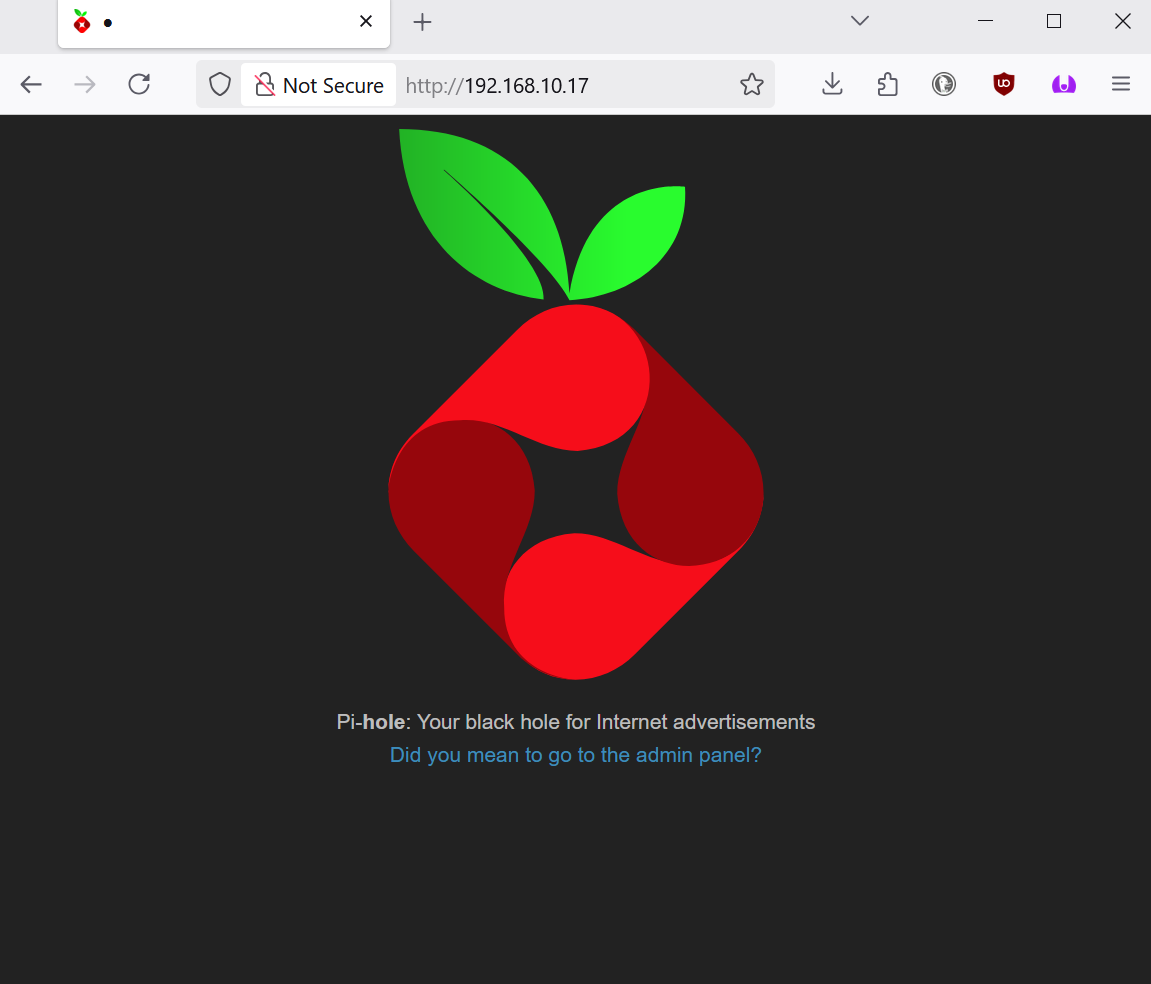
If I just visit http://<pi-hole ip address>/, it takes me to this page. If I click the link "Did you mean to go to the admin panel?", it takes to the page in the above screenshot again. This is just a infinite loop.
Actual behaviour 2:

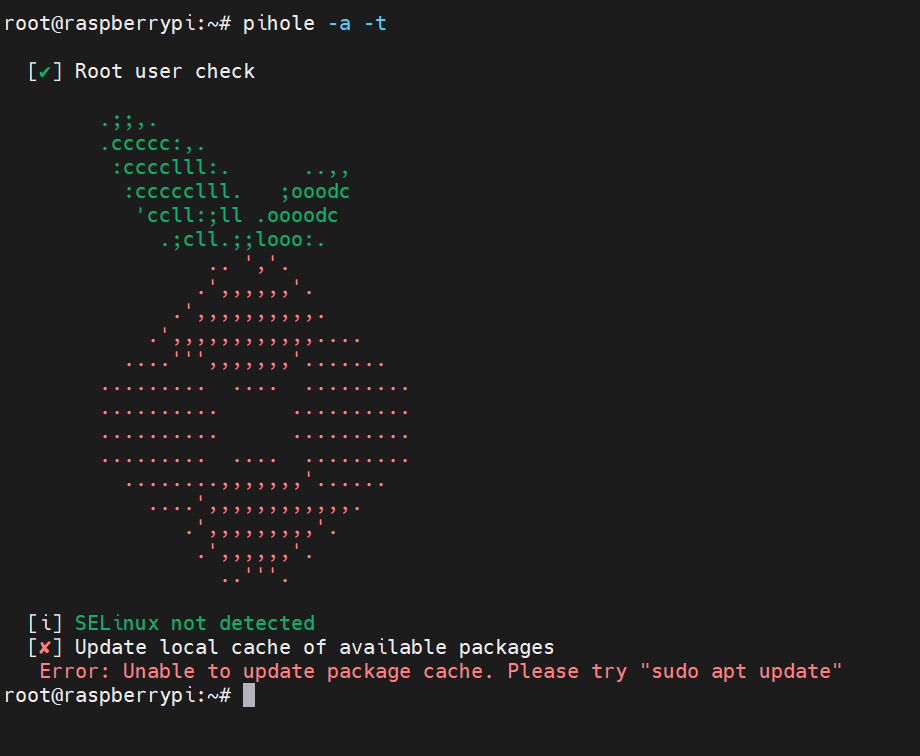
pihole -a -t
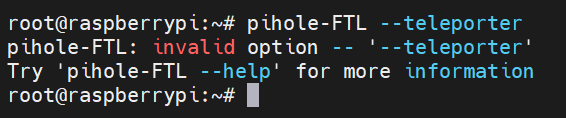
pihole-FTL --teleporter
My pi-hole is running on a old raspberry pi in which the OS version (buster) is no longer being updated. I tried to update the pi-hole but ended up in this situation.

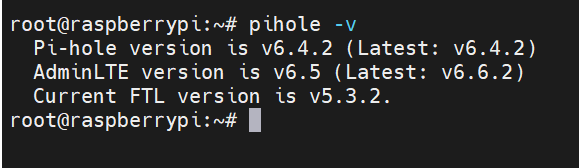
My current pi-hole version:
Debug Token:

https://tricorder.pi-hole.net/hzylAmYp/

I understand my OS version is probably too old and I should start refresh. That's what I am trying to do. However, I am unable to backup the configurations and white/black lists of my pi-hole. Any help is appreciated. Thank you for your attention.

Looking at your screenshot and at your debug log, I can say you are still running Pi-hole v5.
(The log was generated by Pi-hole v5. The v6 logs look different).

But the log also shows some files were already updated. This shows your system is in a state where you have mixed component versions:

*** [ DIAGNOSING ]: Core version
[i] Core: v6.4.2 (https://discourse.pi-hole.net/t/how-do-i-update-pi-hole/249)

*** [ DIAGNOSING ]: Web version
[i] Web: v6.5 (https://discourse.pi-hole.net/t/how-do-i-update-pi-hole/249)

*** [ DIAGNOSING ]: FTL version
[โœ“] FTL: v5.3.2 (https://discourse.pi-hole.net/t/how-do-i-update-pi-hole/249)

Core and Web files were updated on the disk, but FTL is still v5.
Also, the installation never finished, so you Pi-hole is still using the older v5 files.


Your OS is too old and no logger supported. Pi-hole v6 will probably fail to install.
You need a newer OS.

My recommendation is to start with a fresh OS, like Debian 13, and then install Pi-hole again. After that, you can restore your Teleporter file.

pihole -a -t is the Pi-hole v5 command to create a backup.

If you already did that before trying to update, you have a backup file containing all your Pi-hole v5 settings. Keep this file to use it after you install Pi-hole on a new OS.

If you didn't create a backup before you get into the "mixed" version state, then I'm not sure what will happen if you try to create a backup now, but you still can try pihole -a -t (it worth a try).

After you install Pi-hole v6 on a new OS, you will be able to use this command to restore the settings: pihole-FTL --teleporter <previously_created_teleporter_file>.


Note:

I really recommend to start with a new OS.
This will be the safest path and it will avoid a lot of headaches on the future. That said, if you are willing to try to restore your current installation, you can try pihole -r and select "repair". There is no guarantee that this will work and it could even make the situation worse, so only try this as a last resource, after you make sure you already have a backup file.

I just noticed your previous FTL version is v5.3.2.
It was released more than 5 years ago.
Your previous Pi-hole files were really old and you should start over using a modern OS.

Thank you for taking a look into this issue.

Yes, I would like to start fresh, but I can't backup my files. Do you know if there is any way to generate a backup file that can be used on a new installation?

You should generate a backup file before trying to update.

If you didn't create a backup and pihole -a -t is failing, there is no official way to create a backup.

The failed update attempt may have changed or destroyed your files, and it may not be possible to recover your settings.


Untested:

Please understand: from my point of view, your Pi-hole installation is broken beyond repair, but maybe there is a small possibility to "save" your configuration.
I can't guarantee this will be work.

Most Pi-hole v5 configuration is stored in /etc/pihole/.

This may not work in your case (Pi-hole v5.2.x to Pi-hole v6.4.2), but I found an old Pi-hole v5 to Pi-hole v5 attempt, where the user claims it was possible to install Pi-hole keeping the old config files.

Steps:
First manually copy all files from /etc/pihole (if you have advanced configuration files, also copy /etc/dnsmasq.d/).
Then install a new OS.
After that, create /etc/pihole using your backup.
Finally, install Pi-hole and hope the previous config files will be imported.
There is no guarantee this will work.

thank you.

This update became a mess :face_with_crossed_out_eyes: . I hope the future updates will not be so destructive.

Pi-hole updates are hardly destructive.
Usually the process is simple and very user friendly, but you are not doing a normal update.

The versions on your debug log show that your last update was more than 5 years ago. Also, you are using an outdated (and unsupported) OS version.

In cases like this, updates cannot be guaranteed.

pi-hole serves as a part of the infrastructure in my network. It is expected that the pi-hole itself and the OS it is running on will receive zero attention if they have been working perfectly. Just like the lightbulbs or smoke detectors. I think the developers should be proud that the software have worked for such a long time with zero issue. If an update after a long gap can lock the software of what I consider an infrastructure in my network, then it is destructive. At the very least, it is not user friendly.

I am not blaming pi-hole's team. I understand the company behind Raspberry Pi probably played a role here too. I am simply recognizing how horrible the update turned out in my experience. I have a lot of software infrastructures that I cannot update due to the same reason. I know this is not a pi-hole issue. And I appreciate everyone's work.

I hope that make you feel better.

That's why Pi-hole doesn't have automatic updates and why we recommend to always read the release notes and make a backup before updating.

I hope that other users reading this topic understand that sometimes things go wrong and need maintenance (like lightbulbs burn out or smoke detectors need new batteries).

I'm also not blaming you for the issue.

We actually don't know what exactly caused the issue on your system.

Maybe it was a problem with the operating system. Maybe it was a network failure while the update was trying to download FTL. We simply don't know, but apparently you thought it was a Pi-hole issue. Some users with old Pi-hole versions were able to update to Pi-hole v6, so we can't say what really happened here.

Unfortunately, in your case something went wrong and you didn't have a previous backup. I hope my suggestion on the other post help you with that.

Wow you ran Pi-hole as set-it and forget-it for 5+ years without updates especially OS and firmware. This is part of your network infrastructure?

Let's try to get some good out of this process and learn a few things (both Pi-hole and OP). Pi-hole is meant to be a teaching tool at the core of everything.

Linux is not a set and forget operating system. There are constant updates that need to be looked at and applied. New kernels with both performance improvements and, more importantly, security improvements need to be applied. The old days of 1000+ days uptime just don't work in modern linux. (Unless you have kernel swap functions).

Pi-hole uses semantic versioning, known as SemVer https://semver.org/ so the version numbers are important to watch. Using vX.Y.Z as an example, the Z numbers are patches and minor fixes that can be applied without much concern. The Y numbers are Minor changes that add or fix issues that will not break an existing setup with the same X number. So going from v1.2.0 to v1.4.0 is not a breaking change, any Y number in the scheme v1.Y is fine.

The big ones are the Major Version changes, also known as Breaking Changes. These versions are not compatible with previous Major Versions. We strive to make that condition as minimal as possible. Changes from Pi-hole v2 to v3 to v4 to v5 all were able to be applied. We completely changed a number of vital functions going from v5 to v6. That fact was noted everywhere we could document and in all the release notes. It was possible to export configs from v5 and import them in to v6, and that was generally successful. That was the best we could try to do to help in migrating between major versions.

As I mentioned, we do release notes for every release and make blog posts and spent a large amount of time letting people know that Pi-hole version 6 was a breaking change and not to run automated updates or run manual updates without reading the notes.

The process was not as smooth as we wanted but we did a blog post looking at that and adding more instruction to help with the changed features.

https://pi-hole.net/blog/2025/02/21/v6-post-release-fixes-and-findings

To counter the metaphors, it's like driving a car but never changing the oil because the car always ran. But then the engine seizes up because the oil has changed to a consistency of molasses.

I totally appreciate the work the developers had put into pihole. It is one of the best tools I've used and it worked flawlessly for 5 years until I decided to pay some attention to it and update the DNS database. This is an important lesson that I learned to not trust modern software to figure out whether it can be updated/upgraded by itself.

I respectfully resist the idea that 1000+ days uptime don't work in modern linux. If a linux machine (especially an IoT device like a Raspberry Pi) doesn't stay up indefinitely, it simply became just another windows device. I understand it is becoming the industry norm to not strive for long term stability , but I just maintain a stance that I disagree with is approach. I try my best to make sure the software I made can be stable indefinitely. I will try my personal best to keep my infrastructures as attention free as possible.

I appreciate pi-hole's development team to keep the software stable and free for many users. It would be great if the software itself could reject cross version update and provide instructions for backup when a user attempted a cross version update. But if you think release note is enough, I won't argue.

The metaphor would be a microwave oven, a rice cooker, a refrigerator, a network switch, or even a lightbulb. Oil change on a car is expected. But wipe out the storage and completely reinstall the OS and the software should not be the expected maintenance for an IoT device.

Ah, that's where we disagree. Pi-hole is not an IoT device or service. It's a vital network function that will cause you issues if you do not treat it as such.

Then you will continue to have issues going forward with modern linux.

Yes, very important. It should be treated like the kings.

as if I don't already have issues right now?:rofl:

In that case don't use the Raspberry Pi with Raspberry Pi OS a.k.a. RaspBian because that's what the Raspberry Pi Foundation expects you to do whenever a new version of the OS is released instead of providing some kind of safe upgrade path like regular Debian or Ubuntu for example :frowning:

Lesson learned :smiling_face_with_tear: . It would be really helpful if pi-hole reject cross version update, or update attempt initiated on old OS.

But, on the other hand, the "pi" in "pi-hole" stands for "Raspberry Pi", right? It makes me sad that I can't trust the people behind Raspberry Pi to maintain the stability of the OS.

I completely agree with you and that is something that will be very heavily considered as a requirement for updates in the future. Version 6 gives us a lot more in the way of capabilities for these kinds of sanity checks.

I would have liked to have that for version 5 to version 6 updates but I had already been the cause of the release being held back when it really could have been released and I couldn't continue to block the release of a lot of hard work done by the whole team.

Edit: And yes, the Pi in Pi-hole is a reference to the Raspberry Pi boards but that name was coined over 10 years ago. We run on a lot more platforms and virtualization systems now.

Thank you for the consideration. I appreciate for everything. I just installed a clean pi-hole v6. It is working good now. I'll be mindful in the future to not ruin my chance for a backup.