Check the internet and make sure the Internet IP Address is set to get Dynamically from ISP.
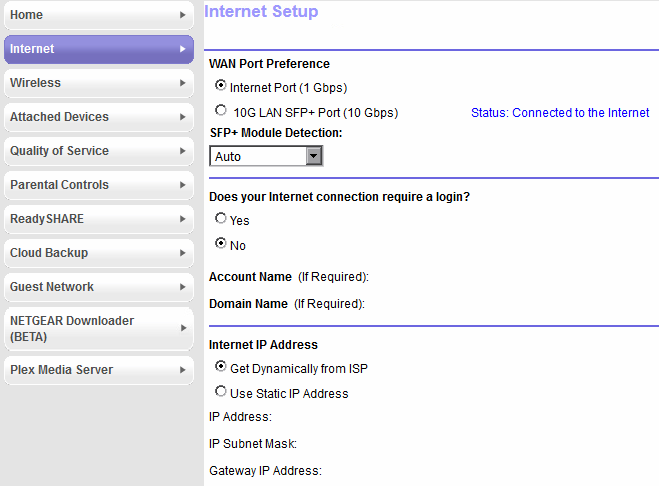
Here's how it looks on my side:

Comcast like pretty much any other ISP is authorizing the CM mac of the device.
There are 2 things that happen though. If the MAC is not authorized, the device is pushed into a "walledgarden" mode where it's seen by the Comcast network but not authorized and internet is not working.
In this case, the device DOES get a DHCP IP from Comcast.
In your case, that doesn't seem to happen as you don't seem to have an IP assigned on the internet Port which is weird.
I am not familiarized with a Router/modem combo interface unfortunately.
Your best bet is to contact Comcast's tech support (if it's their device) and see what can be done.
If it's yours, then Netgear would be the best route...
Don't know which of the two evils you'll have to go for ... but ... good luck ...
L.E. If swapping/replacing is not an option you can always "hack" (and by that I mean trick) the whole network to work to your advantage.
Not the most healthy way of doing it but it might work ... as a last resort 
Set the DHCP range on Netgear to have 1 IP only (preferably the Pi-hole IP).
Then turn the DHCP within Pi-hole, starting with the next IP (say you set-up in Netgear 192.168.1.2 to 192.168.1.2 as you range, in Pihole you's start from 3 to .. 254).
New devices will get IPs from the "rogue" DHCP server (Pi-hole) as the router has his table full with the 1 IP taken by Pi-hole.
Tadaaaa