Expected Behaviour:
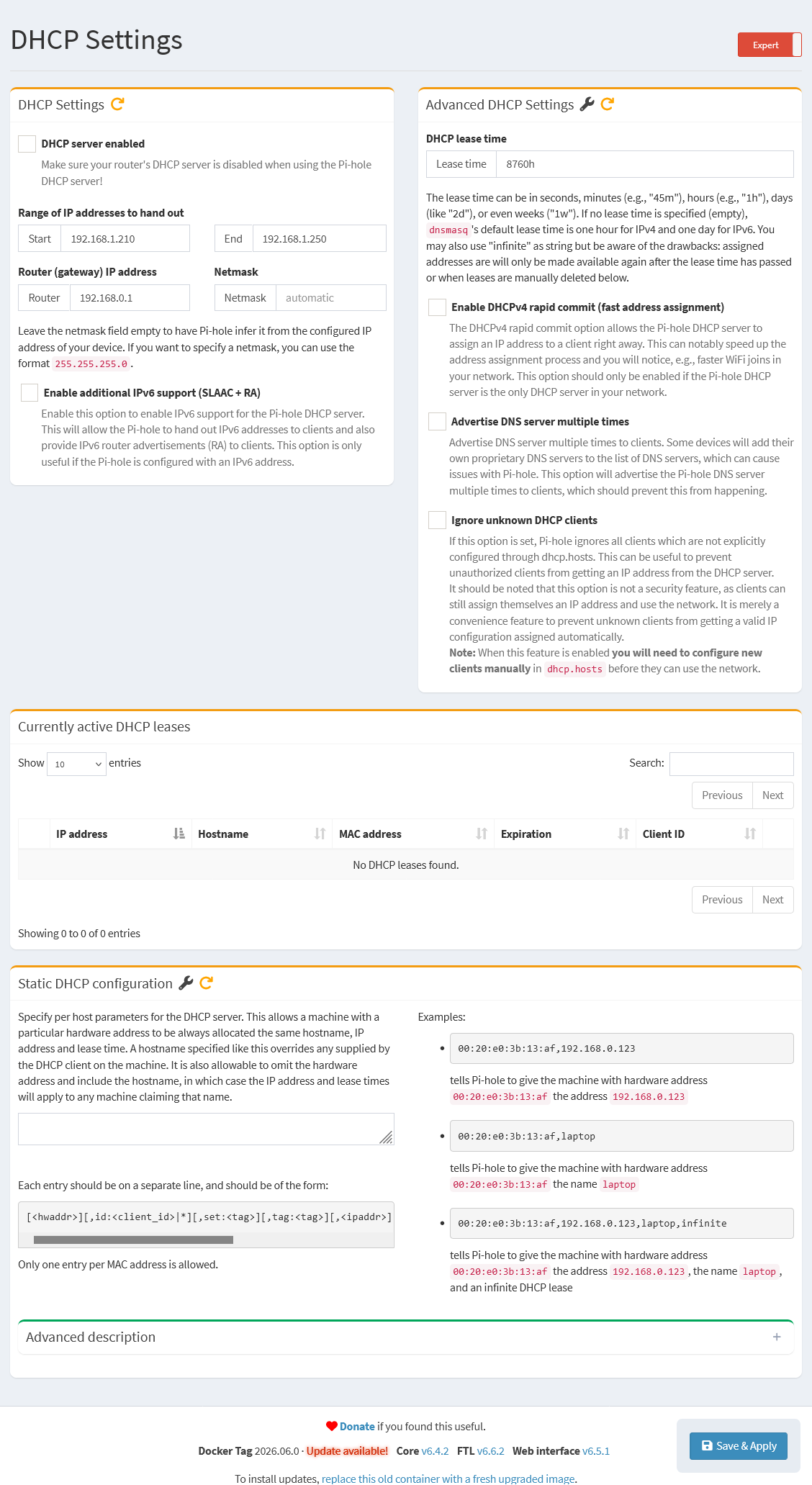
The Settings -> DHCP page has several text boxes and check boxes that can be used to configure the features of the internal DHCP server, starting from DHCP server enabled through to Static DHCP configuration for local hosts that should always be assigned a specific address.
- O/S: Debian V 12.14 (Bookworm) with all current updates
- Hardware: Raspberry Pi 2 Model B Rev 1.1
- The Expert/Basic toggle is set to Expert
Actual Behaviour:
The settings elements are all blank, with the exception of the Static DHCP configuration.
The Domain setting no longer exists. Prior to the upgrade it was set to "local".
The Logging setting no longer exists.
The Currently active DHCP leases block no longer shows the Domain for any Hostnames.
Changing the settings back to what they should be and clicking on Save & Apply reverts to blank settings.
Most of the settings still exist on the Settings -> All settings -> DHCP server page. The Domain setting does not appear on this page either.
Changing the settings back to what they should be and clicking on Save & Apply retains the settings. However these settings are still blank on the Settings -> DHCP page.
I also note that variable elements on the sidebar, such as the count of Lists, randomly disappear and reappear when clicking through various pages.
Debug Token:
[✓] Your debug token is: https://tricorder.pi-hole.net/GWWviku8/
This is weird. After submitting the previous information, the DHCP settings page looks like it fixed itself. I always reboot the pihole after upgrades (I do not specifically remember if I did this time), but it looks like the web page may have still been cached when it was populating the setting values.
However I still cannot find any way to set the Domain, so that part of my report is still valid?
Is there some way in the pihole to ensure that the cache is flushed at the start of a session? I can do this manually, but it may affect others.
Apparently it was a temporary issue on your browser.
There was never a place to set a domain in the DHCP settings.
This is how the DHCP page looked like before the update:
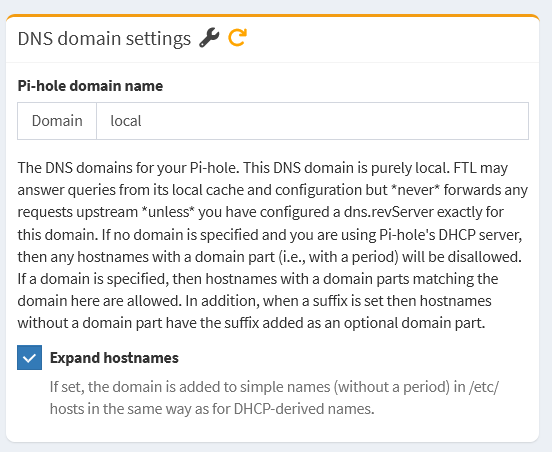
You might be confusing it with the option on the DNS Settings page:
Thanks for your help and understanding.
Re browser:
After rebooting the pihole, I refreshed the page a couple of times (using chrome). I do not recall if I used ^R or the reload arrow. The problem persisted for about 45 minutes until after I had run the debug token command.
From now on I know to also restart the entire browser, then use F12 and "Empty cache and hard reload". Multiple times if the page still looks weird.
Is there some way for the server to tell the client to invalidate its cache? Maybe brute forced using the web software version number in a cookie? The last time I wrote a web app was back in the late 1990s, and I'm sure things have progressed since then.
Re Domain:
I have a text file that I use to copy and paste settings and shell commands so that I can quickly replicate a system if I have to reinstall or do some repetitive maintenance. This file clearly shows the Domain setting as existing in the DHCP settings page. The O/S image I used (bookworm) has a timestamp of early November 2024, so this was at least 1 and possibly 2 major pihole revs ago.
Now I know to check for major updates to this text file when I finally upgrade the O/S to trixie or whatever comes after that.
At that time, there was no Pi-hole v6.
You were using the old Pi-hole v5 web interface.
In Pi-hole v5, the domain in the DHCP tab was used to set PIHOLE_DOMAIN, in setupVars.conf file, but this value was used only when the DHCP server was enbaled.
Pi-hole v6 has a completely new set of options (including many new options and functions).
Since Pi-hole v6 (Feb 2025) this option was moved to DNS Settings because a domain is always set, even when the DHCP server is disabled.
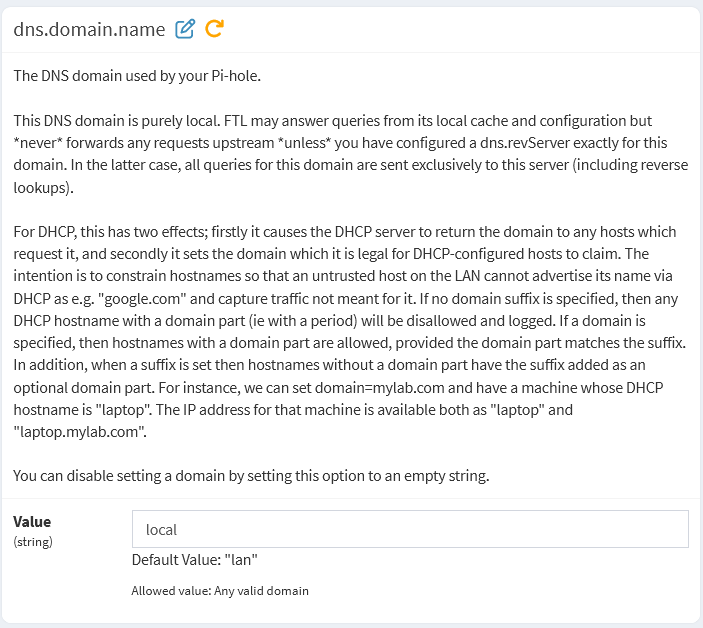
Please check the dns.domain.name:
Also check dns.domain.local and dns.piholePTR [HOSTNAMEFQDN option].