DHCP Not working

Expected Behaviour:

After disabling DHCP from router all devices should be getting there IP from pi-hole

Environment

  • Debian GNU/Linux 12 (bookworm)
  • Raspberry pi3

Actual Behaviour:

I had to reinstall raspberry pi from v10 - v12. I restored my pi-hole backup and now every 24 hours all my devices lose DHCP lease. The raspberry pi has a static ip and has been added to the DHCP configuration. What am i doing wrong?

Debug Token:

tWkFyNdl

How exactly did you configure your RPi's OS for a static IP?

i used this command:

nmcli connection modify "Wired connection 1"
ipv4.addresses 192.168.1.237/24
ipv4.gateway 192.168.1.1
ipv4.dns "1.1.1.1 8.8.8.8"
ipv4.method manual

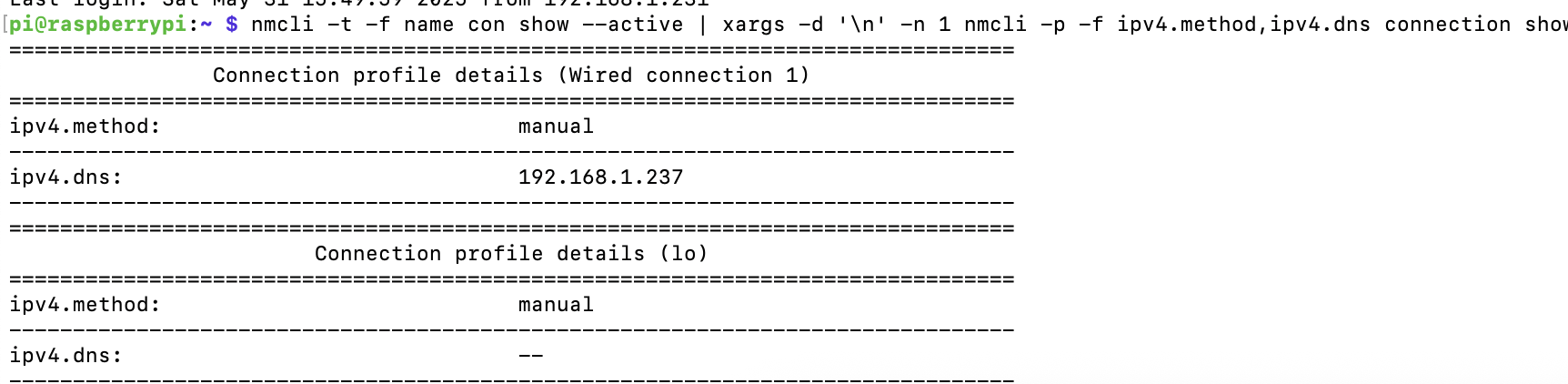
Does below one says the ipv4.method is configured "manual"?

nmcli -t -f name con show --active | xargs -d '\n' -n 1 nmcli -p -f ipv4.method,ipv4.dns connection show

It will also show other profiles that are active that might borg your setup.

Dont mind the "lo" profile!
Thats for the loopback interface named lo:

$ ip -br link show lo
lo               UNKNOWN        00:00:00:00:00:00 <LOOPBACK,UP,LOWER_UP>

yes it does.

Above ipv4.dns differs from below?

You could inspect the logs stored in below folder at the timestamp when this happens:

/var/log/pihole/

Look for lines that have dnsmasq-dhcp in them.

Or inspect the systemd journal for warnings/errors etc for the current --boot:

sudo journalctl --full --no-hostname --catalog --priority warning --boot

Or two boots back (-2):

sudo journalctl --full --no-hostname --catalog --priority warning --boot -2

Or --follow the journal live:

sudo journalctl --full --no-hostname --catalog --priority warning --follow

List boots in the journals:

sudo journalctl --list-boots

ok so it looks like this was an issue with my apple tv see here for more Why is my 2021 Apple TV 4K sending ICMPv6… - Apple Community

TL;DR apple tv was sending ICMPv6 router advertisements, i used

echo "net.ipv6.conf.enxb827eb5ac6b4.accept_ra = 0" | sudo tee -a /etc/sysctl.conf

the issue stopped and i didnt get disconnected last night. no idea why this didnt happen in raspberry pi 10 or pihole 5 or maybe a combination of both. thanks for the help though
Let us know in a couple of days if this fixed it permanently so we can mark this as "solved" for others that stumble on this thread?

This topic was automatically closed 21 days after the last reply. New replies are no longer allowed.