Been trying to figure out how to setup conditional forwarding in v6. Is it CLI or GUI?
If it's CLI, it can't seem to make it work.
I have a site to site VPN setup from my home network back to corporate network for remote work. Trying to get clients on my home network to forward DNS requests for corp network domain hosts to corp DNS servers. Everything else goes to the Internet.
So, if my client laptop wants to talk to corporate file server at file1.corp.com, how do I tell PiHole to forward all requests for "corp.com" to corporate DNS server at, let's say....192.168.85.1? I have tried to create a file, "/etc/dnsmasq.d/01-custom.conf" with the entry of: "server=/corp.com/192.168.85.1", but this doesn't seem to work.
FW rules on both sides allow DNS requests from client laptop to corporate DNS
If you are just looking for conditional forwarding, it is on the web interface: Settings > DNS, scrolldown... it's the last box (you may need to switch from Basic to Expert mode).
If you want to use dnsmasq config files:
Did you enable the use of external dnsmasq files?
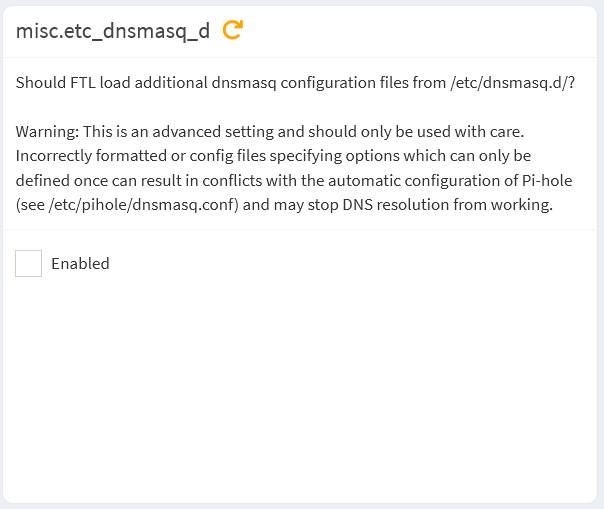
Pi-hole v6 doesn't enable these config files by default. You need to enable them using misc.etc_dnsmasq_d option.
You can use this command to enable it:
sudo pihole-FTL --config misc.etc_dnsmasq_d true
Both.
You can also use the web interface to enable this option.
Go to Settings > All settings page, select Miscellaneous tab, then mark the checkbox:
I think that needs to be *.corp.com but I am not entirely sure…
Also make sure your VPN allows some kind of split-horizon stuff so you can actually access your local Pi-Hole while connected to the VPN and also make sure you don’t have DNS leaks and stuff !!
Ohh and just to be clear :
The VPN is created by your Router and not just on the Laptop ?!
Otherwise your setup won’t work ofcourse…
I was able to get it working using the GUI, under Settings, DNS, expert, Conditional Forwarding, then: “true,192.168.1.0/24,192.168.15.1,corp.com”.
So, if I understand this correctly:
true = enabled
192.168.1.0/24 = My home network on the 192.168.1.0/24 subnet
192.168.15.1 = the remote DNS server to forward to
corp.com = the domain to forward to the remote DNS server
So basically I’m telling Pi-Hole to allow 192.168.1.0/24 to use 192.168.15.1 to resolve hosts in the, corp.com domain. Correct?
I had incorrectly tried, “true,corp.com,192.168.15.1” - This gave me an error.
The network range is used for reverse lookups, to return a hostname for a given IP.
In your case, since you are forwarding to a DNS server responsible for a remote VPN network's names, that range has to match your VPN.
Guessing from your 192.168.15.1 DNS server IP, that could be 192.168.15.0/24.
As explained, the network range is used for reverse lookups, to return a hostname for a given IP.
With above line, DNS requests for VPN hostnames ending in corp.com will be forwarded to and resolved by 192.168.15.1 alright, but reverse lookups for IPs from your 192.168.15.0/24 VPN range wouldn't.
And reverse lookups for your 192.168.1.0/24 home network range would be forwarded to 192.168.15.1, which may either fail to resolve them or -probably worse- return wrong hostnames.