Expected Behaviour:
DHCP server provided by pi-hole does not work. My router doesn’t allow to change DNS records so I use DHCP instructins
What I did:
- I installed Pi-hole software on my raspberry PI successfully, no issues.
- On my home router I assigned my raspberry PI a static IP: 192.168.1.2
- On Pi-hole interface I enabled DHCP server to handle IP addresses: from 192.168.1.100 to 192.168.1.200. (raspberry PI address is outside this range!).
- I restarted everything
- I expected that now all devices will get an IP address from range that I set and ads are blocked
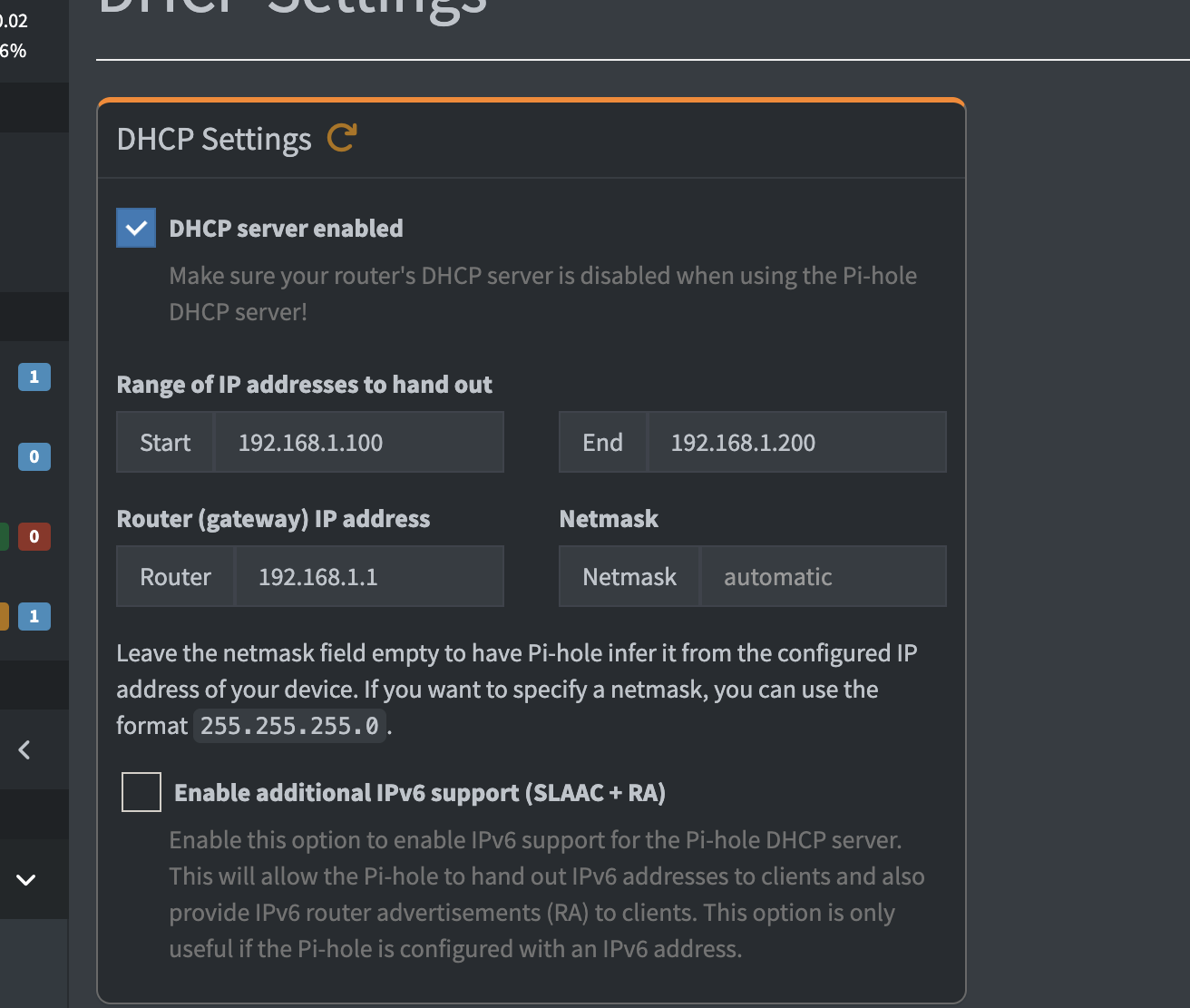
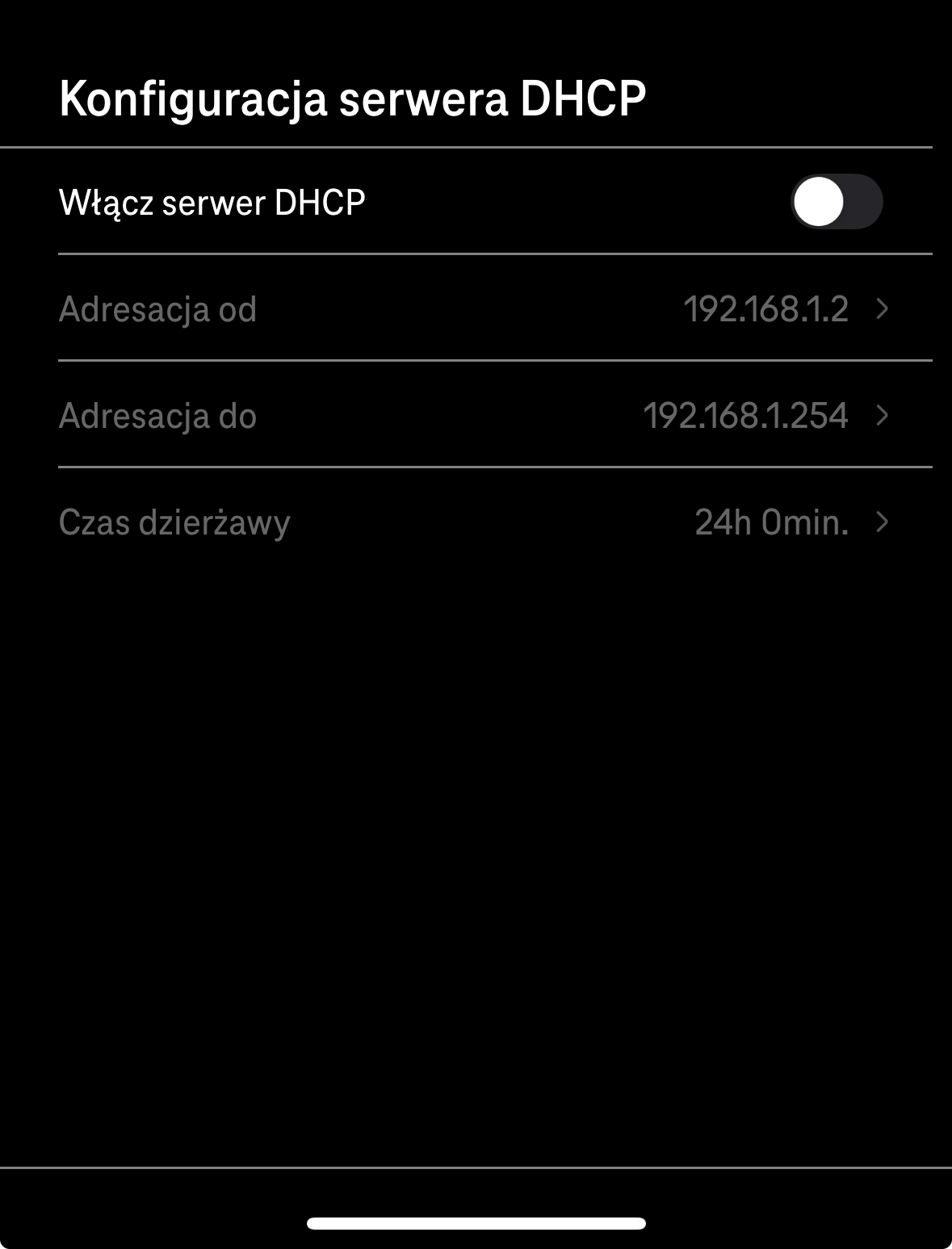
(It’s in Polish, I couldn’t change the language of this silly app, basically first toggle turns off DHCP server)
Actual Behaviour:
- Now I lost connection to my raspberry PI. When I do nmap to find connected devices I am getting:
➜  ~ nmap -sn 192.168.1.0/24
Starting Nmap 7.98 ( https://nmap.org ) at 2026-01-03 15:01 +0100
Nmap scan report for myrouter.home (192.168.1.1) # ROUTER
Host is up (0.0063s latency).
Nmap scan report for 192.168.1.56 # LAPTOP
Host is up (0.00055s latency).
Nmap scan report for 192.168.1.152 # PHONE
Host is up (0.032s latency).
Nmap done: 256 IP addresses (3 hosts up) scanned in 22.71 seconds
raspberry PI is gone? Also these addresses weren’t assigned by raspberry PI (Laptop is outside allowed range)
Copilot suggested to add/create this
interface eth0  # or wlan0 for Wi-Fi
static ip_address=192.168.1.2/24
static routers=192.168.1.1  # Your router's IP
static domain_name_servers=127.0.0.1  # Pi uses Pi-hole for DNS
to
sudo nano /etc/dhcpcd.conf
I tried with eth0 and wlan0 (my raspberry Pi currently is connected via WiFi) and none has worked.
What am I doing wrong or missing?
Thanks!