Blocklisten funktionieren nicht

Hallo zusammen,

ich probiere schon seit Tagen, aber finde keine Lösung.

Meine Blocklisten funktionieren auf keinem Endgerät.

Konfiguriert ist wie folgt:

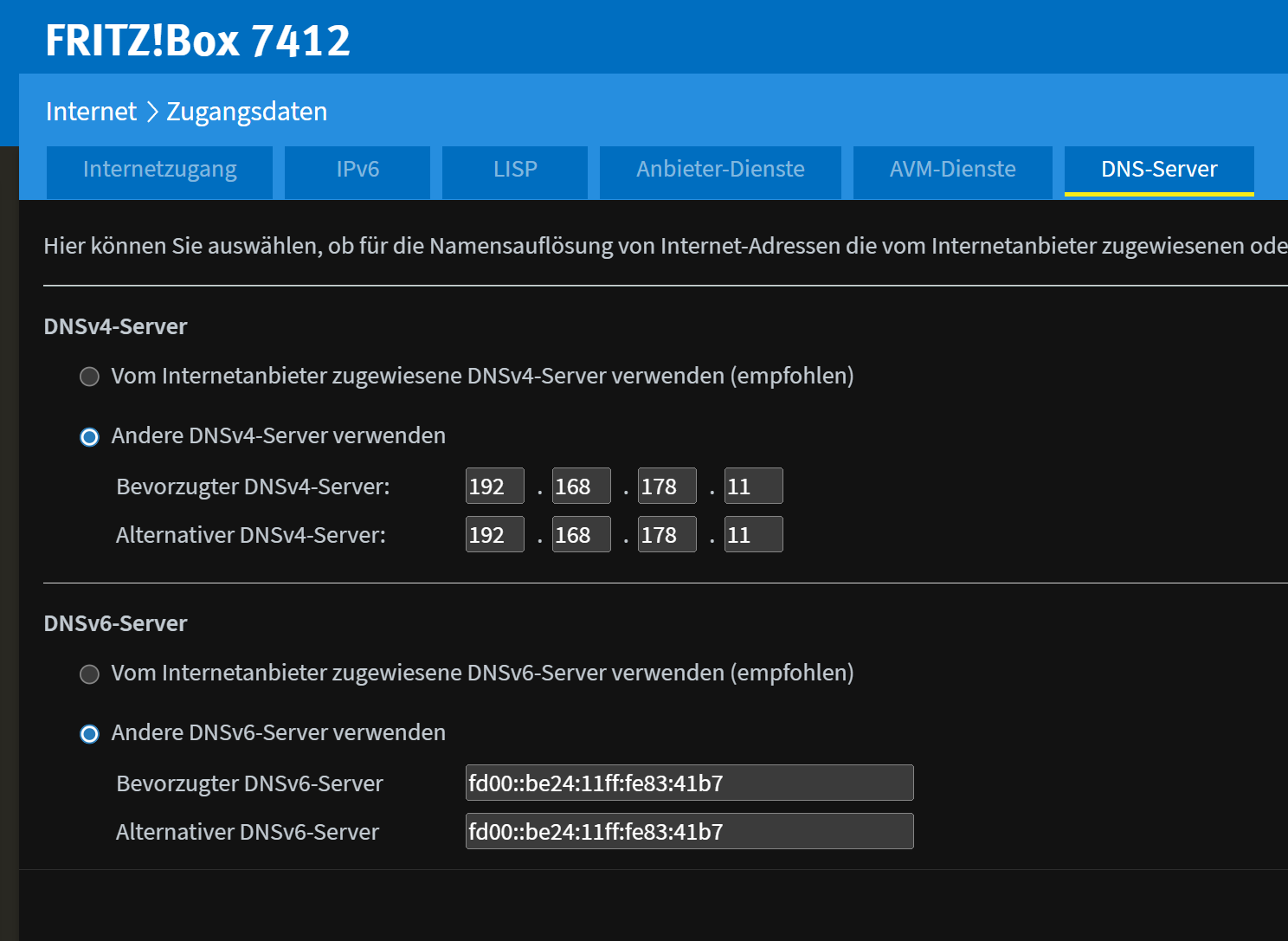
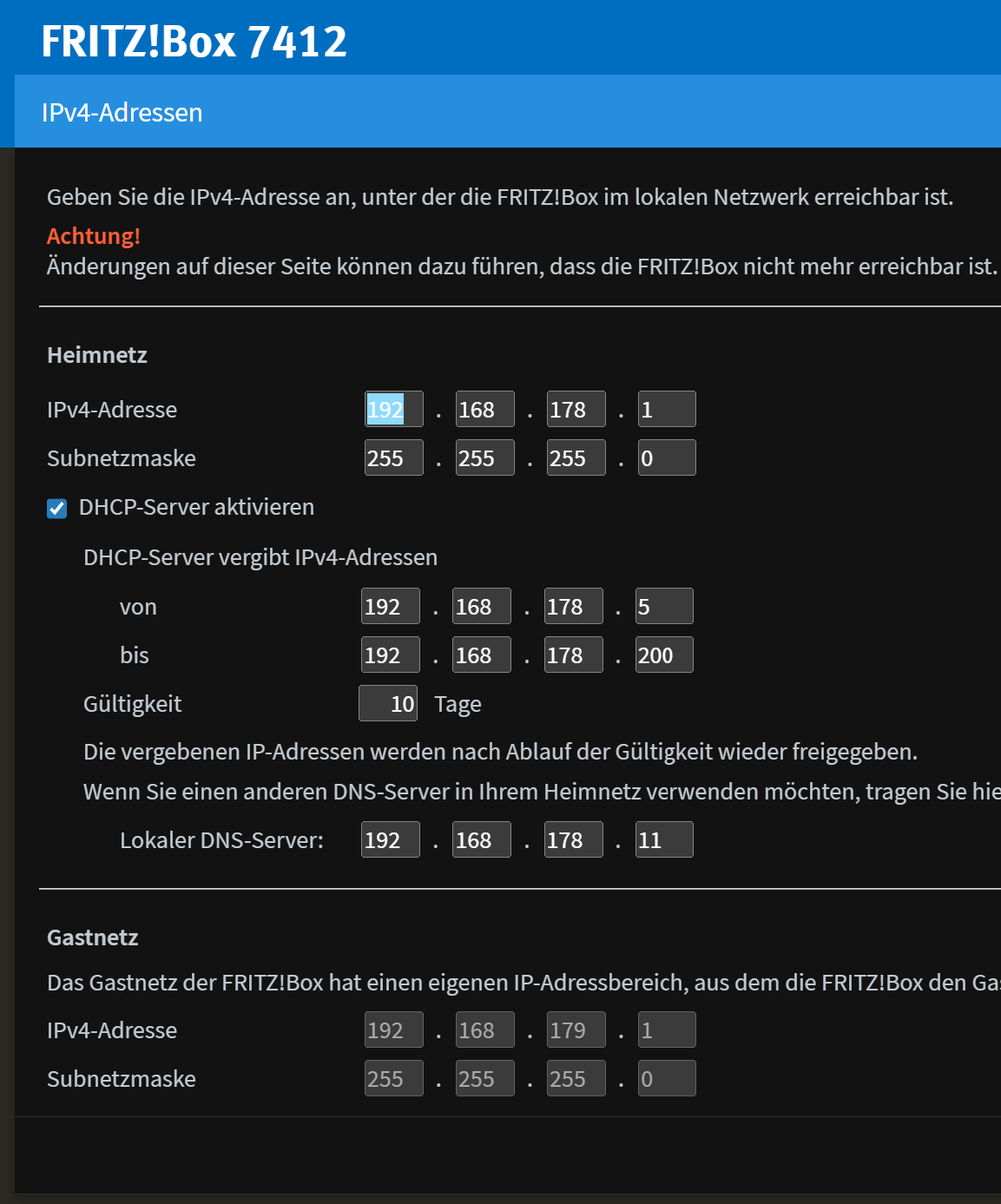
In der Fritzbox 7412 überall die IPv4 vom DNS Server eingetragen, primär und sekundär.
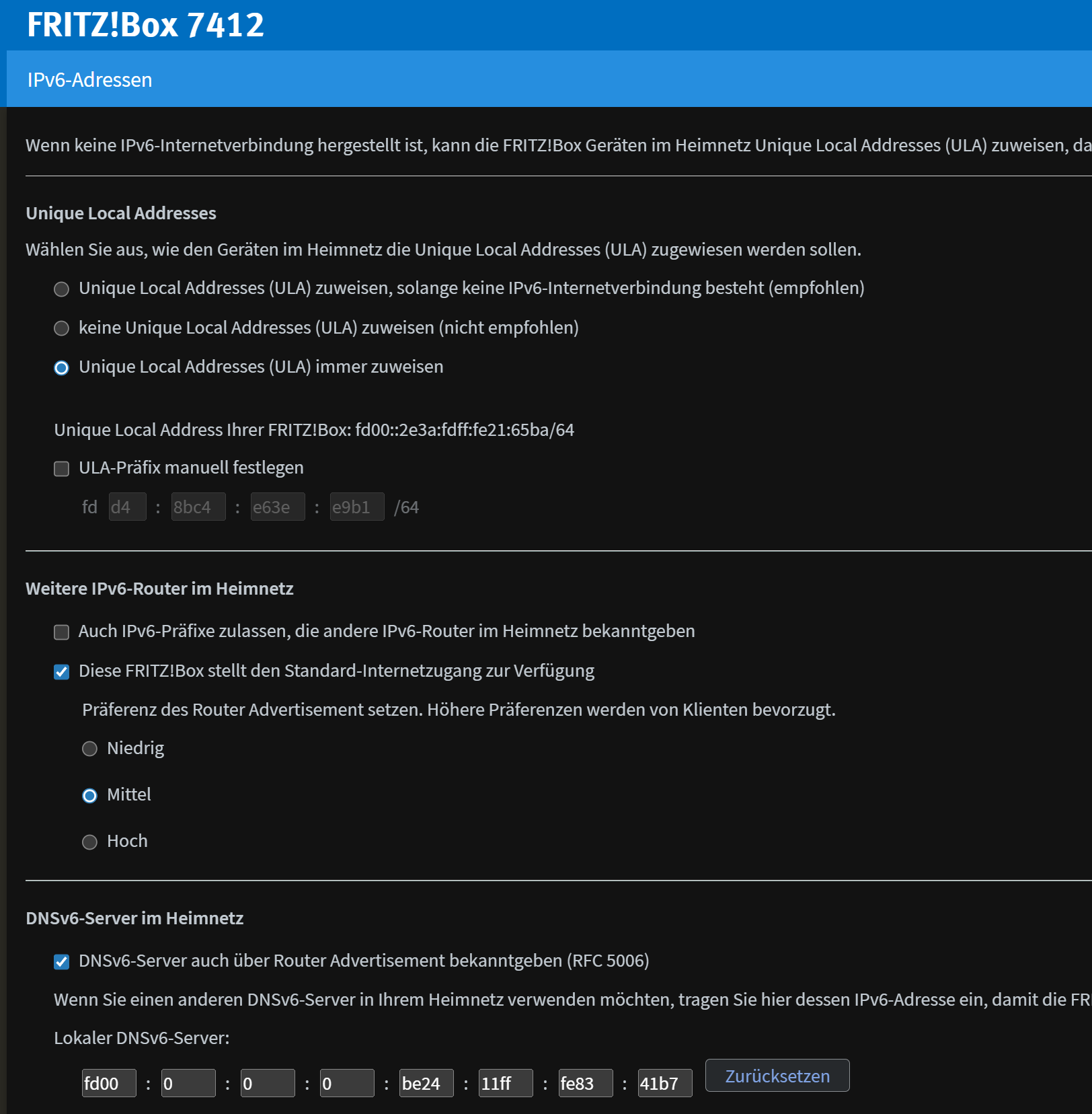
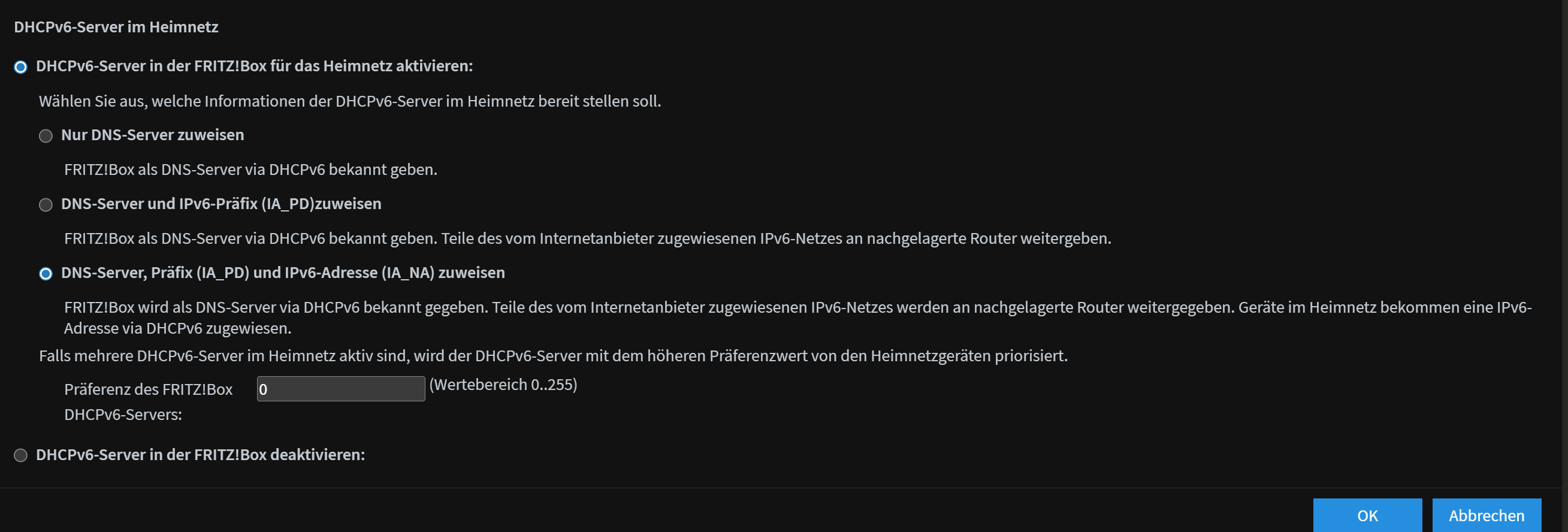
IPv6 auch ULA aktiviert und Pihole als IPv6DNS festgelegt.

Dies ist auch angekreuzt:

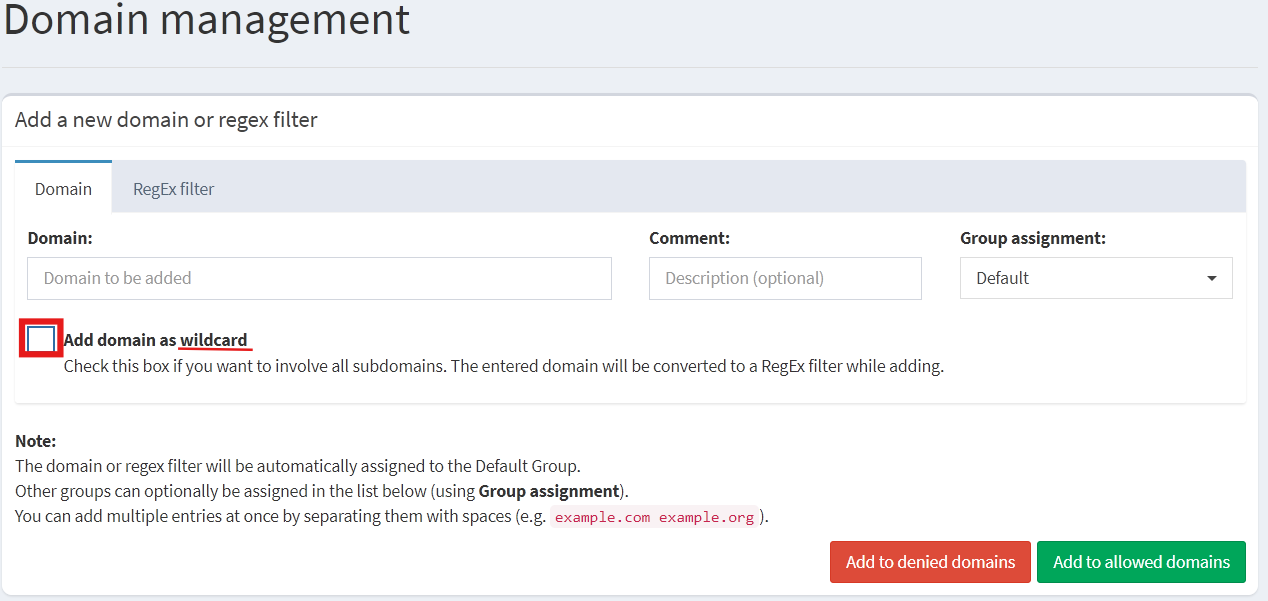
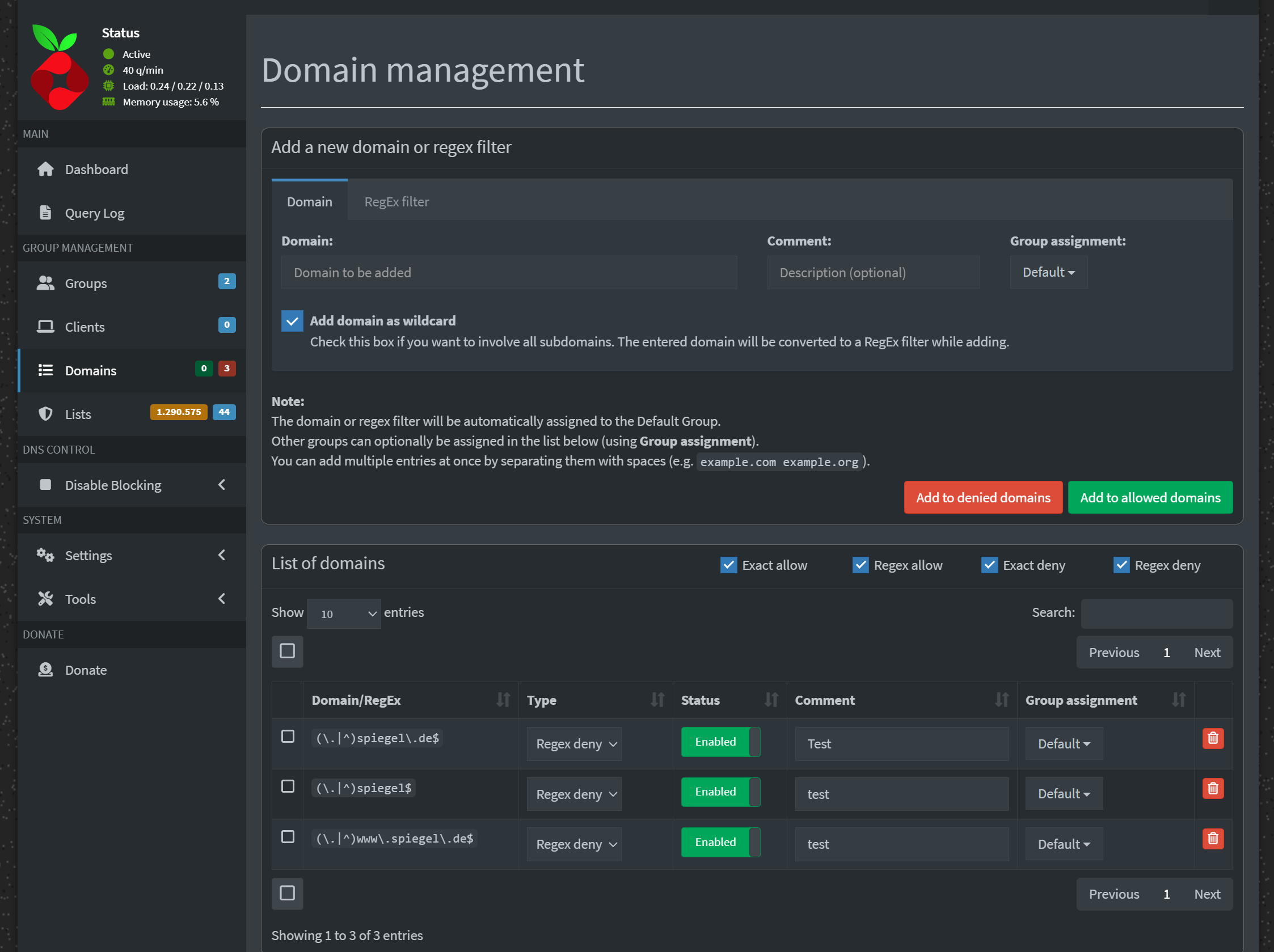
Im Pihole habe ich testweise eine Adresse geblockt:

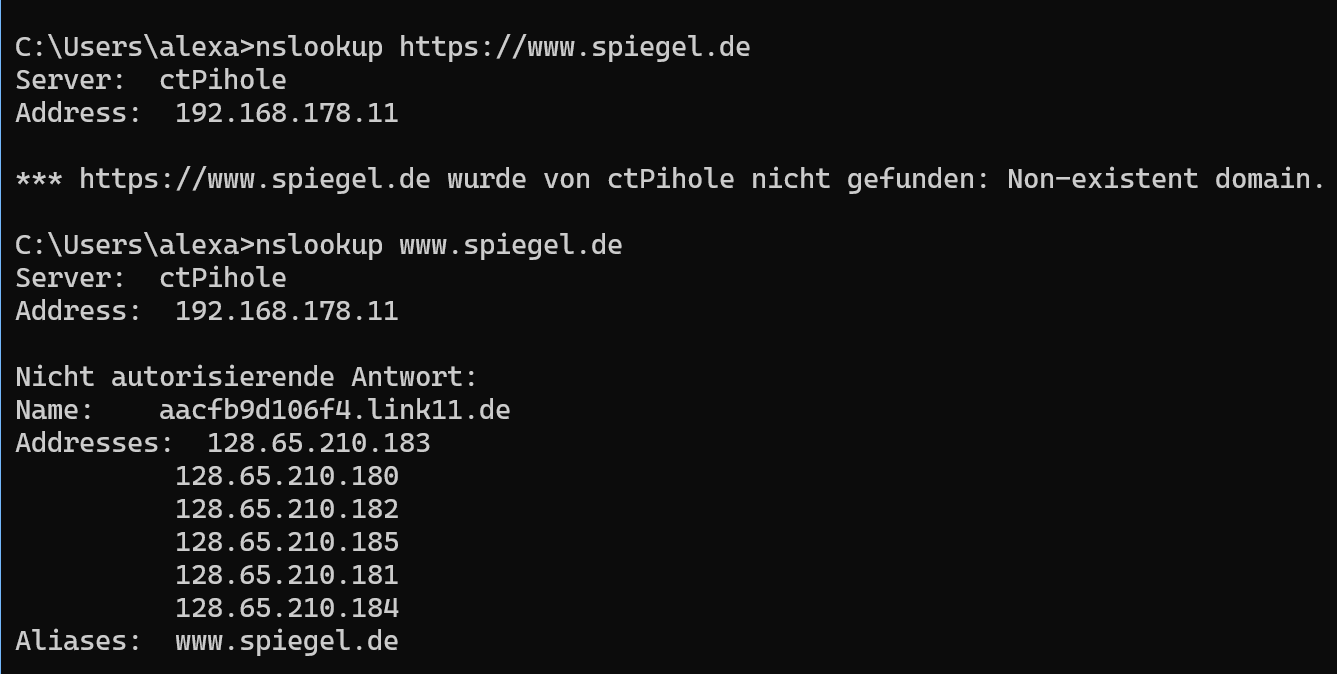
nslookup zeigt mir einerseits an, dass die Adresse blockiert wird, andererseits aber wiederrum dass diese nicht blockiert wird. Im Browser kann ich ohne Probleme dort hin navigieren.

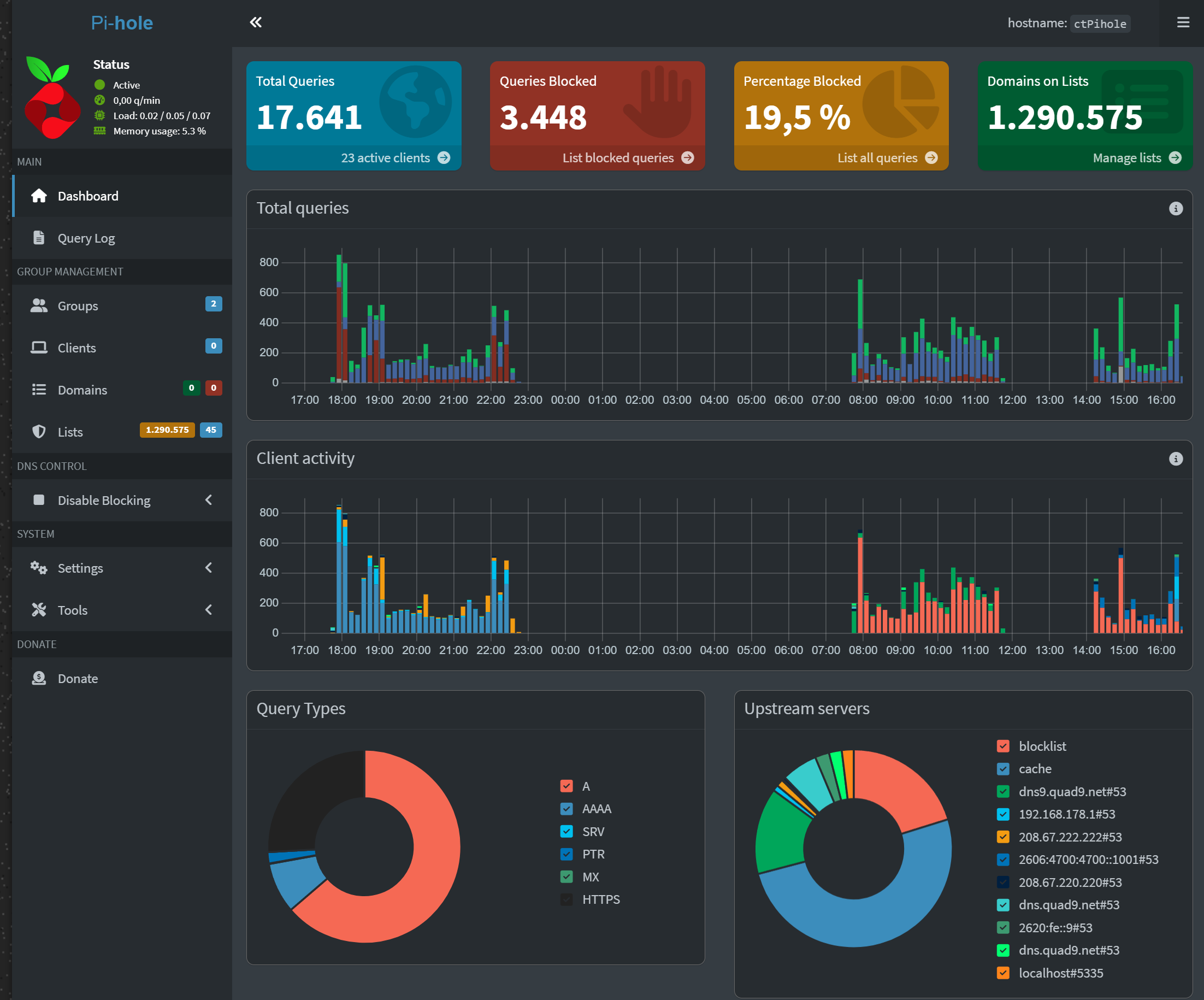
Im Dashboard ist zu erkennen, dass geblockt wird, aber es scheint es wird anhand der DNS Weiterleitung an z.B. Quad9 geblockt. Das was ich in der Blockliste eingetragen habe, wird jedoch nicht geblockt.

Ich hatte kurz unbound probiert, weil ich dachte, Win11/Browser versuchen die Adresse über DoH aufzulösen, aber dort auch keinen Erfolg. Daher gehe ich davon aus, dass es nicht damit zusammen hängt.

Nicht desto trotz finde ich es problematisch, wenn meine Endgeräte einfach meinen DNS Server umgehen können.

Vielleicht weiß hier jemand woran das liegen könnte. Ich wäre jeder Hilfe dankbar.

Debug Token:

https://tricorder.pi-hole.net/7U8cJXXz/

Welcher DNS Server wird denn von der Fritzbox ins Netzwerk kommuniziert?

Welche ipv6 Adresse hast du in der Fritzbox eingetragen?

Apparently you didn't understand how Group Management works.

You have 2 groups: "Default" (ID=0) and "Hagezi-DNS-Blocklist" (ID=1).

You also assigned a few lists to the group 0 and a lot of lists to group 1.

This is all fine, but you are missing the most important part.

There are no Clients assigned to any of the groups.

Notes about how the groups work:

  • lists and domains assigned to a group will work only for those specific groups;
  • the "Default" group is an exception and it will be applied to any device not assigned to any group.

As a result, all list assigned to your group 1 are not used by any device. Only the lists assigned to the Default group are actually working.

Solution 1:
Assign all lists and domains to the Default group.

Solution 2:
If you want to apply different lists to different devices, you need to manually assign device to Group 1 on the Clients page.

spiegel.de != www.spiegel.de

No, actually your first command is wrong:

nslookup accepts only domains, but you tried to use an URL.

http://www.spiegel.de is an URL containing the protocol (https://) and a domain (www.spiegel.de).

The correct command should be nslookup www.spiegel.de.

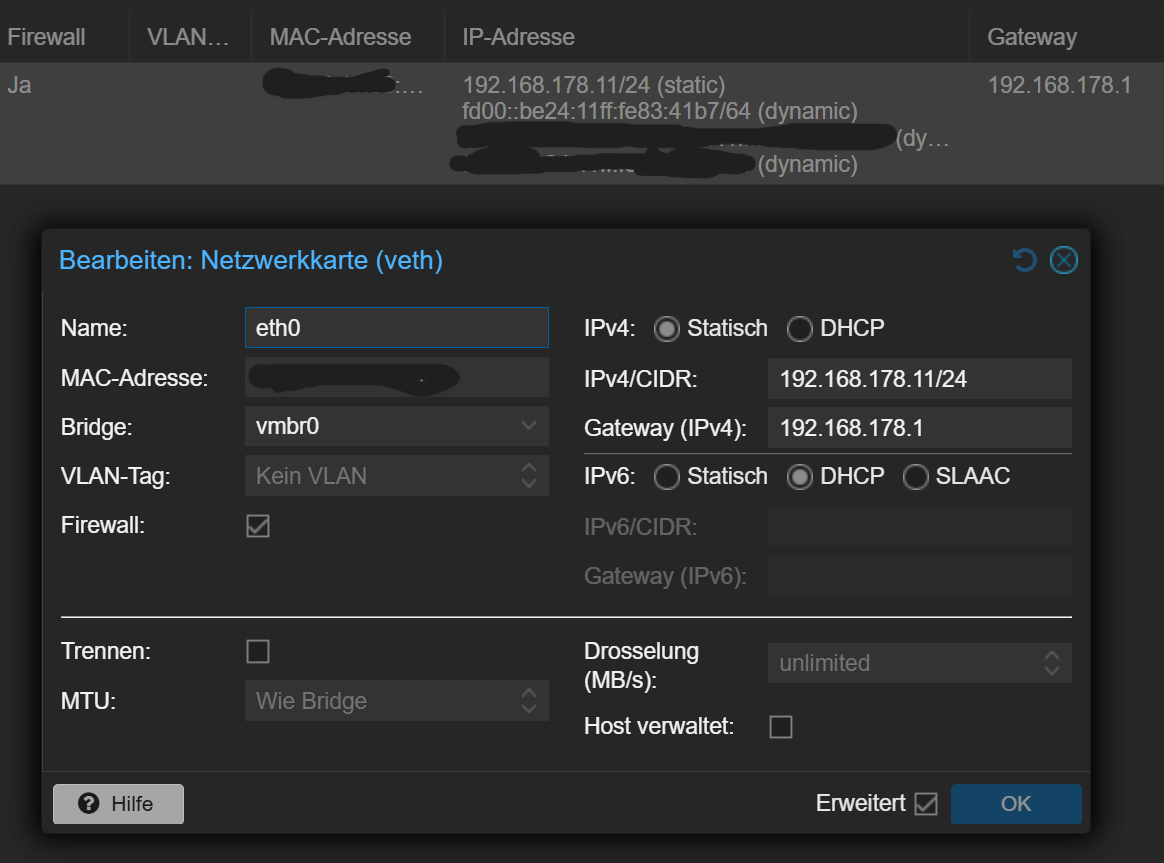
Folgende Adressen hat mein Pihole:

In der Fritzbox folgende Einstellungen:

Oh thank you very much for this information. I really had no idea. Good to know.

But the one side I tested blocking I put in Default group, and that one side was not blocked at all.

Thank you very much for that information. That I did not understand properly.

But still, I also typed it later the right was, and the site I was tested if blocking is working, was not blocked at all.

This is interesting. I tried domain blocking, but it either did not work:

In the meantime, Blocklist have been working again. But I can view www.spiegel.de online, so why does domain blocking now don´t work.

Dein Debug Log zeigt, dass Du spiegel.de als Liste statt als Domäne hinzugefügt hattest:

*** [ DIAGNOSING ]: Adlists
 id     enabled  group_ids   type    address                                                                             date_added           date_modified        comment
 -----  -------  ----------  ------  ----------------------------------------------------------------------------------  -------------------  -------------------  --------------------------------------
 1        yes    0           Block   https://raw.githubusercontent.com/StevenBlack/hosts/master/hosts                    2026-03-21 09:03:26  2026-03-22 13:54:34  Migrated from /etc/pihole/adlists.list            
 (…)
 47       yes    1           Block   https://cdn.jsdelivr.net/gh/hagezi/dns-blocklists@latest/adblock/native.xiaomi.txt  2026-03-21 17:33:01  2026-03-21 17:44:50  Xiaomi Tracker                                    
 52       yes    0           Block   spiegel.de

Das hast Du zwischenzeitlich korrigiert.

Da Du trotzdem noch auf spiegel.de zugreifen kannst, wird Pi-hole wahrscheinlich umgangen.

Ausgeführt auf dem Rechner, von dem ein Zugriff möglich ist, was geben folgende Kommandos zurück:

nslookup pi.hole
nslookup spiegel.de

Welche Queries für spiegel.de tauchen in Pi-holes Query Log auf?


Unabhängig davon sehen die vom Debug-Skript zum Testen zufällig aus Deinen Blocklisten ausgewählten Domänen so aus, als wären zumindest ein paar Deiner Blocklisten nicht für die Verwendung mit einem DNS-Filter gedacht, sondern für URL-Filterung in einer Browser-Erweiterung:

[✗] Failed to resolve -cookie-consent.js on lo (::1)
Du solltest die entsprechenden Listen entfernen.

1 Like

This topic was automatically closed 21 days after the last reply. New replies are no longer allowed.