Please follow the below template, it will help us to help you!
If you are Experiencing issues with a Pi-hole install that has non-standard elements (e.g you are using nginx, apache2 or another reverse proxy, or there is some other aspect of your install that is customised) - please use the Community Help category.
Expected Behaviour:
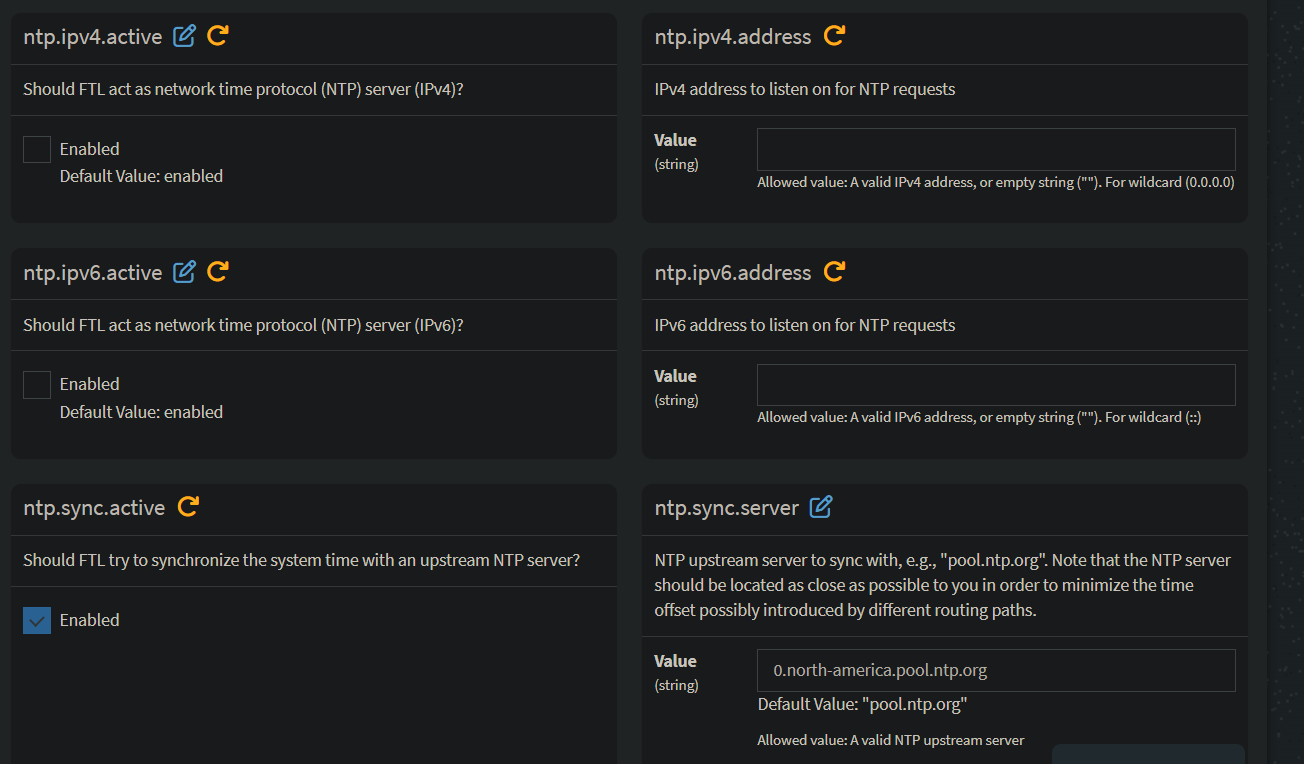
im running on a pi5 and i want to know if there is anyway to silence the NTP server errors that i get atleast once a day. since the pi5 already uses its own built in NTP server i have diabled some of the options. did i miss something? anything i can do to silene these and not loose my time syncing?
pi-hole@pi-hole:~ $ timedatectl status
Local time: Sat 2026-02-28 20:37:24 CST
Universal time: Sun 2026-03-01 02:37:24 UTC
RTC time: Sun 2026-03-01 02:37:24
Time zone: America/Chicago (CST, -0600)
System clock synchronized: yes
NTP service: active
RTC in local TZ: no
pi-hole@pi-hole:~ $
Replace this text with what you think should be happening. Please include as much detail relevant to your system/install as possible including, but not limited to:
- Operating System (Family and Version)
- Hardware
- Docker compose file or Docker run command
- Docker engine version
Actual Behaviour:
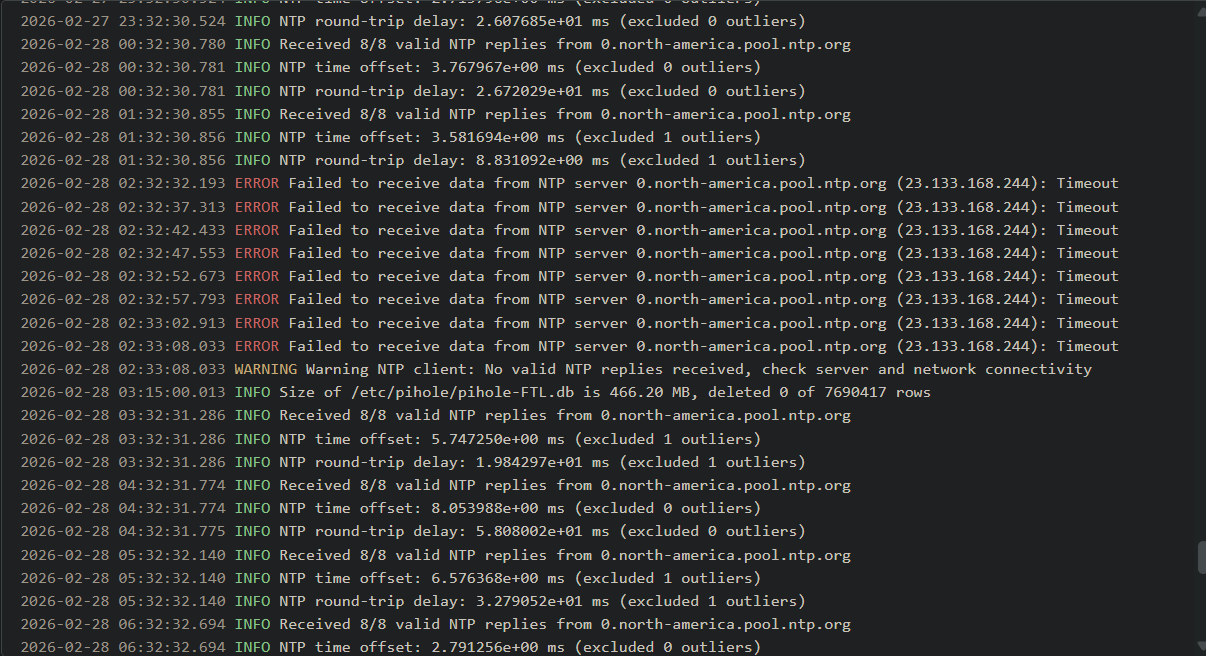
random NTP server errors:
Debug Token:
https://tricorder.pi-hole.net/vFgwmcJ5/
pihole -d
You enabled ntp.sync.active and added a NTP server, but the server you chose is not responding.
You can try to change the server to a different one.
If this doesn't work, you can simply disable ntp.sync.active, since your OS already uses its own built in NTP server.
Hi there,
I encountered the similar issue on my Raspberry Pi running Pi-hole v6.
The root cause is that Pi-hole v6 now includes an internal NTP client. If you are using a local recursive DNS like Unbound (127.0.0.1#5335), the DNSSEC
validation can sometimes take more than a second, which triggers a timeout in Pi-hole's NTP client, resulting in that “Cannot resolve NTP server address”
error in your FTL.log.
Since Raspberry Pi OS already uses systemd-timesyncd to keep the system clock accurate, Pi-hole's internal sync is redundant and can be safely disabled.
Here is how I resolved it:
-
Backup your configuration:
sudo cp /etc/pihole/pihole.toml /etc/pihole/pihole.toml.bak
-
Disable the internal NTP client:
Edit /etc/pihole/pihole.toml and find the [ntp] section. Set the sync to false:
ntp.sync.active = false
-
Apply the changes:
sudo systemctl restart pihole-FTL
After doing this, the errors disappeared from my logs, and the system time remains perfectly synced by the OS. Hope this helps!
@H0wMuch,
I see a [ntp.ipv4], a [ntp.ipv6], a [ntp.sync], a [ntp.sync.rtc] - but no [ntp] section. Also no setting called “ntp.sync.active”. there is the following:
[ntp.sync]

  active = true
Is this what you were referring to?
Hint, use Bash completion (double TAB) instead of searching through that .toml file and possibly make a mistake!
Eg:
$ sudo pihole-FTL
arp-scan           idn2               sha256sum
branch             --list-dhcp4       sqlite3
--config           --list-dhcp6       sqlite3_rsync
debug              --lua              tag
--default-gateway  lua                --teleporter
dhcp-discover      --luac             test
dnsmasq-test       luac               --tls-ciphers
-f                 no-daemon          --totp
--gen-x509         ntp                --v
gravity            --perf             -v
gzip               ptr                verify
-h                 --read-x509        version
--help             --read-x509-key    -vv
help               regex-test
$ sudo pihole-FTL --config
[..]
misc.readOnly
ntp.ipv4.active
ntp.ipv4.address
ntp.ipv6.active
ntp.ipv6.address
ntp.sync.active
ntp.sync.count
ntp.sync.interval
ntp.sync.rtc.device
ntp.sync.rtc.set
ntp.sync.rtc.utc
ntp.sync.server
$ sudo pihole-FTL --config ntp.sync.active
false  true