I am not wanting SSL regardless.
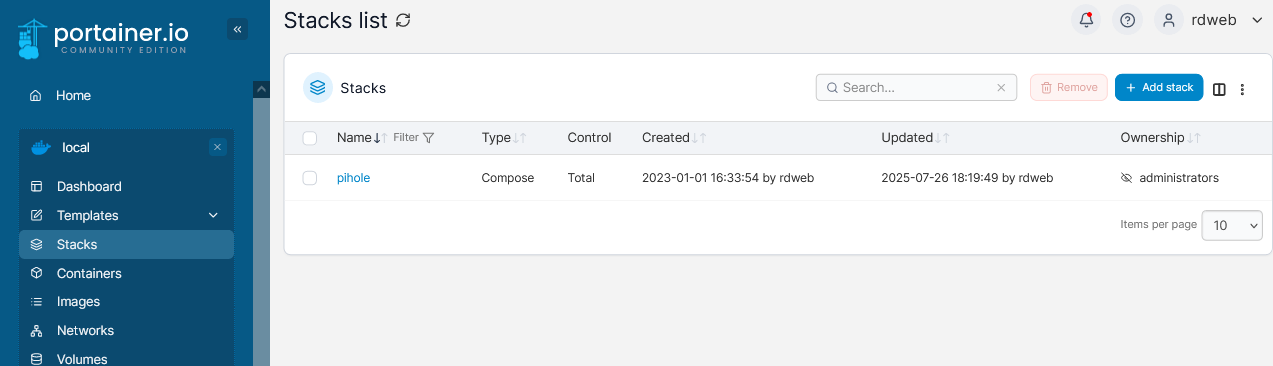
I did just make some environment additions and subtractions. Current env edits from Portainer edit;
FTLCONF_webserver_port=8080,8443s
FTLCONF_webserver_api_password=something
DNSMASQ_LISTENING=local
PATH=/usr/local/sbin:/usr/local/bin:/usr/sbin:/usr/bin:/sbin:/bin
DNSMASQ_USER=pihole
FTL_CMD=no-daemon
TZ=America/Chicago
FTLCONF_dns_upstreams=9.9.9.10;1.0.0.1
FTLCONF_debug_api=true
and current last few minutes log;
2025-07-28 12:54:57.133 CDT [51M] DEBUG_ANY: * STATUS: NO *
2025-07-28 12:54:57.133 CDT [51M] DEBUG_ANY: * CAPS: NO *
2025-07-28 12:54:57.133 CDT [51M] DEBUG_ANY: * DNSSEC: NO *
2025-07-28 12:54:57.133 CDT [51M] DEBUG_ANY: * VECTORS: NO *
2025-07-28 12:54:57.133 CDT [51M] DEBUG_ANY: * RESOLVER: NO *
2025-07-28 12:54:57.133 CDT [51M] DEBUG_ANY: * EDNS0: NO *
2025-07-28 12:54:57.133 CDT [51M] DEBUG_ANY: * CLIENTS: NO *
2025-07-28 12:54:57.133 CDT [51M] DEBUG_ANY: * ALIASCLIENTS: NO *
2025-07-28 12:54:57.133 CDT [51M] DEBUG_ANY: * EVENTS: NO *
2025-07-28 12:54:57.133 CDT [51M] DEBUG_ANY: * HELPER: NO *
2025-07-28 12:54:57.133 CDT [51M] DEBUG_ANY: * CONFIG: NO *
2025-07-28 12:54:57.133 CDT [51M] DEBUG_ANY: * INOTIFY: NO *
2025-07-28 12:54:57.133 CDT [51M] DEBUG_ANY: * WEBSERVER: NO *
2025-07-28 12:54:57.133 CDT [51M] DEBUG_ANY: * EXTRA: NO *
2025-07-28 12:54:57.133 CDT [51M] DEBUG_ANY: * RESERVED: NO *
2025-07-28 12:54:57.133 CDT [51M] DEBUG_ANY: * NTP: NO *
2025-07-28 12:54:57.133 CDT [51M] DEBUG_ANY: * NETLINK: NO *
2025-07-28 12:54:57.133 CDT [51M] DEBUG_ANY: ************************
2025-07-28 12:54:57.133 CDT [51M] INFO: 4 FTLCONF environment variables found (4 used, 0 invalid, 0 ignored)
2025-07-28 12:54:57.133 CDT [51M] INFO: [✓] FTLCONF_debug_api is used
2025-07-28 12:54:57.133 CDT [51M] INFO: [✓] FTLCONF_webserver_api_password is used
2025-07-28 12:54:57.134 CDT [51M] INFO: [✓] FTLCONF_webserver_port is used
2025-07-28 12:54:57.134 CDT [51M] INFO: [✓] FTLCONF_dns_upstreams is used
2025-07-28 12:54:57.135 CDT [51M] INFO: Wrote config file:
2025-07-28 12:54:57.135 CDT [51M] INFO: - 155 total entries
2025-07-28 12:54:57.135 CDT [51M] INFO: - 125 entries are default
2025-07-28 12:54:57.135 CDT [51M] INFO: - 30 entries are modified
2025-07-28 12:54:57.135 CDT [51M] INFO: - 3 entries are forced through environment
2025-07-28 12:54:57.319 CDT [51M] INFO: Parsed config file /etc/pihole/pihole.toml successfully
2025-07-28 12:54:57.320 CDT [51M] INFO: PID file does not exist or not readable
2025-07-28 12:54:57.320 CDT [51M] INFO: No other running FTL process found.
2025-07-28 12:54:57.320 CDT [51M] WARNING: Insufficient permissions to set process priority to -10 (CAP_SYS_NICE required), process priority remains at 0
2025-07-28 12:54:57.321 CDT [51M] INFO: PID of FTL process: 51
2025-07-28 12:54:57.321 CDT [51M] INFO: Not sleeping as system has finished booting
2025-07-28 12:54:57.322 CDT [51M] INFO: listening on 0.0.0.0 port 53
2025-07-28 12:54:57.322 CDT [51M] INFO: listening on :: port 53
2025-07-28 12:54:57.323 CDT [51M] INFO: PID of FTL process: 51
2025-07-28 12:54:57.323 CDT [51M] INFO: Database version is 21
2025-07-28 12:54:57.324 CDT [51M] INFO: Database successfully initialized
2025-07-28 12:54:58.658 CDT [51M] INFO: Imported 71651 queries from the on-disk database (it has 2110918 rows)
2025-07-28 12:54:58.658 CDT [51M] INFO: Parsing queries in database
2025-07-28 12:54:58.720 CDT [51M] INFO: 10000 queries parsed...
2025-07-28 12:54:58.766 CDT [51M] INFO: 20000 queries parsed...
2025-07-28 12:54:58.813 CDT [51M] INFO: 30000 queries parsed...
2025-07-28 12:54:58.854 CDT [51M] INFO: 40000 queries parsed...
2025-07-28 12:54:58.892 CDT [51M] INFO: 50000 queries parsed...
2025-07-28 12:54:58.944 CDT [51M] INFO: 60000 queries parsed...
2025-07-28 12:54:58.998 CDT [51M] INFO: 70000 queries parsed...
2025-07-28 12:54:59.006 CDT [51M] INFO: Imported 71646 queries from the long-term database
2025-07-28 12:54:59.006 CDT [51M] INFO: -> Total DNS queries: 71646
2025-07-28 12:54:59.006 CDT [51M] INFO: -> Cached DNS queries: 56927
2025-07-28 12:54:59.006 CDT [51M] INFO: -> Forwarded DNS queries: 8172
2025-07-28 12:54:59.006 CDT [51M] INFO: -> Blocked DNS queries: 4620
2025-07-28 12:54:59.006 CDT [51M] INFO: -> Unknown DNS queries: 0
2025-07-28 12:54:59.006 CDT [51M] INFO: -> Unique domains: 1856
2025-07-28 12:54:59.006 CDT [51M] INFO: -> Unique clients: 42
2025-07-28 12:54:59.006 CDT [51M] INFO: -> DNS cache records: 586
2025-07-28 12:54:59.006 CDT [51M] INFO: -> Known forward destinations: 5
2025-07-28 12:54:59.457 CDT [51M] INFO: NTP sync is disabled
2025-07-28 12:54:59.457 CDT [51M] INFO: FTL is running as user pihole (UID 1000)
2025-07-28 12:54:59.457 CDT [51M] DEBUG_API: Error pages path: /var/www/html/admin/
2025-07-28 12:54:59.457 CDT [51M] DEBUG_API: Prefix webhome path: /admin/
2025-07-28 12:54:59.457 CDT [51M] DEBUG_API: API URI path: /api
2025-07-28 12:54:59.457 CDT [51M] DEBUG_API: Admin API URI path: /admin/api
2025-07-28 12:54:59.457 CDT [51M] DEBUG_API: Login URI path: /admin/login
2025-07-28 12:54:59.457 CDT [51M] ERROR: Start of webserver failed!. Web interface will not be available!
2025-07-28 12:54:59.457 CDT [51M] ERROR: Error: Error initializing SSL context (error code 3.0)
2025-07-28 12:54:59.457 CDT [51M] ERROR: Hint: Check the webserver log at /var/log/pihole/webserver.log
2025-07-28 12:54:59.458 CDT [51M] INFO: Blocking status is enabled
2025-07-28 12:54:59.622 CDT [51/T82] INFO: Compiled 0 allow and 8 deny regex for 42 clients in 62.7 msec