Hi folks,
i am probably just another idiot not finding the right topic, but i promise, i tried 
Expected Behaviour:
So i am new into pi-hole. I installed the docker in my docker vm in proxmox and dns functionality worked like a charm. I expected to have just a smooth running DHCP and DNS.
Stats:
- i7-6820EQ with 16 Gigs of RAM
- Linux 6.8.12-4-pve / pve-manager/8.3.1
- docker buildx v0.26.1
- docker compose v2.39.1
# More info at https://github.com/pi-hole/docker-pi-hole/ and https://docs.pi-hole.net/
services:
  pihole:
    container_name: pihole
    image: pihole/pihole:latest
    network_mode: host
    #ports:
      # DNS Ports
    #  - "53:53/tcp"
    #  - "53:53/udp"
      # Default HTTP Port
    #  - "80:80/tcp"
      # Default HTTPs Port. FTL will generate a self-signed certificate
    #  - "443:443/tcp"
      # Uncomment the line below if you are using Pi-hole as your DHCP server
      #- "67:67/udp"
      # Uncomment the line below if you are using Pi-hole as your NTP server
      #- "123:123/udp"
    environment:
      # Set the appropriate timezone for your location (https://en.wikipedia.org/wiki/List_of_tz_database_time_zones), e.g:
      TZ: 'Europe/Berlin'
      # Set a password to access the web interface. Not setting one will result in a random password being assigned
      FTLCONF_webserver_api_password: 'correct horse battery staple'
      # If using Docker's default `bridge` network setting the dns listening mode should be set to 'all'
      FTLCONF_dns_listeningMode: 'all'
    # Volumes store your data between container upgrades
    volumes:
      # For persisting Pi-hole's databases and common configuration file
      - './etc-pihole:/etc/pihole'
      # Uncomment the below if you have custom dnsmasq config files that you want to persist. Not needed for most starting fresh with Pi-hole v6. If you're upgrading from v5 you and have used this directory before, you should keep it enabled for the first v6 container start to allow for a complete migration. It can be removed afterwards. Needs environment variable FTLCONF_misc_etc_dnsmasq_d: 'true'
      #- './etc-dnsmasq.d:/etc/dnsmasq.d'
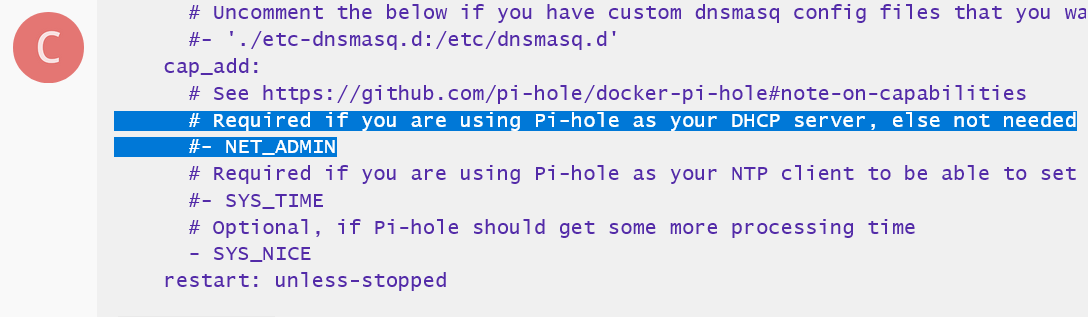
    cap_add:
      # See https://github.com/pi-hole/docker-pi-hole#note-on-capabilities
      # Required if you are using Pi-hole as your DHCP server, else not needed
      #- NET_ADMIN
      # Required if you are using Pi-hole as your NTP client to be able to set the host's system time
      #- SYS_TIME
      # Optional, if Pi-hole should get some more processing time
      - SYS_NICE
    restart: unless-stopped
Actual Behaviour:
So far i have a router serving as dhcp, which i wanted to replace with pi-hole dhcp - and here starts the fight:
After activating dhcp the status in the left top says dns server failure which correlates to the problem of not getting resolved URLs anymore. Deactivating will reset the behaviour, DNS works again.