I don't see that button! Have tried with Firefox and Chrome, tried enabling all cookies etc. but it doesn't show. I started using Pi-hole for exactly the same reasons as Macenstine ...
I'm still not seeing a button at the top of the page. Is it possibly because I only just signed up for this forum the other night and my account is too new to be allowed to vote on things yet?
Probably.
The "new user" level is restrictive, but you will be automatically "upgraded" to another level soon.
Just read a few more topics and posts to increase your level.
I've read and contributed to posts.
There's still no option to vote, and it's still stuck at one vote. Which is definitely unrepresentative of the feelings in this thread.
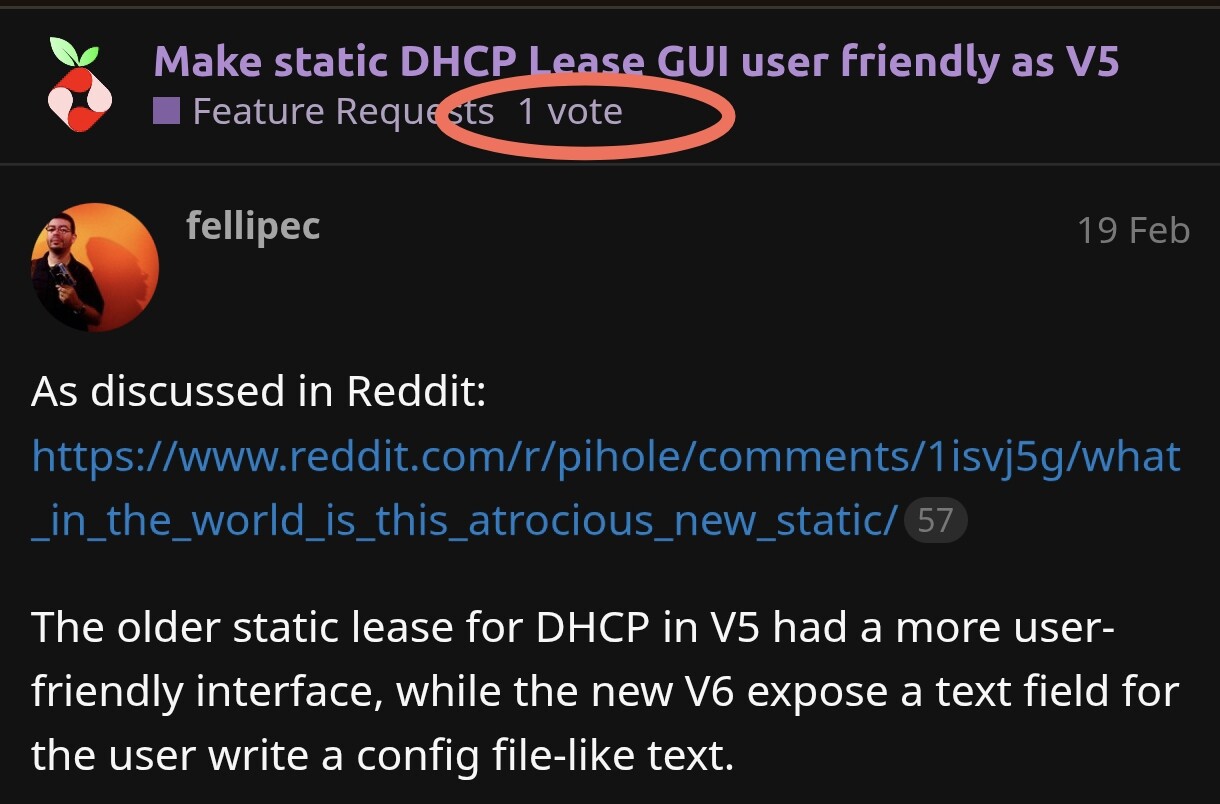
Try again. I tried to be clever and move some previous team comments into the orignal topic but it messed up the timeline.
I have now pasted the complete conversation into the first response to this topic, which can be viewed here
I've recreated the topic and you should now be able to cast your vote.
Edit:
To clarify voting entitlements - user's with the trust level "New User" cannot vote on feature requests. Once you have spent a little time on the forum and interacted with enough topics the system will automatically upgrade your trust level and allow you to vote - but I wont go into the specifics of the exact requirements.
1 Like
Your changes have fixed it, I've now doubled the votes to a clear land-slide of 2!
I just created an account to vote for this. I suspect that thousands of users don't even know that this is a thing to revert the DHCP setting to something manageable and usable. I tried to vote but its saying I have hit my limit of 0 votes so someone please take into account another vote for fixing this.
I consider this a massive issue, a tightly coupled DDI solution requires both DNS and DHCP and the DHCP gui is at best problematic. I lurked on this thread months ago before the voting thing came up.
I like it very much the way it is.
It easily allows to copy/paste the whole lot and mass edit.
And its true to the dnsmasq syntax:
EDIT: Plus its usually beginners inexperienced users that try to mass control and micro manage IPv4 DHCP leases while they dont know whats coming with IPv6.
The only static DHCP leases I have is for network critical devices like routers, switches & Pi-hole.
But thats only as a fallback for in case the manual static IP address configured on them is failing.
Like a new install, firmware update or tinker mistake.
So I only have four at the moment: my second Pi-hole node; switch; hypervisor; and my NAS.
The rest gets a lease via DHCP without reservation.
And most advertise a name that I can use to connect eg:
$ ssh arcade02
dehakkelaar@arcade02's password:
I tried to unite both worlds this morning. Please have a look at the movie in
You are invited to test this locally by running
sudo pihole checkout web new/simple-dhcp-static-leases
I signed up hat to say yes, bring back the v5 user interface for static IPs. Hopefully I can vote now
Agreed. the new pihole static dhcp UI isn’t really an interface at all. I just started to investigate switching my dhcp server to pihole, and ran into this static dhcp config ui and immediately ended my desire to use pihole for DHCP.
I'll remind everyone that the DHCP server in Pi-hole was intended to be a fallback for people that had routers from their ISPs that locked out the ability to modify the DNS servers provided to the LAN clients.
Did any of the FR supporters had a chance to take a look DL6ER's improvement efforts yet?
It's been almost two months now since he posted that, and there hasn't been any feedback so far.
I am just testing @DL6ER’s solution. I have some UX nitpicks, but generally it seems like a good tradeoff and a step towards improving the situation.
The biggest problem for me (with a long-ish table with ~80 items) is that it’s still really hard to manage, as you need to be scrolling up and down all the time. Most of the time, my goal in this page is to review new devices on the network (that got assigned a random ip from the dhcp range) and move them into their “conceptual” range; (for example printers in the 100-125 range, APs in the 200-225 range, etc).
This attempt makes it less text-editing intensive, but my task remains complicated as it is.
I think the UX for users with large lease tables could be much improved if you could tell in “Currently active DHCP leases” table if an item is already on the static list or not. This way at least you can sort by that column, and separate dynamic from static leases (they are currently mixed, and there’s no way to separate).
In an ideal world, I think there would be a single table mixing the static and dynamic dhcp leases. There would be a column (or 3) stating if the lease is dynamic, static or both. There would also be buttons (similar to the ones you added for this branch) allowing the removal of each item form either list (dynamic or static), and a button to transfer from the dynamic to the static.
I can see how this clashes with the current API, where you have two endpoints (dynamic and static leases), and it becomes quite a lot of work to handle the state of both tables in the frontend; but the previous version (pi-hole v5) really made it a breeze to do all of this, so it’s hard not to see it like a regression.
just found all of this - and pasted the command to run the test - scary warning !
what is the go back to revert back to the main branch ?
It looks a lot better from the video than the current text entry box & I would like to try it out. FYI I have assigned a small dhcp range and assign all permanent fixtures specific IP addresses (lots of home automation) . Currently I manualy cut & paste in the text box to sort into IP address order.
I do like the idea of a single (editable) table as noted by armadillu (can’t use the at symbol as I am a newbie)
my apologies - I checked with Perplexity AI for the revert instructions
sudo pihole checkout web master
- so that is sorted
Improvement - definitely an improvement - but could the Advanced options not be held as a comment in an extra column - don’t need to decode them; just give the MAC IP and host name as already done for ALL entries - with a flag to indicate you should do further editing in the text table - at least then there would be some order and visibility

I’ve hacked around the code to test out my proposed tweaks, in case anyone wants to test it out: Comparing pi-hole:new/simple-dhcp-static-leases...armadillu:new/simple-dhcp-static-leases · pi-hole/web · GitHub
It basically adds one extra column on the “Currently active DHCP leases” named “Lease Type” which can be “dynamic” or “static”. This allows to quickly see if an active lease is just a random IP or a static one.
It also add a new column in the “Static DHCP configuration” table, named “Active Lease”. If one of the static DHCP entries is in the dynamic table, it will list as “yes”, otherwise “no”.
It is still quite clumsy to use, but it helps a lot with my task. I still think merging both tables into a single mixed one would lead to a clearer UI for the user. I am unsure about the need of needing to maintain the static table state in two locations (the html table AND the text field), as I can see this being a source of trouble. I would maybe keep the HTML table at all times, but allow the user to export to the text format (and also import).
thanks - but I am not seeing a change ( I originally reverted to the main branch after testing your branch; then today invoked your branch again) I presume I am doing something wrong (my friendly AI gave me a whole pile of git things to do which at the moment I am unwilling to take on). I did clear my browser cache and also rebooted the pihole again after making the switch to your fork but continue to see the same table as in my screen shot above