Running Pi-hole (Core 6.4.3 FTL 6.7.1 Webinterface 6.6) on a Pi5 with lastest Trixie (headless).
Yesterday I added incoming.telemetry.mozilla.orgto the allowed domains by clicking on Allow in QueryLog, but it is still being blocked. Clicking again on "Allow" gives me this error:
"Timeou or network connection error"
Any idea what I might be doing wrong?
If you clicked on the "Allow" button, the domains was added to the Domains page as an allowed domain.
This message is broken (already fixed in development).
The real message should be "Item already in database", which confirms the allowlist was correctly added.
Note: Past queries will still show up in the Query Log as "Blocked", since the query log shows the query history, but new queries for that domain should be allowed.
Are you sure the queries marked as "blocked" are new ones?
Please check the time column to make sure you are seeing the most recent queries.
If new queries are still blocked, please generate a debug log (sudo pihole -d), upload the log when asked (answer "Y") and post here only the Token.
IIRC you can kill a lot of that stuff via about:config in Firefox 
A lot of it is also Disabled by Default in LibreWolf which is basically Firefox + uBlock Origin + A lot of Privacy related optimizations.
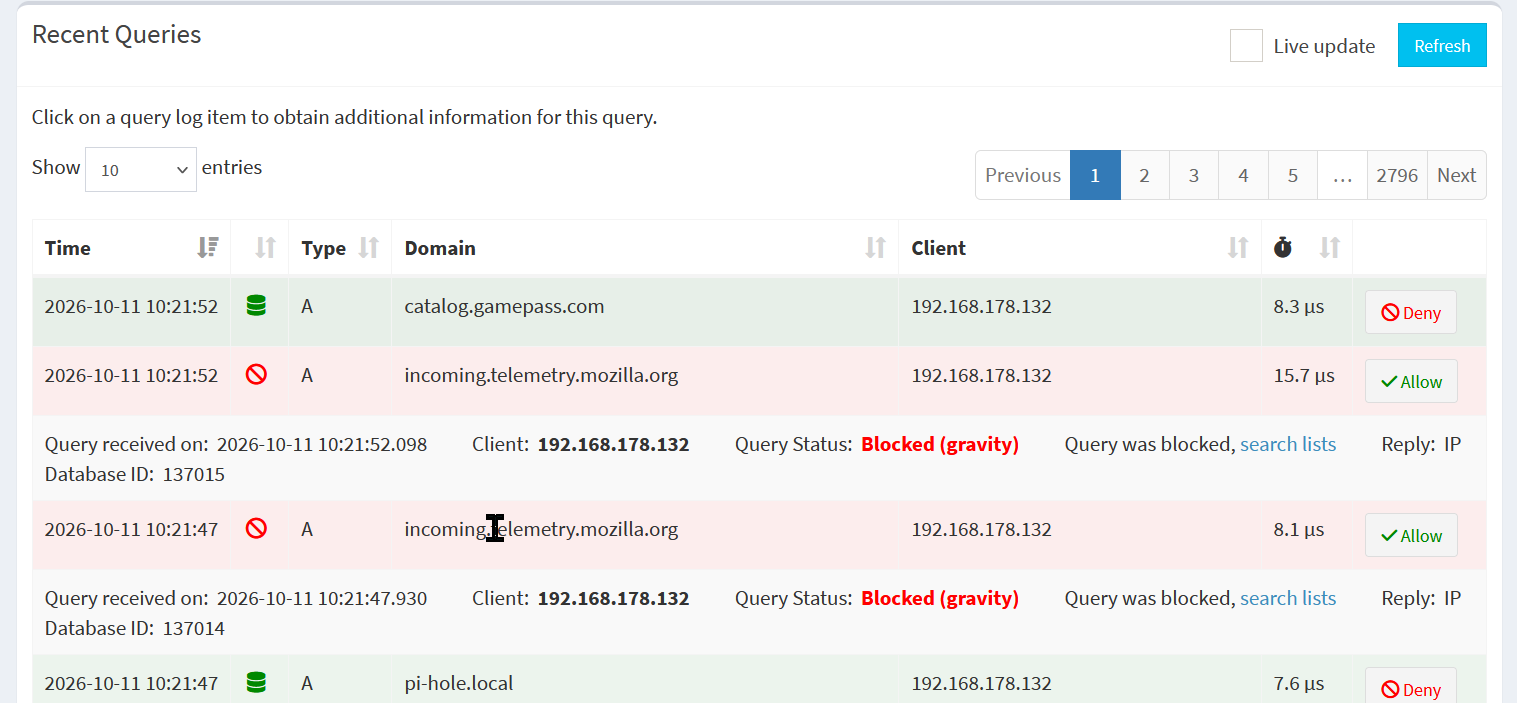
I understand that blocked sites from the past are still shown as blocked. I added the domain 2 days ago:
This is what I see today:
Here is the token:
https://tricorder.pi-hole.net/VgXNEAlc/
I now also see this problem with sp.ecosia.org
Pi-hole is working as expected, but apparently you didn't understand how the group management works.
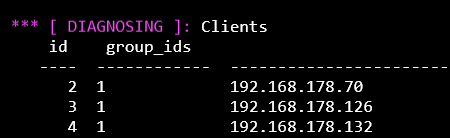
Your debug log shows the client 192.168.178.132 is assigned to the group with ID=1:
But all your allow rules are assigned only to the Default group (ID=0).
If you want to allow a domain for a client, the allow rule must be assigned to the same group as the client.
Solution 1:
Go to the Domains page. On the "Group Assignment" column, select both groups and click on "Apply".
Solution 2:
Go to the Clients page. Find the client and on the "Group Assignment" column, select both groups and click on "Apply".
Thx, shame on me that I overlooked this