### Author:  [@heyfrank](https://discourse.pi-hole.net/u/heyfrank)
#### Post date: [September 1, 2017, 1:22am UTC](https://discourse.pi-hole.net/t/customize-block-page/4693/1 "2017-09-01T01:22:21Z")
Please allow us to customize the block page and not stop our pi-hole from updating. I'd love to be able to add a Leslie South Park themed block page for my users at home to get a chuckle out of it whenever an AD is blocked.
---
### Author:  [@Anudeep](https://discourse.pi-hole.net/u/Anudeep)
#### Post date: [September 1, 2017, 3:02am UTC](https://discourse.pi-hole.net/t/customize-block-page/4693/2 "2017-09-01T03:02:28Z")
Hi there!
Block page contents are stored in `/var/www/html/pihole`, and whatever modification you done to those files will remain as it is after updating Pi-Hole.
---
### Author:  [@heyfrank](https://discourse.pi-hole.net/u/heyfrank)
#### Post date: [September 1, 2017, 3:57am UTC](https://discourse.pi-hole.net/t/customize-block-page/4693/3 "2017-09-01T03:57:06Z")
Wally3k in a thread mentioned that modifying these files will cease the updates from updating? Is this not true then?
---
### Author:  [@Anudeep](https://discourse.pi-hole.net/u/Anudeep)
#### Post date: [September 1, 2017, 9:54am UTC](https://discourse.pi-hole.net/t/customize-block-page/4693/4 "2017-09-01T09:54:33Z")
I have modified my Pi-Hole block page, since then there were 3 Pi-Hole updates nothing modified yet. It's currently running on Ubuntu server 16.04
---
### Author:  [@hiltonmw](https://discourse.pi-hole.net/u/hiltonmw)
#### Post date: [September 1, 2017, 7:03pm UTC](https://discourse.pi-hole.net/t/customize-block-page/4693/5 "2017-09-01T19:03:43Z")
Also, since you're now using AdminLTE, would it be simple enough to create a slight templating type system where people could create their own custom block pages?
Title
Description
Image(s)
URLs
etc...
A la, we pick from variables that are system set in settings, or we set our own, statically. Also perhaps the community could help with themes.
---
### Author:  [@jacob.salmela](https://discourse.pi-hole.net/u/jacob.salmela)
#### Post date: [October 28, 2017, 3:43am UTC](https://discourse.pi-hole.net/t/customize-block-page/4693/6 "2017-10-28T03:43:29Z")
This will be implemented in v3.2
>
>
> \*\*By submitting this pull request, I confirm the following (please check boxes, …eg \[X\]) \_Failure to fill the template will close your PR\_:\*\*
>
> \*\*\*Please submit all pull requests against the \`development\` branch. Failure to do so will delay or deny your request\*\*\*
>
> \- \[x\] I have read and understood the \[contributors guide\](https://github.com/pi-hole/pi-hole/blob/master/CONTRIBUTING.md).
> \- \[x\] I have written tests and verified that they fail without my change.
> \- \[x\] I have squashed any insignificant commits.
> \- \[x\] This change has comments for package types, values, functions, and non-obvious lines of code.
> \- \[x\] I am willing to help maintain this change if there are issues with it later.
> \- \[x\] I give this submission freely and claim no ownership. It is compatible with the EUPL 1.2 license.
> \- \[x\] I have Signed Off all commits. (\`git commit --signoff\`)
>
> \*\*\*Please explain what you have done and wish to accomplish with this Pull Request\*\*\*
>
> 1. What does this change do, exactly?
> Install script detects whether or not \`/var/www/html/pihole/custom.php\` exists, and if so, changes \`/etc/lighttpd/lighttpd.conf\`'s \`server.error-handler-404\` entry to point at that instead.
>
> If user wishes to create \`custom.php\` post-install, then they can run \`pihole -r\` to fix their \`lighttpd.conf\`
>
> The upshot of this, is that we can push out changes to \[our own default blockpage\](https://github.com/pi-hole/pi-hole/pull/1416), without worrying about overwriting a user's custom page, provided their changes are kept separately in \`custom.php\`
>
> 2. Please link to the relevant issues.
>
> 3. Which documentation changes (if any) need to be made because of this PR?
---
### Author:  [@MrStyles](https://discourse.pi-hole.net/u/MrStyles)
#### Post date: [April 20, 2019, 8:20pm UTC](https://discourse.pi-hole.net/t/customize-block-page/4693/7 "2019-04-20T20:20:23Z")
We are at v4 and it still isn't available. I followed instructions to create a custom block page from here:"[https://www.reddit.com/r/pihole/comments/a9v7jj/how\_to\_install\_a\_custom\_block\_page\_for\_websites/](https://www.reddit.com/r/pihole/comments/a9v7jj/how_to_install_a_custom_block_page_for_websites/)", but it only works for error 404 (if you try to access the pi hole by ip address) it does not work for "Error Code: INET\_E\_RESOURCE\_NOT\_FOUND"
---
### Author:  [@DanSchaper](https://discourse.pi-hole.net/u/DanSchaper)
#### Post date: [April 20, 2019, 11:18pm UTC](https://discourse.pi-hole.net/t/customize-block-page/4693/8 "2019-04-20T23:18:49Z")
Block pages can only work for 404 and IP blocking mode. The page is pretty much going to go away as it does not work for https, Null blocking or NXDOMAIN blocking and the performance gain of Null/NX is so much that is makes the use of blocking pages a performance penalty.
---
### Author:  [@MrStyles](https://discourse.pi-hole.net/u/MrStyles)
#### Post date: [April 22, 2019, 2:14am UTC](https://discourse.pi-hole.net/t/customize-block-page/4693/9 "2019-04-22T02:14:33Z")
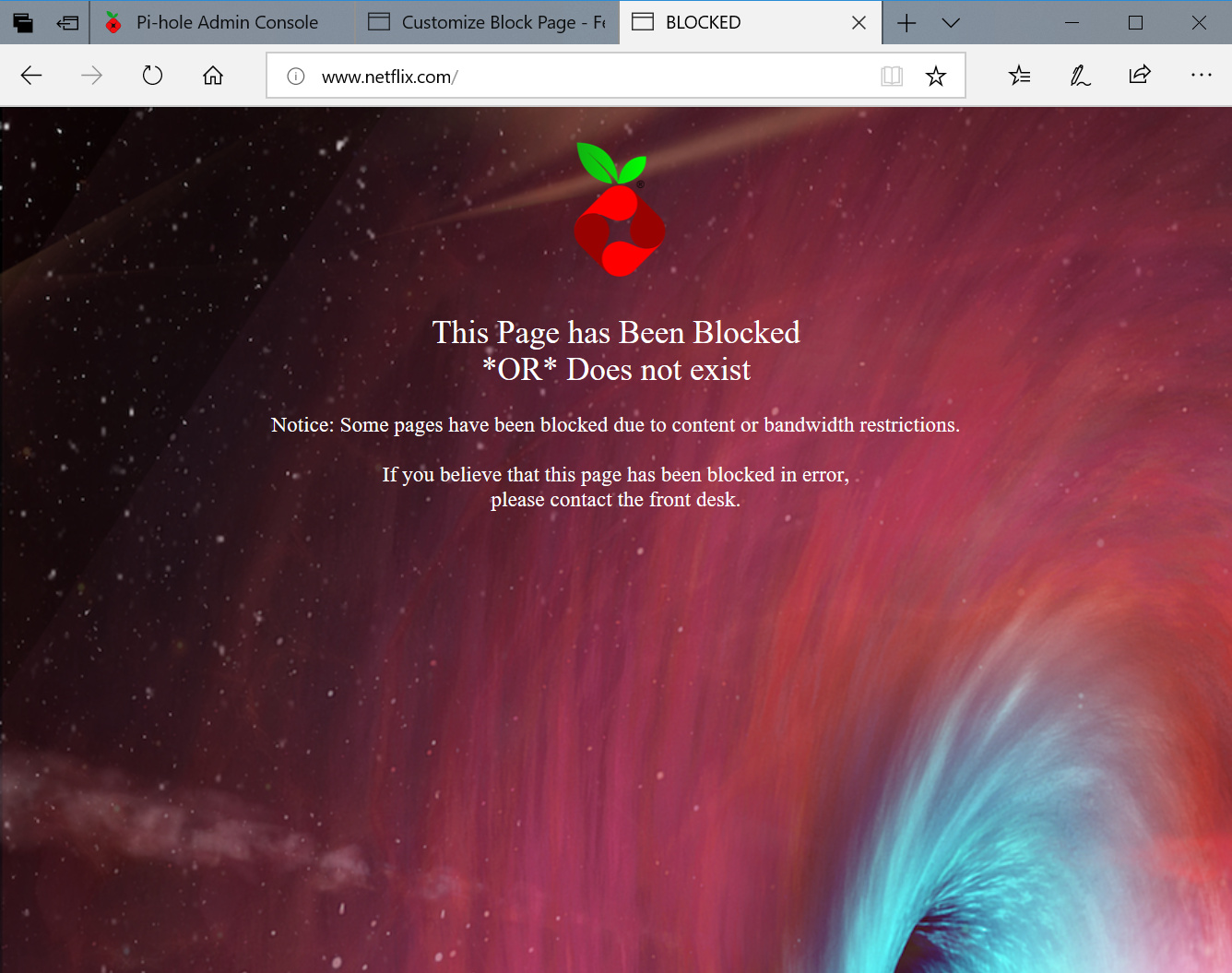
Actually I got it working. The instructions were incorrect. BLOCKINGMODE=IP-NODATA-AAAA works. It works because the redirect created in that block mode goes to the IP address of the PI Hole which returns a 404 error and loads the custom page. The NULL does not because it returns an address of 0.0.0.0. I also copied image files to the custom block page location so that the images can be supplied locally. Image files referenced in the HTML must contain the folder address of "pihole/[imagename]". It works for all addresses including https. Although occasionally pi hole lags and the browser times out so the page dos not load (usually because the computer I'm using for the Pi Hole has gone into power save and doesn't wake up the HDD on time).
I'm using an old laptop - Dell Inspiron 2650 - for the Pi Hole.
The only trouble I'm having now is that the touchpad stopped working right after I started using a mouse. I've tried to fix it, but no success... Oh well, something for another thread.
---
### Author:  [@MrStyles](https://discourse.pi-hole.net/u/MrStyles)
#### Post date: [April 22, 2019, 6:10am UTC](https://discourse.pi-hole.net/t/customize-block-page/4693/10 "2019-04-22T06:10:58Z")
Here are the refined instructions for my particular block page setup...
How to set up a custom block page in Pi-Hole:
1. Create a folder in your documents folder called "CustomBlockPage".
2. Copy the following files from the Pi-Hole web site into the folder:
```auto
https://pi-hole.net/wp-content/uploads/2016/12/Vortex-R.png (Logo)
https://piholenet.b-cdn.net/wp-content/uploads/2017/03/pihole-llc.png (Background)
```
1. Open a terminal window with LXTerminal.
2. Copy the image files to the Pi-Hole block page folder:
```auto
sudo cp /home/[Your user name]/Documents/CustomBlockPage/*.* /var/www/html/pihole
```
1. Create an HTML file for your custom block page with the name "CustomBlockPage.htm" and paste the HTML code in the file:
(NOTE: Do not use LeafPad to make the file because it does not correctly format text for our purposes.)
```auto
sudo nano /var/www/html/pihole/CustomBlockPage.htm
```
```auto
BLOCKED

This Page has Been Blocked
*OR* Does not exist
Notice: Some pages have been blocked due to content or bandwidth restrictions.
If you believe that this page has been blocked in error,
please contact the front desk.
```
Save and close.
1. Set your file's permissions:
```auto
sudo chmod +x /var/www/html/pihole/CustomBlockPage.htm
```
1. Open the "lighttpd.conf" file to change the error handler for 404 file not found errors so that the custom block page opens instead of the default:
```auto
sudo nano /etc/lighttpd/lighttpd.conf
```
1. Comment out the line "server.error-handler-404="pihole/index.php"" with "#", then add a new line with the custom block page file:
```auto
#server.error-handler-404="pihole/index.php"
server.error-handler-404="pihole/CustomBlockPage.htm"
```
Save and exit.
1. Restart the lighttpd service:
```auto
sudo service lighttpd restart
```
1. Change the blocking mode to "IP-NODATA-AAAA" in the "pihole-FTL.conf" file by adding a block mode line:
```auto
sudo nano /etc/pihole/pihole-FTL.conf
```
add this line:
```auto
BLOCKINGMODE=IP-NODATA-AAAA
```
Save and exit.
(Note: "IP-NODATA-AAAA" returns the IP address of the Pi-Hole as the page location. When Pi-Hole tries to load the page, it returns a 404 error and re-directs to the custom block page. Null returns an IP of 0.0.0.0 which will not help directing to the block page. "IP" and the other options also do not return a useful IP address for our purposes.)
1. Restart the pihole-FTL service:
```auto
`sudo service pihole-FTL restart`
```
Congratulations, your block page is now ready.
Please Note: You may have to flush the DNS caches and browser cashes on the computers in your network for all the changes to take effect.
---
### Author:  [@slowz3r](https://discourse.pi-hole.net/u/slowz3r)
#### Post date: [May 2, 2019, 11:49pm UTC](https://discourse.pi-hole.net/t/customize-block-page/4693/11 "2019-05-02T23:49:12Z")
So I have followed your instructions. Now rather than the normal page I get an "ERR\_SSL\_PROTOCOL\_ERROR" on the pages i try to visit and not a block page.
---
### Author:  [@MrStyles](https://discourse.pi-hole.net/u/MrStyles)
#### Post date: [May 29, 2019, 12:41am UTC](https://discourse.pi-hole.net/t/customize-block-page/4693/12 "2019-05-29T00:41:26Z")
I take it you are probably using Chrome. I don't use Chrome. Here is a troubleshooting article for Chrome related to the error: [https://www.thesslstore.com/blog/fix-err-ssl-protocol-error/](https://www.thesslstore.com/blog/fix-err-ssl-protocol-error/)
---
### Author:  [@Mcat12](https://discourse.pi-hole.net/u/Mcat12)
#### Post date: [July 30, 2019, 7:16pm UTC](https://discourse.pi-hole.net/t/customize-block-page/4693/13 "2019-07-30T19:16:12Z")
A post was split to a new topic: [Error with custom web page](https://discourse.pi-hole.net/t/error-with-custom-web-page/22042)
---
### Author:  [@duceduc](https://discourse.pi-hole.net/u/duceduc)
#### Post date: [August 2, 2019, 9:10pm UTC](https://discourse.pi-hole.net/t/customize-block-page/4693/14 "2019-08-02T21:10:51Z")
Saving images in pihole folder is save for any future Pihole update? If not, what is the best approach to saving the images too?
> [@](#):
>
> /var/www/html/pihole
---
### Author:  [@duceduc](https://discourse.pi-hole.net/u/duceduc)
#### Post date: [August 3, 2019, 12:56am UTC](https://discourse.pi-hole.net/t/customize-block-page/4693/15 "2019-08-03T00:56:04Z")
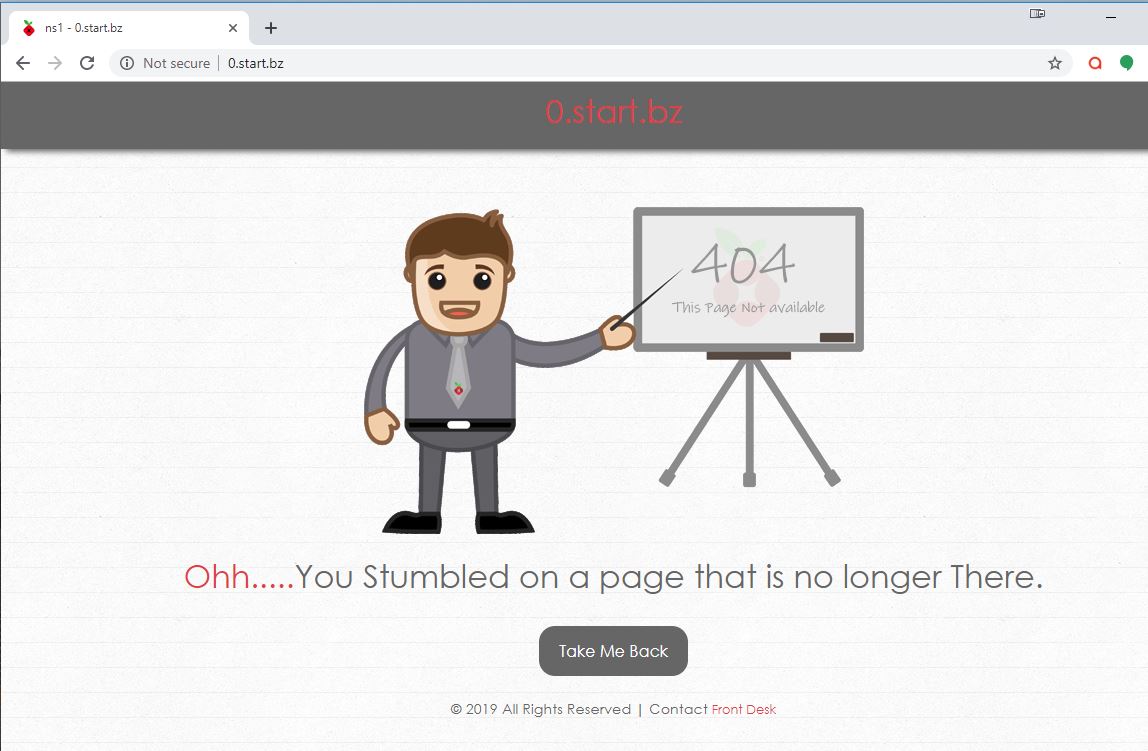
Cool Thanks. Here is mine. I tried it 3 times and all after loading a block domain in url bar would download the file and not show the 404 page. It turns out that I only need to add the 'ip' to this line instead.
```
BLOCKINGMODE=IP
```
If you are using a bg image, most likely the image will not fill the entire screen on mobile and will tile to fill in the rest. Add these 2 lines to your css block if you are using a .css file.
```
background-size: cover;
background-repeat: no-repeat;
```
---
### Author:  [@Passawit\_R](https://discourse.pi-hole.net/u/Passawit_R)
#### Post date: [September 1, 2019, 5:29pm UTC](https://discourse.pi-hole.net/t/customize-block-page/4693/16 "2019-09-01T17:29:46Z")
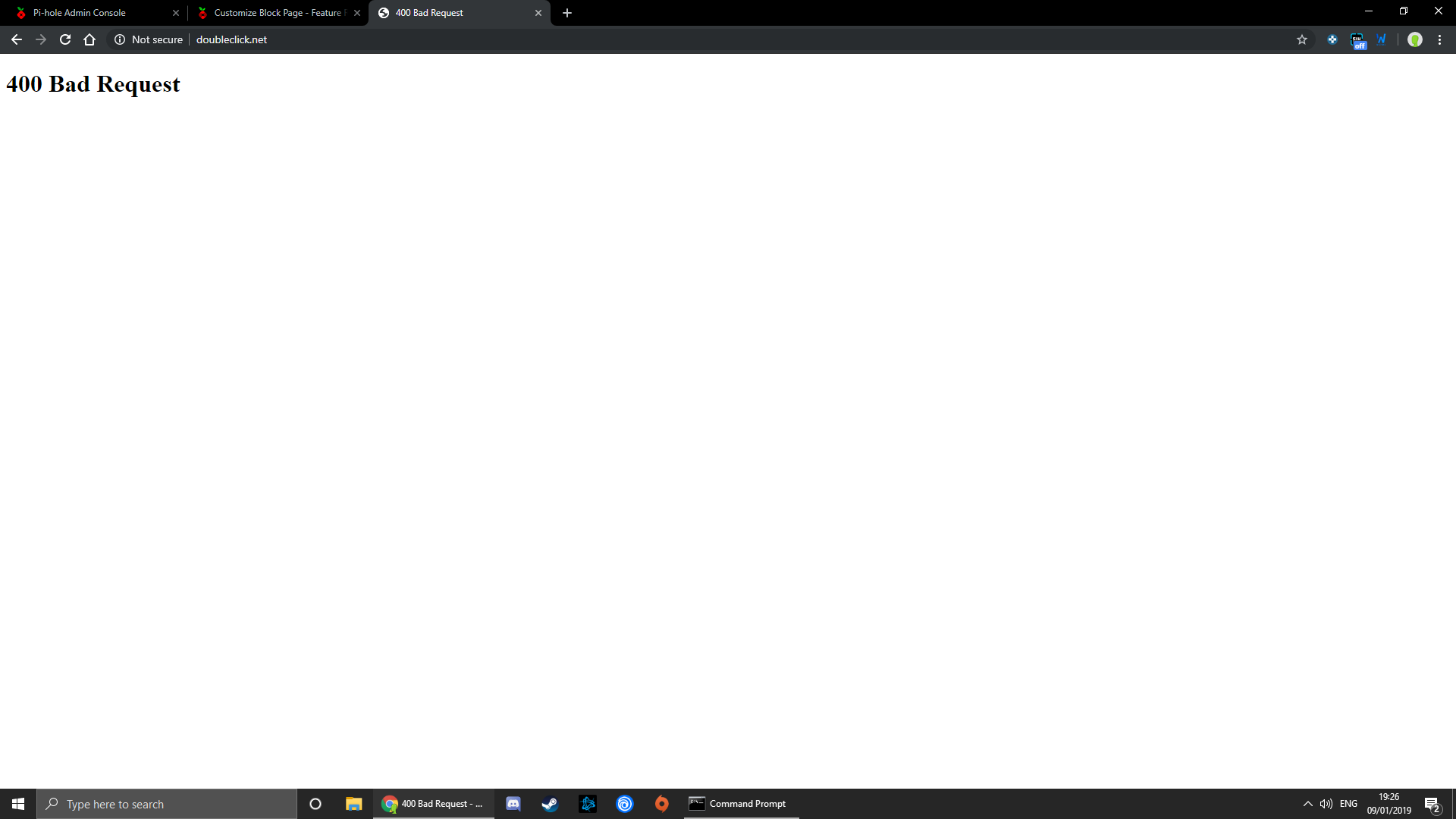
I followed all of your instructions and I got an 400 Bad Request as shown in an image instead of your custom block page
Please Help!!!
I am running pi-hole on debian
---
### Author:  [@Adam\_Webb](https://discourse.pi-hole.net/u/Adam_Webb)
#### Post date: [September 9, 2019, 8:05pm UTC](https://discourse.pi-hole.net/t/customize-block-page/4693/17 "2019-09-09T20:05:05Z")
I did all the steps above and I still get the default block screen. Any ideas?
---
### Author:  [@notyourhelpdesk](https://discourse.pi-hole.net/u/notyourhelpdesk)
#### Post date: [October 30, 2019, 10:59pm UTC](https://discourse.pi-hole.net/t/customize-block-page/4693/18 "2019-10-30T22:59:11Z")
so this works fine in IE. However, if I launch a blocked site in Chrome it prompts a download dialog box with a file name "download".
Anyone else have this issue?

---
### Author:  [@patryk](https://discourse.pi-hole.net/u/patryk)
#### Post date: [January 11, 2020, 3:46pm UTC](https://discourse.pi-hole.net/t/customize-block-page/4693/20 "2020-01-11T15:46:58Z")
Hey all!
first time playing with the pi-hole and i really dont have much scripting skills.
Long story short i wanted to make sure that when something is blocked that my wife when working home will know its because of my "toys".. this way i can quickly fix it.
i followed the above guide however it didnt work well so i looked up another guide which suggested using php instead of htm..
**Here are the refined instructions for my particular block page setup…**
How to set up a custom block page in Pi-Hole:
1. On the pi-hole go to the /var/www/html/pihole folder
2. type the following:
```auto
wget https://pi-hole.net/wp-content/uploads/2016/12/Vortex-R.png
wget https://piholenet.b-cdn.net/wp-content/uploads/2017/03/pihole-llc.png
```
1. Create an PHP file for your custom block page with the name “CustomBlockPage.php” and paste the HTML code in the file:
(NOTE: Do not use LeafPad to make the file because it does not correctly format text for our purposes.)
`sudo nano /var/www/html/pihole/CustomBlockPage.php`
```auto
BLOCKED
This Page has Been Blocked
*OR* Does not exist
Notice: Some pages have been blocked due to content or bandwidth restrictions.
If you believe that this page has been blocked in error,
please contact the front desk.
```
Save and close.
1. Set your file’s permissions:
`sudo chmod +x /var/www/html/pihole/CustomBlockPage.php`
1. Open the “lighttpd.conf” file to change the error handler for 404 file not found errors so that the custom block page opens instead of the default:
`sudo nano /etc/lighttpd/lighttpd.conf`
1. Comment out the line “server.error-handler-404=“pihole/index.php”” with “#”, then add a new line with the custom block page file:
```auto
#server.error-handler-404="pihole/index.php"
server.error-handler-404="pihole/CustomBlockPage.php"
```
Save and exit.
1. Restart the lighttpd service:
`sudo service lighttpd restart`
1. Change the blocking mode to “IP” in the “pihole-FTL.conf” file by adding a block mode line:
\*_note: I changed mine ti BLOCKINGMODE=IP its up to you_
**Blocking modes options** : [https://docs.pi-hole.net/ftldns/blockingmode0/](https://docs.pi-hole.net/ftldns/blockingmode0/)
`sudo nano /etc/pihole/pihole-FTL.conf`
1. add this line:
`BLOCKINGMODE=IP`
Save and exit.
1. Restart the pihole-FTL service:
`sudo service pihole-FTL restart`
**Congratulations** , your block page is now ready.
---
### Author:  [@Niuton](https://discourse.pi-hole.net/u/Niuton)
#### Post date: [February 28, 2020, 4:03am UTC](https://discourse.pi-hole.net/t/customize-block-page/4693/21 "2020-02-28T04:03:02Z")
Thank you for sharing. The problem is that the 404 page will not work on google chrome, is there a way to fix it?
[Next page](https://discourse.pi-hole.net/t/customize-block-page/4693.md?page=2)